
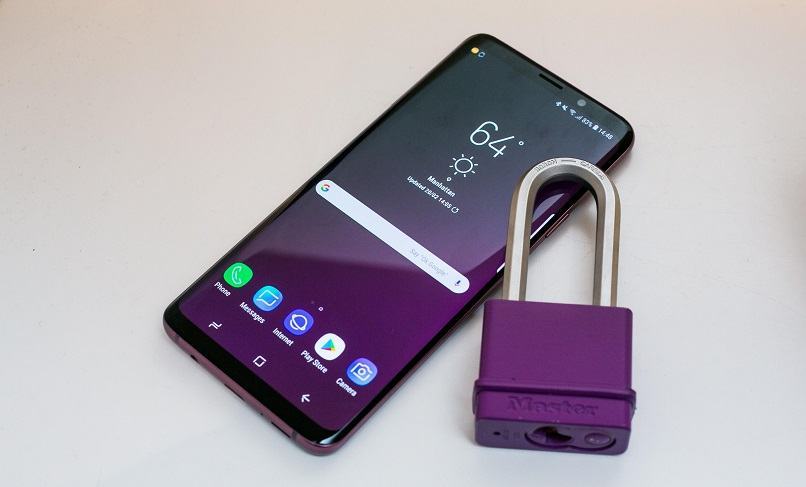
This is the official Stock ROM (Firmware) Collection for various Combination rom for Samsung Galaxy S9 SM-G960 models. These official ROMs are essential for repairing software issues, fixing bootloops, or restoring your smartwatch or smartphone to factory default.
Prerequisites & Preparation
- Backup Data: Flashing will completely wipe all data on your device. Back up important files and settings before proceeding.
- Battery Level: Ensure your device has at least 50% battery to prevent shutdown during the flashing process.
- USB Driver & Tools: Install the correct USB drivers for your brand and prepare the flashing tool (Odin for Samsung, SP Flash Tool/QPST for Qualcomm/MTK, etc.).
CAUTION: Flashing official firmware carries a risk of bricking your device. Proceed with caution and at your own risk. addROM is not responsible for any damage caused to your device.
Download Stock ROM & Firmware
Samsung Galaxy S9 (SM-G960F)
| File Type | AP / PDA Build (Binary) | Region (CSC) | OS Version | Download Link |
|---|---|---|---|---|
| B | COMBINATION | G960FXXUBATG1.zip | – | Google Drive | OneDrive |
| 7 | COMBINATION | G960FXXU7ASI1.zip | – | Google Drive | OneDrive |
| 6 | COMBINATION | G960FXXU6ASG2.zip | – | Google Drive | OneDrive |
| 5 | COMBINATION | G960FXXU5ASF1.zip | – | Google Drive | OneDrive |
| 4 | COMBINATION | G960FXXU4ASD2.zip | – | Google Drive | OneDrive |
| 3 | COMBINATION | G960FXXU3ASD1.zip | – | Google Drive | OneDrive |
| 2 | COMBINATION | G960FXXU2ARL1.zip | – | Google Drive | OneDrive |
| 1 | COMBINATION | G960FXXU1ARE2.zip | – | Google Drive | OneDrive |
Samsung Galaxy S9 (SM-G960U / U1 / W)
| File Type | AP / PDA Build (Binary) | Region (CSC) | OS Version | Download Link |
|---|---|---|---|---|
| 9 | COMBINATION | G960USQU9AUA1.zip | – | Google Drive | OneDrive |
| 8 | COMBINATION | G960USQU8ATH1.zip | – | Google Drive | OneDrive |
| 7 | COMBINATION | G960USQU7ASK1.zip | – | Google Drive | OneDrive |
| 6 | COMBINATION | G960USQU6ASG1.zip | – | Google Drive | OneDrive |
| 5 | COMBINATION | G960USQU5ASE1.zip | – | Google Drive | OneDrive |
| 3 | COMBINATION | G960USQU3ASB1.zip | – | Google Drive | OneDrive |
| 2 | COMBINATION | G960USQU2ARG1.zip | – | Google Drive | OneDrive |
| 1 | COMBINATION | G960USQU1ARF1.zip | – | Google Drive | OneDrive |
Samsung Galaxy S9 (SM-G960U1)
| File Type | AP / PDA Build (Binary) | Region (CSC) | OS Version | Download Link |
|---|---|---|---|---|
| 9 | COMBINATION | FA80 | – | Google Drive |
| 8 | COMBINATION | FA80 | – | Google Drive |
| 7 | COMBINATION | FA80 | – | Google Drive |
| 5 | COMBINATION | FA80 | – | Google Drive |
| 4 | COMBINATION | FA80 | – | Google Drive |
| 3 | COMBINATION | FA80 | – | Google Drive |
Samsung Galaxy S9 (SM-G960XU)
| File Type | AP / PDA Build (Binary) | Region (CSC) | OS Version | Download Link |
|---|---|---|---|---|
| 7 | COMBINATION | FA80 | – | Google Drive | AFH | OneDrive | DropBox | Google Drive |
| 1 | COMBINATION | FA80 | – | Google Drive | Mshare |
Samsung Galaxy S9 (SM-G960W)
| File Type | AP / PDA Build (Binary) | Region (CSC) | OS Version | Download Link |
|---|---|---|---|---|
| 9 | COMBINATION | FA80 | – | Google Drive | AFH | OneDrive | DropBox | Google Drive |
| 8 | COMBINATION | FA80 | – | Google Drive | AFH | OneDrive | DropBox | Google Drive |
Samsung Galaxy S9 (SM-G960N)
| File Type | AP / PDA Build (Binary) | Region (CSC) | OS Version | Download Link |
|---|---|---|---|---|
| 2 | COMBINATION | G960NKSU2ASI1.zip | – | Google Drive | OneDrive |
| 1 | COMBINATION | G960NKSU1ARB7.zip | – | Google Drive | OneDrive |
Samsung Galaxy S9 (SM-G9600)
| File Type | AP / PDA Build (Binary) | Region (CSC) | OS Version | Download Link |
|---|---|---|---|---|
| 7 | COMBINATION | G9600ZCU7ATG1.zip | – | Google Drive | OneDrive |
| 6 | COMBINATION | G9600ZCU6ASJ2.zip | – | Google Drive | OneDrive |
| 5 | COMBINATION | G9600ZCU5ASF1.zip | – | Google Drive | OneDrive |
| 4 | COMBINATION | G9600ZCU4ASC1.zip | – | Google Drive | OneDrive |
| 3 | COMBINATION | G9600ZCU3ARJ3.zip | – | Google Drive | OneDrive |
| 2 | COMBINATION | G9600ZCU2ARF2.zip | – | Google Drive | OneDrive |
| 1 | COMBINATION | G9600ZCU1ARE5.zip | – | Google Drive | OneDrive |
Samsung Galaxy S9 (SC-02K / SCV38)
| File Type | AP / PDA Build (Binary) | Region (CSC) | OS Version | Download Link |
|---|---|---|---|---|
| 1 | COMBINATION | SC02KOMU1ASA1.zip | – | Google Drive | OneDrive |
How to Flash Firmware / Stock ROM
To flash the firmware or combination files onto your device, please refer to our detailed step-by-step flashing guides. For Samsung devices, you can follow our Odin guide: [TUTS] How to use Samsung Odin tool to flash firmware/ROM for Samsung Devices. For other brands, prepare the compatible flashing tool (such as SP Flash Tool, Fastboot, QPST, or ResearchDownload) specifically required for your device chipset.







Maybe someone have link to G960F U6 combination file
SM-G960U binary 5 please
SM-G960F Binary 5 please.
I found Binary 5 here https://yadi.sk/d/f3AeL2ICBxH3fw
desperate need of G960U1UEU3ARL1. is there any way you could provide this combo file or perhaps tell me how to make it as i need it badly. Thank you so much for all of your efforts.
You can use combination file of G960U for G960U1
Hey dont download or use any of this sites guides as this guy is a flake. He told me that a certain combination file would work for my phone so I flashed it and then flashed the stock and it keeps coming up with the factory binary. I try to post this so maybe he can tell me if I did something wrong. I ask him to help. He wont even respond to me or my post. Its some bull s.:\.
Oh, sorry for my delay. I’m not good at English so you can tell me your model phone and your problem?
I have the S9 (G960USQS3ARG8) I flashed the combination file you told me to, the (G960USQS3ARG2). Hey forget it I figured it out. Hey to everyone having trouble with this after you flash the combination file and set OEM to on in developer options thn go to sammobile.com (sammobile.com/firmware/galaxy-s9/SM-G960U/TMB/download/G960USQS3ARG8/230595) follow the instructions on the right side and you will have no problem. Make sure to flash all files including USERDATA. Good Luck and Have a great day.
Thank man 😀
Hy brother, I’m also having the same situation. When I’m flashing the stock ROM it is going to factory binary. Author pls help us out.?
hello please i need binary for my s9 SM-g9600 ( G9600ZHU3ARH4 ) thanks
You need to use COMBINATION_FAC_FA80_G9600ZCU3ARG3.rar
Tentei com G9600ZCU3ARG3 e não deu certo mano!
Duy my friend I have a big problem and you have to help me out of it. I dl and flashed the G960USQU3ARG2. Because you said you had updated that combination file to work for the G960USQS3ARG8. So it all seemed to go perfect except when I was done flashing stock recovery and it restarted, it started back into the Factory Binary. I tried doing another factory reset and it still went back into Factory Binary.
What do I do? I know the stock I flashed was good it was from SamMobile.com.
HELP ME!!!!!! Please.
Hy brother, I’m also having the same situation. When I’m flashing the stock ROM it is going to factory binary. Author pls help us out.?
Duy will you please rwspond to this post need your insight and help. Thanks
ty
I am sorry to seem like such a NoOb, but I am kind of just learning a lot of this stuff. I am all self taught. But when you say, ” I updated binary 3 for G960U” what is ment by binary 3? What file exactly will work for a sm-g950u Android 8.0.0 G960USQS3ARG8.
Càm òn bän Duy Nguyen
Binary 3 is G960USQU3ARG2 (The numbers are red)
could piease you add combination file for G960usqs3arg8?
Hi Kevin,
I updated binary 3 for G960U 😀
I have S9 g960u, G960USQS3ARG8, which combination do I use?
Hi Jason,
I updated binary 3 for G960U 😀
I need that too ive been searching for a long time no one has it
what is your posword plesss g960f rar
You may have been mistaken. All files no password
Hola Muy buen aporte…
COMBINATION_FAC_FA80_G9600ZCU2ARE6_FACFAC_CL13230190_QB18157721_REV01_user_mid_noship_MULTI_CERT.tar.md5 COMBINACIÓN EXCLUSIVA SM-G9600/DS…
Es la que necesito me ayudarias por favor Desde ya GRACIAS
G9600ZCU2ARC7 is the same. You can use it
do you have s9plus ?
Can you get it for the SM-G960W model?
could you get for SM-G9600?
Thanks
Yes, i updated