Web scraping in 2026 isn’t what it used to be. Sites change layouts overnight, anti-bot systems like Cloudflare Turnstile throw up invisible walls, and JavaScript-heavy SPAs refuse to yield data to simple HTTP requests. Meanwhile, privacy-conscious developers and teams demand full control—no third-party cloud services, no hidden rate limits, and no sudden API deprecations.
Enter Scrapling: an open-source, adaptive Python framework that handles everything from a single stealthy request to production-scale crawls, all running on your hardware. With 12.1k GitHub stars and a blazing-fast custom parser that automatically relocates elements when sites evolve, Scrapling is built by scrapers, for scrapers.
In this guide you’ll learn:
- Why Scrapling’s adaptive engine is a game-changer for long-term projects
- Exact steps to install and run it self-hosted (local or Docker)
- Real-world use cases powered by OpenClaw integration
- How it stacks up against Crawl4AI and AnyCrawl
Whether you’re aggregating e-commerce prices, monitoring news, or building research datasets, Scrapling + OpenClaw gives you enterprise-grade scraping with zero vendor lock-in.
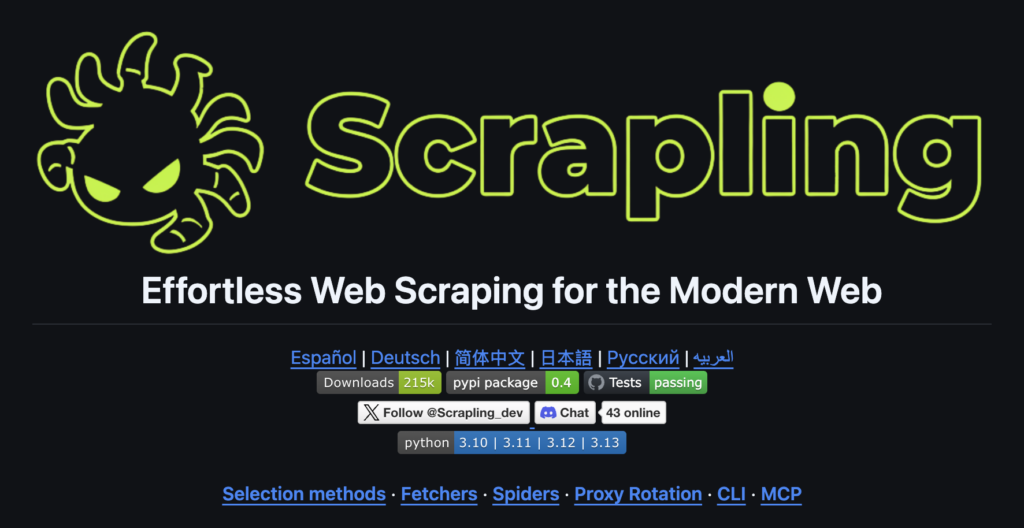
What is Scrapling?
Scrapling is a full-featured Python web-scraping framework (Python 3.10+) that combines three superpowers in one library:
- Adaptive Parser – Uses similarity algorithms to track elements even after class/ID changes. Call
.css('.product', adaptive=True)once and it keeps working for months. - Smart Fetchers –
Fetcher(fast HTTP),StealthyFetcher(TLS fingerprint spoofing + HTTP/3 + auto Cloudflare bypass),DynamicFetcher(full Playwright/Chromium automation). - Production Spider Engine – Scrapy-like async spiders with concurrency control, per-domain throttling, proxy rotation, checkpoint pause/resume, and real-time streaming export to JSON/JSONL.
Extra goodies include an interactive scrapling shell, MCP server for AI-assisted extraction, and official Docker images that bundle everything (browsers included).
All of this runs 100% self-hosted—perfect for air-gapped environments, compliance-heavy industries, or anyone tired of paying per-request fees.
Self-Hosted Setup Guide
Prerequisites
- Python 3.10+
- (Optional but recommended)
uvorpipxfor clean installs - For browser fetchers: ~2 GB disk for Chromium + system deps
- Docker (optional, but easiest for servers)
Step 1: Create a clean environment
python -m venv scrapling-env
source scrapling-env/bin/activate  # Windows: scrapling-env\Scripts\activate
Step 2: Install Scrapling
# Core parser only (lightweight)
pip install scrapling

# Full power (recommended for most users)
pip install "scrapling[all]"

# One-time browser & system dependency setup
scrapling install
Step 3: (Optional) Docker – zero-config production
docker pull pyd4vinci/scrapling:latest   # or ghcr.io/d4vinci/scrapling:latest
docker run -it --rm pyd4vinci/scrapling scrapling shell
Step 4: Basic scrape example
from scrapling.fetchers import StealthyFetcher
from scrapling import ProxyRotator

# Enable global adaptivity
StealthyFetcher.adaptive = True

# Rotate proxies automatically
rotator = ProxyRotator(["http://user:pass@proxy1:8080", ...])

page = StealthyFetcher.fetch(
    "https://quotes.toscrape.com",
    headless=True,
    network_idle=True,
    proxy=rotator.get(),          # or None for direct
    solve_cloudflare=True
)

# Adaptive extraction that survives layout changes
quotes = page.css('.quote', adaptive=True, auto_save=True)
for quote in quotes:
    print({
        "text": quote.css('.text::text').get(),
        "author": quote.css('.author::text').get()
    })
Step 5: Full spider crawl
from scrapling.spiders import Spider, Response

class QuoteSpider(Spider):
    name = "quotes"
    start_urls = ["https://quotes.toscrape.com"]
    concurrent_requests = 8
    download_delay = 1.5

    async def parse(self, response: Response):
        for quote in response.css('.quote', adaptive=True):
            yield {
                "text": quote.css('.text::text').get(),
                "author": quote.css('.author::text').get()
            }

        # Follow pagination
        next_page = response.css('li.next a::attr(href)').get()
        if next_page:
            yield response.follow(next_page)

# Run & stream results in real time
async for item in QuoteSpider().stream():
    print(item)
Configuration tips:
- Use
crawldir="my_crawl"for automatic pause/resume checkpoints - Set
blocked_request_detection=True+ custom retry logic - Export directly:
result.items.to_jsonl("data.ndjson")
You’re now running a production-grade scraper on your own machine or VPS.
Use Cases with OpenClaw: AI-Powered Adaptive Crawling
OpenClaw (openclaw.ai) is the self-hosted personal AI agent that runs locally and controls browsers, executes Python, manages files, and chats via WhatsApp/Telegram/etc. Its skill system lets you drop in any Python tool—making Scrapling the perfect scraping backend.
1. E-commerce Price & Availability Monitoring
- Scrapling spider runs daily with adaptive selectors (product cards change weekly).
- OpenClaw skill triggers the spider via natural language (“Monitor Nike sneakers under $120”).
- AI summarizes price drops, stock changes, and alerts you on Slack.
- Ethical bonus: built-in
download_delay+ robots.txt respect.
2. Real-Time News & Trend Aggregation
- Scrapling’s
DynamicFetcher+ stealth mode pulls from 50+ news sites (bypassing paywalls/anti-bot). - OpenClaw agent classifies articles by topic/sentiment using local LLMs.
- Daily digest delivered to your phone—zero cloud data leaks.
3. Academic & Research Data Collection
- Adaptive spider follows pagination on arXiv, PubMed, or government portals.
- OpenClaw orchestrates multi-step workflows: scrape → extract PDFs → OCR → summarize.
- Perfect for researchers needing reproducible, self-hosted pipelines.
4. Competitor Intelligence Dashboards
- Scrapling extracts pricing tables, blog posts, job listings.
- OpenClaw stores everything in local vector DB and answers questions (“What new features did Competitor X launch last month?”).
Ethical checklist (always include in production):
- Honor
robots.txt - Add random delays and human-like headers
- Never scrape personal data without consent
- Respect legal boundaries (CFAA, GDPR, etc.)
Comparison: Scrapling vs. Crawl4AI vs. AnyCrawl
| Feature | Scrapling (Python) | Crawl4AI (Python) | AnyCrawl (Node.js/TS) |
|---|---|---|---|
| Core Strength | Adaptive parser + anti-bot | LLM-ready Markdown & structured extraction | High-throughput SERP + multi-thread |
| Adaptivity to layout changes | ★★★★★ (similarity algorithms) | ★★★ (LLM fallback) | ★★ (manual selectors) |
| Anti-bot / Stealth | ★★★★★ (TLS spoof, Cloudflare auto-solve) | ★★★★ (Playwright stealth) | ★★★★ (Playwright/Puppeteer) |
| JS / Dynamic | Full Playwright + network control | Excellent async browser pool | Playwright + Cheerio hybrid |
| Crawling Engine | Scrapy-like spiders + pause/resume | Async crawler + adaptive intelligence | Depth-limited site crawl + SERP |
| Self-Hosting | pip + Docker (browsers bundled) | pip + rich Docker dashboard | Docker Compose + API server |
| LLM Focus | Built-in MCP server | ★★★★★ (clean MD, schema extraction) | ★★★★ (JSON + LLM extraction) |
| Language / Ecosystem | Python (data science friendly) | Python | Node.js (frontend/devops friendly) |
| Community (Feb 2026) | 12.1k stars | ~60.9k stars | 2.7k stars |
| Best For | Long-term robust scraping | RAG / AI agents needing clean text | High-volume SERP + JS sites in JS stack |
When to choose Scrapling
You need scrapers that survive for months without maintenance, heavy anti-bot protection, or full control over every request.
Choose Crawl4AI when your end goal is feeding clean Markdown or structured JSON straight into LLMs/RAG pipelines.
Choose AnyCrawl if you live in the Node.js ecosystem, need blazing multi-threaded SERP scraping, or want an API-first service you can self-host.
Many teams actually combine them: Scrapling for the heavy lifting, Crawl4AI for post-processing Markdown, OpenClaw as the AI conductor.
Conclusion
Scrapling removes the biggest pain points of modern web scraping—brittle selectors, bot detection, and cloud dependency—while giving you the flexibility of a full framework. Paired with OpenClaw’s agentic superpowers, you get a private, intelligent scraping powerhouse that runs entirely on your infrastructure.
Ready to get started?
- Star the repo: https://github.com/D4Vinci/Scrapling
- Install in 60 seconds with the commands above
- Join the growing community and share your spiders
- Try the interactive shell:
scrapling shell
The web is messy. Scrapling makes it manageable—self-hosted, adaptive, and future-proof.
Happy scraping (responsibly)!