Stop wasting time manually refreshing product pages. PriceBuddy is a powerful, open-source solution that automates price monitoring across the web. Unlike cloud services that track you while you track prices, PriceBuddy runs on your own infrastructure, keeping your shopping habits completely private.
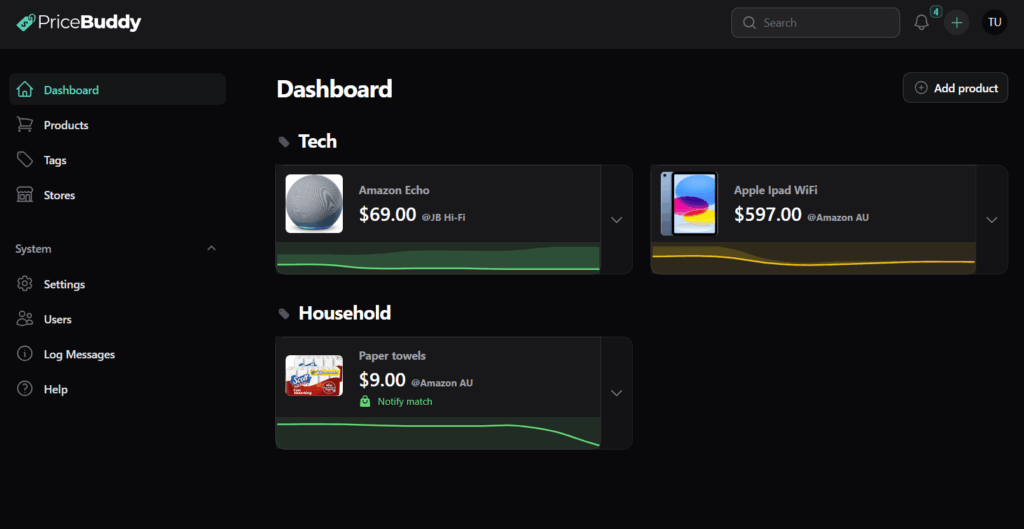
What is PriceBuddy?
PriceBuddy is a self-hosted application built on the Laravel framework. It is designed for privacy-conscious shoppers and HomeLab enthusiasts. It monitors product URLs, records price history, and sends alerts when prices drop—all from your personal server, VPS, or Raspberry Pi.
Why Choose PriceBuddy? (Cloud vs. Self-Hosted)
| Feature | Commercial/Cloud Apps | PriceBuddy (Self-Hosted) |
| Data Privacy | Tracks your browsing/shopping habits | 100% Private (Data never leaves your server) |
| Cost | Subscription fees ($5-$50/mo) | Free (Open Source) + Hosting costs |
| Flexibility | Limited to supported stores | Universal (Custom CSS/Regex/JSONPath scrapers) |
| Ownership | Service can shut down anytime | You own the code and data |
Key Features
- Universal Tracking: Monitor Amazon, eBay, Best Buy, or niche stores using custom selectors.
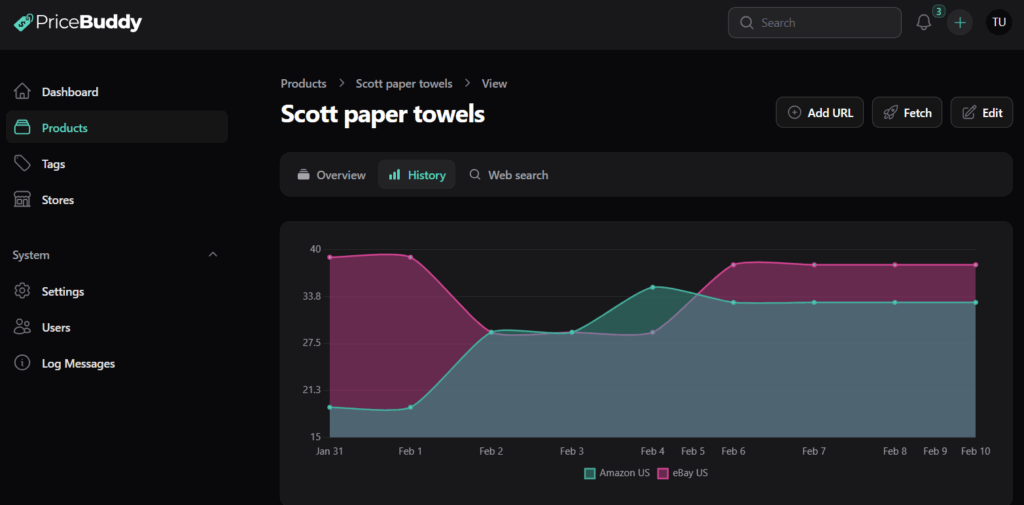
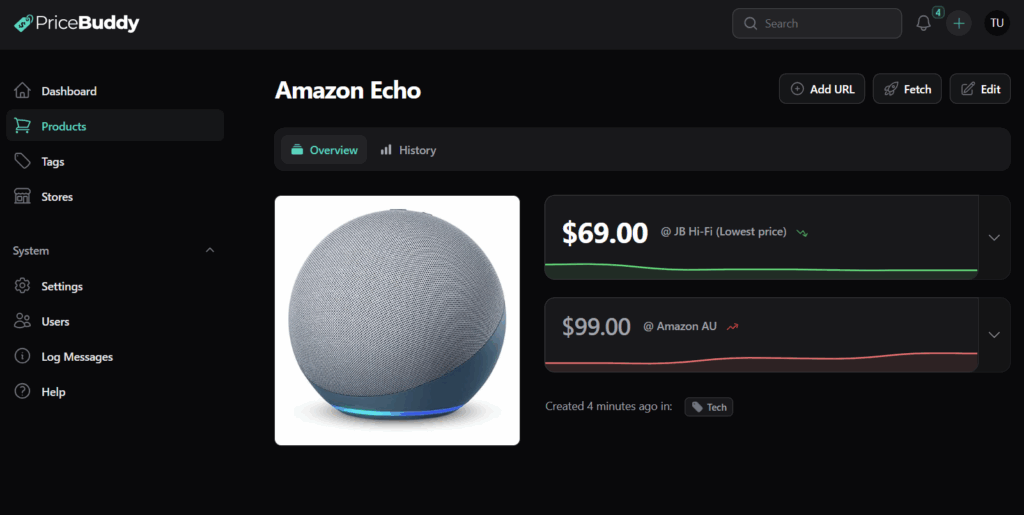
- Multi-URL Support: Track a single product (e.g., “Sony Headphones”) across multiple retailers to find the lowest price instantly.
- Visual Analytics: Interactive charts showing minimum, maximum, and average price trends over time.
- Smart Alerts: Receive notifications via Email, Webhooks, or Telegram when prices hit your target.
- Headless Scraping: Built-in support for JavaScript-heavy websites that standard scrapers cannot read.
Installation Guide: Deploying PriceBuddy with Docker
This guide assumes you have Docker and Docker Compose installed.
Prerequisites
- Hardware: 1 CPU Core, 1GB RAM (Recommended).
- Storage: 2-5GB disk space.
- Software: Docker v20.10+ & Docker Compose v2.0+.
Step 1: Set Up Directory and Files
Open your terminal and create a folder for the project:
mkdir pricebuddy
cd pricebuddy
Download the official composition file:
wget https://raw.githubusercontent.com/jez500/pricebuddy/main/docker-compose.ymlStep 2: Configure Environment
Crucial Step: You must create an environment file before starting.
touch .envIf you wish to customize settings (like mail servers), edit the .env file. For a basic local setup, the empty file is sufficient to start.
Step 3: Launch Containers
Start the application stack (App, MySQL, Redis) in the background:
docker compose up -dStep 4: Access and Secure
- Navigate to
http://localhost:8080in your browser. - Default Login:
- Email:
[email protected] - Password:
admin
- Email:
- Action Required: Immediately go to Settings > Users and change your password.
User Guide: How to Track and Save
1. Adding Products
You have three ways to add items to your dashboard:
- Direct URL: Paste a link from a supported retailer. PriceBuddy scrapes the title, image, and price automatically.
- Search (SearXNG): If configured, search for products directly within the app and select retailers.
- Multi-Store Tracking: Open an existing product and click “Add URL” to track the same item at a competitor.
2. Configuring Price Alerts
Don’t get spammed. Set smart rules in the Alerts tab of any product:
- Absolute Target: “Notify me when price is ≤ $150.”
- Percentage Drop: “Notify me on a 20% discount.”
- Any Drop: “Notify me whenever the price decreases.”
3. Advanced: Adding Custom Stores
If a website isn’t supported out of the box, you can teach PriceBuddy how to read it using CSS Selectors.
- Go to Settings > Stores > Add Store.
- Inspect the product page in your browser (Right-click > Inspect).
- Copy the CSS Selectors for the required fields:
| Field | Example Selector | Description |
| Price | .product-price or span.offer-price | The HTML tag containing the dollar amount. |
| Title | h1.product-title | The main name of the product. |
| Image | img.main-image|src | The image tag. Append |src to grab the URL. |
PRO TIP:
Use Open Graph tags (e.g., meta[property="og:price:amount"]|content) for more reliable scraping that survives website redesigns.
Troubleshooting Common Issues
Issue: 500 Error on First Load
- Cause: Missing
.envfile. - Fix: Run
touch .envin your directory, then rundocker compose downanddocker compose up -d.
Issue: “Port 8080 in use”
- Fix: Edit
docker-compose.yml. Change"8080:8080"to"8090:8080". Access vialocalhost:8090.
Issue: Price Not Updating
- Cause: The site uses JavaScript to load prices.
- Fix: In the Store Settings, enable “Use Browser” (Headless Scraping) to render the page before extracting data.
Ready to Start Saving?
Self-hosting PriceBuddy empowers you to build a personal database of price history, ensuring you never overpay again.
Next Step: Would you like me to generate a specific docker-compose.yml configuration that includes a reverse proxy (like Nginx) so you can access PriceBuddy securely over the internet?