Key Takeaways
- Eliminates Brittle Selectors: Replaces CSS/XPath selectors with natural language instructions that adapt to UI changes.
- Self-Healing: Automatically adjusts to website updates without breaking scripts, significantly reducing maintenance time.
- Cost-Efficient: Features intelligent caching that reduces Large Language Model (LLM) costs by over 80% after the first run.
- Hybrid Power: Built on top of Playwright, allowing you to mix AI instructions with traditional code for maximum precision.
What is Stagehand?
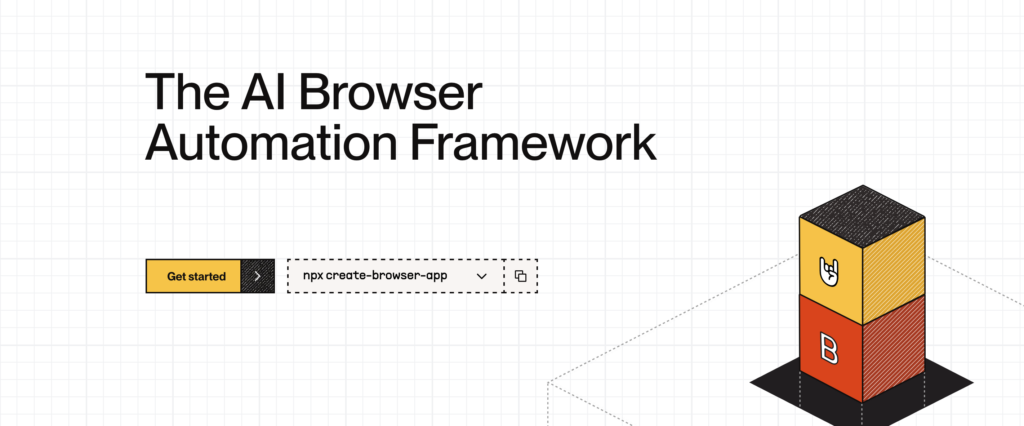
Stagehand is an open-source browser automation framework built on top of Playwright that enables developers to control browsers using AI-powered natural language. Instead of relying on rigid code that breaks whenever a website updates its interface, Stagehand utilizes Large Language Models (LLM) to understand the visual and semantic structure of a page.
Developed by Browserbase, it solves the industry-wide problem known as “Selector Hell.” In traditional frameworks like Selenium or Puppeteer, a simple button move can crash a script. Stagehand avoids this by allowing you to state your intent (e.g., “click the login button”) rather than the specific DOM path. With over 19,000 GitHub stars, it represents a shift toward resilient, low-maintenance automation.
How Stagehand Works: The Four Primitives
Stagehand simplifies automation into four atomic primitives that determine exactly how much AI intervention is required. This modular approach ensures you only use AI where necessary, keeping scripts fast and predictable.
1. act() — Natural Language Execution
This primitive replaces brittle selectors. The LLM analyzes the page visually to execute the correct action, regardless of underlying code changes.
Comparison:
// Traditional Playwright (Breaks if class changes)
await page.click('button.login-button');

// Stagehand (Resilient to changes)
await stagehand.act("click the login button");
2. extract() — Structured Data Retrieval
Extracting data from web pages often involves messy Regex or fragile DOM traversal. Stagehand uses Zod schemas to ensure the data you extract is strictly typed and validated.
const priceData = await stagehand.extract(
  "extract the product price and availability",
  z.object({
    price: z.number(),
    availability: z.string(),
  })
);
3. observe() — Risk-Free Discovery
This unique feature allows you to see what actions are possible on a page without actually executing them. It is excellent for debugging and understanding how the AI perceives the page structure.
// Get suggestions without incurring high LLM inference costs
const actions = await stagehand.observe("find all checkout buttons");
console.log(actions);
4. agent() — Autonomous Workflows
For complex, multi-step goals, the agent() primitive acts autonomously. It handles reasoning and navigation to achieve a high-level objective.
const agent = stagehand.agent({ model: "openai/gpt-4o" });
await agent.execute("book a flight to Tokyo for next month");
Pro Tip:
Use
observe()during your development phase to verify that the AI identifies the correct elements. Once verified, switch toact()for the production script. This workflow increases confidence and reduces debugging time.
Why Stagehand is a Game-Changer for Developers
Stagehand fundamentally changes the economics of browser automation by solving the two biggest hurdles: maintenance costs and execution stability.
Self-Healing Automation
When a target website redesigns its layout, traditional scripts fail immediately. Stagehand employs intelligent recovery. If an action fails due to a DOM change, the system re-parses the page and adapts its strategy automatically. This means you write the script once, and it persists through UI updates without manual code fixes.
Massive Cost Reduction via Caching
A common concern with AI automation is the cost of LLM tokens. Stagehand addresses this with automatic action caching.
- First Run: The LLM analyzes the page to find the element (incurs cost).
- Subsequent Runs: Stagehand remembers the action location.
- Result: Zero LLM cost and zero latency for repeat runs.
If the page changes and the cache fails, Stagehand intelligently falls back to the LLM to heal the script.
Performance Speed (v3)
The latest version of Stagehand (v3) is optimized for high performance. By utilizing the Chrome DevTools Protocol (CDP) directly, it reduces round-trip times and handles complex DOM structures (like Shadow DOMs and iframes) 44% faster than previous versions.
Stagehand vs. Traditional Frameworks
The table below illustrates why developers are migrating from pure Playwright/Puppeteer to Stagehand for complex scraping and testing tasks.
| Feature | Playwright / Puppeteer | Stagehand |
|---|---|---|
| Selector Maintenance | Manual; breaks on UI updates | Auto-healing; adapts to changes |
| Code Style | Rigid selectors | Natural language |
| Dynamic Content | Requires manual waits/retries | Native AI support |
| Self-Healing | No | Yes (Automatic) |
| Cost at Scale | Low (Compute only) | Low + LLM (Offset by caching) |
| Cross-Browser | Yes | Yes (via Playwright) |
Quick Start Guide
Setting up Stagehand is straightforward. It works alongside your existing Node.js environment.
Installation
Use the official scaffold to create a project with all dependencies:
npx create-browser-appOr install it into an existing project:
npm install @browserbasehq/stagehandYou must configure your API keys in a .env file for your preferred LLM provider (OpenAI, Anthropic, etc.) and optionally Browserbase for cloud infrastructure.
OPENAI_API_KEY=sk_...
BROWSERBASE_API_KEY=...
Example: E-Commerce Search & Extraction
The following script demonstrates searching for a product and extracting structured data.
import { Stagehand } from "@browserbasehq/stagehand";
import { z } from "zod";

const stagehand = new Stagehand({
  env: "BROWSERBASE", // Or "LOCAL"
});

await stagehand.init();

try {
  const page = stagehand.context.pages()[0];

  // Standard Playwright navigation
  await page.goto("https://example-ecommerce.com");

  // AI-powered interaction
  await stagehand.act("click on the search bar");
  await stagehand.act("type 'wireless headphones' and press enter");

  await page.waitForTimeout(2000);

  // Extract typed data
  const products = await stagehand.extract(
    "extract the top 3 product listings with name, price, and rating",
    z.array(
      z.object({
        name: z.string(),
        price: z.number(),
        rating: z.number(),
      })
    )
  );

  console.log("Found products:", products);

} catch (error) {
  console.error("Automation failed:", error);
} finally {
  await stagehand.close();
}
Pro Tip:
Stagehand is not an “all-or-nothing” tool. You can migrate an existing Playwright script one line at a time. Keep your stable legacy code and only use
stagehand.act()for the flaky parts of the UI that change frequently.
FAQ
Q: Does Stagehand replace Playwright?
No, Stagehand is built on top of Playwright. It adds an AI layer to handle interaction and extraction, but you still have full access to the underlying Playwright API for navigation and standard browser control.
Q: Is Stagehand expensive to run at scale?
Not necessarily. While LLM inference has a cost, Stagehand’s caching mechanism reduces this by over 80%. Once an action is successfully mapped to an element, subsequent runs do not require an API call to the LLM provider unless the page layout changes.
Q: Can I use local LLMs with Stagehand?
Yes, Stagehand is model-agnostic. While it defaults to major providers like OpenAI or Anthropic, you can configure it to work with various models, provided they are powerful enough to interpret visual DOM contexts correctly.
Q: How does it handle anti-bot detection?
Stagehand itself focuses on interaction logic. However, when paired with Browserbase infrastructure, it gains “stealth mode” capabilities to bypass anti-bot detection systems effectively.