In 2026, text to video AI tools are reshaping how creators, marketers, and teams produce video content. These platforms transform written text into engaging visuals — saving time, cutting production costs, and driving audience engagement. Below are the 10 best text to video AI tools worth exploring this year, each described with clear benefits and use cases.
1. Pollo AI – Most Flexible and Multi‑Model Video Generation
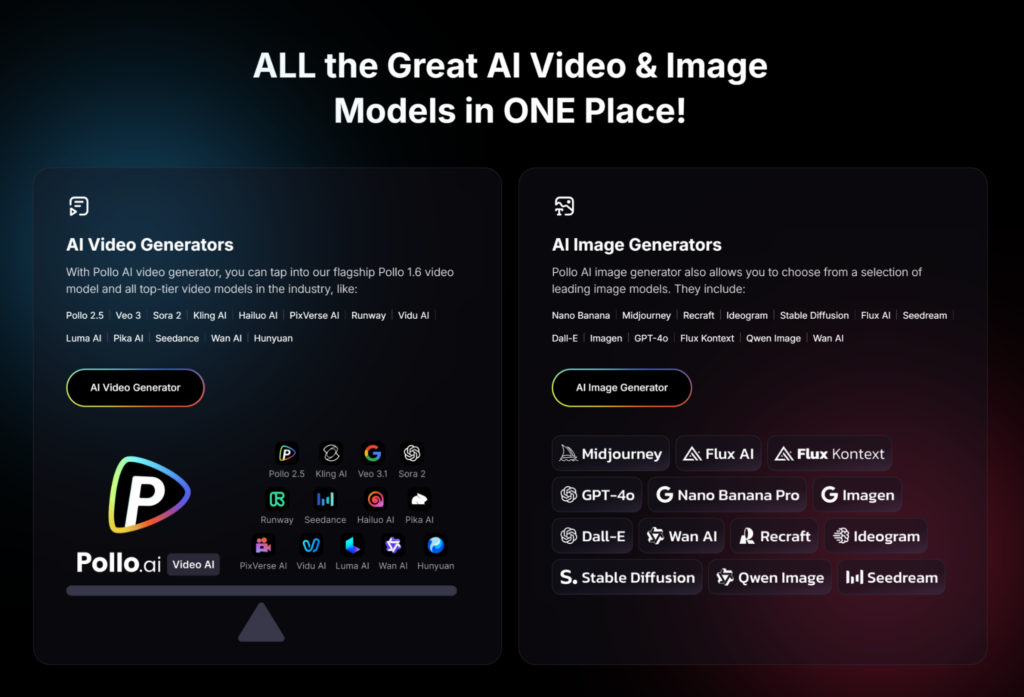
Pollo AI lets you turn simple text prompts into polished videos by combining multiple top video models in one platform, including Pollo’s own generator plus integrated engines like Kling AI and Veo 3. Its interface supports varied creative styles — from cinematic scenes to animated scenarios — and includes audio generation that matches ambient sound and effects to your visuals. Pollo AI’s text to video AI is designed to be intuitive for creators of all levels, enabling quick video drafts with immersive visual and sound layers. This versatility makes it ideal for social content, brand videos, and storytelling without needing traditional cameras or editing decks.
Best for: Creators and businesses who want flexibility and model choice in video generation.
2. Google Veo 3 – Best for Cinematic, Physics‑Aware Video Generation

Google Veo 3 is a generative video model developed by Google DeepMind that creates videos directly from text prompts, often with realistic visuals and natural motion. Its latest version improves prompt understanding and can generate accompanying soundtracks or effects based on context, making videos feel more lifelike. Veo integrates physics awareness such as basic motion dynamics into its outputs. This depth of fidelity helps elevate simple ideas into visually compelling short videos that look more like professional production.
Best for: High‑quality cinematic style and concept visuals.
3. Synthesia – Best for Avatar‑Led Business & Training Videos

Synthesia focuses on turning text scripts into presenter‑led videos using an extensive roster of lifelike AI avatars. It supports over 140 languages and accents and offers custom branding elements, voiceovers, and templates that help streamline corporate, marketing, or educational content production. You can paste scripts, upload documents, or input text prompts — and Synthesia automatically creates a finished video with synchronized narration, AI avatar delivery, and visual polish. Its simple workflow makes professional video creation accessible even with no filming experience.
Best for: Business communications, internal training, and instructional content.
4. Runway Gen‑4 / Gen‑4.5 – Best for Creative, Detailed Visual Control
Runway’s video generation models (including Gen‑4 and its more advanced Gen‑4.5) are known for producing highly detailed scenes that follow text prompts with strong prompt adherence, smooth motion, and cinematic output. These models let users experiment with camera control, editing parameters, styles, and scene continuity — pushing output quality closer to real footage. Recent upgrades emphasize realism and physical accuracy in motion and effects, which is ideal for creators seeking polished short films, ads, or concept visuals.
Best for: Film‑style short videos and artistic storytelling.
5. AI Studios – All‑Around Free Text to Video + Avatar Narration
AI Studios is a flexible text to video platform that lets users generate complete videos — including script, visuals, AI avatars, and narration — using just a topic prompt. It supports over 150 languages and thousands of avatar options, making it a one‑stop tool for creators who want to go from idea to finished video quickly and without editing skills. The platform also includes templates and workspace collaboration features so teams can scale video production efficiently.
Best for: Quick social clips, educational explainers, and large‑scale video production.
6. OpenAI Sora – Leading Realism and Motion Fidelity
OpenAI’s Sora is a cutting‑edge text to video AI model that generates videos based on natural language descriptions, often with high realism and flexible styles. It’s designed to craft scenes ranging from cinematic to stylized visuals, blending motion and audio that reflect the prompt’s intention. Sora’s sophistication in interpreting complex prompts makes it ideal for creators who need expressive or detailed outputs. Although access and usage limits vary by subscription tier, its ability to produce rich, narrative‑driven clips sets a high bar among generative models.
Best for: Narrative‑rich, dynamic video generation with advanced realism.
7. LTX‑2 – Best Open‑Source Video Foundation Model
LTX‑2 is an open‑source text to video model released by Lightricks that generates videos directly from text descriptions. Because it’s open‑source, developers can integrate or tweak the model for custom workflows or research. LTX‑2 supports longer and more continuous video generation compared to some early models, making it appealing for experimental projects or tools that need an open foundation for tailored video generation.
Best for: Developers and experimental use cases.
8. Kling AI – Balanced Speed and Quality
Kling AI is an emerging text to video engine that focuses on balancing generation speed with visual fidelity. It produces video and audio from prompts and usually delivers 1080p video outputs with detail and motion consistency. While outputs may require prompt tweaking for best results, Kling’s responsiveness and quality make it popular among creators wanting efficient, production‑ready videos without extreme compute time or costs.
Best for: Efficient video production with good resolution.
9. Adobe Firefly Video – Best for Branded and Short Cinematic Clips
Adobe Firefly Video, part of Adobe’s generative AI ecosystem, creates short cinematic text‑to‑video clips that integrate well with Creative Cloud apps like Photoshop and Premiere Pro. The tool focuses on generating high‑quality outputs with customization options for style, camera motion, and visual effects, making it useful for branded marketing snippets or creative content that plugs into familiar Adobe workflows.
Best for: Branded visuals and Creative Cloud workflows.
10. Pictory – Best for Repurposing Text Content into Video
Pictory specializes in turning existing written content — like blog posts, articles, or scripts — into engaging video formats. It automatically selects visuals, matches scene timing to the text narrative, and adds captions and voice narration where needed. While it doesn’t focus on generative cinematic scenes, its strength lies in content repurposing and fast turnaround for marketing or social campaigns.
Best for: Blog‑to‑video conversion and fast content repackaging.
How to Choose the Right One
When choosing a tool, consider:
- Purpose: Do you need cinematic visuals, business presentations, or scaled social content?
- Output Control: Some tools give deep stylistic and scene control while others prioritize speed.
- Ease of Use: Platforms like AI Studios and Synthesia are accessible to non‑technical users.
- Budget and Scale: Evaluate pricing models and credit or subscription structures.
No matter your niche, the explosion of text to video AI options in 2026 means there’s a tool tailored to every content creation workflow — from rapid social clips to polished branded visuals.