
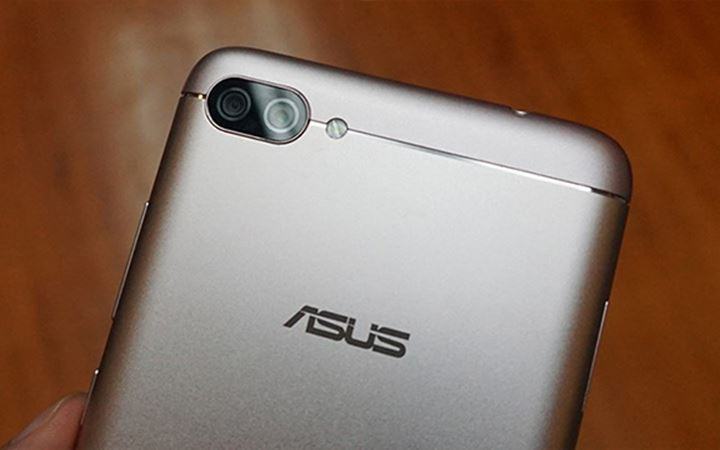
Here you can download the latest official Stock ROM (Firmware) files for the RAW ROM for Asus Zenfone 4 Max ZC520KL. These files are essential for repairing software issues, fixing bootloops, upgrading/downgrading the OS, or restoring your device to its factory state.
Prerequisites & Preparation
- Backup Data: Flashing will completely wipe all data on your device. Back up important files and settings before proceeding.
- Battery Level: Ensure your device has at least 50% battery to prevent shutdown during the flashing process.
- USB Driver & Tools: Install the correct USB drivers for your brand and prepare the flashing tool (Odin for Samsung, SP Flash Tool/QPST for Qualcomm/MTK, etc.).
CAUTION: Flashing official firmware carries a risk of bricking your device. Proceed with caution and at your own risk. addROM is not responsible for any damage caused to your device.
Download Stock ROM & Firmware
OTA
| File Type | Firmware / Build | Region / Model | OS Version | Download Link |
|---|---|---|---|---|
| Stock ROM | UL-ASUS_X00HD-WW-15.2016.1909.526-user.zip | OTA | – | Download |
| Stock ROM | UL-ASUS_X00HD-WW-AOSP-16.0200.1907.18-user.zip | OTA | – | Download |
| Stock ROM | UL-ASUS_X00HD-JP-15.2016.1907.523-user.zip | OTA | – | Download |
| Stock ROM | O.zip | OTA | – | Download |
| Stock ROM | UL-ASUS_X00HD-WW-15.2016.1907.519-user.zip | OTA | – | Download |
| Stock ROM | UL-ASUS_X00HD-WW-15.2016.1905.515-user.zip | OTA | – | Download |
| Stock ROM | UL-ASUS_X00HD-WW-15.2016.1903.511-user.zip | OTA | – | Download |
| Stock ROM | UL-ASUS_X00HD-WW-15.2016.1901.506-user.zip | OTA | – | Download |
| Stock ROM | UL-ASUS_X00HD-WW-15.2016.1811.502-user.zip | OTA | – | Download |
| Stock ROM | UL-ASUS_X00HD-WW-15.2016.1809.407-user.zip | OTA | – | Download |
| Stock ROM | UL-ASUS_X00HD-JP-14.2016.1807.375-user.zip | OTA | – | Download |
| Stock ROM | UL-ASUS_X00HD-WW-14.2016.1807.375-user.zip | OTA | – | Download |
| Stock ROM | UL-ASUS_X00HD-WW-14.2016.1805.374-user.zip | OTA | – | Download |
| Stock ROM | UL-ASUS_X00HD-JP-14.2016.1805.374-user.zip | OTA | – | Download |
| Stock ROM | UL-ASUS_X00HD-JP-14.2016.1803.373-user.zip | OTA | – | Download |
| Stock ROM | UL-ASUS_X00HD-WW-14.2016.1801.372-user.zip | OTA | – | Download |
| Stock ROM | UL-ASUS_X00HD-JP-14.2016.1801.372-user.zip | OTA | – | Download |
| Stock ROM | UL-ASUS_X00HD-WW-14.2016.1712.367-user.zip | OTA | – | Download |
| Stock ROM | UL-ASUS_X00HD-JP-14.2016.1712.367-user.zip | OTA | – | Download |
| Stock ROM | UL-ASUS_X00HD-WW-14.2016.1710.355-user.zip | OTA | – | Download |
| Stock ROM | UL-ASUS_X00HD-WW-14.2016.1708.348-user.zip | OTA | – | Download |
| Stock ROM | ZC520KL | OTA | – | Download |
WW
| File Type | Firmware / Build | Region / Model | OS Version | Download Link |
|---|---|---|---|---|
| Stock ROM | ZC520KL | WW | – | Download |
| Stock ROM | ZC520KL | WW | – | Google Drive | AFH | OneDrive | Google Drive |
| Stock ROM | ZC520KL | WW | – | Google Drive | AFH | OneDrive |
| Stock ROM | WW_ZC520KL-15.2016.1901.506-20190107.zip | WW | – | Google Drive | AFH | OneDrive | Google Drive |
| Stock ROM | WW_ZC520KL-14.2016.1708.326-20170814.zip | WW | – | Google Drive | AFH | OneDrive | Google Drive |
| Stock ROM | ZC520KL | WW | – | Google Drive | AFH | OneDrive | Google Drive |
| Stock ROM | ZC520KL | WW | – | Google Drive | AFH | OneDrive | Google Drive |
| Stock ROM | ZC520KL | WW | – | Google Drive | AFH | OneDrive | Google Drive |
| Stock ROM | ZC520KL | WW | – | Google Drive | AFH | OneDrive | Google Drive |
| Stock ROM | ZC520KL | WW | – | Google Drive | AFH | OneDrive | Google Drive |
| Stock ROM | ZC520KL | WW | – | Google Drive | AFH | OneDrive | Google Drive |
| Stock ROM | ZC520KL | WW | – | Google Drive | AFH | OneDrive | Google Drive |
| Stock ROM | ZC520KL | WW | – | Google Drive | AFH | OneDrive | Google Drive |
| Stock ROM | ZC520KL | WW | – | Google Drive | AFH | OneDrive | Google Drive |
| Stock ROM | WW_ZC520KL-14.2016.1807.375-20180730.zip | WW | – | Google Drive |
| Stock ROM | ZC520KL | WW | – | Google Drive |
| Stock ROM | ZC520KL | WW | – | Google Drive |
| Stock ROM | ZC520KL | WW | – | Google Drive |
| Stock ROM | CL only) | WW | – | Google Drive |
JP
| File Type | Firmware / Build | Region / Model | OS Version | Download Link |
|---|---|---|---|---|
| Stock ROM | ZC520KL | JP | – | Google Drive | AFH | OneDrive | Google Drive |
| Stock ROM | JP_ZC520KL-14.2016.1807.375-20180730.zip | JP | – | Google Drive | AFH | OneDrive |
| Stock ROM | AFH | JP | – | AFH | OneDrive | Google Drive |
| Stock ROM | ZC520KL | JP | – | Google Drive | AFH | OneDrive | Google Drive |
| Stock ROM | ZC520KL | JP | – | Google Drive | AFH | OneDrive | Google Drive |
How to Flash Asus Raw ROM via Fastboot Mode
To flash the stock raw ROM on your Asus Zenfone or ROG Phone device, follow the fastboot flashing steps below:
- Download and install the Asus USB Drivers on your computer.
- Download and extract the Asus Stock Raw ROM package on your PC.
- Power off your Asus device completely.
- Press and hold the Volume Up and Power buttons simultaneously until the device enters Fastboot Mode / Bootloader Mode.
- Connect your device to the computer using a high-quality USB cable.
- Navigate to the extracted firmware folder on your PC:
- On Windows: Double-click the
flash_all.batfile (orflash_all_wipe.batif you want to perform a clean flash and wipe all user data). - On Linux/macOS: Open terminal in that directory and run
sh flash_all.sh. - The command prompt/terminal window will open and begin flashing the raw firmware files automatically. Keep the USB connection stable.
- Once the flashing process completes, the device will reboot automatically into the system.









My phone is ASUS Zenfone 4 Max ZC520KL. ROM position is now on Official ASUS Firmware based Android 8.1 Oreo. Can i apply this method? Becasue my phone often experience freeze on the screen. Can this method return to the Nougat version?