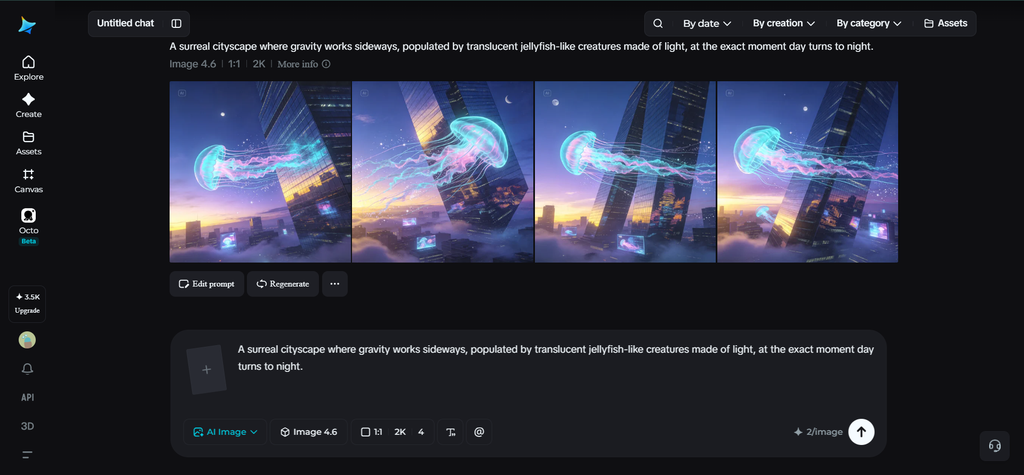
“A surreal cityscape where gravity works sideways, populated by translucent jellyfish-like creatures made of light, at the exact moment day turns to night.” Prompts like this aren’t uncommon once you get past simple product shots and portraits — but they’re also where an AI image generator starts to fall apart, losing coherence the moment too many ideas compete for space in one frame. Getting a genuinely complex concept to hold together visually takes a different approach than a straightforward prompt.
Dreamina, powered by its most advanced image generation model, Seedream 5.0 Pro, is built with exactly this kind of complexity in mind. Rather than latching onto a few keywords and ignoring the rest, it works through the relationships between elements before generating anything. Let’s break down how to prompt for genuinely complex, layered concepts and actually get coherent results.
What makes a prompt “complex” in the first place
Complexity isn’t just about length — a long prompt can still describe something simple. Real complexity comes from the number of relationships a model has to juggle at once: multiple subjects interacting, unusual physics or logic, layered symbolism, or a scene with several distinct focal points competing for attention. The more relationships packed into one image, the more likely something gets dropped or misinterpreted.
Why most complex prompts fall apart
A handful of common issues tend to show up when a prompt tries to do too much at once:
- The model prioritizes one strong element and quietly drops the rest
- Conflicting instructions cancel each other out, producing something generic
- Too many competing focal points leave the composition feeling cluttered
- Abstract concepts get literalized in odd, unintended ways
Recognizing these failure points ahead of time makes it much easier to write around them.
Structuring a complex idea before you prompt
Rather than writing out every idea as it comes to mind, it helps to organize a complex concept into a clear hierarchy first:
- The primary subject or focal point
- Secondary elements that support or interact with it
- Environmental or atmospheric details that set the mood
- Any unusual rules (physics, scale, logic) the scene needs to follow
Writing your prompt in roughly this order — most important first — gives the model a clearer sense of what actually matters most in the frame.
Meet Seedream 5.0 Pro: reasoning through complexity
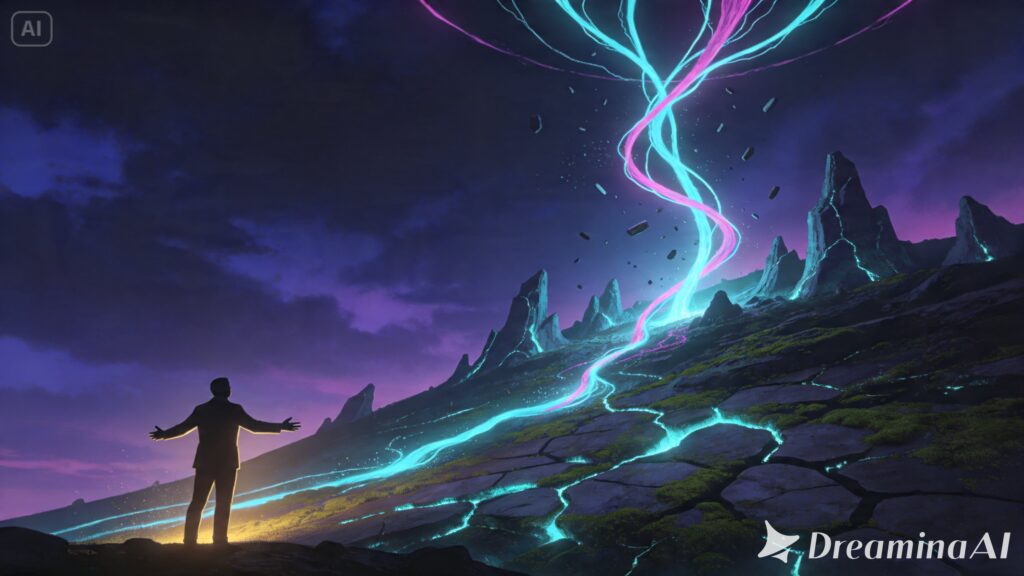
This is exactly the kind of challenge Seedream 5.0 Pro was designed to handle well. Its deep reasoning generation analyzes the prompt, the relationships between elements, and the overall creative intent before producing an image, rather than reacting to keywords in isolation. That reasoning step matters enormously for complex concepts, since it’s what allows multiple ideas to coexist in one coherent scene instead of competing for dominance.
Combined with 14-language support for understanding nuanced, layered instructions and built-in online research for grounding unfamiliar or highly specific references, it’s noticeably more capable of holding an ambitious concept together than a model working purely off surface-level pattern matching.
Your 3-step complexity translator with Dreamina
With your concept structured and Seedream 5.0 Pro’s reasoning working in your favor, here’s exactly how to generate it.
Step 1: Write a text prompt and/or add a reference image
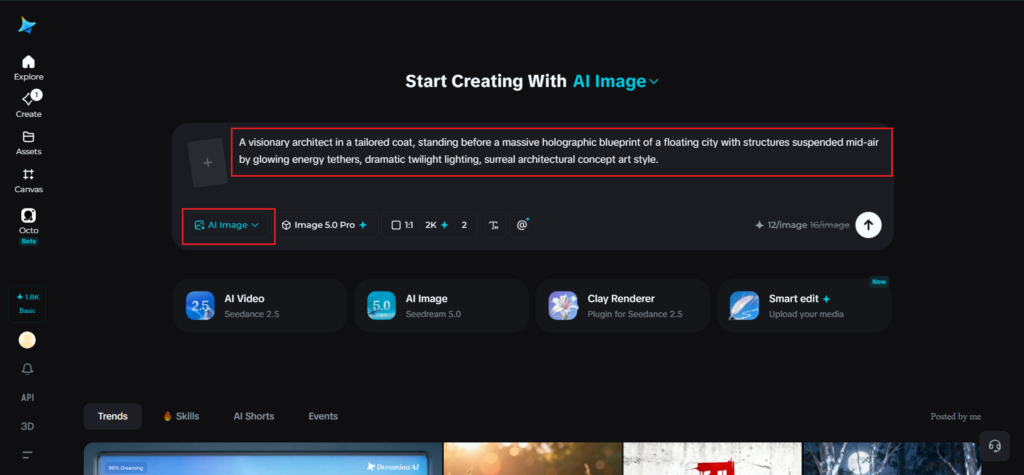
Navigate to Dreamina and write a detailed text prompt describing a person dressed appropriately for the concept’s context, followed by the layered elements of your scene in order of importance. If you have any reference images that capture part of the mood, style, or unusual visual logic you’re imagining, upload them to help anchor the concept further.
A strong sample prompt might read: A visionary architect in a tailored coat, standing before a massive holographic blueprint of a floating city with structures suspended mid-air by glowing energy tethers, dramatic twilight lighting, surreal architectural concept art style.
Notice how the subject comes first, followed by the more unusual conceptual elements layered on afterward.
Step 2: Adjust parameters and generate
Before generating, dial in your settings. Choose Image 5.0 Pro, powered by Seedream 5.0 Pro, as your model, then select your aspect ratio, image size, and resolution, using 1K while testing whether your complex concept is reading correctly and 2K once you’re generating a final, detail-rich version. Click Dreamina’s generate icon to bring your concept to life.
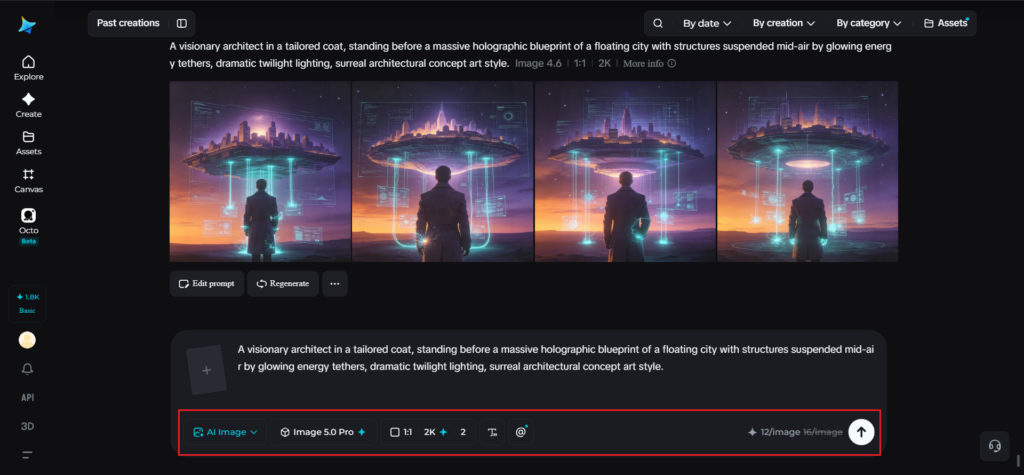
Step 3: Customize and download
Once your image generates, review it against your original concept and use Dreamina’s AI customization tools to correct anything that got lost — inpaint to reintroduce a missed detail, expand to add space for an element that needs more room, remove to eliminate anything that overcrowds the scene, and retouch to sharpen the overall composition. Once every part of your concept feels represented, click the Download icon to save your finished image.
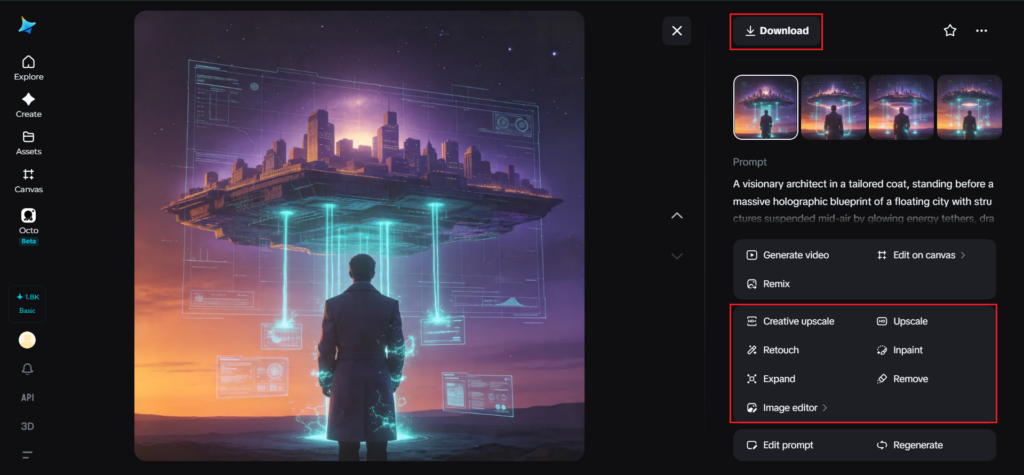
Simplifying without losing the idea
Sometimes a complex concept genuinely needs trimming, and that’s not a failure, it’s part of the process. If a generation feels overcrowded or muddled, try isolating which element is truly essential to the concept and which was just an interesting extra. Cutting a secondary detail to let the core idea breathe usually produces a stronger image than cramming everything in at once.
Iterating on relationships, not just details
When refining a complex image, it’s worth paying attention to how elements relate to each other, not just how each one individually looks.
- Does the lighting on your primary subject match the atmosphere you described?
- Does the secondary element actually interact with the main one?
- Does it just sit nearby, unrelated?
These relationship-level checks often reveal issues that a purely detail-focused review would miss.
Where complex visual concepts are worth the effort
This kind of layered prompting shows up most in fields where imagination has to be communicated precisely:
- Concept art for games, films, and speculative design
- Editorial illustration for abstract or thought-provoking topics
- Architectural and product visualization involving unconventional ideas
- Book covers and creative projects built around a singular striking concept
Final thoughts
An ambitious, multi-layered idea doesn’t have to collapse into visual chaos, as long as you structure it clearly and pair it with the right AI image generator.
With Dreamina and its advanced Seedream 5.0 Pro model, the reasoning power exists to hold multiple relationships together in one coherent frame instead of losing the thread halfway through.
Organize your concept by importance, prompt with intention, and let Dreamina carry the full complexity through to the final image.