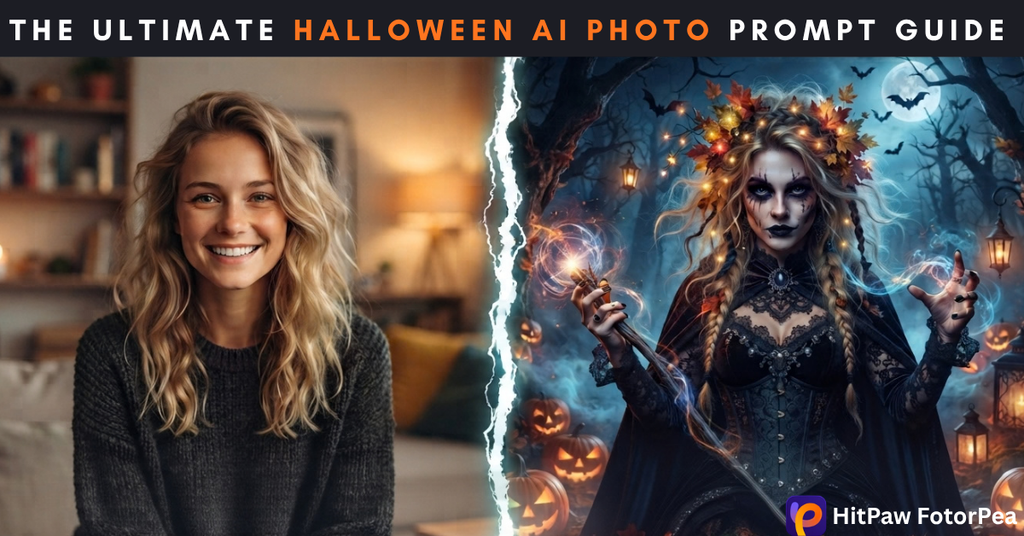
Every October, social feeds fill with glowing pumpkins, witches, ghosts, and cinematic Halloween portraits. Many are created using Halloween AI photo prompts, allowing users to make profile pictures, posters, invitations, and video covers in minutes. However, AI-generated images are not always ready to publish. They may appear soft, grainy, or compressed, while faces, lace, cobwebs, and other fine details can lose clarity. A simple two-step workflow can solve these issues: start with a detailed prompt, then enhance the result using an AI photo editor. This guide shares four copy-and-paste Halloween prompts and shows how to generate, sharpen, and upscale images with HitPaw FotorPea.
Top Halloween AI Photo Prompts by Category
Halloween AI photo prompts can create very different moods depending on the style you choose. From vintage gothic portraits and spooky fantasy creatures to modern costumes and cute autumn scenes, each category offers ideas for a specific visual aesthetic. Use the prompts below as they are or adjust details such as lighting, colours, backgrounds, and outfits to create images that match your project.
Category 1: Vintage & Retro Gothic Portraits
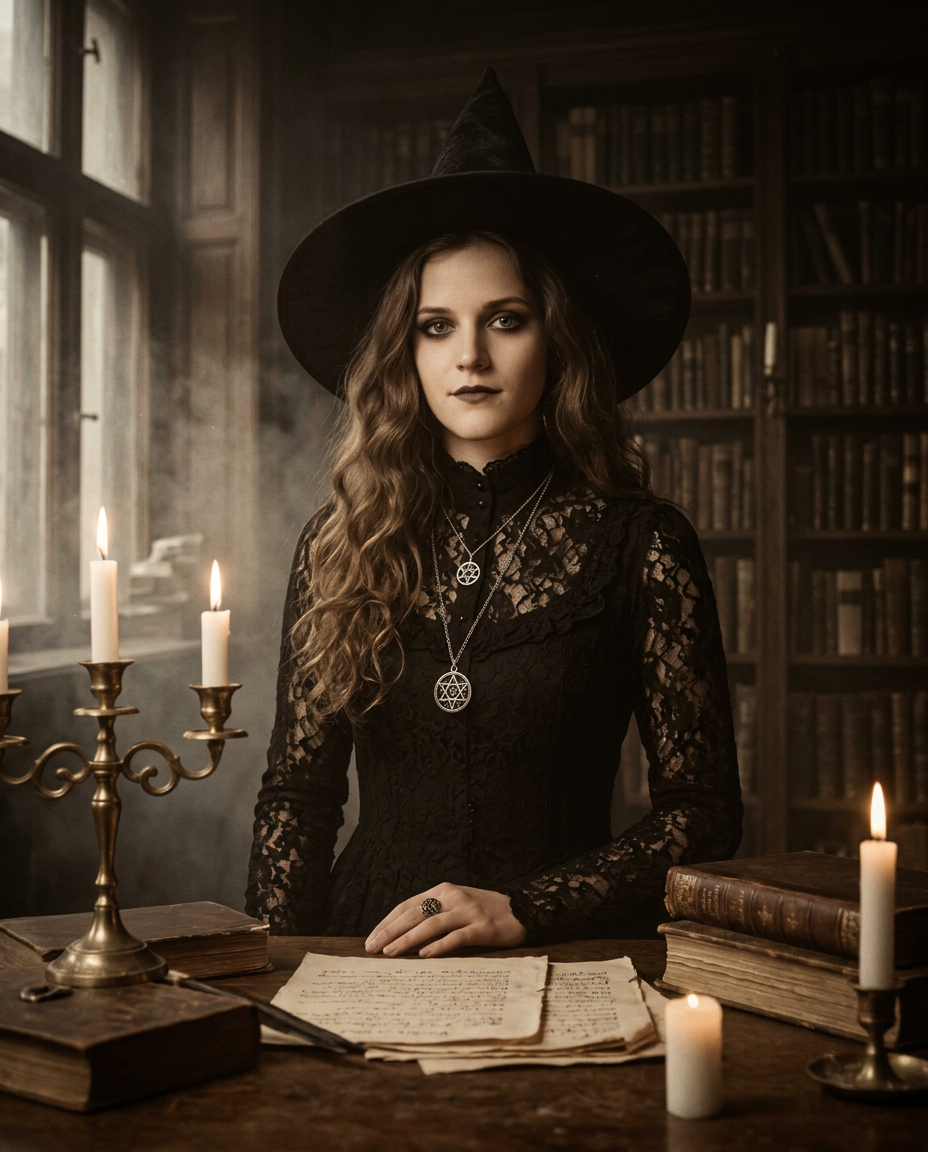
1920s vintage portrait photograph of an elegant Victorian witch standing inside an old, dimly lit Gothic library, wearing a long black lace dress with a high collar, antique silver jewellery, and a wide-brimmed black witch hat. Pale face, subtle dark eye makeup, calm mysterious expression, long wavy dark hair, one hand resting on an antique wooden table. Tall bookshelves filled with aged leather-bound books, dusty windows, burning candles, scattered old manuscripts and a brass candelabra in the background. Warm candlelight illuminating her face while deep shadows fall across the room, atmospheric fog, dark academia aesthetic, authentic aged film grain, sepia and muted brown tones, soft vignette, cinematic composition, shallow depth of field, highly detailed fabric and facial texture, realistic 1920s photography, eerie yet elegant mood, no modern objects, no text –ar 4:5
| Result | Prompt |
|---|---|
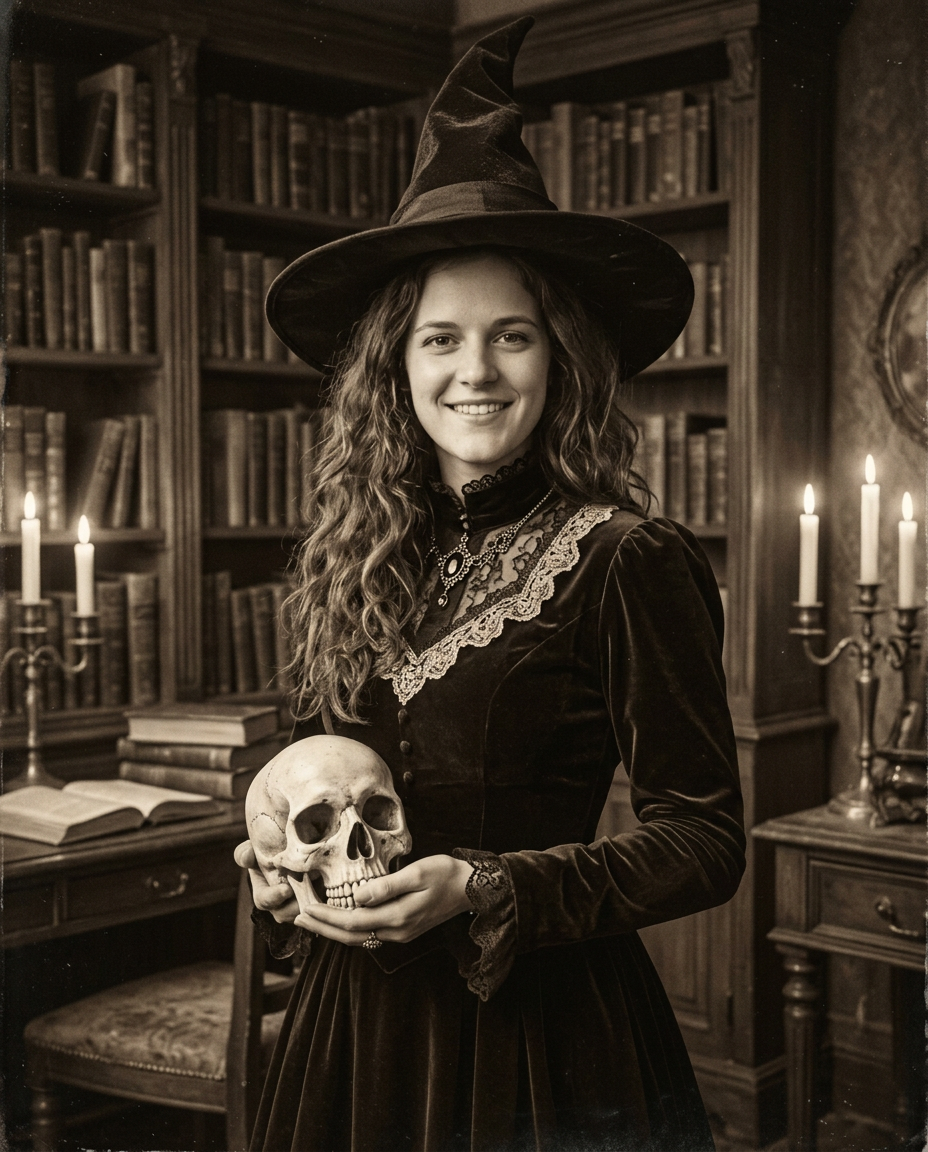 | Transform the provided photo into a cinematic 1920s vintage Halloween portrait while preserving the person’s exact facial identity, natural facial features, skin texture, and recognisable appearance. Dress the subject as an elegant Victorian witch wearing a dark, sophisticated period outfit with subtle lace details, a high collar, and an antique witch hat. Place the subject inside a dimly lit, atmospheric old library filled with wooden bookshelves, dusty vintage books, flickering candles, antique furniture, and faint shadows. Create a dark academia and gothic aesthetic with rich sepia tones, muted brown and black colours, soft candlelight illuminating the face, dramatic side lighting, gentle film grain, realistic shadows, slightly faded photographic texture, subtle vignette, and authentic early-20th-century photography characteristics. Use a natural portrait pose, shallow depth of field, realistic proportions, highly detailed face and clothing, cinematic composition, and an authentic aged-film appearance. Make the final image look like a genuine 1920s archival photograph rather than a modern digital edit. –ar 4:5 |
Category 2: Spooky Fantasy & Creatures
| Result | Prompt |
|---|---|
 | Transform the provided reference photo into an ethereal dark Halloween forest portrait while keeping the person’s identity, facial structure, skin tone, hairstyle, and recognizable features highly accurate to the original photo. Place the subject standing in the center of a mysterious, dense enchanted forest at night, surrounded by tall twisted trees, tangled branches, dark foliage, and subtle patches of moss. Add several glowing jack-o’-lanterns scattered naturally around the forest floor, each with warm orange light illuminating the nearby leaves and mist. Create a layer of thick, mystical fog drifting around the subject’s legs and through the trees, with small particles floating subtly in the air. Use a large full moon behind or slightly to the side of the subject, creating dramatic cool moonlight rim lighting around the hair and shoulders while the pumpkins provide contrasting warm orange light on the face and clothing. Give the scene a dark gothic fantasy atmosphere with deep shadows, atmospheric depth, cinematic lighting, realistic textures, and a slightly mysterious supernatural feeling. Keep the subject as the primary focal point, with a natural and realistic pose and believable integration into the environment. Photorealistic, cinematic Halloween photography, ultra-detailed skin and fabric textures, realistic lighting, shallow depth of field, volumetric fog, dramatic composition, high dynamic range, professional portrait photography, 8K detail. Avoid cartoonish features, distorted anatomy, extra fingers, artificial-looking skin, excessive makeup, blurry facial details, or changing the person’s identity. |
Category 3: Modern Halloween Costumes & Avatars
| Result | Prompt |
|---|---|
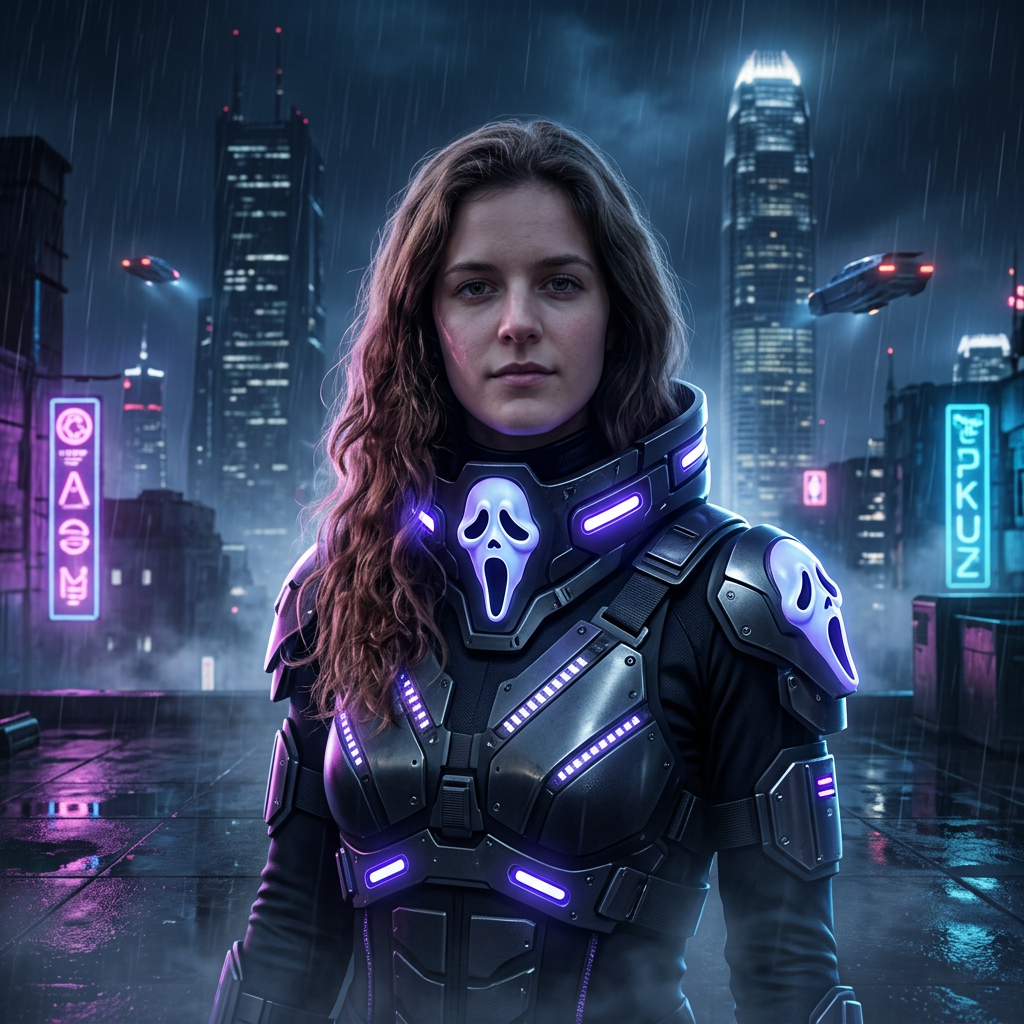 | Transform the provided reference photo into a cyberpunk Halloween cosplay portrait while preserving the person’s exact facial identity, facial structure, skin tone, hairstyle, and recognizable features. Dress the subject in a futuristic dark cyberpunk outfit with subtle Halloween-inspired details, including a sleek glowing ghost mask positioned naturally around the face, neon blue and purple light accents, futuristic metallic textures, and subtle LED elements. Place the subject on a dark urban rooftop at night, surrounded by futuristic skyscrapers, atmospheric fog, distant neon signs, glowing city lights, and a dramatic cyberpunk skyline. Use cinematic rim lighting from the neon lights to create realistic highlights and shadows across the face and clothing. Moody, mysterious Halloween atmosphere, high contrast, shallow depth of field, realistic skin texture, detailed eyes, natural facial proportions, photorealistic photography, cinematic composition, ultra-detailed, sharp focus, professional portrait photography, 8K quality, realistic lighting, premium futuristic aesthetic, no cartoon effect, no distorted facial features. |
Category 4: Cute & Aesthetic Halloween Vibes
| Result | Prompt |
|---|---|
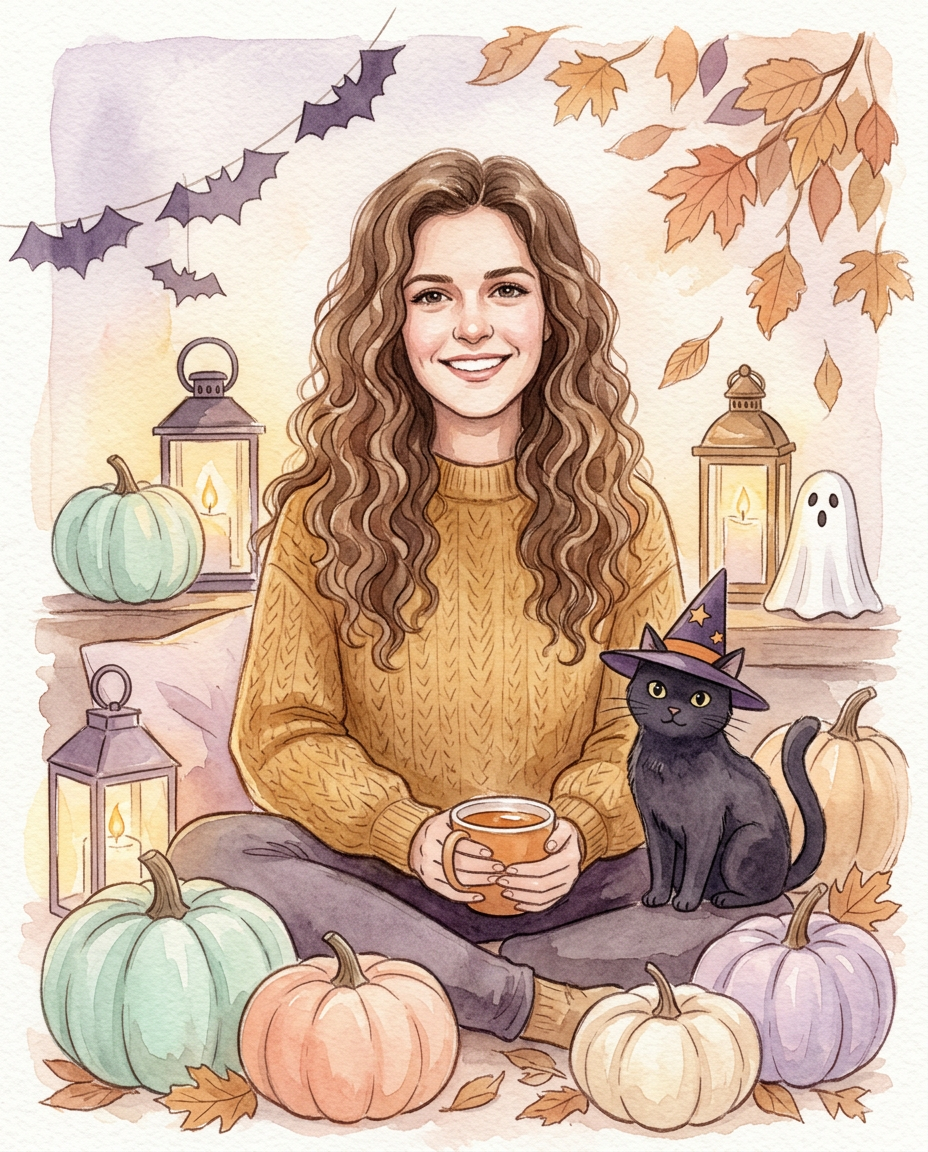 | Use the uploaded photo as the primary reference for the person’s face, facial features, hairstyle, skin tone, and overall identity. Transform the subject into a cozy, whimsical watercolor Halloween portrait. Place the person in a charming autumn setting surrounded by pastel-colored pumpkins, small glowing lanterns, dried autumn leaves, and subtle Halloween decorations. Include a cute black cat sitting beside the subject, wearing a tiny pointed witch hat. Use soft warm lighting, gentle shadows, delicate watercolor brush textures, pastel orange, cream, muted purple, and warm brown tones. Create a dreamy handmade watercolor illustration with subtle paper texture, soft edges, artistic paint washes, and a cozy magical atmosphere. Keep the person recognizable and naturally integrated into the illustrated environment, with realistic facial proportions and a warm, relaxed expression. High detail, polished composition, soft cinematic glow, aesthetically pleasing, storybook Halloween artwork, vertical portrait composition, 4:5 aspect ratio. |
The Secret to Professional Halloween Graphics: Post-Processing
A well-written prompt can give you a strong starting image, but it does not always produce a finished result. AI-generated Halloween images may have muddy textures, soft facial details, low resolution, or distracting artefacts such as warped props and extra fingers. Regenerating the same image repeatedly can waste both time and credits. A more practical approach is to keep the composition you like and enhance the final image with a dedicated AI photo enhancer. HitPaw FotorPea, formerly HitPaw Photo Enhancer, combines enhancement, retouching, background removal, AI image generation, and portrait creation in one app. Available for Windows and Mac, it can sharpen blurry images and upscale them to 8K, making it easier to create polished Halloween visuals without switching between multiple tools.
Step-by-Step Guide: Generating & Enhancing Halloween Images with HitPaw FotorPea
Step 1: Download, install, and launch
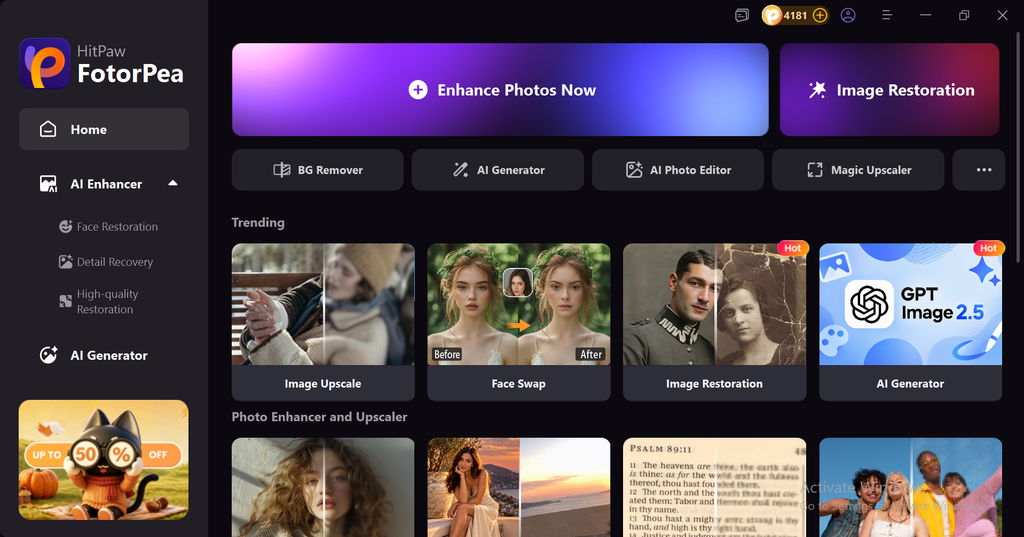
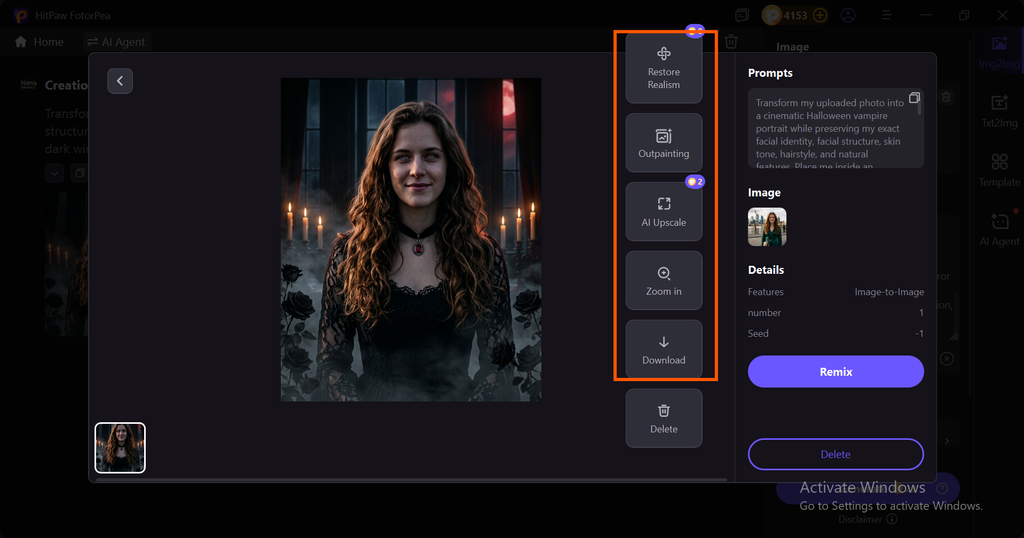
Download, install and launch FotorPea from the official website of HitPaw FotorPea and launch it and then select AI Generator to start generating halloween ai photos.
Step 2: Import your photo
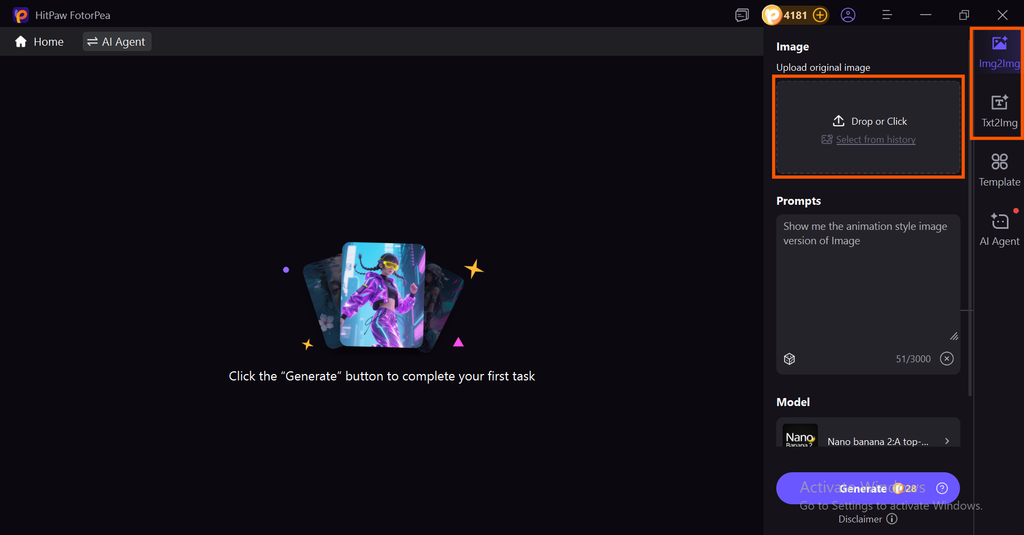
Click on the import icon to drop or import your image into FotorPea if you have chosen Image to Image generator, otherwise you can also choose Text2Image generator.
Step 3: Write your prompt and Generate
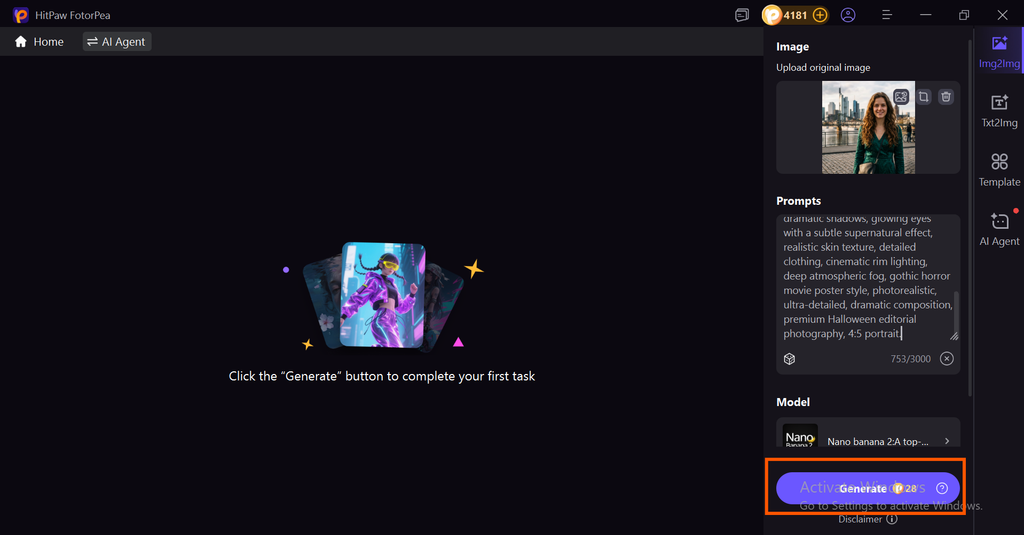
After importing your real picture simply write your prompt into the prompt section and click on the generate button.
Step 4: Preview and edit or Download
After waiting a few seconds your AI Halloween portrait is ready you can preview your image, if you want to upscale Halloween art to 4K/8K you can directly take your generated image into upscalling model by clicking on upscale icon, or click on download icon to save the generated image into your device.
HitPaw FotorPea Features & Halloween AI Photo Prompts for Standout Edits
Generate Halloween Images from Text Prompts
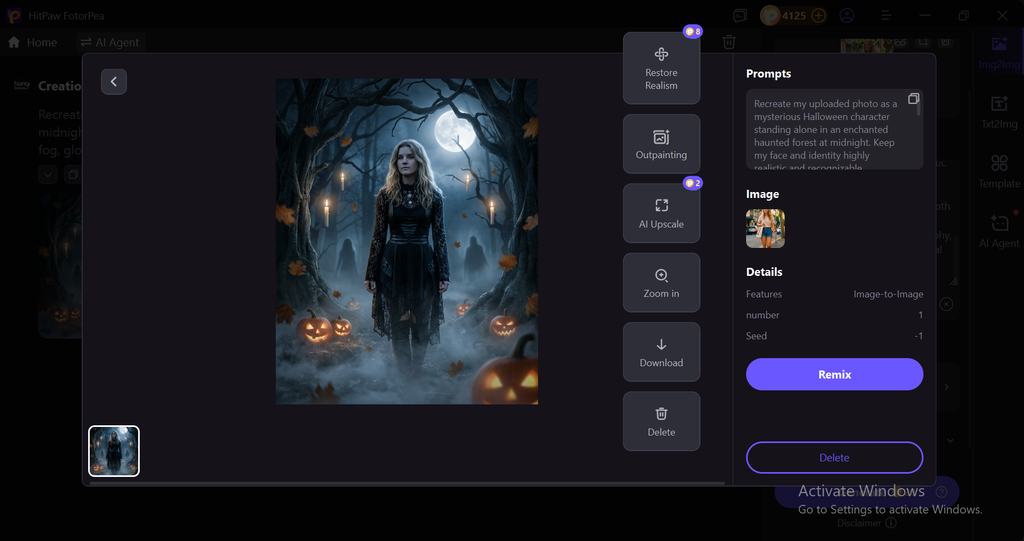
The AI Image Generator makes it possible to create Halloween visuals by describing a scene in natural language. You can generate ideas such as a Victorian witch in a candlelit room, a haunted forest under a full moon, or a cinematic vampire portrait. This makes it easier to experiment with different Halloween styles without creating every element manually.
Remove Unwanted Objects from Halloween Photos
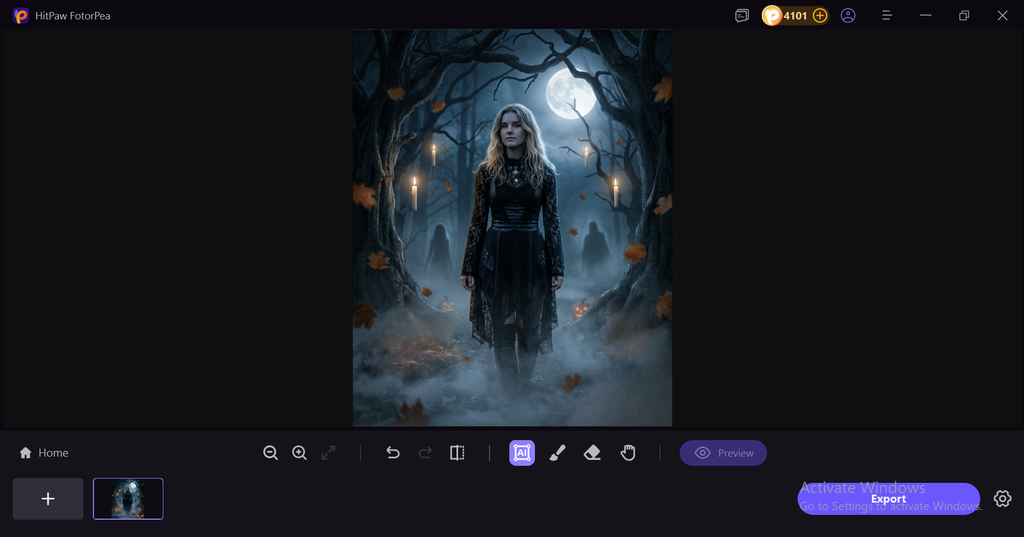
Unwanted people, objects, or distractions can take attention away from a Halloween subject. The Object Remover can erase selected elements and intelligently fill the surrounding area. This can help clean up Halloween portraits, party photos, themed backgrounds, and creative scenes while keeping the final image looking natural.
Fix AI-Generated Faces for More Realistic Halloween Portraits
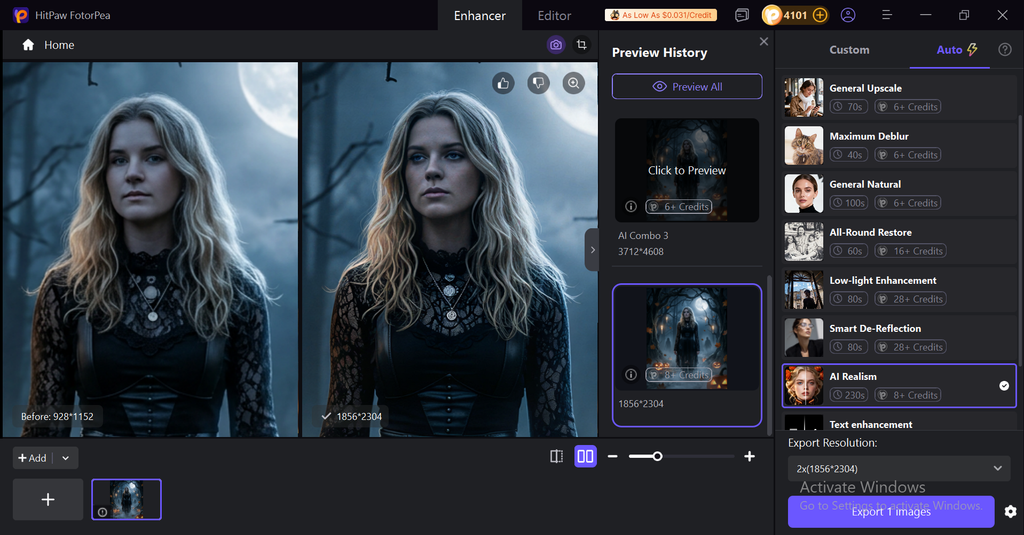
AI Halloween portraits can sometimes have overly smooth skin, unnatural eyes, or artificial-looking hair. HitPaw FotorPea’s AI Realism features can help reduce these synthetic details and bring back more natural facial texture. This is particularly useful when creating creepy witches, vampires, ghosts, or other Halloween characters that need to look realistic rather than obviously AI-generated.
Boost Resolution, Sharpness, and Colour
A dark Halloween image can easily lose important details in shadows and low-light areas. HitPaw FotorPea’s AI Picture Enhancer can sharpen soft images, reduce noise, improve colours, and upscale images to higher resolutions. This helps preserve details such as costumes, makeup, pumpkins, candles, and eerie backgrounds when preparing visuals for social media, posters, or larger displays.
Restore Old Photos
Old and damaged photographs can add an authentic horror atmosphere to Halloween content. The Image Restoration feature can improve faded colours, clarity, and damaged details while maintaining the original character of the photograph. It can be useful for creating vintage-style Halloween visuals, haunted-family-photo concepts, or old-fashioned horror posters.
Remove Backgrounds for Halloween Creatives
A clean background can make it easier to turn a normal portrait into a Halloween-themed design. HitPaw FotorPea’s Background Remover can separate the main subject from the original scene, allowing you to place people, costumes, pumpkins, or props against haunted houses, dark forests, graveyards, or other spooky backgrounds.
Make Blurry Halloween Text Easier to Read
Halloween graphics often include titles, invitations, posters, or social media text. When lettering appears blurry or pixelated, the Image Text Enhancer can improve its clarity. This can make spooky typography, event details, captions, and text-based Halloween designs easier to read without rebuilding the entire image.
Edit Halloween Scenes with AI Canvas
AI Canvas can help transform an existing image into a more complete Halloween composition. You can expand the background, change the surrounding environment, remove unwanted elements, or add creative details through simple instructions. This is useful when you have a good portrait but want to turn its surroundings into a darker, more atmospheric Halloween scene.
Conclusion
Creating standout Halloween artwork starts with the right prompt, but the final result often needs a little post-processing. From vintage witches and spooky forests to futuristic avatars and cute autumn scenes, detailed Halloween AI photo prompts can help you explore almost any creative style. Once generated, tools like HitPaw FotorPea can help sharpen details, fix AI-generated faces, remove unwanted elements, restore old photos, enhance text, and upscale images for clearer results. This simple generate-and-enhance workflow can turn an ordinary AI image into polished Halloween content ready for social media, invitations, posters, or creative projects.
Ready to turn your Halloween ideas into polished AI artwork? Try HitPaw FotorPea and start creating, editing, and enhancing your spooky images today.