Key Takeaways
Osaurus delivers a sovereign AI experience on macOS by combining optimized local inference, flexible cloud connectivity, tool sharing through MCP, and powerful automation in a lightweight native application you fully own.
What Is Osaurus and Why It Matters in 2026
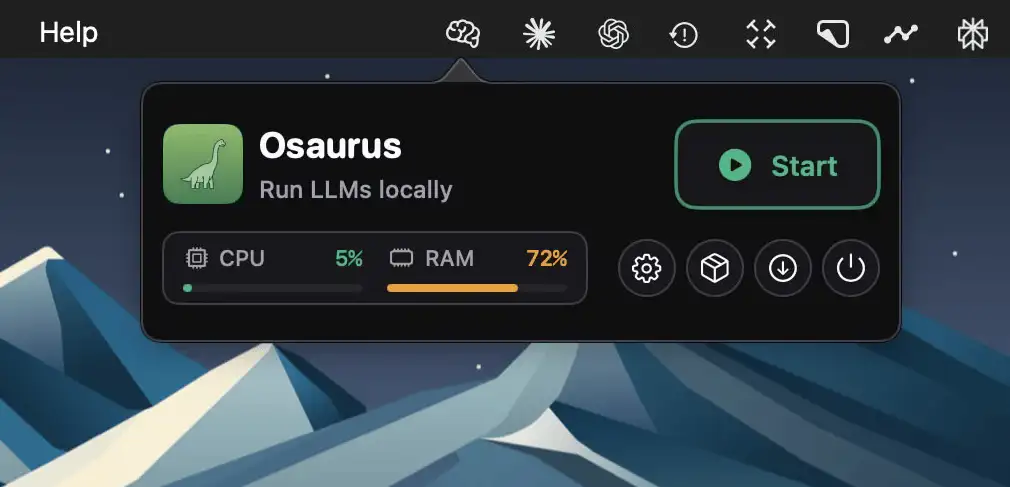
Osaurus is the AI edge runtime purpose-built for macOS. Developed by Dinoki Labs, it serves as the missing infrastructure layer that lets developers, creators, and power users run local or cloud models, expose shared tools via the Model Context Protocol (MCP), and build intelligent, always-on workflows—all while maintaining complete data ownership and privacy.
Unlike traditional LLM servers or cloud-only platforms, Osaurus is a native Swift application approximately 10 MB in size that runs natively on Apple Silicon (M1 and newer). It requires macOS 15.5 or later and leverages Apple’s MLX framework for highly optimized local inference. The project is fully open-source under the MIT license, boasts 3.8k GitHub stars, and has surpassed 57.3k downloads as of March 2026. Recent releases, including version 0.13.4 released on the same day as this article, continue to refine tool calling and performance.
The core philosophy is provider-agnostic sovereignty: your context, memory, agents, and tools live on your machine. You can switch between local models and providers such as OpenAI, Anthropic, Gemini, xAI, OpenRouter, Ollama, or LM Studio without losing history or customizations. This approach eliminates lock-in while delivering low-latency, private AI capabilities that feel like a natural extension of macOS.
Core Features That Set Osaurus Apart
Osaurus packs an impressive set of capabilities into its lightweight footprint. The following table summarizes the major feature categories for quick reference.
| Category | Key Components | Primary Benefit |
|---|---|---|
| Model Execution | MLX local inference, OpenAI/Anthropic compatible APIs | Fast, private local runs or scalable cloud fallback |
| MCP Integration | Full MCP server and client, tool aggregation | Seamless tool sharing with Cursor, Claude Desktop, and more |
| Agents & Workflows | Custom agents, Work Mode, autonomous task execution | Hands-off multi-step problem solving |
| Automation | Schedules, folder watchers, recurring tasks | Background AI that reacts to file changes |
| Memory & Identity | 4-layer memory (profile, working, summaries, knowledge graph), cryptographic identity | Persistent, searchable context across sessions |
| Voice & Plugins | WhisperKit/FluidAudio speech-to-text, 20+ native plugins (Mail, Calendar, Browser, Filesystem, Git) | Hands-free input and deep macOS integration |
| Skills & Extensibility | Import from GitHub, plugin system with HTTP routes and SQLite | Community-driven expansion without coding |
Local models supported include Llama, Qwen, Gemma, Mistral, and dozens more downloaded directly from Hugging Face. Cloud connections use drop-in API compatibility, so existing OpenAI SDK code works unchanged by simply pointing to http://127.0.0.1:1337/v1.
MCP stands out as the killer feature. Osaurus acts as both an MCP server (exposing your tools to external AI clients) and an MCP client (pulling in tools from remote servers). A simple JSON configuration connects it to Cursor or Claude Desktop, instantly giving those agents access to your filesystem, browser, git, search, and custom plugins. This creates a unified tool ecosystem across applications without duplication or security risks.
Installation: Three Methods for Any Workflow
System requirements remain modest: any Apple Silicon Mac running macOS 15.5+ with at least 8 GB RAM (16 GB+ recommended for larger models). Installation takes under two minutes in all cases.
The recommended Homebrew method is:
brew install --cask osaurusAfter installation, launch with Spotlight (Command + Space, type “osaurus”) or the CLI command osaurus ui.
For users preferring a direct download, grab the latest DMG from the GitHub releases page and drag the app to Applications. The server starts automatically on first launch.
Advanced users can build from source:
git clone https://github.com/osaurus-ai/osaurus.git
cd osaurus
open osaurus.xcworkspace
Select the “osaurus” target and build. This path is ideal for contributors or those wanting bleeding-edge features.
Once running, the management window (Command + Shift + M) provides a clean interface to add providers, configure MCP, and monitor status. The CLI remains fully available for scripting: osaurus serve starts the background server, osaurus status shows health, and osaurus list displays installed models.
Getting Started: Running Your First Model and Enabling MCP
Begin by downloading a lightweight local model:
osaurus run llama-3.2-3b-instruct-4bitThe model downloads to ~/MLXModels and becomes immediately available. Test via curl or any OpenAI-compatible client:
from openai import OpenAI
client = OpenAI(base_url="http://127.0.0.1:1337/v1", api_key="osaurus")
response = client.chat.completions.create(
    model="llama-3.2-3b-instruct-4bit",
    messages=[{"role": "user", "content": "Hello from Osaurus!"}]
)
To connect cloud providers, open the management window, select “Providers,” and add presets for OpenAI, Anthropic, or custom endpoints. Context and memory persist across all providers.
For MCP setup, add the following to your client’s configuration (Cursor, Claude Desktop, etc.):
{
  "mcpServers": {
    "osaurus": {
      "command": "osaurus",
      "args": ["mcp"]
    }
  }
}
Restart the client, and Osaurus tools—including filesystem access, browser automation, git operations, and custom plugins—become available to the AI agent. Official plugins cover Mail, Calendar, XLSX/PPTX handling, vision, and more, with community skills importable directly from GitHub repositories.
Advanced Workflows: Agents, Automation, and Voice
Create custom agents with unique prompts, tool sets, and visual themes for specialized tasks such as research, coding, or content creation. Work Mode enables autonomous execution: the agent breaks down complex goals, tracks issues, performs file operations, and iterates until completion.
Automation features include:
- Schedules for recurring tasks (daily reports, backups, monitoring).
- Watchers that trigger on folder changes (new invoice → extract data → email summary).
- Relay tunnels via agent.osaurus.ai for secure remote access.
Voice capabilities use on-device WhisperKit with Voice Activity Detection. Enable VAD mode for always-listening wake-word activation or use a global hotkey for instant dictation into any application.
The four-layer memory system combines profile data, working memory, automatic summaries, and a hybrid knowledge graph (BM25 + vector search). This ensures long-term context retention even across weeks of use.
Security, Privacy, and Enterprise Considerations
All credentials are stored in the macOS Keychain. Cryptographic identities based on secp256k1 keys provide address-based authentication. Model data and context never leave your machine unless you explicitly connect a cloud provider. The plugin system supports fine-grained permissions, and the entire architecture emphasizes least-privilege access.
For teams, the relay and remote MCP capabilities allow controlled sharing of tools without exposing sensitive data. Developers can author plugins using the documented v2 ABI, adding HTTP routes, static web UIs, and SQLite storage.
Troubleshooting and Best Practices
Common issues resolve quickly:
- Port conflicts: set the
OSU_PORTenvironment variable. - Model download failures: check disk space in
~/MLXModels. - MCP connection problems: verify the server is running with
osaurus status.
Best practices include keeping the server running in the background for always-on automation, regularly exporting the knowledge graph for backups, and testing new plugins in developer mode before production use. Update via Homebrew (brew upgrade --cask osaurus) or by checking GitHub releases.
Comparison with Alternative Solutions
| Solution | Local Inference | MCP Support | Native macOS | Always-On Automation | Open Source |
|---|---|---|---|---|---|
| Osaurus | MLX (optimized) | Full server + client | Yes | Schedules & watchers | MIT |
| Ollama | Yes | Limited | Partial | Basic | Yes |
| LM Studio | Yes | No | Yes | No | No |
| LocalAI | Yes | No | Docker only | Limited | Yes |
Osaurus consistently ranks as the top MCP server for macOS workflows in 2026 community lists and developer reports, thanks to its native performance and deep integration.
Conclusion: Take Control of Your AI Infrastructure
Osaurus removes the friction and privacy compromises of cloud-only AI while delivering professional-grade tools and automation previously available only in enterprise stacks. Whether you are a solo developer building agents, a researcher running private models, or a power user automating daily tasks, Osaurus provides the always-on, extensible foundation your Mac deserves.
Download today via Homebrew or the official DMG, connect your first model, enable MCP, and experience AI that truly belongs to you. The active community on Discord and frequent updates ensure Osaurus continues evolving as the definitive AI edge runtime for Apple Silicon.