I counted my AI subscriptions last month and stopped at four: writing, design, presentations, and proofreading. Individually, each tool made sense. Together, they cost more than my internet bill and left me with a fragmented workflow. Every project meant shuffling content across four tabs. Research turned into draft text, text got pasted into design templates, visuals became slide decks, and everything went through an editor at the end. The cost was annoying, but constantly moving files and re-explaining context to four separate apps felt like a waste of time. I wanted to see if an all-in-one AI tool could actually simplify that process, or if unified platforms are still too basic for real work.
The Hidden Costs of Running 4+ AI Subscriptions
The subscription line item is the cost people notice. It’s rarely the largest one.
A common individual stack, at current monthly billing rates:
| Tool | Purpose | Monthly Cost (Billed Monthly) |
|---|---|---|
| ChatGPT Plus | Writing, research | $20 |
| Canva Pro | Design, social graphics | $15 |
| Gamma Pro | Presentations | $20 |
| Grammarly Pro | Proofreading | $30 |
| Total | $85 |
Annual billing brings that total down closer to $62 a month across the four apps. Still, you are paying between $700 and $1,000 a year as a single user.
However, the cost table fails to capture the true operational friction:
- Overlapping capability. I was paying for rewriting in at least three of those four tools. Not because I needed three versions of it, but because each subscription bundles features I bought for one specific reason.
- Rebuilt context. Every tool starts from nothing. I re-explained the client, the audience, and the goal at each step, because none of these applications know what the others produced.
- Format tax. Moving a document into a design tool means reformatting it. Moving a deck into a proofreader means copying text out and back. That work produces nothing a client would pay for.
- Scattered files. Drafts in one cloud drive, images in another app’s library, final decks in email attachments. I have genuinely rebuilt work because I could not find the version I had already made.
- Renewal drift. Annual plans auto-renew quietly. I found one I had not opened in five months.
Individually, these minor issues seem manageable. Together, a fragmented workflow costs far more time than it saves.
Storage + Intelligence: The Logic Behind an All-in-One AI Tool
Most market consolidation attempts start from the AI interface and attempt to tack on storage afterward. TeraBox AI approaches this from the opposite side: starting as a cloud storage engine and layering an all-in-one AI workspace directly on top.
That difference matters in practice. Content creation is inherently file management. A typical project is a folder filled with source PDFs, spreadsheets, images, drafts, and exported assets. When intelligence lives in the exact location where files are stored, you bypass the download-upload loop entirely.
The operational logic is clean: your materials are already stored, the AI processes them in place, and generated outputs are saved right back to the project directory.
TeraBox positions itself as an all-in-one AI workspace covering presentations, images, videos, research reports, writing, and file conversion, sitting on top of the cloud storage the company started with. Whether that combination works in practice is a separate question, which is what I wanted to test.
What an Integrated Workflow Looks Like
I picked a real project: a competitive analysis of three cloud communications vendors, going from source documents to a finished deck.
My inputs: investor presentations from Zoom, RingCentral, and Five9, roughly 70 slides across the three files. All public, all downloaded from company investor relations pages.
Stage 1: Getting Source Material In
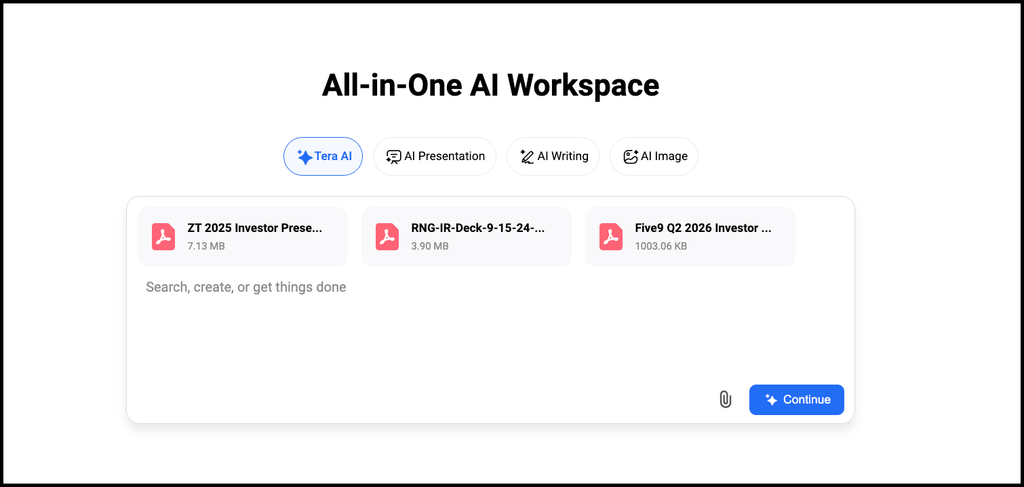
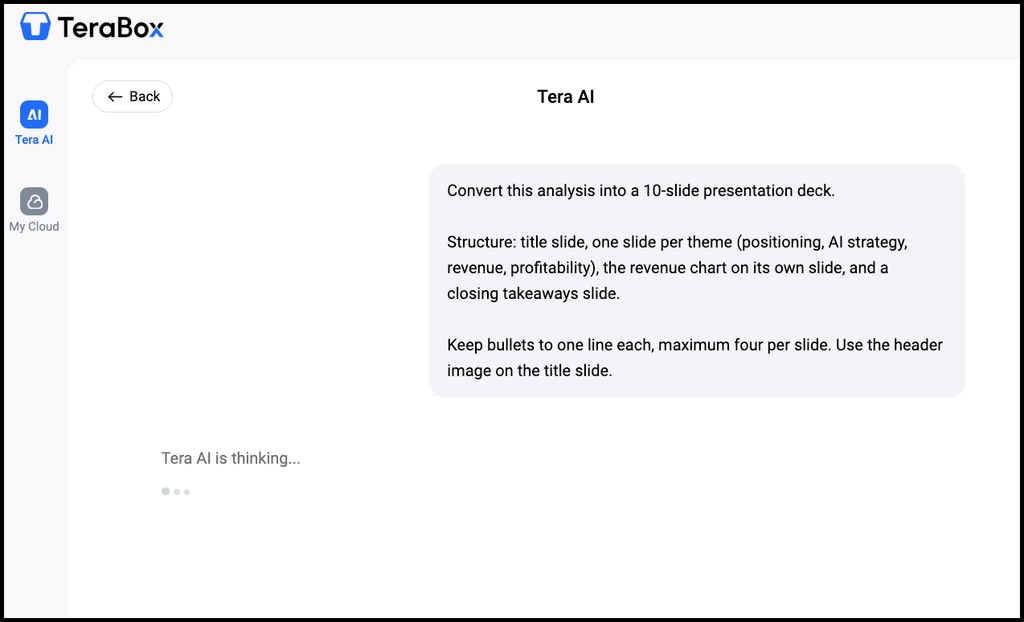
With Tera AI Agent, I uploaded all three PDFs in under a minute. Since the files stayed in the same project folder throughout the process, I never had to search for the latest version or move them between different tools.
Stage 2: Analysis and Written Summary
I asked the AI to analyze four core themes: market positioning, AI strategy, revenue scale, and profitability metrics. I requested a side-by-side thematic breakdown rather than a company-by-company summary, asking it explicitly to flag non-comparable data.
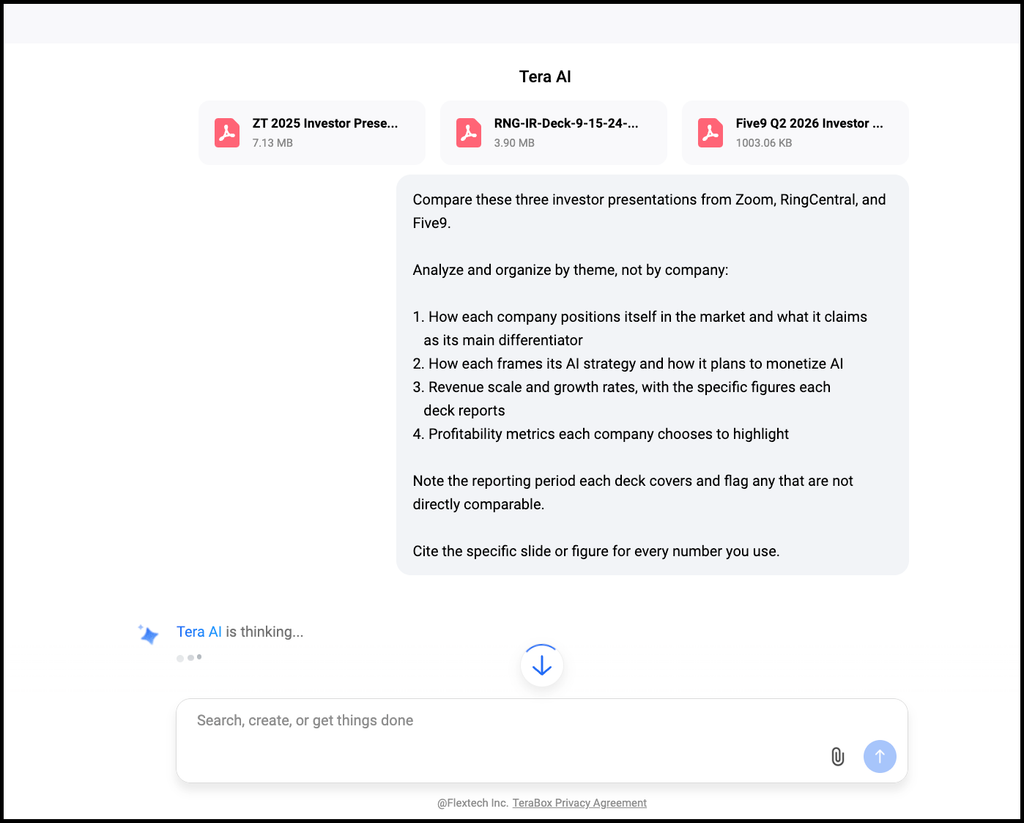
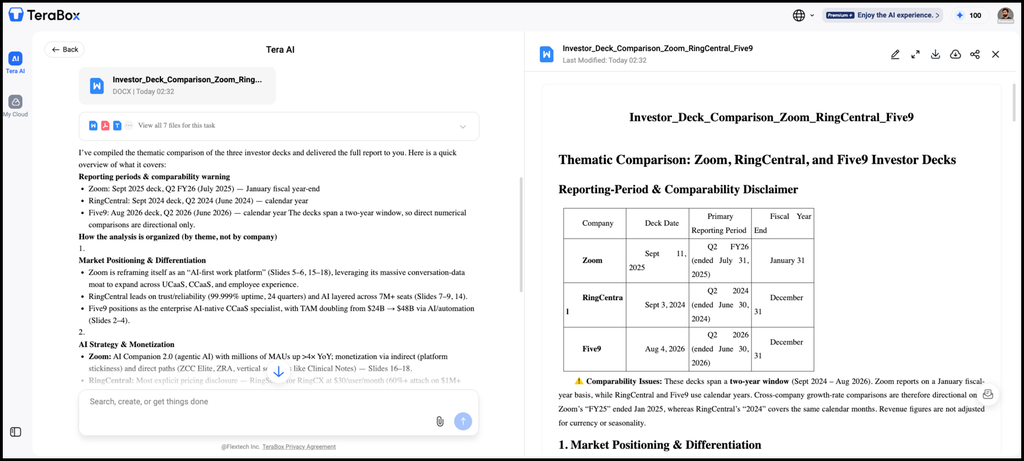
The thematic organization worked well, especially around AI strategy. However, manual review revealed two notable errors
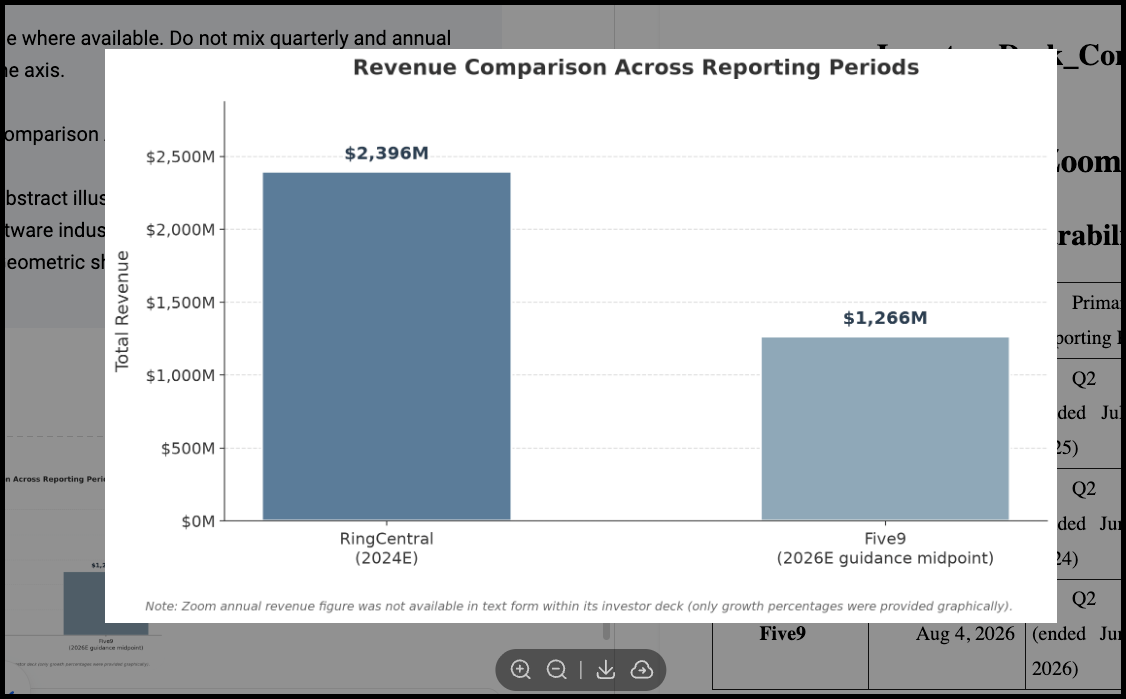
- It placed RingCentral’s 2024 revenue alongside Five9’s projected 2026 quarterly numbers without flagging the two-year timeline gap.
- It juxtaposed Zoom’s non-GAAP operating margin directly against Five9’s adjusted EBITDA margin without explaining that these represent fundamentally different accounting metrics.
That is the part worth remembering: AI models deliver confident, highly structured reports regardless of underlying context errors. I manually edited about a third of the generated text to fix these financial nuances.
Stage 3: Visuals
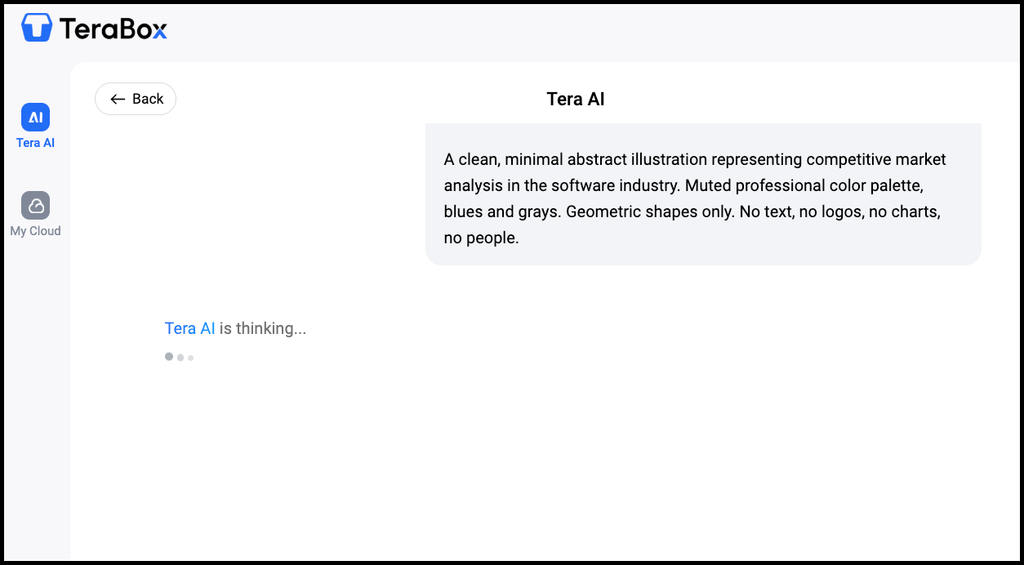
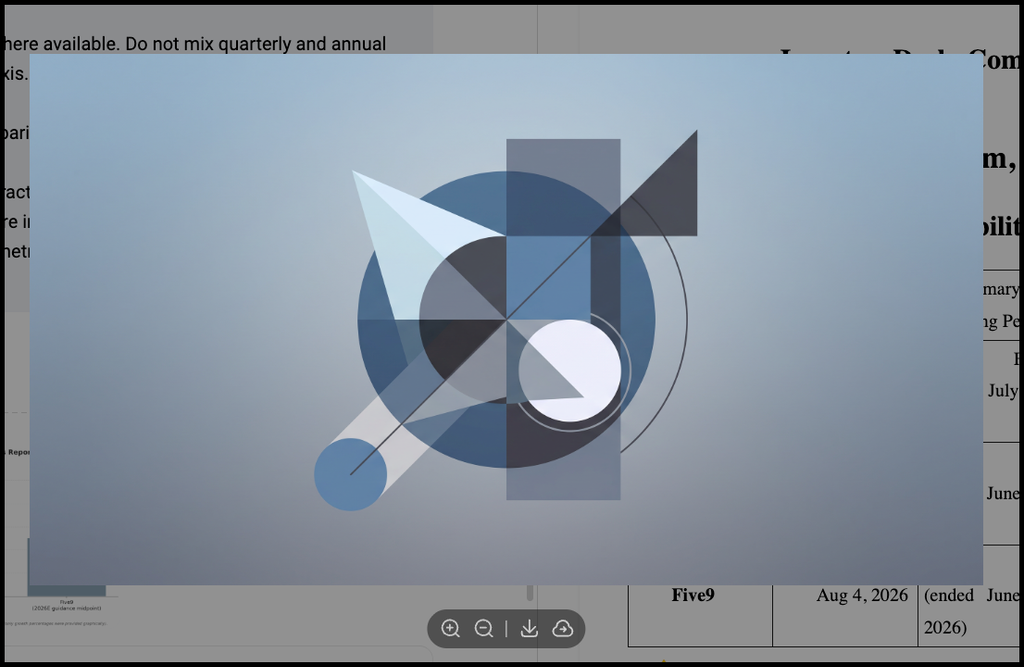
I needed one revenue comparison chart and one header image.
The chart’s numbers were accurate, but the initial visual lacked timeframe labels on the X-axis. Re-prompting fixed the issue.
The header graphic took three iterations to steer away from generic AI illustration styles toward a clean business aesthetic.
Stage 4: Building the Deck
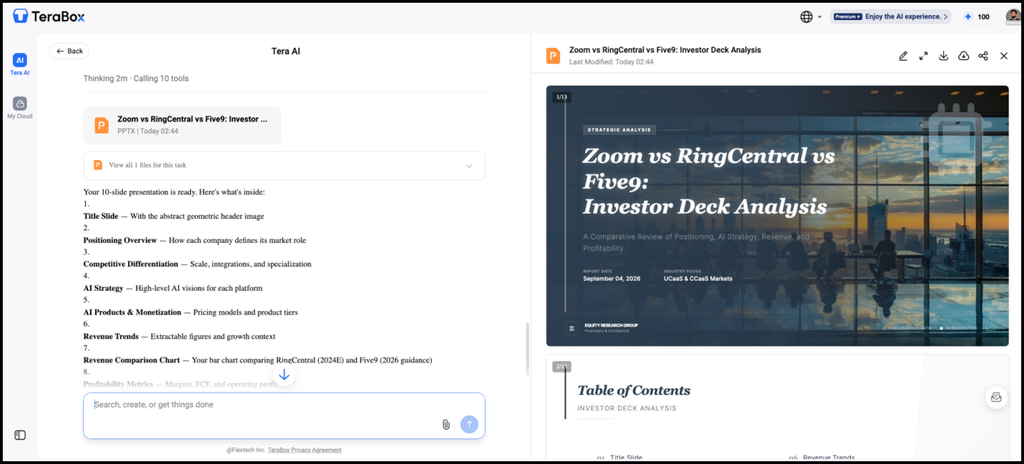
Converting the written analysis into slides was the strongest part of the test. The structure carried over, headings became slide titles, and the chart landed on the right slide.
A few manual adjustments were still required: three slides contained overly dense bullet points that needed trimming, and one custom header font overflowed onto a second line.
Stage 5: Export
I saved the completed presentation directly to the project folder. Having source files, raw analysis, custom graphics, and final slides stored in one centralized location simplified the entire revision process.

Once all the written content was generated, I spent about 10 minutes reviewing it, fixing awkward wording, and polishing the tone so it sounded more natural. That extra editing is still a common limitation of AI-generated writing, especially when you want the final copy to match your own voice.
But compared with handling the research, drafting, visuals, and presentation separately, the AI still took a lot of work out of the overall process.
Where the Real ROI Comes From
The practical value of switching to an integrated all-in-one AI tool extends beyond monthly software savings:
- Fewer handoffs. The old version of this project involved four applications and at least six file transfers. This version involved one.
- Context that persists. The deck-building stage already had the analysis. I did not re-explain the project to a second tool.
- Findable work. Everything lives in the project folder. When revisions came back, I opened one location instead of three.
- Less switching cost. Harder to quantify, easier to feel. Four applications mean four interfaces, four mental models, four places a file might be.
I won’t put a percentage on any of this. Time savings depend entirely on what you make and how often.
Who This Actually Suits
Consolidation makes most sense if you produce across several formats but aren’t doing specialist-grade work in any one of them. Freelancers, small business owners, consultants, students, small marketing teams without a dedicated designer.
It makes less sense if one discipline dominates your work. If you’re a designer, Figma or Canva will beat a generalist workspace on design. If you write long-form professionally, a dedicated editor is worth its own subscription. And for regulated or confidential material, check any platform’s data handling policy before uploading, regardless of how convenient the workflow is.
My own conclusion was partial rather than total. I dropped two subscriptions and kept one, because it does something the generalist does not.
FAQs
Can an all-in-one AI tool fully replace specialized apps?
Not in every case. For the research-to-presentation workflow I tested, one workspace covered enough of the process that I could realistically replace several separate tools. But if your work depends heavily on advanced design, professional editing, or another specialist task, a dedicated app will probably still be worth keeping.
Is the output quality worse than dedicated AI tools?
Sometimes, but the difference depends on the task. The written summary and presentation were good enough to use after editing, while the generated visuals needed more iteration. For everyday content work, the trade-off may be worth it if reducing tool switching matters more than having the most advanced feature in every category.
What should I check before moving my work into an all-in-one AI workspace?
Look beyond the number of features. Check which file types are supported, how outputs are saved or exported, whether the AI tools can work directly with your stored files, and what the platform’s current storage and data policies are. Those details matter more once you start using the workspace for real projects rather than one-off prompts.
How long should I test an all-in-one AI tool before canceling other subscriptions?
Start with one complete project. Use the integrated workspace from source files through to the final deliverable, then compare where you still need another app. If a separate subscription never becomes necessary during that workflow, that is the one I would question first.
Conclusion
The value of an all-in-one AI tool lies in reducing the extra work that comes with using multiple disconnected apps. Keeping files, content creation, and different types of outputs in one workspace can cut down on repeated uploads, formatting adjustments, and the need to explain the same project context again and again. AI-generated content still needs manual review and polishing, but for everyday work and content creation, the overall process becomes much easier to manage.
With an integrated, cloud-based workspace like TeraBox, running one project from source materials through to the final deliverable also makes it easier to see which specialist tools are still essential and which separate subscriptions may no longer be necessary.