Do you want an easy way to download videos and music from multiple platforms? Snaptube is one of the most popular apps for this, offering fast downloads, multiple formats, and offline access. But it’s not the only option available.
This article takes a close look at Snaptube, including its features, installation process, and why it stands out from other tools. We also highlight some of the best alternatives like iTubeGo, Savethevideo, Video Downloader Pro, Video Grabber, Hitube, and Inovideo, so you can choose the right downloader that fits your needs.
Keep reading to find the perfect video and music downloader for you.
Snaptube
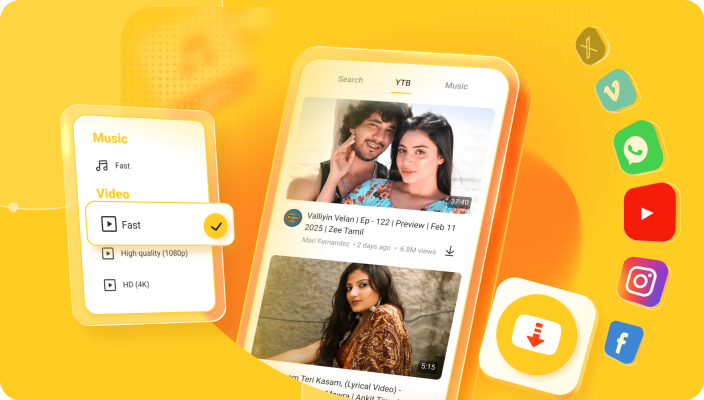
Snaptube APK is a widely used Android app that lets users download videos and music from platforms such as Facebook, Instagram, TikTok, and more. It supports multiple resolutions, from low-quality files to 4K videos, and can convert videos to audio formats like MP3 or M4A. Snaptube’s built-in browser allows users to search for content directly within the app, while its batch download feature saves time by downloading multiple files at once. With folder selection and offline access, Snaptube is ideal for Android users who want a versatile and reliable downloader.
Key Features:
- Download videos and music from multiple social media platforms.
- Choose resolutions from low to HD/4K.
- Convert videos into audio (MP3/M4A).
- Built-in browser for easy content search.
- Batch download with pause/resume support.
- Choose storage location for downloads.
- Free to use without subscription.
How to Download and Install Snaptube:
- Go to the official Snaptube website.
- Download the APK file to your Android device.
- Enable “Install from Unknown Sources” in your device settings.
- Open the APK file and follow the prompts to install.
- Launch the app and start downloading videos or music immediately.
Why Snaptube Stands Out:
Snaptube APK offers unmatched flexibility and convenience, combining speed, multiple format options, offline access, and batch downloading. Its built-in browser and folder selection make it superior to many alternatives, especially for users who frequently download media from multiple platforms.
Suitable for:
Android users looking for a powerful, all-in-one app to download videos and music quickly and efficiently.
Snaptube Alternatives You Can Try in 2026
Here are some Snaptube alternatives you can consider using in 2026:
1.) iTubeGo
iTubeGo is a desktop and mobile-friendly application for downloading videos and music from over 1,000 websites. It supports Facebook, Instagram, and more, offering high-quality downloads including 4K video and MP3 audio extraction. iTubeGo is ideal for users who want a clean interface and fast download speeds without ads or interruptions.
Key Features:
- Supports 1,000+ sites.
- Download videos in high resolutions (up to 8K).
- Extract audio to MP3, M4A, or WAV formats.
- Convert videos to different formats for various devices.
- Download playlists or entire channels.
- Batch downloading supported.
- Available for Windows, macOS, and Android.
Suitable for:
Desktop and mobile users who need a reliable downloader for multiple platforms with advanced format and quality options.
2.) Savethevideo

Savethevideo is a web-based video and audio downloader that allows users to download media from sites like Vimeo, TikTok. No software installation is required, making it convenient for quick downloads on any device. It also supports format conversion for both video and audio.
Key Features:
- Works entirely in the browser; no installation needed.
- Download videos in MP4, WEBM, and other formats.
- Extract audio as MP3 or M4A.
- Supports TikTok, Vimeo, and more.
- Adjust resolution and quality before downloading.
- Free to use with no sign-up required.
Suitable for:
Users who prefer a simple, browser-based downloader without installing apps or software.
3.) Video Downloader Pro
Video Downloader Pro is an Android app that lets users save videos from social media platforms directly to their devices. The app supports multiple formats and resolutions, provides a built-in media player, and enables batch downloads. It’s great for casual users who want quick and easy offline access to their favorite videos.
Key Features:
- Download from major social media platforms.
- Supports multiple formats and resolutions.
- Built-in media player to preview downloads.
- Batch downloads with pause/resume options.
- Bookmark favorite sites within the app.
- Simple, user-friendly interface.
Suitable for:
Android users seeking a straightforward video downloader with offline playback.
4.) Video Grabber
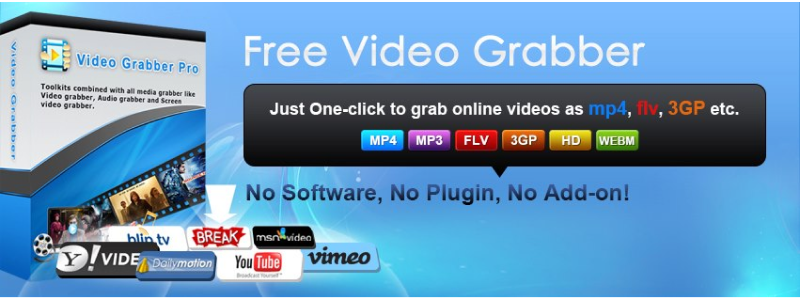
Video Grabber is an online video downloader that allows you to download media from Dailymotion, Facebook, and other platforms. It supports video-to-audio conversion and offers editing features such as trimming. Being web-based, it’s convenient for users who want downloads without installing software.
Key Features:
- Works directly in the browser.
- Download videos in MP4, AVI, and other formats.
- Convert videos to audio (MP3/M4A).
- Trim or edit downloaded videos.
- Supports multiple platforms including Facebook.
- Free and easy to use.
Suitable for:
Users who want a quick online downloader with basic editing features.
5.) Hitube

Hitube is a free online tool for downloading videos, photos, and music from social media platforms. It works on multiple devices without requiring installation and supports different formats and resolutions, including HD and 4K where available. Hitube is ideal for users who want fast downloads for personal use.
Key Features:
- Download videos, photos, and music from Instagram, Facebook, TikTok, and more.
- Supports multiple formats: MP4, MP3, M4A, JPG.
- Works on Android, iPhone, and PC via browser.
- No sign-up required for web version.
- Option to download in HD/4K when available.
- Free to use.
Suitable for:
Users looking for a free and fast online downloader across multiple devices.
6.) Inovideo

Inovideo is a desktop application designed to download and convert videos from various websites. It supports high-quality video downloads, playlist downloads, and video-to-audio conversion. The software also offers simple editing tools, making it suitable for both personal and semi-professional use.
Key Features:
- Download videos in HD, 4K, or 8K resolutions.
- Convert videos to MP3, MP4, and other formats.
- Download playlists and multiple videos simultaneously.
- Basic editing features (trim, cut, merge).
- User-friendly interface for quick downloads.
- Available for Windows and macOS.
Suitable for:
Users who want a desktop downloader with quality control, format options, and basic editing tools.
Final Words
When it comes to downloading videos and music efficiently, Snaptube remains the top choice. Its wide platform support, multiple resolutions, batch downloading, built-in browser, and free access make it a standout tool for Android users. While alternatives like iTubeGo, Savethevideo, Video Downloader Pro, Video Grabber, Hitube, and Inovideo offer valuable features, Snaptube combines speed, flexibility, and convenience, making it the best all-around option for enjoying offline media without hassle.