
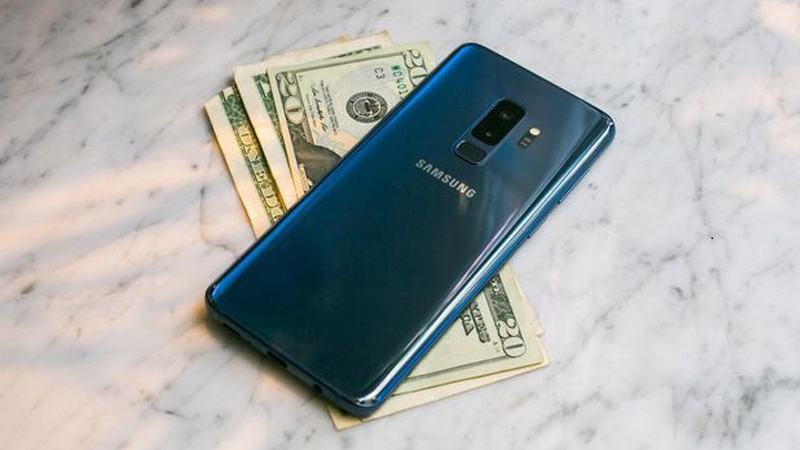
This is the official Stock ROM (Firmware) Collection for various Combination rom for Samsung Galaxy S9 Plus SM-G965 models. These official ROMs are essential for repairing software issues, fixing bootloops, or restoring your smartwatch or smartphone to factory default.
Prerequisites & Preparation
- Backup Data: Flashing will completely wipe all data on your device. Back up important files and settings before proceeding.
- Battery Level: Ensure your device has at least 50% battery to prevent shutdown during the flashing process.
- USB Driver & Tools: Install the correct USB drivers for your brand and prepare the flashing tool (Odin for Samsung, SP Flash Tool/QPST for Qualcomm/MTK, etc.).
CAUTION: Flashing official firmware carries a risk of bricking your device. Proceed with caution and at your own risk. addROM is not responsible for any damage caused to your device.
Download Stock ROM & Firmware
Samsung Galaxy S9+ (SM-G965F)
| File Type | AP / PDA Build (Binary) | Region (CSC) | OS Version | Download Link |
|---|---|---|---|---|
| COMBINATION | G965FXXUBATG1 | – | Google Drive | |
| COMBINATION | G965FXXU4ASD2 | – | Google Drive | |
| COMBINATION | G965FXXU3ASD1 | – | Google Drive | |
| COMBINATION | G965FXXU2ARH1. | – | Google Drive |
Samsung Galaxy S9+ (SM-G9650)
| File Type | AP / PDA Build (Binary) | Region (CSC) | OS Version | Download Link |
|---|---|---|---|---|
| COMBINATION | G9650ZCU7ATG1 | – | Google Drive | |
| COMBINATION | G9650ZCU6ASJ2 | – | Google Drive | |
| COMBINATION | G9650ZCU3ARG3 | – | Google Drive | |
| COMBINATION | G9650ZCU2ARC7 | – | Google Drive | |
| COMBINATION | G9650ZCU1ARC6 | – | Google Drive |
Samsung Galaxy S9+ (SM-G965U)
| File Type | AP / PDA Build (Binary) | Region (CSC) | OS Version | Download Link |
|---|---|---|---|---|
| COMBINATION | G965USQU9AUA1 | – | Google Drive | |
| COMBINATION | G965USQU8ATH1 | – | Google Drive | |
| COMBINATION | G965USQU7ASK1 | – | Google Drive | |
| COMBINATION | G965USQU6ASG1 | – | Google Drive | |
| COMBINATION | G965USQU5ASE1 | – | Google Drive | |
| COMBINATION | G965USQU4ASC1 | – | Google Drive | |
| COMBINATION | G965USQU3ASB1 | – | Google Drive | |
| COMBINATION | G965USQU2ARG1 | – | Google Drive | |
| COMBINATION | G965USQU1ARF1 | – | Google Drive |
How to Flash Firmware / Stock ROM
To flash the firmware or combination files onto your device, please refer to our detailed step-by-step flashing guides. For Samsung devices, you can follow our Odin guide: [TUTS] How to use Samsung Odin tool to flash firmware/ROM for Samsung Devices. For other brands, prepare the compatible flashing tool (such as SP Flash Tool, Fastboot, QPST, or ResearchDownload) specifically required for your device chipset.









hey, i successfully rooted my phone, thanks for the guide.
Also as a guy who prefer playing roblox fps games on phones is there any app to check my fps for the game?
If you are facing any software related issues like application stopped working, boot loop issues, dead issue, and IMEI issues, you can download a firmware file to fix all the issues.
buenas tardes una consulta con que combination puedo acceder a un s9+ sm-g9650 binary 6 android 9.0
gracias
SM-G965U Binary 5?
SM-G965F Binary 4.?
Hi Duy,
My name is Khue (Khuê) Huynh. I bought my Galaxy S9 Plus in Vietnam (brand new), and I am using it in the U.S.
I set up the phone to have English. However, the phone shows Vietnamese in its calendar and some where like the Amazon ad. Though it is not a big deal, there is something wrong, I think. I have hard reset it many times. The issue still exists. Please advise me what to do so that the phone only uses English. Please help. Thank you very much.
Xin lỗi vì mình nói tiếng Anh không tốt, nên mình sẽ diễn đạt bằng tiếng Việt. Hy vọng là bạn chưa quên TV 😀
Trường hợp của bạn thì bạn có thể flash rom cho thị trường nước ngoài, có ngôn ngữ chính là TA. Ví dụ là flash rom cho thị trường Anh (BTU).
– Rom cho thị trường Anh (BTU): https://samfrew.com/download/Galaxy__S9+__/koo6/BTU/G965FXXS3CSD1/G965FOXM3CSD1/
– Hướng dẫn flash qua Odin: [TUTS] How to using Samsung Odin tool flash firmware/rom for Samsung Devices
Cám ơn Duy rất nhiều. Mình chưa hề quên tiếng Việt mẹ đẻ của tụi mình đâu. Chẳng qua vì đây là chổ công cộng nên mình chưa viết tiếng Việt trước bạn. Mình sẽ ráng làm theo cách hướng dẫn của bạn, hơi run tại mình không hề biết gì hết về flash rom hoặc Odin, mà cái điện thoại thì rất cần cho công việc, lỡ bị lỗi thì đau khổ lắm. Dế cưng duy nhứt của mình đó. 🙂
Nếu không muốn viết tiếng Việt nhiều ở đây, xin bạn không phiền trả lời qua email. Cách nào đối với mình cũng tốt. Cám ơn một lần nữa và chúc bạn mọi điều lành!
these don’t boot up on F models
these combinations of s9 plus model SM-G9650, they are not working ,
can you put one that right ?