 By
By From Reading PDFs to Running Digital Workflows: How Online PDF Tools Support Modern Business
For a lot of companies, the PDF file format is not just something that needs to be opened up and viewed on screen. The file might include agreements, applications, consents, financial statements, HR forms, property papers, and more information that is passed around through various people until the job is done. An online PDF reader is an easy first step towards opening and viewing such documents within the web browser, but today’s document workflow needs way more than that.
Why PDF Workflows Become Complicated
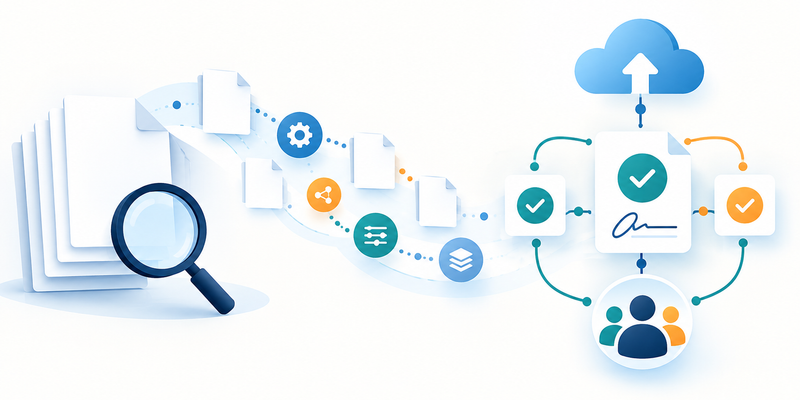
A usual business document may go through many steps, including creation or receiving of the document, review of the content, completion of any additional information, signature of one or more parties and then storage of the document or delivery to those who have to get it.
If all those actions will be performed individually, there will be many small tasks to do. For example, you will have to download the document if you want to make an edit, print it if you want to fill out the document and sign it, scan it and then send via email to the next party.
In digital workflows for PDFs, the order of actions will be completely different because now a PDF document is no longer considered a finalized document. Now it is possible to use a PDF file as an editable document, annotate it, turn it into a fillable form and share with others.
pdfFiller is built around such an approach to work with PDF documents. It allows users to create fillable forms, add electronic signatures, manage workflows, etc.
Reading Is Only the First Step
The hardest part is not opening a file – it is easy to do. What is important to know is how to proceed further once a PDF file has been checked.
Some businesses will need to change a name, a date, add some commentary, draw attention to some part or include some additional details. Using pdfFiller, one can easily make any changes to the text and content of the document and include some pictures, commentary, stamps, annotations.
pdfFiller can also manage any restructuring of the file. This means that it is possible to merge, split, reorganize or compare different files which can be helpful if one needs to put several documents together to make one working file or split a large file into smaller ones.
Turning Static PDFs Into Fillable Forms
Organizations often have to use specific documents over and over again. An example of this would be a real estate agency that uses leases, disclosures, and purchase agreements, among other forms relating to property. An example of another organization is an HR department that prepares offer letters, employee forms, and policy acknowledgments.
Instead of creating such documents anew every time they have to be prepared for someone, a static PDF can be transformed into a fillable form.
pdfFiller provides tools that facilitate filling out forms. It allows users to add fields that allow users to input certain information, choose between different options, and put down their signatures. This turns a form into a document that is interactive yet maintains its PDF format.
The system features a collection of over 100,000 fillable forms and templates, some of which are state-specific legal and business forms.
A Simple Form Workflow
The following is a possible practical workflow:
- Prepare the document: Begin by having an existing PDF or appropriate template for the form.
- Create interactive fields: Provide fields where the recipients can enter information or give their signatures.
- Review the fields and form: Ensure that the fields and the document are clear to fill out.
- Publish/send the form: Publish or deliver the document to the intended recipients.
- Receive information: Get back the filled-out fields or signatures from the recipients.
- Manage the finished document: Store or distribute the finished document based on the company’s workflow.
It is not only about making the form look clean and good. The whole process provides employees and recipients with a definite structure for giving information.
Collecting Information Through a Link
There are certain forms which must go out to individuals who are not a part of an organization. An exchange of files as attachments could lead to extra procedures, especially if an organization requires the same type of information to be provided by multiple individuals.
The pdfFiller tool LinkToFill helps overcome this type of workflow because it creates a document as a public link where it collects signatures and data. The form is created by the organization only once and then the recipients get access to its online version.
Such a solution could be useful in case of applications, intake forms, acknowledgment, and similar kinds of recurring forms.
When Documents Need Signatures
Another aspect where paper-based workflow processes can be quite slow is signatures. It might take time for a document to be filled in, reviewed, signed, returned and approved to proceed to the next step.
Electronic signatures make this possible to do it electronically. pdfFiller offers digital signatures following the rules of the ESIGN Act and UETA of the United States, as well as eIDAS and GDPR.
It provides such electronic signature options as certificate-based electronic signature and audit trail. An audit trail documents all activities related to the document, such as its review, edit, signing and sharing.
Practical Uses Across Different Industries
The value of PDF digital workflows is evident in considering real-life scenarios of business operations.
Real Estate
Real estate agents may come across various papers, including leases, disclosures, purchase-related documents, client intake forms, and others. A digital workflow would enable entering information into documents, editing, reviewing, annotating, and signing without constantly printing documents.
Healthcare
Healthcare companies are often dealing with forms containing confidential information. pdfFiller allows HIPAA compliance with a signed Business Associate Agreement that can be found on certain plans. It means that companies handling protected health information should take the relevant plan and agreement into consideration when designing their workflow.
Human Resources
HR departments can utilize reusable forms for onboarding, offer letters, NDAs, and policy acknowledgments. The template with fillable fields would help to provide employees with clear guidelines, whereas the eSign option will help with signing and approval stages.
Legal and Professional Services
Legal and professional teams often have to deal with such documents as agreements, affidavits, engagement letters, waivers, and many others. Editing, annotating, password protecting, authenticating, and audit trail options would help to manage a structured document workflow.
Security Matters When Documents Contain Sensitive Information
Apart from the convenience factor, one should consider the security and privacy factors since the documents may hold personal, financial, medical or business data.
pdfFiller applies 256-bit AES encryption for both transferring data between pdfFiller and your computer and storing it on its server. pdfFiller’s security and compliance program covers SOC 2 Type II, HIPAA, GDPR, CCPA, PCI DSS, and FERPA based on the use case in question.
Additionally, pdfFiller offers the following security measures:
- Two-factor authentication for extra account security.
- Password protection for each file in order to prevent unauthorized access to particular files.
- Additional signer verification for certain types of signing processes.
- Expiry dates of the documents in order to limit the time period of access.
- Audit trail of any actions related to the document with timestamp and IP address.
According to pdfFiller, the documents stay solely in the user’s private account and are not shared with any third parties or used to train machine learning models. PdfFiller stores its infrastructure in SOC 2 Type II certified data centers with 24/7 threat detection.
Building a More Consistent Document Process
The primary advantage of using an online PDF workflow might not necessarily be related to a specific function. It is related to linking multiple routine operations into one single process.
A company can begin with document creation, editing, conversion of a scanned page into text, addition of forms, data collection, signing, audit trail review, and storage of the final product in one single electronic environment.
It also allows defining responsibilities clearly, as employees know where documents should be created, recipients know where to input data, and authorized individuals will be able to review the history of the document.
For businesses with recurring paperwork, consistency becomes as crucial as speed. It can be provided with a template and workflow creation once and for all.
FAQ
What is an online PDF reader?
A PDF reader which works on the internet enables one to access and read PDF files via the web browser without using any PDF software on one’s own computer. Advanced systems allow much more than just reading, such as editing, form-filling, document annotation, and even signing electronically.
Can a PDF be turned into a fillable form?
Yes, the application pdfFiller can be used for creating PDF fillable forms because you can add different interactive elements into your documents such as fields for typing text or making choices, etc. Static documents can be converted to fillable forms.
Can scanned PDFs be edited?
Images could be present in a PDF scan instead of text. OCR functionality is available in pdfFiller and therefore allows conversion of image to editable text. It might come in handy for an organization when it gets a scanned document which should be corrected and/or annotated.
Are electronic signatures supported in pdfFiller?
Yes. pdfFiller is compliant with electronic signatures as per the U.S. ESIGN Act and UETA, along with eIDAS and GDPR standards. The signing capabilities of the platform also include an audit trail of any document activity such as signature and timestamp.
How can businesses protect sensitive PDF documents?
There are various measures that companies can take such as encryption, two-factor authentication, document password, signer authentication, and expiry dates. The security features provided by pdfFiller include 256-bit AES encryption and audit trail. Compliance regulations should also be taken into consideration while designing the workflow.
Can pdfFiller be used on mobile devices?
Yes. pdfFiller is an online tool that can be accessed using the website interface, as well as through iOS and Android mobile applications. The ability to use documents on various devices is beneficial to those who do not always work at their desktops.
Conclusion
Despite their popularity and efficiency, PDF documents are still relevant for business since all data is stored within a certain template. However, just viewing a PDF file is not enough when it comes to document management today as companies need to make changes in a file, get data from it, sign it, manage records and track any actions regarding it.
pdfFiller combines all these processes in one solution: it allows you to work with your PDFs, use OCR tools, fill forms, LinkToFill feature, e-signatures, security options and mobile access all in one program.