Key Takeaways:
OpenReel Video is a free, MIT-licensed, fully client-side video editor that runs entirely in your browser using WebGPU and WebCodecs — giving you a multi-track timeline, professional color grading, audio mixing, and 4K export without uploads, installs, watermarks, or subscriptions.
Most “free” online video editors come with a catch: a watermark, a 720p export cap, a forced cloud upload, or a subscription nag screen halfway through. OpenReel Video — hosted at github.com/Augani/openreel-video and available live at openreel.video — takes a different approach. It is a full-featured, GPU-accelerated video editor that runs entirely on your machine inside a browser tab. No uploads. No accounts. No watermarks. Just open the page and start editing.
This guide walks through what OpenReel Video actually is, how to install or run it, and how to use it for real editing work.
What Is OpenReel Video
OpenReel Video is a browser-based, client-side video editor built with React, TypeScript, WebCodecs, and WebGPU. The project positions itself explicitly as an open-source CapCut alternative, and the architecture is built around three commitments: privacy, performance, and zero install friction.
Because every frame is decoded, composited, and re-encoded on your own GPU through the WebCodecs and WebGPU APIs, your source media never leaves the device. There is no server-side rendering pipeline to wait on, no upload quota, and no cloud bill. The whole monorepo — roughly 66,000 lines of frontend code in apps/web and 59,000 lines of engine code in packages/core — runs inside the browser tab.
Why It Stands Out
A handful of decisions make OpenReel Video genuinely different from the crowded field of online editors:
- 100% client-side. Videos never touch a server. Editing in airplane mode works the same as editing online.
- GPU-accelerated. WebGPU handles compositing and WebCodecs hardware-decodes and encodes video, which is how the editor manages smooth 4K timelines on consumer hardware.
- Real professional feature set. Multi-track timeline, keyframe animations on any property, color wheels with curves and LUT support, audio EQ/compressor/reverb, beat detection, chroma key, and 3D transforms — not just trim-and-export.
- Genuinely free. MIT license, no subscriptions, no watermarks, no export resolution gating.
- Auto-save built in. Projects persist locally in IndexedDB, so closing the tab does not lose your timeline.
Core Features
OpenReel Video ships with the kind of feature list you would normally expect from a paid desktop NLE.
Video Editing
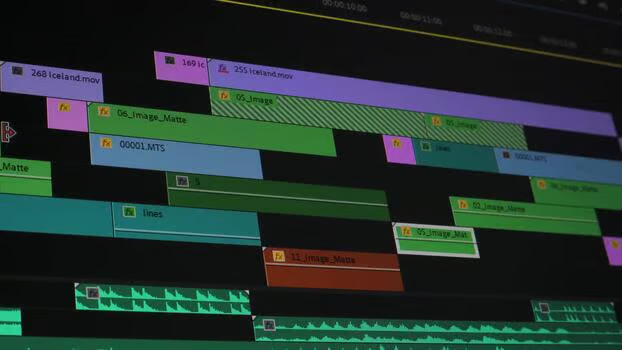
The timeline supports unlimited video, audio, image, text, and graphics tracks, with frame-accurate scrubbing, cut, trim, split, and ripple delete. Transitions include crossfade, dip to black or white, wipe, and slide. Built-in video effects cover brightness, contrast, saturation, blur, sharpen, glow, vignette, and chroma key, along with blend modes (multiply, screen, overlay, add, subtract, and more). Speed control runs from 0.25x to 4x with audio pitch preservation, and clips can be cropped, scaled, rotated, and given 3D perspective.
Graphics and Text
The text editor offers rich styling with shadows, outlines, and gradients, plus more than 20 text animations including typewriter, fade, slide, bounce, pop, elastic, and glitch. Karaoke-style subtitles highlight word-by-word in sync with audio, and SRT import is supported. Shape tools (rectangle, circle, arrow, polygon, star), SVG import with color tinting, a sticker and emoji library, and a background generator covering solid colors, gradients, mesh gradients, and patterns round out the graphics suite. A keyframe animation system can animate any property over time with 20+ easing curves.
Audio
Audio gets first-class treatment: unlimited tracks with real-time mixing, waveform visualization, EQ, compressor, reverb, delay, chorus, flanger, and distortion. Per-clip volume, panning, and fade in/out are standard. Beat detection auto-generates timeline markers synced to music, automatic ducking reduces background music when dialog plays, and a 3-pass noise reduction system handles tonal, broadband, and rumble noise.
Color Grading
Color tools include lift/gamma/gain wheels, HSL fine-tuning, RGB and per-channel curves, 3D LUT import and apply, and one-click built-in presets.
Export
Exports cover MP4 (H.264 and H.265), WebM (VP8, VP9, AV1), ProRes (Proxy, LT, Standard, HQ, 4444), and audio formats (MP3, WAV, AAC, FLAC, OGG). Quality presets go up to 4K at 60fps with custom bitrate, frame rate, codec, and color-depth options. Hardware encoding via WebCodecs makes exports fast, and there is even WebGPU-shader-based AI upscaling for enhancing resolution. Image sequence export (JPG, PNG, WebP) is available for frame-by-frame workflows.
Installation and Setup
You have two ways to use OpenReel Video. One takes about ten seconds; the other takes about two minutes.
Path 1: Use It Online
Open openreel.video in Chrome 94+, Edge 94+, Firefox 130+, or Safari 16.4+, and start editing immediately. Because everything runs locally, the hosted version is functionally identical to a local install — the website is just delivering the static bundle.
Path 2: Run Locally or Self-Host
If you want to self-host, contribute, or run a customized build, the local development path is standard pnpm:
# 1. Clone the repository
git clone https://github.com/Augani/openreel-video.git
cd openreel-video

# 2. Install dependencies (requires Node.js 18+)
pnpm install

# 3. Start the development server
pnpm dev

# Open http://localhost:5173
For a production build:
pnpm build
pnpm preview
Because the editor is a static SPA, you can deploy the output of pnpm build to any static host — Cloudflare Pages, Netlify, Vercel, S3, GitHub Pages, or your own Nginx server. There is no backend to run.
Browser and Hardware Requirements
| Browser | Minimum version | Status |
|---|---|---|
| Chrome | 94+ | Full support |
| Edge | 94+ | Full support |
| Firefox | 130+ | Full support |
| Safari | 16.4+ | Full support |
For comfortable use, the project recommends at least 8GB of RAM, a dedicated GPU for 4K editing, and a modern multi-core CPU.
Using OpenReel Video
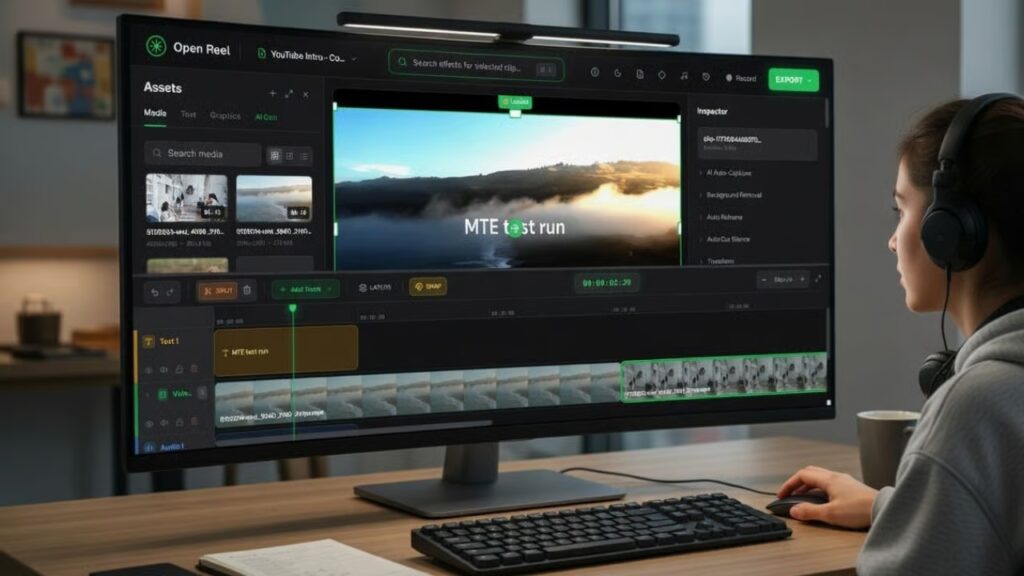
Once the editor loads, the layout will feel familiar to anyone who has used CapCut, Premiere, or DaVinci Resolve: a media library panel, a preview viewport, a multi-track timeline, and an inspector for the selected clip or property.
A Typical First Project
A reasonable first workflow looks like this. Drag video, audio, or image files directly from your file system onto the timeline. Use the razor tool or the keyboard shortcut to split a clip at the playhead, then drag the edges to trim. Drop a crossfade transition between two clips, add a text layer above them, and pick one of the 20+ text animations from the inspector. Open the audio mixer to add an EQ or compressor to your voiceover track, and let auto-ducking lower the background music when dialog plays.
When you are ready to export, choose a preset (4K @ 60fps, 1080p, 720p, or 480p) or set custom codec and bitrate options. WebCodecs hardware encoding does the heavy lifting, and a real-time progress indicator with cancel support keeps you in control.
Pro Workflow Touches
A few details make OpenReel Video pleasant to live in:
- Unlimited undo/redo with full history recovery, because every edit is modeled as an undoable action.
- Auto-save to IndexedDB so you do not lose work if the tab crashes.
- Keyboard shortcuts modeled after professional NLEs.
- Snap to grid for magnetic alignment on the timeline.
- Track management — show/hide, lock/unlock, reorder.
- Project export/import to move work between machines or share with collaborators.
- Screen recording directly inside the editor — capture screen, camera, or both, then drop the result on the timeline.
Roadmap Worth Watching
Nested sequences (timeline-in-timeline), motion tracking, a plugin system, adjustment layers, advanced masking, audio spectral editing, and collaborative editing are all on the official roadmap. Mobile optimization is planned as well, which would make OpenReel Video one of the only serious editors usable from a tablet without compromise.
Final Thoughts
OpenReel Video is a quietly impressive project. It demonstrates that modern browser APIs — WebCodecs, WebGPU, Web Audio, IndexedDB, and Web Workers — have crossed the threshold where a real professional NLE no longer needs to be a native desktop binary. You get privacy by architecture, zero install friction, and a feature list that genuinely rivals paid tools, all under an MIT license.
If you are a creator tired of CapCut’s subscription creep, a developer who wants to embed a video editor in your own product, or a privacy-conscious editor who refuses to upload client footage, OpenReel Video is worth a serious look. Try it for the length of one project at openreel.video, then clone the GitHub repository if you want to self-host or extend it.