
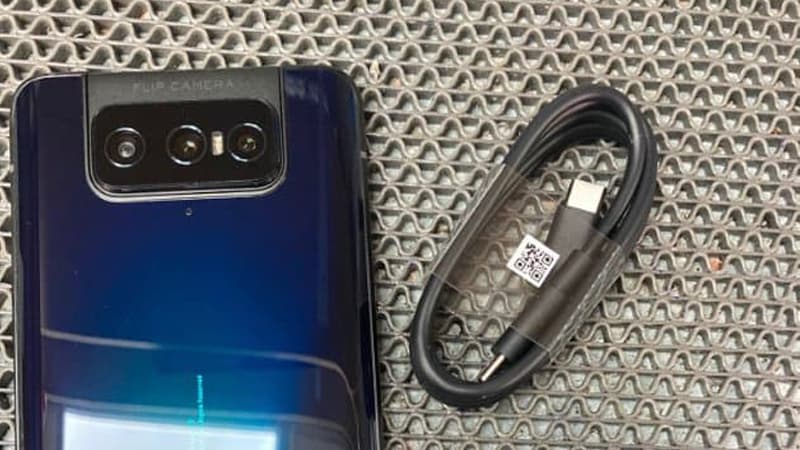
Here you can download the latest official Stock ROM (Firmware) files for the Stock / raw ROM for Asus ZenFone 7 ZS670KS. These files are essential for repairing software issues, fixing bootloops, upgrading/downgrading the OS, or restoring your device to its factory state.
| Display | – |
| Processor | – |
| Memory | – |
| Operating System | Stock Android (various versions) |
| Battery | – |
Prerequisites & Preparation
- Backup Data: Flashing will completely wipe all data on your device. Back up important files and settings before proceeding.
- Battery Level: Ensure your device has at least 50% battery to prevent shutdown during the flashing process.
- USB Driver & Tools: Install the correct USB drivers for your brand and prepare the flashing tool (Odin for Samsung, SP Flash Tool/QPST for Qualcomm/MTK, etc.).
CAUTION: Flashing official firmware carries a risk of bricking your device. Proceed with caution and at your own risk. addROM is not responsible for any damage caused to your device.
Download Stock ROM & Firmware
Global / General
| File Type | Firmware / Build | Region / Model | OS Version | Download Link |
|---|---|---|---|---|
| Stock ROM | UL-I002D-WW-31.0210.0210.250-user.zip | Global / General | – | Google Drive | OneDrive |
| Stock ROM | UL-I002D-WW-30.41.69.174-user.zip | Global / General | – | Google Drive | OneDrive |
| Stock ROM | UL-I002D-WW-30.41.69.170-user.zip | Global / General | – | Google Drive | OneDrive |
| Stock ROM | UL-I002D-WW-30.41.69.152-user.zip | Global / General | – | Google Drive | OneDrive |
| Stock ROM | UL-I002D-WW-30.41.69.143-user.zip | Global / General | – | Google Drive | OneDrive |
| Stock ROM | UL-I002D-WW-30.41.69.140-user.zip | Global / General | – | Google Drive | OneDrive |
| Stock ROM | UL-I002D-ASUS-99.41.69.174-1.1.0-9999-user.zip | Global / General | – | Google Drive | OneDrive |
| Stock ROM | UL-I002D-ASUS-31.0210.0210.309-1.1.1-2209-user.zip | Global / General | – | Google Drive | OneDrive |
| Stock ROM | UL-I002D-ASUS-31.0210.0210.292-1.1.1-2207-user.zip | Global / General | – | Google Drive | OneDrive |
| Stock ROM | UL-I002D-ASUS-31.0210.0210.287-1.1.1-2207-user.zip | Global / General | – | Google Drive | OneDrive |
| Stock ROM | UL-I002D-ASUS-31.0210.0210.277-1.1.1-2205-user.zip | Global / General | – | Google Drive | OneDrive |
| Stock ROM | MR1.3 | Global / General | – | Google Drive | AFH | OneDrive | Google Drive |
| Stock ROM | WW__ZS670KS_29.13.7.47_MR1_20201020_release-user.raw.zip | Global / General | – | Google Drive | AFH | OneDrive | Google Drive |
| Stock ROM | RU__ZS670KS_29.13.7.47_MR1_20201020_release-user.raw.zip | Global / General | – | Google Drive | AFH | OneDrive | Google Drive |
| Stock ROM | EU__ZS670KS_29.13.7.47_MR1_20201020_release-user.raw.zip | Global / General | – | Google Drive | AFH | OneDrive | Google Drive |
| Stock ROM | MR0.3 | Global / General | – | Google Drive | AFH | OneDrive | Google Drive |
| Stock ROM | WW__ZS670KS_29.12.18.14_MR0_20200902_release-user.raw.zip | Global / General | – | Google Drive | AFH | OneDrive | Google Drive |
| Stock ROM | MR0.1 | Global / General | – | Google Drive | AFH | OneDrive | Google Drive |
| Stock ROM | ZS670KS | Global / General | – | Google Drive | AFH | OneDrive | Google Drive |
| Stock ROM | ZS670KS | Global / General | – | Google Drive | AFH | OneDrive | Google Drive |
| Stock ROM | ZS670KS | Global / General | – | Google Drive | AFH | OneDrive | Google Drive |
How to Flash Asus Raw ROM via Fastboot Mode
To flash the stock raw ROM on your Asus Zenfone or ROG Phone device, follow the fastboot flashing steps below:
- Download and install the Asus USB Drivers on your computer.
- Download and extract the Asus Stock Raw ROM package on your PC.
- Power off your Asus device completely.
- Press and hold the Volume Up and Power buttons simultaneously until the device enters Fastboot Mode / Bootloader Mode.
- Connect your device to the computer using a high-quality USB cable.
- Navigate to the extracted firmware folder on your PC:
- On Windows: Double-click the
flash_all.batfile (orflash_all_wipe.batif you want to perform a clean flash and wipe all user data). - On Linux/macOS: Open terminal in that directory and run
sh flash_all.sh. - The command prompt/terminal window will open and begin flashing the raw firmware files automatically. Keep the USB connection stable.
- Once the flashing process completes, the device will reboot automatically into the system.









I would like to say thank you for providing these files. I have been successful in flashing my Zenfone 7 back to android 10 from 11 after having mobile data issues. Despite trying the roll back using image file from Asus website, my problem still persisted. However, after using your file “WW_ZS670KS_29.10.22.44-MP-user_20200807-release.zip | AFH | OneDrive | GDrive2” everything was back to normal. I am humbled.
Note to anyone trying to flash these rom: No root is needed. Backup your files if possible, put your phone into fastboot mode (vol up+pwr), install adb driver + adb command tools in pc, extract rom’s zip files and double click on flashall_AFT.cmd. Flashing takes only about 10 minutes. Good luck.
Thanks for your positive feedback, it will help someone facing the same problem.