
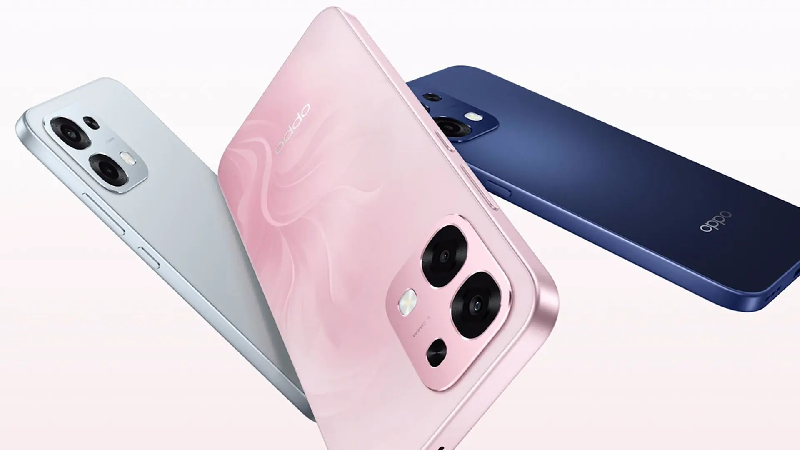
The 6.75-inch display boasts a 1570 x 720 pixel resolution with a 90.6% screen-to-body ratio. The device supports a 120Hz refresh rate, a maximum brightness of 1125 nits, and a 240Hz touch sampling rate, contributing to improved responsiveness, especially during gaming and scrolling.
Inside, it’s equipped with a MediaTek Dimensity 6300 processor and a Mali-G57 MC2 GPU. It uses LPDDR4X RAM and UFS 2.2 internal storage, ensuring smooth operation in everyday tasks.
The OPPO A6s 5G features a dual rear camera setup consisting of a 50MP main sensor and a 2MP secondary sensor. The 16MP front camera incorporates AI-powered image enhancement technologies such as AI Portrait Retouching, AI Night Mode, Portrait Mode, AI Perfect Shot, and AI Eraser 2.0.
The most outstanding feature of the device is its 7,000 mAh battery, providing all-day usage. It supports 80W fast charging, allowing it to charge from 1% to 54% in just 30 minutes and fully charge in approximately 64 minutes. Additionally, it supports wired reverse charging, enabling it to be used as a power bank for other devices.
Prerequisites & Preparation
- Backup Data: Flashing will completely wipe all data on your device. Back up important files and settings before proceeding.
- Battery Level: Ensure your device has at least 50% battery to prevent shutdown during the flashing process.
- USB Driver & Tools: Install the correct USB drivers for your brand and prepare the flashing tool (Odin for Samsung, SP Flash Tool/QPST for Qualcomm/MTK, etc.).
CAUTION: Flashing official firmware carries a risk of bricking your device. Proceed with caution and at your own risk. addROM is not responsible for any damage caused to your device.
Download Stock ROM & Firmware
CPH2815
| File Type | Firmware / Build | Region / Model | OS Version | Download Link |
|---|---|---|---|---|
| Stock ROM | Oppo_A6S_CPH2815_EX_11_15.0.2.711EX01_251128_Project_ID-25251_25250_QFIL.zip | CPH2815 | Android 11 | Google Drive |
CPH2789
| File Type | Firmware / Build | Region / Model | OS Version | Download Link |
|---|---|---|---|---|
| Stock ROM | MT6835 | CPH2789 | Android 11 | Google Drive |
How to Flash Firmware / Stock ROM
To flash the stock firmware on your OPPO device using SP Flash Tool, follow these steps:
- Download and install the MTK USB Drivers on your computer.
- Download and extract the SP Flash Tool.
- Launch
Flash_tool.exeas administrator. - Click on the Scatter-loading button and select the Android scatter file (
.txt) from the extracted firmware folder. - Click the Download button.
- Power off your device completely, hold the Volume Down or Volume Up button, and connect it to the computer via USB cable.
- The flashing process will start automatically. Wait for the green “Download OK” checkmark to appear.








