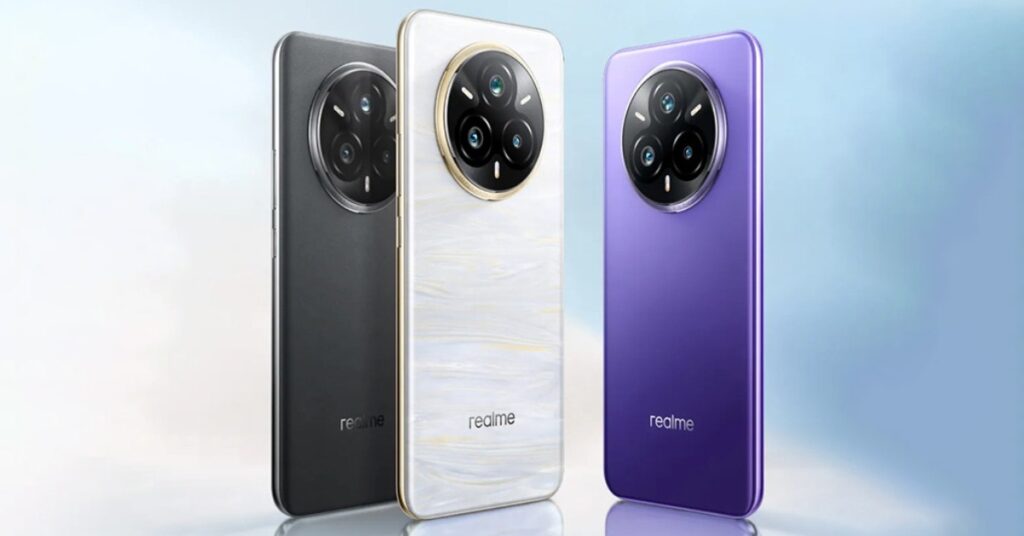
The Realme 14 Pro Plus 5G features a 6.74-inch AMOLED display with a 1080 x 2412 pixel resolution and 392 ppi density. While the display supports 144Hz refresh rate and a 380Hz touch sampling rate, offering smooth scrolling and responsiveness, the peak brightness reaches 4000 nits with Pro-XDR technology. However, it’s still not the brightest display in direct sunlight.
The screen is protected by Corning Gorilla Glass and features 2160Hz PWM high-frequency dimming for comfortable viewing in low-light conditions. The camera setup includes a 50MP + 50MP + 50MP triple rear camera system, featuring OIS for enhanced image stability. The rear cameras support 4K video recording at 30fps, while the 50MP front camera delivers sharp and detailed selfies.
Powered by the Qualcomm Snapdragon 7 Gen3 chipset, the Realme 14 Pro Plus runs on an octa-core processor clocked at 2.63GHz. It comes with 8GB of RAM and 8GB of virtual RAM, along with 256GB of internal storage (without a memory card slot).
The phone packs a 5500mAh battery and supports 100W SUPERVOOC fast charging for quick power-ups, along with reverse charging. It supports 4G, 5G, and VoLTE, and includes standard connectivity options like Bluetooth v5.4, Wi-Fi, and USB-C.
Prerequisites & Preparation
- Backup Data: Flashing will completely wipe all data on your device. Back up important files and settings before proceeding.
- Battery Level: Ensure your device has at least 50% battery to prevent shutdown during the flashing process.
- USB Driver & Tools: Install the correct USB drivers for your brand and prepare the flashing tool (Odin for Samsung, SP Flash Tool/QPST for Qualcomm/MTK, etc.).
CAUTION: Flashing official firmware carries a risk of bricking your device. Proceed with caution and at your own risk. addROM is not responsible for any damage caused to your device.
Download Stock ROM & Firmware
Global / General
| File Type | Firmware / Build | Region / Model | OS Version | Download Link |
|---|---|---|---|---|
| Stock ROM | 241225 | Global / General | Android 11 | Google Drive |
How to Flash Firmware / Stock ROM
To flash the stock firmware on your Realme device using QFIL Tool, follow these steps:
- Download and install the Qualcomm USB Drivers on your computer.
- Download and install the QPST/QFIL Tool.
- Open QFIL and select Flat Build in the configuration.
- Browse and select the programmer file (usually
.elfor.mbn) from the firmware folder. - Click Load XML and select
rawprogram0.xml, then selectpatch0.xml. - Power off your device, hold the Volume Up + Volume Down buttons, and connect the USB cable to enter EDL Mode (Qualcomm HS-USB QDLoader 9008).
- Click the Download button to start the flashing process.