Key Takeaways
useSend delivers a complete open-source email solution that combines the reliability of Amazon SES with full ownership and control, making it the ideal self-hosted alternative to expensive proprietary services like Resend and SendGrid.
What is useSend and Why It Matters
useSend is an open-source email platform designed for developers, startups, and open-source teams who want enterprise-grade email infrastructure without the recurring fees or vendor dependencies of commercial services. Built as a direct alternative to Resend, SendGrid, and Postmark, it leverages Amazon Simple Email Service (SES) under the hood to handle delivery while providing a polished dashboard, REST API, SDKs, and advanced features for both transactional and marketing emails.
The project has already gained significant traction in the developer community, boasting over 4,100 GitHub stars. Whether you run a SaaS product needing reliable order confirmations or a newsletter requiring beautiful campaigns, useSend gives you complete control over your email stack. You can use the managed cloud version at usesend.com or self-host it entirely for free using Docker.
This guide walks you through everything: why useSend stands out, how to install it, and how to integrate it into your applications. By the end, you will have a production-ready email system that scales with your needs and respects your budget.
The Limitations of Traditional Email Services
Proprietary email platforms often come with hidden costs. High-volume senders quickly face per-email fees that add up, while vendor lock-in makes migration painful. Features like analytics, suppression lists, and marketing editors exist, but you pay premium prices for them.
useSend solves these pain points by open-sourcing the entire stack. You retain ownership of your data, customize the code if needed, and pay only for the underlying AWS SES usage—which remains among the most affordable delivery options available. The platform also includes built-in tools that many paid services charge extra for, such as real-time analytics and a no-code email designer.
Core Features That Set useSend Apart
useSend packs powerful capabilities into an intuitive interface and API.
- Real-time Analytics and Logging
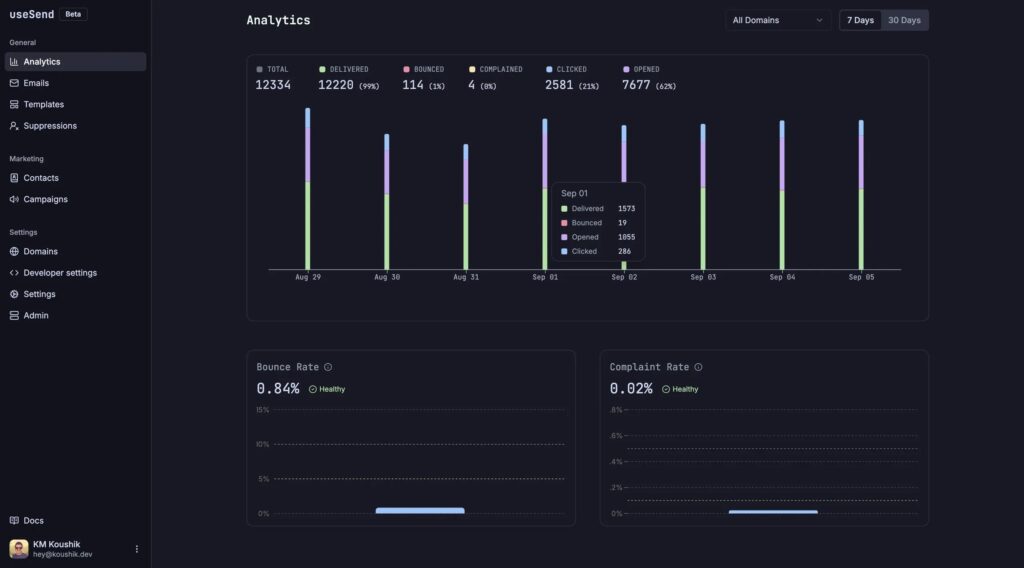
Track deliveries, opens, clicks, bounces, and unsubscribes in real time. Searchable logs let you filter by domain, status, or API key, and you can export data for deeper analysis. - No-Code Marketing Email Editor
Design beautiful campaigns with a WYSIWYG editor that renders consistently across major email clients. Reuse templates, maintain brand consistency, and personalize messages with variables—no HTML coding required. - Contact and List Management
Centralize your audience with easy import/export, subscription status tracking, and automatic updates from bounce or complaint events. - Suppression List
Prevent accidental sends to invalid or complaining addresses. The list populates automatically and works for both transactional and marketing emails. - SMTP Relay
Drop-in compatibility for any application or framework that uses SMTP, including legacy systems and platforms like Supabase. - Developer-Friendly APIs and SDKs
Native libraries for TypeScript, Python, Go, and PHP plus a clean REST API with webhook support and scheduled sending. - Self-Hosting and BYO AWS Credentials
Full control over your infrastructure with official Docker images and one-click deployment options.
These features make useSend suitable for everything from small personal projects to high-volume enterprise use cases.
Getting Started: Self-Hosting useSend with Docker
Self-hosting useSend is straightforward and gives you maximum privacy and cost control. The official Docker image makes deployment simple on any server, VPS, or platform like Railway or Coolify.
Prerequisites for Self-Hosting
- An AWS account with SES and SNS access (free tier works for most starters)
- PostgreSQL database
- Redis instance
- GitHub account for OAuth authentication
- Docker and Docker Compose
Step-by-Step Docker Installation
- Set Up AWS Credentials
Create an IAM user in AWS withAmazonSESFullAccessandAmazonSNSFullAccesspolicies. Generate access keys and note them. - Prepare Environment Variables
Copy the example file and fill in the details:
AWS_ACCESS_KEY=your-access-key
AWS_SECRET_KEY=your-secret-key
DATABASE_URL=postgres://user:pass@host:5432/usesend
REDIS_URL=redis://host:6379
NEXTAUTH_URL=https://your-domain.com
NEXTAUTH_SECRET=your-generated-secret
GITHUB_ID=your-github-client-id
GITHUB_SECRET=your-github-client-secret- Launch with Docker
Pull the official image and run:
docker run -d \
 --name usesend \
 -p 3000:3000 \
 --env-file .env \
 usesend/usesend:latest
For a full stack including database and Redis, use the provided Docker Compose template from the repository documentation.
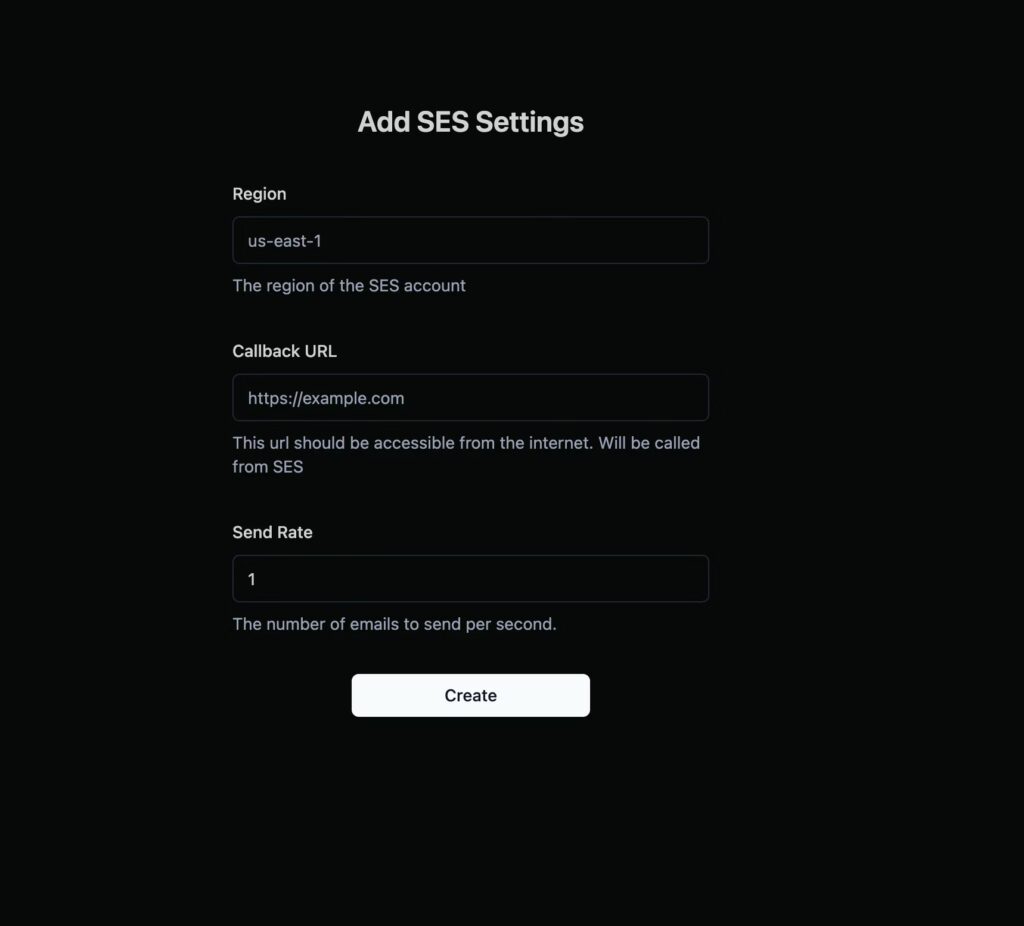
- Configure SES
Log into your self-hosted dashboard, add your domain, verify it with AWS, and set the callback URL for webhooks. - Exit SES Sandbox
Move your AWS SES account out of sandbox mode to send to any email address.
Detailed self-hosting documentation and Railway one-click deployment templates are available directly in the project repository.
Using the Hosted Cloud Version at usesend.com
If self-hosting feels like overkill for your current scale, the official hosted service at usesend.com offers the same powerful features with zero maintenance. Pricing follows a simple pay-per-use model that is significantly cheaper than competitors—often under a cent per thousand emails after AWS costs.
Sign up, create an API key, and start sending immediately. The cloud dashboard includes all the analytics, contact tools, and marketing editor available in the self-hosted version.
Sending Emails: API, SDKs, and SMTP Examples
useSend makes integration effortless.
Using the TypeScript SDK
import { UseSend } from "usesend-js";

const usesend = new UseSend("us_your_api_key_here");

await usesend.emails.send({
  from: "[email protected]",
  to: "[email protected]",
  subject: "Welcome to our platform",
  html: "<p>Hello from useSend!</p>"
});
Python Example
from usesend import UseSend

client = UseSend("us_your_api_key_here")
client.emails.send({
    "from": "[email protected]",
    "to": "[email protected]",
    "subject": "Welcome",
    "html": "<p>Hello from useSend!</p>"
})
SMTP Relay
Configure your application with your useSend instance as the SMTP host, username “usesend”, and your API key as password. It works seamlessly with any SMTP-compatible library.
Creating Professional Marketing Campaigns
The built-in editor lets non-technical team members design newsletters and product updates. Drag-and-drop components, variable personalization, and preview tools ensure high engagement. Once designed, schedule sends or trigger them via API for automated flows.
Monitoring Performance with Built-in Analytics
After sending, the dashboard provides clear visualizations of delivery metrics. Filter logs, investigate issues, and export reports—all without leaving the interface. Webhooks notify your systems of important events in real time.
Best Practices and Advanced Tips
- Verify domains early and implement proper DKIM/SPF/DMARC records for optimal deliverability.
- Use the suppression list proactively to maintain sender reputation.
- Monitor AWS SES sending quotas and request increases as your volume grows.
- For high-volume marketing, combine the editor with contact segmentation for better open rates.
The project remains actively developed, with plans to add SMS, push notifications, and WhatsApp support in the future.
Conclusion: Take Control of Your Email Infrastructure Today
useSend proves that you no longer need to choose between expensive proprietary platforms and complex DIY setups. It offers the best of both worlds: powerful features, reliable delivery via Amazon SES, and complete openness through its AGPL-3.0 license.
Whether you self-host with Docker for maximum control or use the managed service at usesend.com, you gain a modern email platform that grows with your business. Explore the full codebase and contribute on GitHub.
Start building better email experiences today—reliably, affordably, and on your own terms.