 By
By Best Instagram video downloaders in 2026: A practical buyer’s guide
Instagram has been a video-first platform for years, yet it still does not offer a native download button for most content types. You cannot save a Reel to your camera roll without opening it in a third-party app. Stories vanish after 24 hours. IGTV videos and carousel posts are locked inside the app. Even if you manage a brand account and want to retrieve your own uploaded footage, Instagram provides no straightforward way to do it.
This gap has made Instagram video downloaders one of the most searched-for utility categories online. By 2026, the market is crowded with options – but not all of them are worth your time, your privacy, or your bandwidth. Some are riddled with pop-up ads, some silently compress video quality, and some require you to hand over your Instagram login credentials, which is a serious security risk.
This guide cuts through the noise. We explain what actually matters when picking a downloader, then review the best tools available in 2026, grouped by type so you can go straight to what fits your workflow.
What to look for before you choose a downloader
Before diving into the list, it helps to know the criteria that separate a reliable downloader from a waste of time. Use this as a checklist when evaluating any tool.
Content type support. Does it handle videos, Reels, Stories, carousels, IGTV, and audio separately? Many tools only cover one or two formats and quietly fail on the rest.
Output quality. A good downloader should preserve the original resolution – typically up to 1080p for Reels. Tools that re-encode files to lower quality defeat the purpose of saving them.
Login requirement. Any tool that asks for your Instagram username and password is a red flag. Reputable downloaders work with nothing more than a public post URL.
Platform breadth. If you regularly work with content from YouTube, TikTok, Facebook, and other platforms in addition to Instagram, a multi-platform downloader saves you from juggling five different tabs.
Ad load and safety. Free tools inevitably carry some advertising, but there is a wide spectrum between a modest banner ad and a page so cluttered with redirects that it becomes genuinely risky to use.
Ease of use. Three steps – copy the URL, paste it, click download – is the gold standard. Anything requiring browser extensions, desktop installs, or account creation adds friction that most users do not need.
The best online (web-based) downloaders
Online downloaders require no installation. You open a browser, paste a link, and download. They work on any device and any operating system, which makes them the most accessible category for everyday users.
SaveFromIns – best overall online downloader
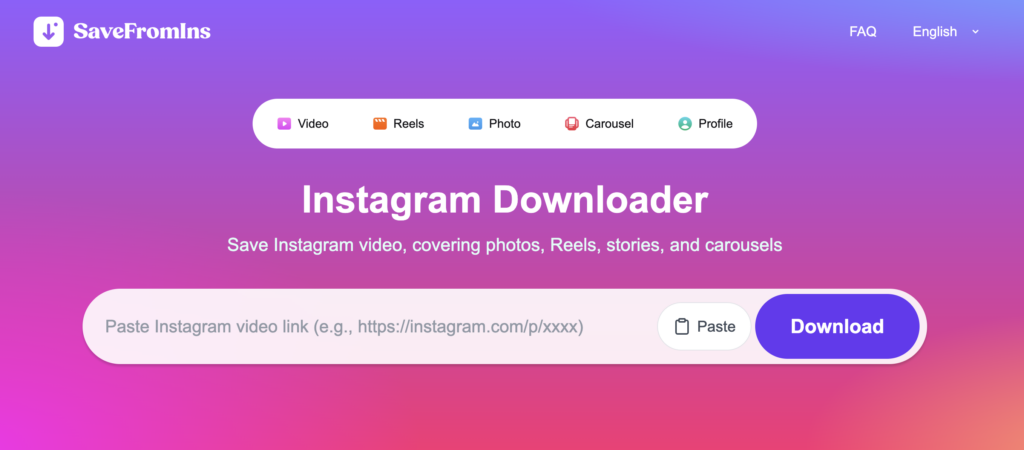
SaveFromIns earns the top position in this category because it goes beyond Instagram. Where most online tools are single-platform, SaveFromIns is built as a general-purpose video and music downloader that supports content from a wide range of popular websites – including Instagram, YouTube, TikTok, Facebook, and more – all within one clean interface.
For users who manage multi-channel content or simply want one reliable tool instead of several, this broad platform support is a genuine advantage. The workflow is exactly what you expect from a quality web-based downloader:
- Copy the URL of the content you want to save.
- Paste it into the input field on the SaveFromIns website.
- Select your preferred format and quality, then download.
Key strengths worth noting: no account registration is required, no Instagram login is ever requested, the tool works identically on desktop and mobile browsers, and it supports audio extraction in addition to video – a feature most free online tools do not offer.
If you want to Instagram video download alongside content from other platforms without switching tools, SaveFromIns is the most practical choice for that use case in 2026.
FastDL – best for clean, fast downloads with no ads
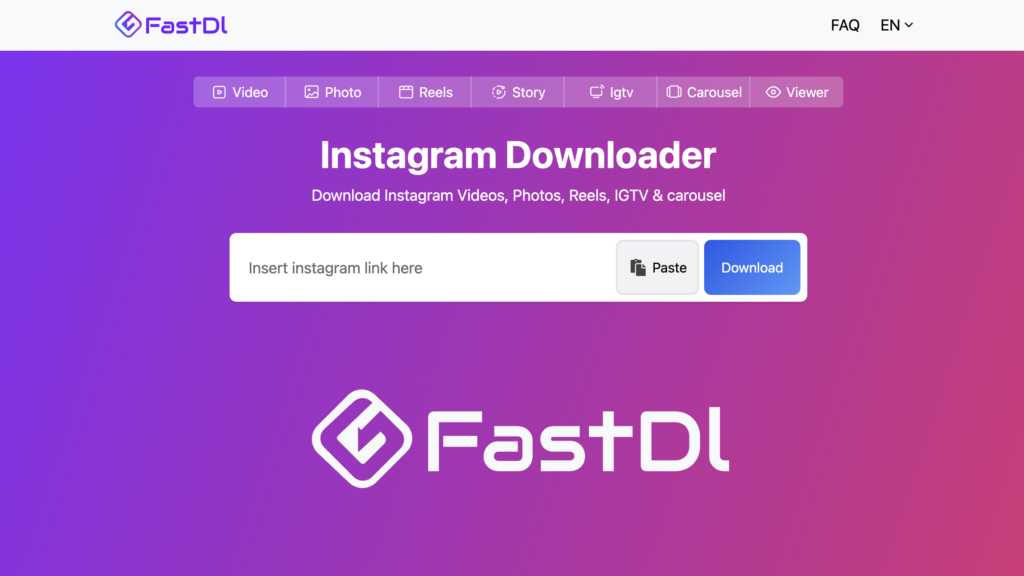
FastDL has built a loyal user base on one simple promise: no ads, no pop-ups, and no friction. In a category where most free tools plaster their pages with redirecting banners, FastDL stands out by prioritizing user experience. The interface loads quickly, link parsing is near-instant, and downloaded files retain their original HD quality.
It supports videos, photos, Reels, Stories, IGTV, and carousels – essentially everything you would want to save from a public Instagram profile. The only meaningful limitation is the absence of batch downloading; you process one link at a time. For users who download content occasionally rather than in bulk, this is rarely a problem.
What FastDL does not do: it has no multi-platform support. If you need to save content from YouTube or TikTok, you will need a separate tool. Within its focus on Instagram, though, it is hard to beat.
SnapInsta – best for mobile users
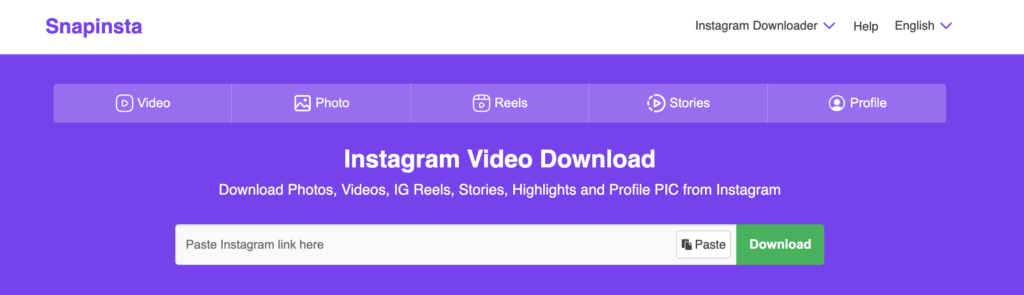
SnapInsta is optimized for mobile use. The interface is responsive, the download flow works smoothly on touchscreens, and the tool handles Reels and video posts reliably without requiring any login. It is a solid choice for creators who often spot content they want to reference while browsing Instagram on their phone and need a quick way to save it.
The tool is free and login-free. Download speed is consistently fast. The main drawbacks are a modest ad presence and the lack of multi-platform capability – SnapInsta covers Instagram only.
InDown – best reliability for tricky links
InDown addresses one of the most frustrating experiences with online downloaders: link parsing failures. Rather than relying on a single extraction route, InDown.io routes requests through multiple fallback pathways, meaning that when one approach fails, another takes over automatically. In practice, this significantly improves the success rate for links that other tools return an error on.
It supports Stories, Reels, photos, and Highlights. The interface is clean and straightforward. Banner ads are present but not overwhelming. For users who have been burned by unreliable tools and prioritize consistent results, InDown.io is worth bookmarking.
Desktop software for power users
Desktop applications require installation, but they offer capabilities that web-based tools cannot match: batch downloading, scheduled downloads, private account support (where applicable), and the ability to archive entire profiles or hashtag feeds. If you are a researcher, agency, or content manager dealing with large volumes of Instagram content, desktop software is worth the setup.
4K Stogram – best for bulk and archival downloading
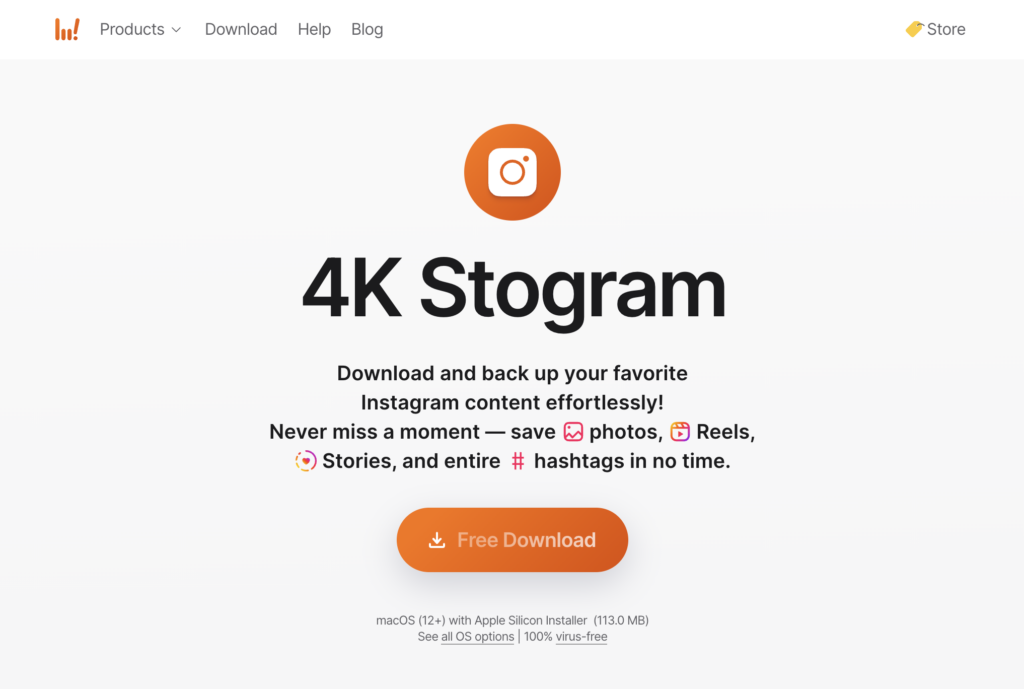
4K Stogram is the go-to desktop application for users who need to download at scale. Built by the same team behind the well-known 4K Video Downloader, it allows you to download entire Instagram profiles, hashtag collections, and location feeds in one operation. You can also configure it to monitor specific accounts and automatically pull new content as it is posted – a valuable feature for competitive research or brand monitoring purposes.
Supported content types include posts, Stories, Reels, IGTV, and profile pictures. Output is saved at the original quality. The application is available on Windows, macOS, and Ubuntu. A free tier exists with limitations; the full feature set requires a paid subscription, with pricing that is reasonable relative to competing professional tools.
4K Stogram is not the right choice if you only need to save one or two videos occasionally. It is the right choice if Instagram content management is a recurring part of your workflow.
SnapDownloader – best desktop tool for multi-platform bulk downloads
SnapDownloader is a premium desktop application built around speed and volume. It supports downloading from hundreds of platforms, offers downloads up to 8K resolution, and includes a built-in video trimmer for basic editing before saving. Proxy support is included for users in regions where certain platforms are restricted.
The batch downloading capability is particularly strong – you can queue up dozens of links from different platforms and let the application process them in the background. It is squarely aimed at content professionals and power users who regularly deal with large media libraries.
4K Video Downloader+ – best for high-resolution YouTube and multi-platform content
While not Instagram-specific, 4K Video Downloader+ deserves mention because many users who need Instagram content also regularly download from YouTube, and this tool handles YouTube better than almost anything else available. It supports 4K and 8K video, full channel and playlist downloads, subtitle extraction, and 360-degree video. Available on Windows, macOS, and Linux.
If your primary need is Instagram-only downloads, 4K Stogram from the same developer is the more appropriate choice. But if you want a single desktop tool that covers both YouTube and Instagram at high quality, the combination of 4K Video Downloader+ and 4K Stogram from the same suite is a well-tested pairing.
Feature comparison at a glance
| Tool | Type | Free tier | No login needed | Multi-platform | Batch download | Audio download |
|---|---|---|---|---|---|---|
| SaveFromIns | Web | Full | Yes | Yes | No | Yes |
| FastDL | Web | Full | Yes | No | No | No |
| SnapInsta | Web | Full | Yes | No | No | No |
| InDown.io | Web | Full | Yes | No | No | No |
| 4K Stogram | Desktop | Limited | Yes | No | Yes | No |
| SnapDownloader | Desktop | Trial only | Yes | Yes | Yes | Yes |
| 4K Video Downloader+ | Desktop | Limited | Yes | Yes | Yes | No |
Frequently asked questions
Is it legal to download Instagram videos?
For personal, offline use of content you have the right to access, downloading is generally acceptable in most jurisdictions. However, redistributing, republishing, or using downloaded content commercially without the creator’s permission is a separate matter and may infringe copyright. Always review the platform’s terms of service and the content creator’s usage rights before using downloaded material for anything other than personal viewing.
Do I need to give my Instagram password to these tools?
No – and you should never do so. Every reputable downloader listed here works entirely from the public URL of a post. If any tool asks for your Instagram username and password, leave the page immediately.
Why do some tools reduce video quality?
Lower-tier tools re-encode downloaded files, often to reduce server load or storage costs. The tools recommended in this guide either preserve original quality or give you a resolution selector so you can choose the highest available option.
Can I download from private accounts?
In general, no. Web-based tools that do not require a login cannot access private content. Some desktop applications can access private content if you are logged into the account within the app, but this varies by tool and is subject to Instagram’s terms of service.
Will these tools stop working when Instagram updates its platform?
All third-party downloaders are subject to breaking changes when Instagram modifies its infrastructure. Well-maintained tools like those listed here are typically updated quickly after major platform changes. If a tool suddenly stops working, check whether an update is available before assuming it is defunct.
Final verdict: Which downloader should you use?
The right tool depends entirely on how you use it.
For most individuals – whether you are a casual user saving the occasional Reel, a content creator archiving inspiration, or someone who regularly works across multiple platforms – Save From Instagram is the most practical starting point. It handles Instagram content comprehensively, extends to other popular platforms without requiring any additional tools, supports both video and audio downloads, and asks nothing from you in return beyond the URL of the content you want to save.
If your single requirement is the fastest, cleanest Instagram-only experience with zero ads, FastDL is difficult to improve on. If you are primarily on mobile and want a polished experience, SnapInsta will serve you well. And if your work involves bulk downloads, profile archiving, or serious content research at scale, 4K Stogram is the professional-grade solution designed for exactly that purpose.
Whichever tool you choose, use it responsibly. Respect the work of content creators, stay within the bounds of personal use, and treat downloaded content with the same regard you would expect for your own.