
Key Takeaways: Social Media Skills equips AI agents with 17 reusable workflows for content strategy, creation, and analysis across LinkedIn, Instagram, YouTube, X, and other text-first platforms.
What Are Social Media Skills?
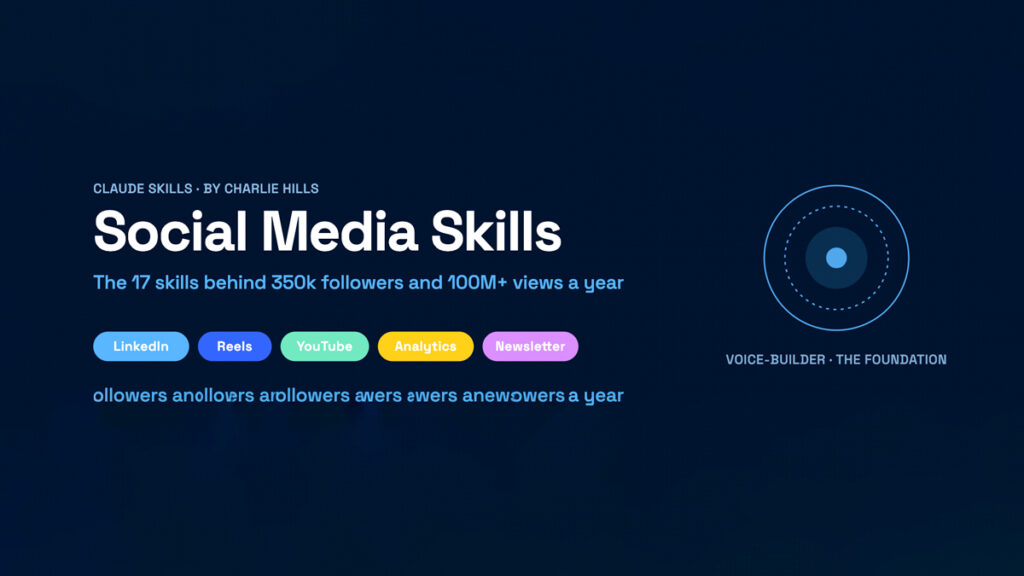
Social Media Skills is an open-source collection of AI agent workflows designed to automate and scale content creation across multiple platforms. The repository provides 17 skills covering LinkedIn, Instagram, YouTube, X, and other text-first platforms.
Each skill is a self-contained workflow that teaches an AI agent how to perform a specific social media function. Skills include voice builder, thread builder, content calendar, carousel creator, hashtag strategist, analytics interpreter, and more. Together, they form a toolkit that transforms a general-purpose coding assistant into a specialized social media operator.
The project follows the Agent Skills specification, which defines a universal SKILL.md format adopted by multiple agents including Claude Code, Cursor, Codex, and others. Skills are simple to create and extend, requiring only a folder with a SKILL.md file containing YAML frontmatter and step-by-step instructions.
Visit the Social Media Skills GitHub repository for the latest skills, installation instructions, and examples. The repository is designed to be forked and customized for specific brands, niches, and workflows.
Core Architecture and Skill Structure
Social Media Skills uses a modular architecture where each capability is encapsulated in a skill package. A skill package consists of a required SKILL.md file and optional bundled resources such as scripts, references, and assets.
The SKILL.md file has two parts:
- YAML frontmatter with name and description fields
- Markdown body with step-by-step procedural instructions
The frontmatter provides metadata that agents use to discover and select skills. The body contains the actual workflow, decision rules, and example tool calls the agent needs to execute the function end-to-end.
This structure enables a three-level loading model:
- Level 1: Name and description are always in context
- Level 2: Full SKILL.md body is loaded on demand
- Level 3: Bundled resources are fetched only when needed
This design keeps context usage efficient while allowing complex workflows with templates, scripts, and reference materials.
Installation Methods
Social Media Skills supports multiple installation paths depending on your agent environment and workflow preferences.
Option 1: Claude Code Plugin Marketplace
If you use Claude Code, you can install the skills as a plugin from the marketplace.
Add the marketplace:
/plugin marketplace add charlie947/social-media-skillsInstall the plugin:
/plugin install social-media-skillsThis method is the most convenient for Claude Code users and keeps skills updated automatically.
Option 2: Clone and Copy
For a manual installation, clone the repository and copy skills into your local Claude configuration directory.
git clone https://github.com/charlie947/social-media-skills.git
cp -r social-media-skills/skills/* ~/.claude/skills/
This approach works for Claude Code and other agents that read from the ~/.claude/skills/ directory.
Option 3: Individual Skill Upload for Claude Desktop
If you use Claude Desktop, you can upload individual skills through the app.
Navigate to the skills directory and create a zip archive:
cd social-media-skills/skills
zip -r voice-builder.skill voice-builder
Upload the resulting voice-builder.skill file through Customise skills in the Claude app. Repeat for other skills as needed.
Option 4: Git Submodule for Project-Based Workflows
For project-specific agent configurations, add the repository as a git submodule.
git submodule add https://github.com/charlie947/social-media-skills.git .agents/social-media-skillsThen reference skills from .agents/social-media-skills/skills/. This keeps skills versioned alongside your project code.
Option 5: Fork and Customize
For brand-specific workflows, fork the repository, swap the voice rules and templates for your own, and clone your fork into your projects. This is ideal for agencies, teams, or creators with distinct brand voices and content strategies.

Available Skills Overview
The repository includes 17 skills covering the full social media workflow from strategy to analysis.
Key skills include:
- Voice Builder: Captures your brand voice, tone, and content pillars to guide all downstream content generation.
- Thread Builder: Structures long-form ideas into multi-post X threads with hooks, body posts, and CTAs.
- Content Calendar: Plans themes, slots, and hooks for a month of content across platforms.
- Carousel Creator: Designs multi-slide carousels for LinkedIn and Instagram with structured frameworks and visuals.
- Hashtag Strategist: Researches and selects hashtags based on reach, relevance, and competition.
- Analytics Interpreter: Translates platform metrics into actionable insights and content recommendations.
- YouTube Thumbnail: Auto-starts a thumbnail-first workflow when users mention covers or preview images.
- LinkedIn Post Writer: Crafts thought-leadership posts with storytelling, frameworks, and engagement hooks.
- Instagram Caption Writer: Generates captions with hooks, value, and CTAs tailored to Reels, carousels, and static posts.
- Engagement Monitor: Tracks comments, DMs, and mentions to prioritize responses and identify trends.
Additional skills handle repurposing long-form content, scheduling posts, and optimizing profiles. The set is designed to be extended with custom skills for niche platforms or specialized workflows.
Configure Your Agent Environment
After installation, ensure your agent can discover and invoke the skills. For Claude Code, run:
claude mcp listConfirm that social-media-skills appears in the list. For other agents, verify that the skills directory is correctly linked or copied.
If you use MCP servers for social media actions, configure them alongside the skills. MCP servers provide tools for posting, scheduling, and analytics, while skills provide the workflows and decision logic.
Example MCP configuration in your agent settings:
{
  "mcpServers": {
    "social-api": {
      "command": "social-api-mcp",
      "env": {
        "SOCIAL_API_KEY": "your-api-key"
      }
    }
  }
}
This setup allows the agent to combine skills with live platform tools for end-to-end automation.
Generate Your First Content Calendar
Once installed, open your agent and describe your social media goal.
Example prompt:
Build a 30-day LinkedIn and X content calendar for a developer tools startup targeting backend engineers.The agent will:
- Load the content-calendar skill
- Apply your voice builder rules
- Research relevant topics and hooks
- Plan themes and slots for each platform
- Generate post drafts with CTAs and hashtags
- Output a structured calendar you can review and schedule
You can refine the output by asking for adjustments to tone, frequency, or platform mix. The skills are designed to be iterative, allowing you to build a queue over multiple sessions.
Automate Posting and Engagement
With skills and MCP servers configured, you can automate publishing and engagement workflows.
Example prompts:
Schedule this week's LinkedIn posts from the calendar at optimal times.Monitor comments on our last three posts and draft responses for anything asking about pricing or integrations.Turn our latest blog post into an X thread and a LinkedIn carousel with a framework graphic.The agent uses the appropriate skills to structure the content, then invokes MCP tools to publish or schedule. Approval gates and budget controls help prevent unintended actions, especially when using paid advertising or high-volume posting.
Customize and Extend Workflows
Social Media Skills is designed for extension. You can add new skills, modify existing ones, or fork the repository for brand-specific variants.
To create a new skill:
- Create a folder under skills/ with a descriptive name
- Add a
SKILL.mdfile with YAML frontmatter and instructions - Optionally include
scripts/,references/, andassets/subdirectories - Test the skill by invoking it through your agent
Customization is particularly valuable for niche platforms, regulated industries, or teams with strict brand guidelines. You can also integrate internal tools, approval workflows, and analytics dashboards.
Troubleshooting Common Issues
If skills do not appear in your agent, verify the installation path. For Claude Code, confirm that skills are in ~/.claude/skills/ or installed via the plugin marketplace.
For MCP-related issues, ensure the server is running and authenticated. Check that API keys are valid and that connected social accounts have the necessary permissions.
If content generation seems off, review your voice builder skill. The voice rules and content pillars guide all downstream generation, so inaccuracies here will propagate to posts, threads, and calendars.
For platform-specific errors such as failed posts or scheduling issues, consult the MCP server documentation and verify rate limits, quotas, and account status.
Who Should Use Social Media Skills?
Social Media Skills is well suited for developers, marketers, content creators, and agencies who want to automate social media workflows with AI agents. It is especially valuable for those who prefer open-source, customizable skills over closed, hosted platforms.
The system requires comfort with command-line tools, agent configuration, and basic MCP setup. It is less appropriate for users who want a purely graphical, click-based social media manager without any scripting or agent interaction.
For the latest skills, installation instructions, and examples, refer to the Social Media Skills GitHub repository and the Agent Skills specification documentation.








