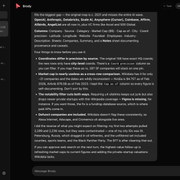
OpenMausBot puts the AI CLIs already sitting in your terminal (claude, codex, and grok) into one Telegram-style desktop or web chat window on your own machine. Instead of juggling terminal tabs or routing everything through a vendor cloud, each CLI appears like a teammate in a contact list.
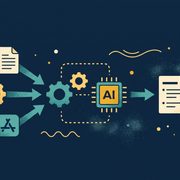
Think of it like a small local dispatch office. The chat UI works as the front desk, taking your prompt and showing status or approval cards. Behind it, a background Node.js server (the harness) manages each specialist’s connection, pauses whenever a bot asks to touch your screen or run a sensitive tool, and writes every turn to disk.
That front-desk/dispatch split drives the whole design. The UI never opens direct connections to Anthropic, OpenAI, or xAI, and it never stores your conversation history in a SaaS database. Everything flows through 127.0.0.1:8799 over local HTTP by default. Each agent keeps speaking its native protocol while you get one unified chat thread and approval queue.
What happens when you send one message
Follow a single prompt from the moment you hit Send in the chat window (or trigger a turn from openmausbot send in your terminal). The client hands your message over local HTTP to the harness server on 127.0.0.1:8799, which looks up the bot’s configured driver and routes the turn into the right adapter.
flowchart LR
    U["Chat UI / CLI / openmausbot mcp"] -->|"Local HTTP (127.0.0.1:8799)"| H["Local Node.js Harness Server"]
    H -->|"Routes turn"| D["Driver Registry (31 built-in drivers)"]
    D -->|"JSON streams"| C["claude CLI"]
    D -->|"JSON-RPC stdio"| X["codex CLI"]
    D -->|"ACP stdio / xAI API"| G["grok CLI or API"]
    D -->|"Tool or screen ask"| B["Consent & Approval Broker"]
    B -->|"Allow once / session / Deny"| U
    H -->|"Normalizes, scrubs secrets, batches 50 ms bursts"| S["Single SSE Live Stream"]
    S --> U
    H -->|"Per-thread NDJSON logs"| F["~/.openmausbot"]
Each of the three main tools connects to OpenMausBot over a different local interface.
For claude, the harness keeps a dedicated local child process alive per conversation thread. It exchanges structured JSON input and output streams so follow-up messages do not cold-start a fresh CLI every time.
codex runs in a local JSON-RPC server mode over standard input and output. Whenever Codex wants to run a tool, its approval prompt comes back as a structured request waiting for your decision.
grok takes two separate paths depending on how you connect. The Grok CLI integration speaks the Agent Client Protocol (ACP) over standard input and output using your existing CLI login, whereas direct xAI API access uses your supplied API key over HTTPS.
Those three are just the headline examples. OpenMausBot ships with 31 built-in drivers in total (including Claude, Codex, and Grok), covering local CLI agents, ACP agents, and HTTP or OpenAI-compatible providers such as Gemini, Kimi, Cursor, OpenCode, and Ollama-compatible endpoints. If a bot in your configuration points to a missing or broken driver, OpenMausBot marks that entry as unavailable instead of crashing the rest of the workspace.
As the active driver streams text or tool calls back, every update funnels through a single internal event router. First, the router checks that events actually belong to the expected provider and strips out known secret patterns before anything leaves the server. Next, it merges rapid text chunks into 50-millisecond windows so the interface stays smooth during fast token bursts. From there, it forks the stream in two directions: one copy appends newline-delimited JSON (NDJSON) transcripts per thread inside ~/.openmausbot, and the other travels back to the browser or desktop window over a single Server-Sent Events (SSE) stream with keepalive pings and automatic catch-up replay if your connection blips.
How approvals and security boundaries work
Giving an AI agent shell access or mouse control gets risky fast. OpenMausBot puts an explicit consent broker in front of sensitive tool calls and “Your Computer” screen-control actions. Whenever a bot requests one of those actions, execution pauses and renders an interactive approval card with three choices: Allow once, Allow for this session, or Deny. Session-wide approval only works when the specific card explicitly permits it.
Host screen control adds two extra safeguards. Pending “Your Computer” requests live in memory only (not on disk), so stale approval cards are cleared at startup and cannot survive a server restart. The server also re-checks that the active thread is still in Full Access mode both before and after claiming desktop control, blocking a turn that dropped permissions while waiting for a click.
OS support for screen control is strict, too. Local screen and input automation works on macOS 13 or newer and on Ubuntu Xorg. Standard Wayland desktops are blocked by default, with one narrow exception: Hyprland sessions are permitted when Cua’s compositor plugin is active.
Credential storage also differs depending on how you run OpenMausBot. Check where your secrets land before you paste production keys:
| Mode | Encrypted in OS keychain? | Stored in plaintext (owner-only 0600 on Unix) | Important nuance |
|---|---|---|---|
CLI / server (openmausbot setup, openmausbot serve) | No | API keys in config.json, tunnel credentials in tunnel-account.json | Owner-only 0600 file permissions restrict user access, not disk encryption |
| Packaged Electron desktop app | Supported AI provider and service keys | OpenCode keys, per-engine overrides, and MCP headers in config.json | The desktop app refuses to save or overwrite credentials if OS encryption is unavailable (rather than refusing to launch). On Linux desktops without a system secret store, local secrets fall back to basic fixed-key obfuscation, which cloud or managed sign-in rejects. Bot-saved Vault secrets use a separate local 0600 key file, not the OS keychain |
Need another agent—like an editor assistant or external orchestrator—to coordinate your OpenMausBot team without clicking in the UI? Run openmausbot mcp to expose a local stdio MCP control plane. It connects to the running server via OPENMAUSBOT_URL or OMB_PORT (defaulting to http://127.0.0.1:8799, and refusing plain HTTP on non-private hosts) with an optional OPENMAUSBOT_TOKEN.
That MCP interface is intentionally narrow. External agents can list bots, send messages, update profiles or channels, switch models, wait for replies, and interrupt turns. High-risk controls stay locked out of MCP: approval grants, session-permission overrides, credential edits, deletions, and host computer or VM lifecycle controls.
Setup, remote access, and daily CLI workflows
You can run OpenMausBot either as a packaged desktop app or as a headless terminal service. Prebuilt installers target macOS (signed and notarized .dmg builds for both Apple Silicon and Intel), Windows x64 (.exe), Ubuntu 24.04 x64 (.deb and a beta AppImage), and Fedora x64 (.rpm). Prefer containers? compose.yaml pairs the OpenMausBot server with Caddy over memory-backed Unix sockets, exposing 127.0.0.1:8080 locally by default.
For terminal installs, Node.js 24 or newer is required. Install globally with npm install -g openmausbot or launch on demand via npx openmausbot (releases pre-bundle the CLI, server, and built UI, so npm only installs three native and WebAssembly runtime packages rather than a sprawling install tree).
| Command | Everyday job |
|---|---|
openmausbot setup / openmausbot start | Run guided onboarding or launch the local workspace |
openmausbot serve | Start the harness server (--port 8799, --data-dir DIR, --no-open, --no-pair, --local) |
openmausbot pair / openmausbot devices | Pair a remote client or inspect and revoke access (openmausbot devices revoke ID) |
openmausbot account login / status / logout | Authenticate or inspect managed tunnel and relay account access |
openmausbot run / send / wait / interrupt | Drive bot turns headlessly from scripts or CI |
openmausbot mcp | Start the stdio MCP server for external agent orchestration |
openmausbot doctor / status / service install | Check environment health, inspect server state, or install as a background service |
By default, your workspace configuration, logs, and transcripts stay inside ~/.openmausbot. Want them in another folder or on an external drive? Export OMB_DATA_DIR or pass --data-dir DIR.
Out of the box, OpenMausBot stays strictly on loopback (127.0.0.1:8799), so a phone or second laptop cannot connect. When you want to open it up on your local Wi-Fi over plain HTTP, switch to --lan:
- Before (local machine only):
openmausbot serve --port 8799 - After (local network only over plain HTTP):
openmausbot serve --lan(or setOMB_LAN=1)
Enabling --lan binds the server to network interfaces over plain HTTP, while a socket filter drops any connection whose local or remote address is not on a private, RFC1918, or link-local network. If you want to reach your bots from a phone outside plain localhost, skip --lan and use one of the HTTPS or relay flags instead: --tailscale, --domain HOST, --public-url URL, --tunnel, or --relay. Keep in mind that managed --tunnel and --relay modes require signing in first with openmausbot account login.
Licensing, limits, and practical trade-offs
OpenMausBot uses an open-core license split that matters if you plan to host it for a team or embed it in a product. The main repository is Apache-2.0 licensed (LICENSE and LICENSING.md), while the enterprise/ directory sits under the source-available OpenMausBot Enterprise License and requires a production license key. Deleting enterprise/ leaves a pure Apache-2.0 open-source edition. When installed from the standard npm package without a key configured, enterprise/ ships inert.
Two practical boundaries shape daily use. First, headless CLI subcommands (openmausbot send, openmausbot wait) and openmausbot mcp all depend on a running local harness server: they talk to your active daemon rather than booting an isolated engine per command. Make sure the daemon is running before scripting against it.
Second, OpenMausBot is built for developers who already trust their local terminal tools. Compared with closed cloud-hosted agent suites such as Grok Bot, Meta Muse, OpenAI dots, or Manus Cue, you trade zero-config cloud hosting across mobile and desktop for local execution, your own CLI logins and API keys, and explicit OS and credential setup boundaries.