
 By
By bolt.diy: The Open-Source AI Coding Environment That Lets You Build Full-Stack Apps with Any LLM
Key Takeaway: bolt.diy gives developers full control over AI-powered full-stack web development by letting them swap any LLM — cloud or local — into a browser-based coding environment that writes, runs, and deploys production-ready applications.
The promise of AI-assisted development has always come with a catch: you are locked into the model the platform chooses for you. bolt.diy breaks that constraint entirely. As the official open-source release of the original Bolt.new by StackBlitz, bolt.diy enables you to write a prompt, watch a complete Node.js application scaffold itself, iterate on it through natural language, and ship it to production — all while choosing exactly which large language model powers each step of the process.
Whether you prefer Anthropic Claude for reasoning, DeepSeek for cost efficiency, or a fully local Ollama model for privacy, bolt.diy treats every LLM as a first-class option.
What Is bolt.diy?
bolt.diy is a browser-based, open-source AI development environment built on top of StackBlitz’s WebContainers technology. It allows a developer — or even a non-developer — to describe an application in plain language and receive a running, editable, full-stack web project in return. The entire Node.js runtime executes inside the browser tab, meaning there is no server to provision before you start building.
The project began as a fork of Bolt.new created by Cole Medin and has since grown into one of the most active open-source AI coding communities, supported by the oTTomator Think Tank. Today it supports more than 19 LLM providers, including OpenAI, Anthropic, Google Gemini, Groq, xAI, DeepSeek, Mistral, Cohere, Together AI, Perplexity, HuggingFace, OpenRouter, Moonshot (Kimi), Hyperbolic, GitHub Models, Amazon Bedrock, and local providers such as Ollama and LM Studio.
Why bolt.diy Matters for Modern AI Development
The ability to swap models mid-project is more significant than it first appears. Developers can use a powerful frontier model like Claude Sonnet for the initial architecture, switch to a faster and cheaper model for routine edits, and fall back to a locally hosted model when working in environments with data sensitivity requirements. This model-agnostic design is the architectural decision that makes bolt.diy distinct from both Bolt.new and competing AI coding tools.
Beyond model flexibility, bolt.diy is built for transparency. Because the source code is public and MIT-licensed, teams can audit it, extend it, and self-host it without vendor lock-in. The WebContainers API that powers in-browser execution does require a commercial license for production use in for-profit products, so teams should review the StackBlitz licensing terms for enterprise deployments.
Key Features at a Glance
bolt.diy ships with a feature set that covers the entire development lifecycle, not just code generation:
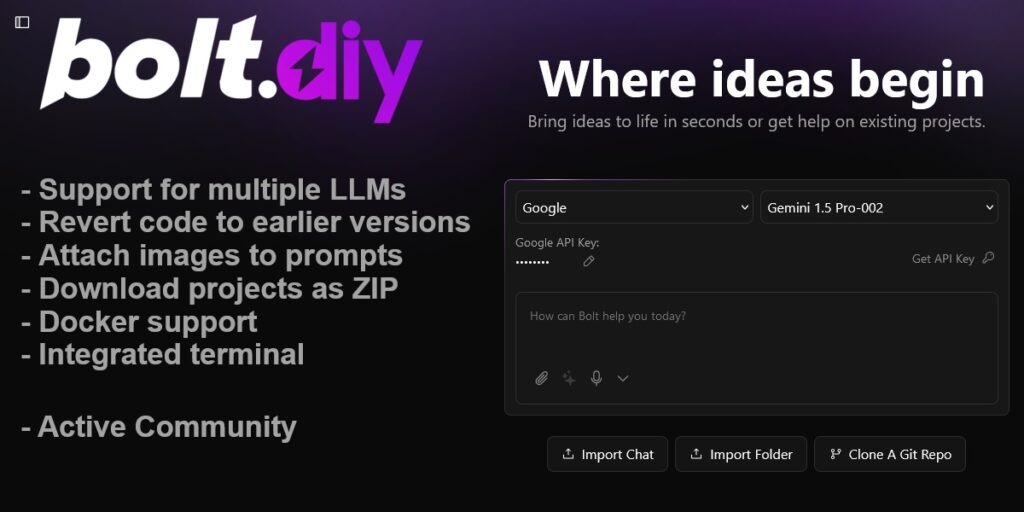
- 19+ LLM provider integrations with a live settings UI for adding API keys and toggling providers
- Integrated terminal that displays output from LLM-executed commands in real time
- Diff view to inspect every change the AI makes before accepting it
- File locking system that prevents the model from overwriting files you have marked as stable
- Version history with the ability to revert any file to an earlier snapshot
- Git integration for cloning repositories, importing existing projects, and deploying via GitHub
- One-click deployment to Netlify, Vercel, and GitHub Pages
- Supabase integration for backend database management directly inside the environment
- Voice prompting for hands-free input
- Data visualization tools with integrated charting capabilities
- Expo / React Native support for mobile application scaffolding
- Model Context Protocol (MCP) for enhanced tool integration
- Electron desktop application for a native cross-platform experience on Windows, macOS, and Linux
How to Install bolt.diy
There are three supported installation paths. Choose the one that matches your environment and comfort level.
Option 1: Download the Desktop Application (Easiest)
The quickest path to a running instance of bolt.diy is the prebuilt Electron desktop application. Visit the latest release page on GitHub and download the binary for your operating system. On macOS, run the .dmg file. On Windows, run the .exe installer. On Linux, use the AppImage or the .deb package. No Node.js installation or terminal work is required.
Note: macOS users who encounter the “This app is damaged” security warning can resolve it by running xattr -cr /path/to/Bolt.app in the terminal.
Option 2: Run from Source with Node.js (Recommended for Developers)
This path gives you the stable branch and is straightforward for anyone with basic command-line experience.
First, install Node.js LTS if you do not already have it. Then run the following commands:
# Install the pnpm package manager
npm install -g pnpm

# Clone the stable branch
git clone -b stable https://github.com/stackblitz-labs/bolt.diy.git

# Move into the project directory
cd bolt.diy

# Install dependencies
pnpm install

# Start the development server
pnpm run dev
Once the server starts, open http://localhost:5173 in your browser. The application is immediately usable.
To stay current with upstream changes, pull updates with git pull and re-run pnpm install to refresh dependencies.
Option 3: Docker (Best for Self-Hosted and Isolated Environments)
Docker is the preferred path for teams who want a reproducible, isolated environment or who intend to run bolt.diy on a remote server.
# Copy the environment variable templates
cp .env.example .env
cp .env.example .env.local

# Build the development image
pnpm run dockerbuild

# Start the container with hot reload
docker compose --profile development up
For a production deployment, substitute dockerbuild:prod and --profile production in the commands above. The container exposes the application on port 5173 by default. You can override the startup command in docker-compose.yaml to fit your infrastructure.
Configuring LLM Providers and API Keys
After the application loads, click the settings icon in the sidebar and navigate to the Providers tab. The interface separates cloud providers from local providers.
Cloud Providers
Locate the provider you want to use — for example, Anthropic — and click its card to expand the configuration. Paste your API key into the field and press Enter. A green checkmark confirms the key is valid. You can enable or disable individual providers at any time using the toggle on each card.
For production deployments or when using Docker, it is cleaner to define keys in .env.local rather than the browser UI:
OPENAI_API_KEY=your_key_here
ANTHROPIC_API_KEY=your_key_here
GOOGLE_GENERATIVE_AI_API_KEY=your_key_here
Local Providers (Ollama and LM Studio)
To use a fully local model, enable the Ollama toggle and confirm the endpoint is set to http://127.0.0.1:11434. bolt.diy will automatically detect installed models and display them in the model selector. You can install new models, update existing ones, and remove unused ones without leaving the interface. LM Studio works the same way through its custom base URL field.
OpenRouter is worth noting for users who want access to a large catalog of models through a single API key, with per-model pricing displayed directly in the settings panel.
Prompting, Editing, and Iterating on a Project
Once a provider is configured, select it from the model dropdown in the chat interface and type a description of what you want to build. A prompt such as “Build a to-do list application with a React front end and a local SQLite database” is enough for bolt.diy to scaffold a complete project, install dependencies, and start a live preview.
From that point, you interact with the project through natural language. Ask bolt.diy to add authentication, change the visual style, connect to a Supabase table, or fix a bug you spotted in the diff view. Each change is applied to the actual source files in the in-browser environment. You can lock files you want to protect, revert individual changes, and search through the codebase without leaving the tab.
When the project is ready for distribution, download it as a ZIP for local development or trigger a deployment directly to Netlify, Vercel, or GitHub Pages from within the interface.
Deploying Your Application
bolt.diy integrates deployment workflows directly into the build environment. For Netlify and Vercel, connect your account credentials through the deployment settings and bolt.diy will push the project to a live URL in a single action. GitHub Pages deployment goes through the Git integration, which can clone an existing repository, commit generated code, and open pull requests as part of the workflow.
For teams using Railway or other container platforms, the Docker image can be deployed to any service that accepts OCI-compliant containers.
Who Should Use bolt.diy?
bolt.diy is well-suited to several distinct audiences. Independent developers benefit from the model flexibility, which lets them optimize for cost or capability depending on the task at hand. Teams working in regulated industries or with sensitive codebases can run the entire stack locally using Ollama, eliminating data transmission to external APIs. Technical founders who need to move from idea to working prototype quickly will find the natural language interface dramatically reduces the time to first deployment. And developers who want to understand or extend the tooling itself have a clean, MIT-licensed codebase to work from.
The project is less appropriate for applications that require custom runtime environments outside of Node.js, or for teams that need a commercial support agreement, since this is a community-maintained project.
Conclusion
bolt.diy represents the most complete open-source answer to the question of what AI-assisted full-stack development can look like when the user controls the entire stack — including the model itself. Its combination of provider flexibility, in-browser execution, integrated deployment, and an active development community makes it a practical choice for developers who want the productivity benefits of AI coding tools without surrendering control over which AI they use.
The project is actively maintained, with ongoing work on agent-based architectures, VSCode integration, and improved system prompts for smaller models. Following the repository on GitHub and joining the oTTomator Think Tank community are the best ways to stay current as the tool continues to evolve.
Repository: https://github.com/stackblitz-labs/bolt.diy
Documentation: https://stackblitz-labs.github.io/bolt.diy/
Community: https://thinktank.ottomator.ai/








