
 By
By BrowserOS: The Open-Source Agentic Browser That Keeps Your Data Private
TL;DR – BrowserOS is a free, open-source Chromium fork that runs AI agents directly on your machine, giving you the power of ChatGPT Atlas or Perplexity Comet without sending your browsing history to anyone else’s server.
What Is BrowserOS?
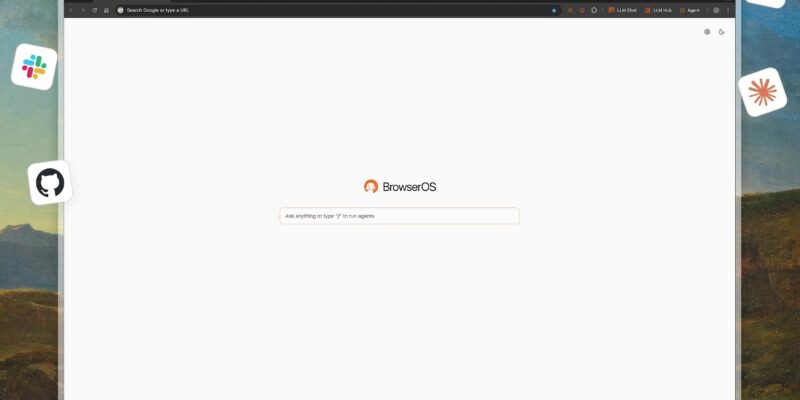
BrowserOS is an open-source, Chromium-based browser built from the ground up to run AI agents natively and locally. Created by Nithin Venkat Sonti and Nikhil Venkat Sonti at Felafax, Inc. – a Y Combinator company based in San Francisco – it is licensed under AGPL-3.0 and positions itself as the privacy-first alternative to a new wave of closed, corporate-controlled agentic browsers: ChatGPT Atlas, Perplexity Comet, and Dia.
The core premise is simple but significant. Every one of those commercial competitors processes your browsing data on their servers. Atlas could use your activity to train OpenAI models. Comet feeds a search-and-advertising company. Dia was abandoned with no recourse for its users because it was closed source. BrowserOS inverts all three problems: AI agents run on your hardware, your API keys stay on your machine, your history is never transmitted, and the entire codebase is forkable on day one.
At the same time, BrowserOS does not ask you to sacrifice familiarity. It looks, feels, and behaves like Chrome. Your existing extensions install without modification. Chrome data – bookmarks, saved passwords, browsing history – imports in one click.
Why the Browser Is the Right Place for AI Agents
Most people already spend the majority of their working day inside a browser. They juggle dozens of tabs, manually copy data between pages, fill the same forms repeatedly, and switch constantly between their browser and other tools. AI agent frameworks that run outside the browser must work around these workflows indirectly. BrowserOS eliminates the indirection entirely.
When the agent lives inside the browser, it can see exactly what you see, interact with any page without brittle API integrations, and complete multi-step web tasks the same way a human would – by navigating, clicking, reading, and writing – but in seconds and at scale.
Key Features
AI Agent and Chat Mode
The core agent is accessed via the Assistant panel, available from the browser toolbar on any page. It operates in two modes.
Chat Mode answers questions about the current page or any topic. It works with any model, including fully local ones running through Ollama or LM Studio. For free usage with no local hardware requirements, a Gemini API key from Google AI Studio provides 20 requests per minute at no cost.
Agent Mode executes multi-step tasks described in plain English. You tell it what you want – “research the top five competitors in this market and summarize each one” – and it navigates, extracts, and compiles the results without further input. For agent tasks, cloud models are currently recommended; Claude Opus 4.5, Claude Sonnet 4.5, and the open-source Kimi K2.5 perform best.
Workflows: Reliable, Repeatable Automation
Workflows convert complex, multi-step browser tasks into deterministic, reusable automations. Where the regular agent improvises each run, a workflow defines the exact sequence of steps so the outcome is consistent every time.
You build a workflow by describing what you want in the workflow chat panel. BrowserOS generates a visual graph representing each step, including branches, loops, conditional logic, and parallel execution paths. You can refine it by continuing the conversation, then test it before saving.
Practical workflow examples from the documentation include:
- Reading contacts from a Google Sheet and submitting each entry to a web form, with parallelized execution and pagination handling
- Visiting a list of LinkedIn profiles, checking them against target criteria, and sending personalized connection requests
- Monitoring prices across multiple e-commerce sites and compiling results into a spreadsheet
- Searching Gmail for subscription emails and clicking unsubscribe on each one
Cowork: Browser Automation Plus Local File Access
The Cowork feature (also referred to as Filesystem Access in the documentation) combines browser automation with read and write access to your local filesystem. You can instruct BrowserOS to research a topic across multiple websites, extract the relevant information, and save a structured report directly to a folder on your machine – all in a single instruction. No copy-paste, no manual export.
Scheduled Tasks
Scheduled Tasks let you run any agent task or workflow automatically on a recurring schedule – daily, hourly, or at any custom interval down to every few minutes. You configure the task once and BrowserOS handles execution without requiring the browser to be actively in use.
BrowserOS as MCP Server
BrowserOS exposes a built-in Model Context Protocol (MCP) server with 31 tools, allowing any MCP-compatible client to control the browser programmatically. This means you can drive BrowserOS from claude-code, gemini-cli, or any other tool that speaks MCP – opening tabs, extracting page content, filling forms, taking screenshots, and running automations without touching the browser UI directly.
BrowserOS also ships with pre-installed MCP servers for Gmail, Calendar, Google Docs, Google Sheets, and Notion, giving agents immediate access to the productivity tools most developers and knowledge workers already rely on.
LLM Hub
The LLM Hub lets you run Claude, ChatGPT, and Gemini side by side in a split view on any page, sending the same prompt to all three simultaneously and comparing their responses. This removes the tab-switching overhead from model comparison workflows.
Built-In Ad Blocker
BrowserOS ships with a built-in ad blocker based on uBlock Origin with full Manifest V2 support, delivering what the project claims is ten times the tracking and ad protection of stock Chrome. Unlike Chromium-based browsers that have dropped MV2 support, BrowserOS retains it to preserve the effectiveness of filter-list-based blocking.
Installation
BrowserOS installs like any desktop application. Download the appropriate binary for your operating system:
| Platform | Download |
|---|---|
| macOS | BrowserOS.dmg |
| Windows | BrowserOS_installer.exe |
| Linux (AppImage) | BrowserOS.AppImage |
| Linux (Debian) | BrowserOS.deb |
Run the installer or mount the disk image, follow the standard installation steps for your platform, and launch BrowserOS.
Getting Started: First-Run Setup
Step 1 – Import Your Chrome Data (Optional)
To carry over bookmarks, passwords, history, and extensions from Chrome:
- Navigate to
chrome://settings/importDatainside BrowserOS - Select Google Chrome and click Import
- Choose Always allow when prompted
The import completes in one step and covers all data types simultaneously.
Step 2 – Connect Your AI Provider
Open the Assistant panel and configure your LLM. BrowserOS includes a default model with strict rate limits – for practical use, connect your own provider.
Using a free cloud model (recommended for first-time setup):
Get a free API key from Google AI Studio. The Gemini API free tier provides 20 requests per minute with no billing required. Paste the key into the Gemini configuration field in the LLM settings panel.
Using a paid cloud model for agent tasks:
Add your Anthropic API key to use Claude Opus 4.5 or Sonnet 4.5. These are the recommended models for Agent Mode due to their instruction-following reliability on multi-step web tasks.
Using a local model with Ollama:
- Install Ollama and pull a model:
ollama pull llama3.1 - In BrowserOS, open the LLM settings and select Ollama as the provider
- Point the endpoint to
http://localhost:11434
Local models are well-suited for Chat Mode. For complex agent tasks that require multi-step reasoning and precise tool use, cloud models currently perform more reliably.
Step 3 – Try the Agent
Open any webpage and click the Assistant button in the toolbar. Type a task in plain English:
Go to Hacker News, find the top 3 posts about AI agents today, and summarize each one in two sentences.Watch BrowserOS navigate, read, and return the results without further prompting.
How BrowserOS Compares to the Alternatives
| Browser | Open Source | Local AI | Data Privacy | Agent Built-In |
|---|---|---|---|---|
| BrowserOS | Yes (AGPL) | Yes (Ollama/LM Studio) | Full – stays on device | Yes |
| ChatGPT Atlas | No | No | OpenAI terms apply | Yes |
| Perplexity Comet | No | No | Search company collects data | Yes |
| Dia | No (abandoned) | No | No recourse for users | Partial |
| Brave | No (AI features) | Limited | Good but split focus | No |
| Chrome | Chromium only | No | Google data collection | No |
The privacy distinction is not incidental to BrowserOS – it is the founding rationale. When you bring your own API keys, requests travel directly from your machine to the provider with no BrowserOS intermediary. When you use Ollama, no request leaves your network at all.
Use Cases
BrowserOS fits cleanly into several workflows that currently require either expensive tooling or significant manual effort.
Research and reporting: Instruct the agent to gather information across multiple sources, synthesize findings, and write a structured report to a local file via Cowork – all without a single manual copy-paste.
Lead generation and outreach: Build a workflow that reads a prospect list, visits each profile, checks qualification criteria, and queues personalized messages for your review.
Data entry and form automation: Feed a spreadsheet to a workflow and have BrowserOS submit each row to a web form, handling pagination and parallel submissions automatically.
Developer workflows via MCP: Connect claude-code or gemini-cli to BrowserOS’s MCP server and control the browser directly from your terminal or IDE, enabling browser automation as a step in code-driven pipelines.
Monitoring and alerts: Use Scheduled Tasks to check a set of pages daily – competitor pricing, news searches, dashboard metrics – and surface changes without manual review.
Where to Go Next
- GitHub Repository: github.com/browseros-ai/BrowserOS
- Official Documentation: docs.browseros.com
- Getting Started Guide: docs.browseros.com/onboarding
- MCP Server Guide: docs.browseros.com/features/use-with-claude-code
- Discord Community: discord.gg/YKwjt5vuKr
- License: AGPL-3.0








