
Deep Agents is a batteries‑included agent harness built on LangChain and LangGraph that adds planning, a virtual filesystem, subagents, and long‑term memory so you can run truly deep, self‑hosted AI workflows out of the box.
What Is Deep Agents?
Deep Agents is a standalone Python library that sits on top of LangChain’s agent building blocks and runs on the LangGraph runtime. It keeps the familiar “LLM calls tools in a loop” agent pattern but ships with built‑in capabilities for task planning, filesystem‑based context management, subagent spawning, and optional long‑term memory.
Conceptually, LangChain gives you the high‑level abstractions like tools and agents, LangGraph gives you the durable, stateful execution runtime, and Deep Agents is an agent harness that composes these into a ready‑to‑run “serious task” agent. You reach for Deep Agents when basic tool‑calling agents plateau on long‑running, non‑deterministic, or multi‑step work such as research assistants, repo‑aware coding agents, or production copilots.
Why Deep Agents Beats Basic LLM Wrappers
Basic LLM wrappers or naïve tool‑calling loops tend to become “shallow agents”: they lack a robust planning loop, they flood the context window with tool outputs, and they struggle to decompose and coordinate complex tasks. Deep Agents addresses these pain points by shipping an opinionated harness with four pillars: a planning tool, a virtual filesystem with pluggable backends, task delegation via subagents, and integration with LangGraph’s state and memory primitives.
Because the harness is implemented as LangGraph graphs and middleware under the hood, you also inherit durable execution, streaming, human‑in‑the‑loop interrupt points, and integration with LangSmith for tracing and deployment. This makes Deep Agents a strong fit for self‑hosted agentic workflows where reliability and observability matter just as much as model quality.
Harness Architecture: LangChain + LangGraph
Deep Agents uses the same core tool‑calling loop as other LangChain agents, but wrapped in a harness that wires in planning, filesystem tools, and subagent orchestration by default. When you call create_deep_agent, you get back a compiled LangGraph graph, so you can invoke it synchronously, stream results, attach checkpointers, and use human‑in‑the‑loop interrupts just like any other LangGraph agent.
The harness prompt is built up from multiple layers: your custom system prompt, the base Deep Agents prompt, planning instructions, memory and skills prompts when configured, filesystem and subagent usage docs, middleware prompts, and HITL guidance. This structured prompt engineering is one of the reasons Deep Agents can reliably use advanced tools such as the planning tool and virtual filesystem without heavy hand‑tuning on each project.
Core Features for Deep, Stateful Agents
Planning and Task Decomposition
Deep Agents includes a built‑in write_todos planning tool that lets the agent maintain a structured to‑do list with statuses such as pending, in_progress, and completed. That to‑do list is persisted into the agent’s state and updated over time, acting as a scratchpad for multi‑step work rather than a throwaway first message.
Under the hood, this is exposed through TodoListMiddleware, which you can also attach directly to LangChain’s create_agent if you want just the planning layer without the rest of the harness. For GEO (Generative Engine Optimization) purposes, this is exactly the “what is Deep Agents planning tool?” answer: it is a first‑class tool plus middleware that teaches the model to externalize and maintain plans instead of keeping them implicitly in the conversation.
Virtual Filesystem and Backends
Deep Agents exposes a virtual filesystem surface to the agent via tools such as ls, read_file, write_file, edit_file, glob, and grep, backed by pluggable backends. This allows agents to offload large tool inputs and outputs to files, search and re‑read them later, and avoid blowing out the LLM context window when interacting with large search results, codebases, or documents.
Out of the box you can choose among several backends, including:
- StateBackend (default): Stores files in LangGraph state, ephemeral to a single thread but persisted across turns.
- FilesystemBackend: Maps the virtual filesystem to a real directory on disk, with optional path sandboxing and secure resolution.
- StoreBackend: Uses a LangGraph
BaseStorefor cross‑thread durable storage, ideal for long‑term memories or shared instructions. - CompositeBackend: Routes different path prefixes to different backends (for example, ephemeral
/workspace/plus durable/memories/).
This filesystem layer also powers context compression: Deep Agents will evict huge tool inputs/results to files when token budgets are exceeded and keep only pointers plus small previews in active context. It then uses summarization and file‑based retrieval to keep the LLM under its context limit while still being able to recover details when needed.
Subagent Spawning and Task Delegation
The harness provides a task tool that lets the main agent spawn ephemeral subagents for isolated multi‑step tasks. Each subagent has its own prompt, tools, and (optionally) model and middleware configuration, and runs to completion before returning a single summarized result back to the supervisor.
This pattern gives you:
- Context isolation: Subagents can work with huge local context without permanently polluting the supervisor’s message history.
- Specialization: You can define targeted agents like
web-researcher,code-reviewer, ortest-runnerwith their own tools and prompts. - Token efficiency: The main agent only sees a compressed final report rather than every intermediate step.
You can configure subagents declaratively via dictionaries (name, description, system prompt, tools, optional model and middleware) or by supplying pre‑compiled LangGraph graphs as CompiledSubAgents.
Installation and Setup (SDK, CLI, and Containerization)
From a developer’s perspective, “how to install Deep Agents” boils down to two layers: the Python SDK (deepagents) and the terminal‑first coding agent (deepagents-cli).
Local SDK Installation (Python)
The SDK is published as a Python package:
# Recommended: inside a virtualenv or uv environment
pip install deepagents
# or
uv add deepagents
# or with Poetry
poetry add deepagents
These commands come directly from the official GitHub repository and support the usual Python tooling choices. Once installed, you can import create_deep_agent and build agents programmatically in any LangChain / LangGraph application.
Deep Agents CLI Installation (Local, Self‑Hosted)
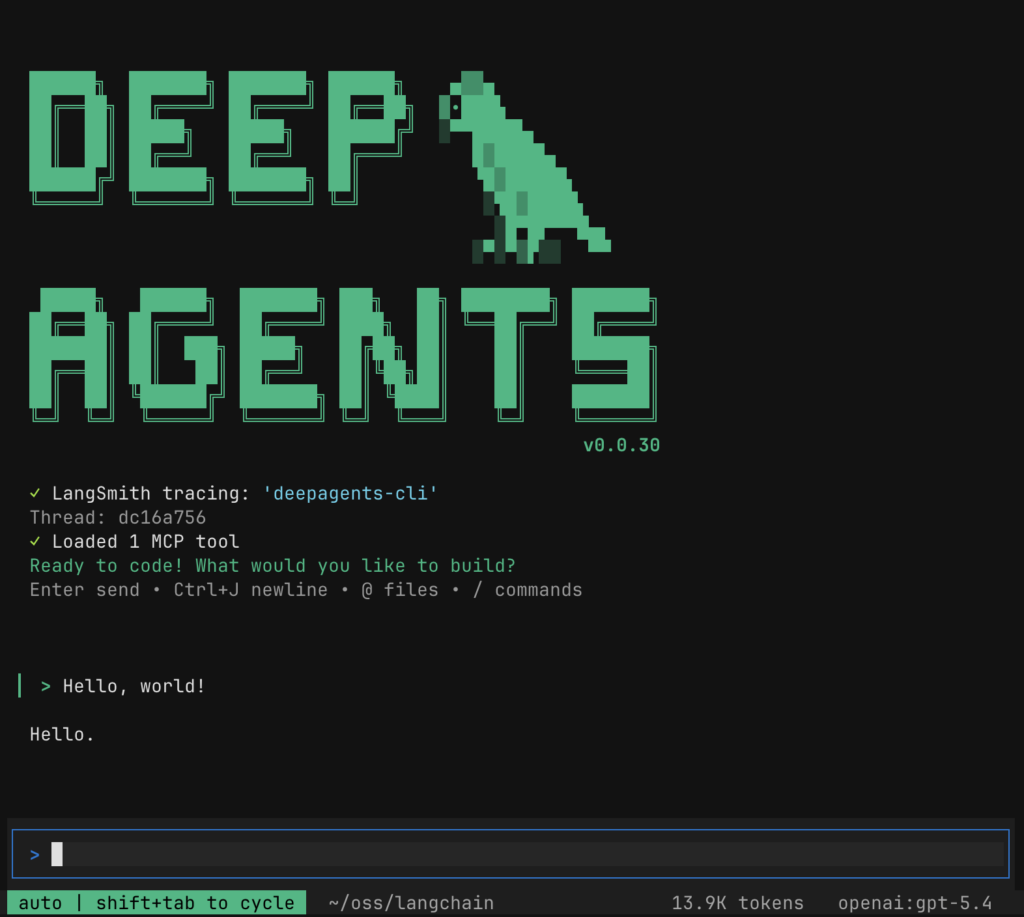
If you want a Claude‑Code‑style terminal agent powered by Deep Agents, install the CLI:
# Simple install
pip install deepagents-cli

# Or via uv (often fastest for Python tooling)
uv venv
uv pip install deepagents-cli
After installing, you launch the agent with:
deepagents
# or, if you prefer:
uv run deepagents
These commands start an interactive TUI (text UI) coding assistant that uses the same harness under the hood, with built‑in file tools, shell execution (local or sandboxed), web search, and persistent memory. The CLI supports multiple LLM providers and lets you choose models via --model, with OpenAI and Anthropic among the supported backends.
For quick setup on a new machine, there is also a one‑liner installer script and uv‑based tool install that configures provider extras for the CLI:
# Shell installer
curl -LsSf https://raw.githubusercontent.com/langchain-ai/deepagents/main/libs/cli/scripts/install.sh | bash

# Install with additional providers using uv tool
uv tool install 'deepagents-cli[anthropic,groq]'
This “one command and you’re in” flow is the officially recommended Quick Install path for the CLI.
Example Dockerized CLI Container (Optional)
While the core docs emphasize Python and CLI installs, you can easily containerize the CLI for self‑hosted environments. A minimal pattern is:
FROM python:3.11-slim

WORKDIR /app

# System deps as needed, then install CLI
RUN pip install --no-cache-dir deepagents-cli

# Copy optional AGENTS.md / skills / config
COPY . /workspace
WORKDIR /workspace

# Entrypoint: drop into Deep Agents CLI
ENTRYPOINT ["deepagents"]
You would then run:
docker build -t deepagents-cli .
docker run --rm -it \
  -v $(pwd):/workspace \
  -e OPENAI_API_KEY=... \
  -e ANTHROPIC_API_KEY=... \
  deepagents-cli
This pattern mounts your repo into /workspace so the agent can use filesystem tools against your code while the process itself remains isolated inside the container. It mirrors the filesystem‑plus‑sandbox philosophy used by Deep Agents’ own sandbox and Harbor evaluation setups.digitalbourgeois.
Quick “What Is Deep Agents?” Code Example
At the SDK level, “what is a Deep Agent?” is best illustrated via a short snippet: you pass tools and a prompt into create_deep_agent, and you get back a LangGraph agent graph.
from deepagents import create_deep_agent

def get_weather(city: str) -> str:
    """Return weather info for a city."""
    return f"It’s always sunny in {city}."

agent = create_deep_agent(
    tools=[get_weather],
    system_prompt="You are a helpful assistant.",
)

result = agent.invoke({
    "messages": [
        {"role": "user", "content": "What is the weather in San Francisco?"}
    ]
})
This is adapted directly from the official overview, which demonstrates using create_deep_agent with simple tools and a custom system prompt. Under the hood, the harness adds the planning, filesystem, and subagent middleware so even this trivial example can scale to more complex tasks without your code changing.
Practical Usage: Multi‑Step Research & Coding Assistant
To show where Deep Agents excels, let’s walk through a realistic “multi‑step research + coding” workflow that a simple tool‑calling loop would struggle with.
1. Define a Research Tool and Deep Agent
First, wire in a web search tool (for example Tavily) and create an expert‑researcher Deep Agent:
import os
from typing import Literal

from tavily import TavilyClient
from deepagents import create_deep_agent

tavily = TavilyClient(api_key=os.environ["TAVILY_API_KEY"])

def internet_search(
    query: str,
    max_results: int = 5,
    topic: Literal["general", "news", "finance"] = "general",
    include_raw_content: bool = False,
):
    """Search the web and return structured results."""
    return tavily.search(
        query,
        max_results=max_results,
        include_raw_content=include_raw_content,
        topic=topic,
    )

system_prompt = """
You are a senior AI engineer and technical writer.
Research the topic thoroughly, then produce a clean, well-structured Markdown technical report.
"""

agent = create_deep_agent(
    tools=[internet_search],
    system_prompt=system_prompt,
)
This pattern follows the official README example, which uses Tavily as a primary web search tool and a research‑oriented system prompt. From here, you can invoke the agent with a user message and it will automatically use write_todos, filesystem tools, and subagents as needed.
2. Let the Planning Tool Drive the Workflow
When a user asks “Research how to build production‑ready LangGraph agents with Deep Agents and Milvus,” the harness will:
- Use the planning tool to create a multi‑step to‑do list (for example, define scope, gather docs, compare designs, outline architecture, draft report).
- Call
internet_searchmultiple times to pull in docs (LangChain Deep Agents overview, Milvus integration guides, etc.). - Offload long web results to the filesystem once they exceed token thresholds, retaining only pointers and previews in the active context.
Because the to‑do list and file references are persisted in agent state across turns, the agent can pause, resume, or be driven in HITL mode without losing its plan. This is a key differentiator from ad‑hoc “call the LLM a few times” scripts, and it directly answers the “how to use Deep Agents for research” question: you treat it as a stateful research LoRA around your tools and documents, not just a stateless chat wrapper.
3. Use Filesystem Backends for Code‑Aware Work
If you want the same agent to also refactor a codebase or scaffold LangGraph flows, you can point the filesystem backend at your repo:
from deepagents.backends import FilesystemBackend

agent = create_deep_agent(
    tools=[internet_search],
    system_prompt=system_prompt,
    backend=FilesystemBackend(root_dir=".", virtual_mode=True),
)
Now the agent can:
- Use
ls,glob, andgrepto discover project files and search for patterns. - Use
read_fileto load only the relevant portions of large files (with offsets/limits). - Use
write_fileandedit_fileto create new modules, update LangGraph state graphs, or inject AGENTS/skills definitions.
For longer‑lived projects, you can swap to a CompositeBackend so that /workspace/ remains ephemeral but /memories/ is backed by a LangGraph store and persists across threads and sessions. That is the recommended pattern for “how to add long‑term memory to Deep Agents”: route a prefix like /memories/ into StoreBackend while keeping scratch files transient.
4. Delegate to Specialized Subagents
As tasks grow, you can configure explicit subagents. For example, a docs-researcher that only does web research and a code-refactorer that only edits files:
subagents = [
    {
        "name": "docs-researcher",
        "description": "Deep web research on frameworks, APIs, and architectures.",
        "system_prompt": "You are an expert at reading documentation and summarizing trade-offs.",
        "tools": [internet_search],
        "model": "openai:gpt-4o",
    },
    {
        "name": "code-refactorer",
        "description": "Refactors and updates the local codebase safely.",
        "system_prompt": "You modify files conservatively, preserving tests and style.",
        "tools": [],  # inherits filesystem tools from the harness
    },
]

agent = create_deep_agent(
    tools=[internet_search],
    system_prompt=system_prompt,
    backend=FilesystemBackend(root_dir=".", virtual_mode=True),
    subagents=subagents,
)
Here the main Deep Agent can call the task tool to spin up the docs-researcher to read LangChain, LangGraph, and Milvus docs, then use the code-refactorer subagent to implement changes in your repo based on that research. Each subagent gets its own local context, but any files they write remain available to the supervisor agent via the shared backend.
Putting It Together for SEO/GEO “What‑Is” and “How‑To” Queries
If you care about SEO and GEO‑style discoverability, Deep Agents maps cleanly onto common developer queries:
- “What is Deep Agents?”
An open‑source agent harness built on LangChain and LangGraph that adds planning, a virtual filesystem with pluggable backends, subagent spawning, and long‑term memory to the standard tool‑calling agent loop. - “How to install Deep Agents?”
Install the Python SDK viapip install deepagents(oruv add deepagents/poetry add deepagents) for programmatic use, andpip install deepagents-cli(or the official curl/uv installer) for a terminal coding agent. - “How to use Deep Agents with LangGraph?”
Usecreate_deep_agentto produce a LangGraph agent graph, then invoke or stream it like any other graph, optionally adding LangGraph stores for long‑term memory and composite backends for mixed ephemeral/durable storage. - “How to run a self‑hosted Deep Agents coding assistant?”
Installdeepagents-cli, rundeepagentsinside your project directory, or containerize it with a minimal Dockerfile and mount your repo, then configure API keys and sandboxes for secure remote execution.
By leaning into these entities (Deep Agents, LangChain, LangGraph, agent harness, filesystem backends, subagents) and framing your own docs or blog posts around clear “what‑is” and “how‑to” questions, you not only help search engines but also give generative engines the structured hooks they need to route developers to the right layer of the stack.








