
Key Takeaways:
Harness turns a simple project description into a structured Claude Code agent team with specialized agents, skills, orchestration, and validation built in.
What Is Harness?
Harness is an open-source Claude Code plugin designed to create domain-specific AI agent teams. Instead of manually writing agent definitions, designing team workflows, and building separate skills one by one, you can ask Harness to “build a harness for this project,” and it will generate a coordinated multi-agent setup for your codebase or workflow.
In practical terms, Harness acts like a team-architecture factory. It looks at the domain you describe, chooses a suitable agent collaboration pattern, creates specialized agents, defines their responsibilities, and generates the skills they need to work effectively.
This makes Harness especially useful for developers, DevOps engineers, AI builders, content teams, and technical leads who want to move beyond single-agent prompting and toward repeatable, structured AI workflows.
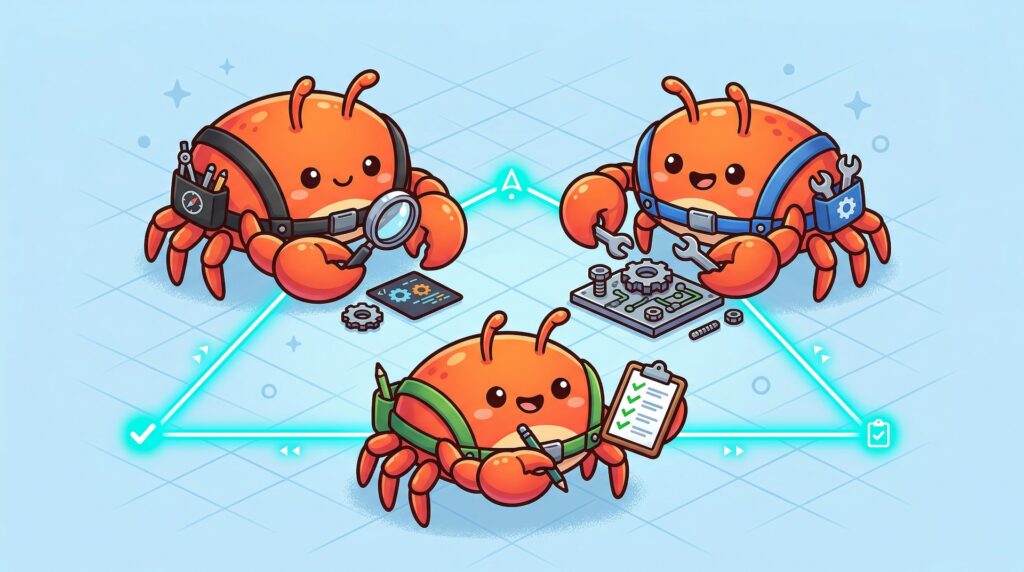
Instead of relying on one general AI assistant to handle everything, Harness helps you create a team. One agent can analyze requirements, another can write code, another can review architecture, another can test outputs, and another can coordinate the whole process.

Why Harness Matters for AI Agent Workflows
The biggest problem with AI coding assistants is not that they cannot generate code. The real issue is consistency. A single prompt may work once, then fail the next time because the assistant lacks structure, role separation, quality gates, or a clear workflow.
Harness addresses this by introducing a repeatable architecture for agent collaboration.
It gives Claude Code a way to break complex work into smaller, specialized responsibilities. That matters because real software projects rarely involve only one task. A production workflow may require research, planning, code generation, security review, performance review, documentation, and testing. Harness turns those responsibilities into a coordinated system.
This is where the concept of “agent teams” becomes powerful. A well-designed team can produce better results than a single general-purpose assistant because each agent has a narrower role, clearer expectations, and better context boundaries.
For example, instead of asking one AI assistant to “review my app,” you can build a Harness team where:
- An architecture agent checks system design
- A security agent looks for vulnerabilities
- A performance agent reviews bottlenecks
- A QA agent validates expected behavior
- An orchestrator combines the findings into one report
That structure is much closer to how real engineering teams work.
Core Features of Harness
Harness focuses on four major capabilities: agent team design, skill generation, orchestration, and validation.
Agent Team Design
Harness can generate teams based on six architecture patterns:
- Pipeline
- Fan-out/Fan-in
- Expert Pool
- Producer-Reviewer
- Supervisor
- Hierarchical Delegation
Each pattern fits a different type of workflow. A pipeline is useful when work must happen step by step, such as design, implementation, review, and testing. Fan-out/fan-in is better when several agents can work in parallel and then merge their results. Producer-reviewer is ideal when one agent creates something and another checks its quality.
Skill Generation
Harness does not only create agent roles. It also generates skills for those agents. These skills are stored as Claude-compatible skill files and can include instructions, references, workflows, and trigger descriptions.
This is important because skills make behavior more reusable. Instead of writing the same prompt repeatedly, you can create a structured capability once and let agents invoke it when needed.
Orchestration
A multi-agent system needs coordination. Harness helps define how agents communicate, pass data, handle failures, and combine outputs. This prevents a team from becoming a collection of disconnected prompts.
Good orchestration is what makes the system feel like a workflow rather than a chat session.
Validation
Harness also includes validation thinking, such as dry-run testing, trigger verification, and comparison between with-skill and without-skill behavior. This is useful when you want to know whether the generated agent team actually improves output quality.
How Harness Works
Harness follows a structured workflow when generating an agent team.
Phase 1: Domain Analysis
Harness first analyzes the project or domain description. This includes understanding the type of work involved, the complexity of tasks, and the roles that may be needed.
For example, a SaaS codebase may need backend, frontend, testing, documentation, and security agents. A research workflow may need web research, academic source analysis, fact-checking, and synthesis agents.
Phase 2: Team Architecture Design
Next, Harness selects the most suitable architecture pattern. If your project requires sequential delivery, it may choose a pipeline. If your project needs multiple independent reviews, it may choose fan-out/fan-in. If the task requires central coordination, it may choose a supervisor model.
Phase 3: Agent Definition Generation
Harness then generates agent definition files under .claude/agents/. These files describe each agent’s role, responsibilities, input/output expectations, and collaboration rules.
Phase 4: Skill Generation
After agents are created, Harness generates reusable skills under .claude/skills/. These skills define task-specific behavior and supporting references.
Phase 5: Integration and Orchestration
Harness connects agents and skills into a usable workflow. This is where handoffs, review gates, and coordination logic are defined.
Phase 6: Validation and Testing
Finally, Harness helps verify whether the setup works. You can dry-run the workflow, inspect generated files, and refine the team until it fits your project.
Installation Guide
Harness is designed for Claude Code, so you should already have Claude Code installed and configured before using it.
You can visit the official project homepage here: Harness homepage
Option 1: Install via Claude Code Marketplace
The easiest way to install Harness is through the Claude Code plugin marketplace.
First, add the marketplace:
/plugin marketplace add revfactory/harnessThen install the plugin:
/plugin install harness@harness-marketplaceAfter installation, open Claude Code in your target project and run a prompt such as:
Build a harness for this projectHarness will then begin analyzing the project and generating the agent team structure.
Option 2: Install as a Global Skill
You can also install Harness manually as a global skill.
Clone the repository:
git clone https://github.com/revfactory/harness.git
cd harness
Copy the Harness skill into your Claude skills directory:
cp -r skills/harness ~/.claude/skills/harnessAfter that, restart Claude Code if needed and trigger Harness from your project with:
Build a harness for this projectExpected Project Structure
After Harness runs, your project may include a .claude directory with generated agents and skills.
A typical structure looks like this:
your-project/
├── .claude/
│   ├── agents/
│   │   ├── analyst.md
│   │   ├── builder.md
│   │   └── qa.md
│   └── skills/
│       ├── analyze/
│       │   └── SKILL.md
│       └── build/
│           ├── SKILL.md
│           └── references/
The exact files depend on your project and the team architecture Harness chooses.
How to Use Harness
Once installed, Harness is prompt-driven. You describe the team or workflow you want, and Harness generates the structure.
Basic Usage
Use a simple prompt:
Build a harness for this projectThis is a good starting point when you want Harness to inspect the project and decide what kind of agent team makes sense.
Create a Code Review Team
For code quality workflows, use:
Build a harness for comprehensive code review. I want parallel agents checking architecture, security vulnerabilities, performance bottlenecks, and code style, then merging all findings into one report.This type of request usually fits a fan-out/fan-in pattern because multiple reviewers can work independently before their findings are merged.
Create a Full-Stack Development Team
For product development, use:
Build a harness for full-stack website development. The team should handle UI planning, frontend implementation, backend API work, database integration, testing, and documentation.This is useful when you want Claude Code to work more like a coordinated engineering squad.
Create a Technical Documentation Team
For documentation automation, use:
Build a harness that generates API documentation from this codebase. Agents should analyze endpoints, write usage examples, review accuracy, and check completeness.This helps separate analysis, writing, and review into different responsibilities.
Create a Research Team
For deep research workflows, use:
Build a harness for deep research. I need agents that can investigate a topic from multiple angles, compare sources, identify contradictions, and produce a final structured report.This is useful for technical research, market analysis, competitive research, or internal knowledge discovery.
Best Practices for Using Harness
Start with a Clear Domain
Harness works best when you describe the project clearly. Instead of saying:
Build a harnessUse:
Build a harness for a Next.js SaaS dashboard with authentication, billing, analytics, automated testing, and technical documentation.The more specific your domain, the more relevant the generated agents and skills will be.
Review Generated Files
Do not treat generated agents as final without review. Open the .claude/agents/ and .claude/skills/ files and check whether the responsibilities make sense.
Look for overlap between agents, missing quality gates, vague role definitions, or workflows that are too complex for your project.
Keep Teams Small at First
A large team may sound powerful, but too many agents can create overhead. Start with three to five agents, validate the workflow, and expand only when needed.
A strong small team is better than a large, confusing one.
Use Producer-Reviewer for Quality Work
When quality matters, use a producer-reviewer pattern. One agent creates the output, and another reviews it. This is especially useful for documentation, code generation, marketing copy, technical specs, and release notes.
Use Fan-Out/Fan-In for Audits
When you need multiple independent perspectives, use fan-out/fan-in. This works well for code review, security review, architecture analysis, and competitive research.
Iterate After the First Run
The first generated harness should be considered a draft. Run it, inspect the output, adjust your agent roles, refine skills, and test again. Harness is most valuable when you use it as a workflow design tool, not just a one-time generator.
Who Should Use Harness?
Harness is a strong fit for developers and teams already using Claude Code and looking for more structured AI workflows.
It is especially useful for:
- software engineers building complex features
- DevOps teams designing automation workflows
- technical writers generating documentation
- AI builders experimenting with multi-agent systems
- product teams creating repeatable research and planning workflows
- agencies that need reusable delivery processes
If your work involves repeated, multi-step knowledge tasks, Harness can help turn those tasks into structured agent workflows.
Harness vs. Simple Prompting
Simple prompting is fast, but it often lacks repeatability. Harness adds structure.
With simple prompting, you ask one assistant to complete a task. With Harness, you create a team with defined roles, skills, and coordination rules.
Simple prompting is best for quick one-off tasks. Harness is better for complex workflows that need consistency, review, delegation, and reusable logic.
In other words, Harness is not just about getting an answer. It is about designing a system that can produce better answers repeatedly.
Final Thoughts
Harness is an important step toward practical multi-agent development inside Claude Code. It helps transform AI assistance from a single-chat experience into a structured team workflow.
For developers, this means better separation of concerns. For teams, it means more repeatable AI-assisted processes. For AI workflow builders, it provides a useful foundation for experimenting with agent architecture, skill generation, orchestration, and validation.
If you already use Claude Code and want to make your AI workflows more reliable, Harness is worth exploring. Start with a small project, generate a simple agent team, review the output, and iterate from there. The real power of Harness appears when you stop thinking in terms of isolated prompts and start designing AI teams that work together.








