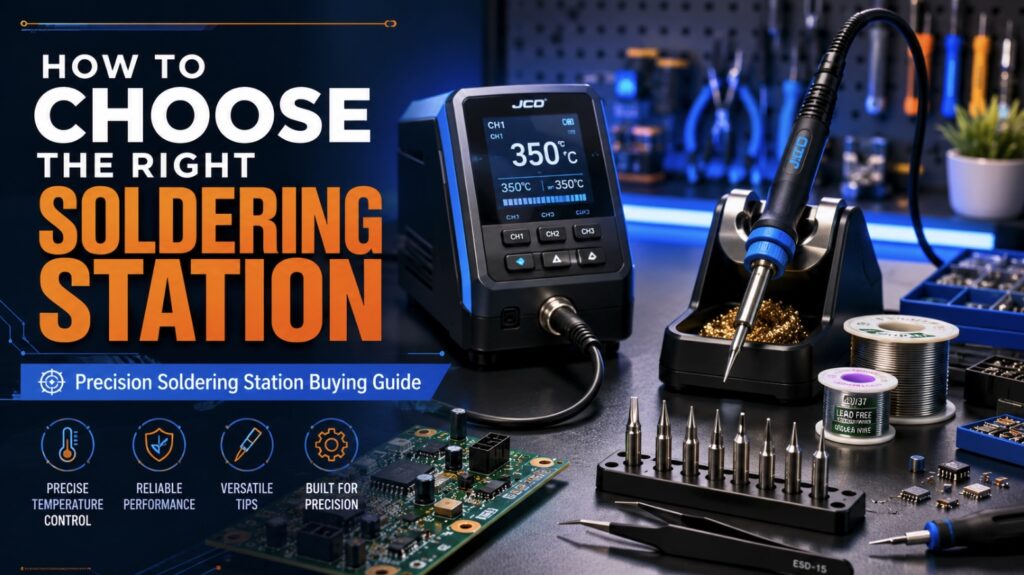
Choosing the right soldering station is one of the most important decisions for anyone working with electronics, circuit boards, wires, connectors, sensors, or delicate surface-mount components. Whether you are a hobbyist building DIY kits, a student learning electronics, a repair technician restoring devices, or a professional engineer handling precision assemblies, the soldering station you choose directly affects the quality, safety, and reliability of your work.
A basic soldering iron may be enough for occasional wire joining or simple projects, but modern electronics often demand more control. Printed circuit boards are smaller, components are more heat-sensitive, and lead-free solder requires higher working temperatures. This is where a precision Soldering Station, Digital Soldering Station, Intelligent Soldering Station, or Lead-free Soldering Station becomes valuable.
A good soldering station provides stable heat, adjustable temperature, safe operation, comfortable handling, and compatibility with multiple tips. A poor-quality station, on the other hand, can create cold joints, lifted pads, damaged components, overheating, inconsistent solder flow, and frustrating repair results. This guide explains how to choose the right soldering station based on your application, experience level, budget, solder type, and long-term repair needs.
1. What Is a Soldering Station?
A soldering station is an advanced soldering system designed to join electronic components by melting solder at a controlled temperature. Unlike a standalone soldering iron, a soldering station usually includes a separate control unit, a soldering handpiece, interchangeable tips, a stand, and cleaning accessories.
The main benefit of a soldering station is control. Instead of plugging in an iron and hoping it reaches the right heat level, the user can set and maintain a specific temperature. This helps improve solder joint quality and protects sensitive components from overheating.
A typical soldering station includes:
| Component | Purpose |
|---|---|
| Control unit | Regulates temperature, power delivery, and operating modes |
| Soldering iron handpiece | Transfers heat from the station to the solder joint |
| Soldering tip | Makes direct contact with the joint and transfers heat |
| Iron stand | Holds the hot iron safely when not in use |
| Tip cleaner | Removes oxidation and excess solder from the tip |
| Power cable and connector | Supplies power to the heating element |
| Optional hot air tool | Used for SMD removal, reflow, and rework |
For simple through-hole electronics, a basic station may be sufficient. For fine-pitch ICs, smartphones, laptops, multilayer PCBs, or lead-free soldering, a more advanced precision Soldering Station is usually the better choice.
2. Why Choose a Soldering Station Instead of a Basic Soldering Iron?
A traditional soldering iron is affordable and simple, but it often lacks temperature stability. It may become too hot during idle time or lose heat quickly when touching a large joint. These temperature swings can lead to weak solder joints, burnt flux, oxidized tips, or damaged components.
A soldering station solves many of these issues by allowing the user to set a precise temperature and maintain it during the task. This is especially useful when working with sensitive components, small pads, or lead-free solder.
For hobbyists, the upgrade to a Digital Soldering Station can make learning easier because it reduces guesswork. For professionals, a reliable Intelligent Soldering Station can improve productivity by heating quickly, recovering faster, entering sleep mode automatically, and protecting tips from unnecessary wear.
The main difference is consistency. A basic soldering iron may heat up and work for simple jobs, but it usually does not offer the same level of control. A soldering station allows users to work with more confidence because the heat can be adjusted according to the solder type, board size, and component sensitivity.
3. Key Features to Look for in a Soldering Station
Before buying a soldering station, it is important to compare the core features. A station should not be selected only by price or wattage. The best choice depends on the type of work you perform, the components you handle, and how often the station will be used.
Temperature control is the first feature to check. A station should allow accurate adjustment so you can match the heat level to the solder alloy and component type. Power rating is also important because higher wattage usually improves heat-up speed and thermal recovery. Tip compatibility matters because different soldering tasks require different tip shapes. ESD safety is essential when working with sensitive components, while sleep mode helps extend tip life and improve safety.
| Feature | Why It Matters |
|---|---|
| Temperature control | Helps prevent cold joints, overheating, and inconsistent solder flow |
| Power rating | Improves heating speed and thermal recovery |
| Tip selection | Allows the station to handle wires, pads, ICs, and SMD work |
| Thermal recovery | Keeps the tip stable when soldering larger joints or ground planes |
| ESD safety | Protects sensitive electronic components from static damage |
| Sleep mode | Extends tip life and improves safety |
| Display type | Improves accuracy and monitoring |
| Handpiece comfort | Reduces fatigue during long soldering sessions |
| Build quality | Improves durability and long-term reliability |
A good station should heat quickly, maintain temperature accurately, and feel comfortable in the hand. It should also support the correct tip shapes for your work. For example, a conical tip may help with fine detail, while a chisel tip transfers more heat for larger pads and wires.
4. Temperature Control and Stability
Temperature control is one of the most important features of any soldering station. Electronics soldering requires enough heat to melt solder quickly, but not so much heat that components, pads, or PCB traces are damaged.
Most electronics soldering is performed within a general range of 300°C to 380°C, depending on the solder alloy, component size, board thickness, and tip shape. Lead-free solder typically requires a higher temperature than leaded solder because it has a higher melting point and does not flow as easily.
| Soldering Task | Typical Temperature Range |
|---|---|
| Small through-hole components | 300°C – 330°C |
| General PCB soldering | 320°C – 350°C |
| Lead-free soldering | 350°C – 380°C |
| Larger pads or connectors | 360°C – 400°C |
| Ground planes or high thermal mass joints | 380°C – 420°C |
| Fine SMD work | 300°C – 350°C, depending on component |
A Digital Soldering Station with a clear temperature display allows users to monitor settings more accurately than an analog dial. Professional-grade stations may also include PID temperature control or intelligent heating systems that rapidly adjust power when the tip touches a joint.
A stable temperature is especially important when working with delicate devices. If the tip is too cool, solder may not wet the pad properly, resulting in dull or weak joints. If the tip is too hot, flux burns away too quickly, pads may lift, and components may suffer thermal stress.
Temperature stability also improves repeatability. If you are soldering several similar joints, the station should behave the same from one joint to the next. This is especially important in repair shops, production benches, school labs, and technical training environments.
5. Power Rating and Heating Performance
Many buyers focus on wattage, but wattage alone does not define quality. A 90W station with poor control may perform worse than a 70W station with excellent thermal recovery. However, power rating still matters because higher wattage allows the station to heat faster and maintain temperature under load.
For occasional electronics work, 40W to 60W may be enough. For lead-free soldering, multilayer boards, connectors, and larger joints, 70W to 120W is often more suitable. Heavy connectors, shielded sections, ground planes, and thick wires require more thermal energy than small resistors or basic through-hole parts.
A Lead-free Soldering Station should offer strong thermal recovery because lead-free alloys need more heat and better consistency. If the station cannot maintain temperature, users may hold the tip on the joint for too long, which can damage pads or components.
The goal is not to use excessive heat. The goal is to use enough power and the correct tip size so solder flows quickly and the joint is completed in a short time. A station with good thermal recovery allows users to work efficiently without overheating the board.
6. Analog, Digital, Intelligent, and Lead-Free Soldering Stations
There are several types of soldering stations, each suited for different users and applications. Understanding these types makes it easier to choose a model that matches your work.
Analog Soldering Stations
Analog soldering stations use a dial or knob to adjust temperature. They are simple, affordable, and suitable for beginners. However, they may not display the exact tip temperature, making them less ideal for precision work.
An analog station is useful for simple jobs such as basic wire soldering, school projects, and occasional PCB work. However, users who need repeatable temperature settings may prefer a digital model.
Digital Soldering Stations
A Digital Soldering Station includes a display that shows the set temperature, actual temperature, or both. Digital models are preferred for electronics repair because they provide better accuracy and easier monitoring.
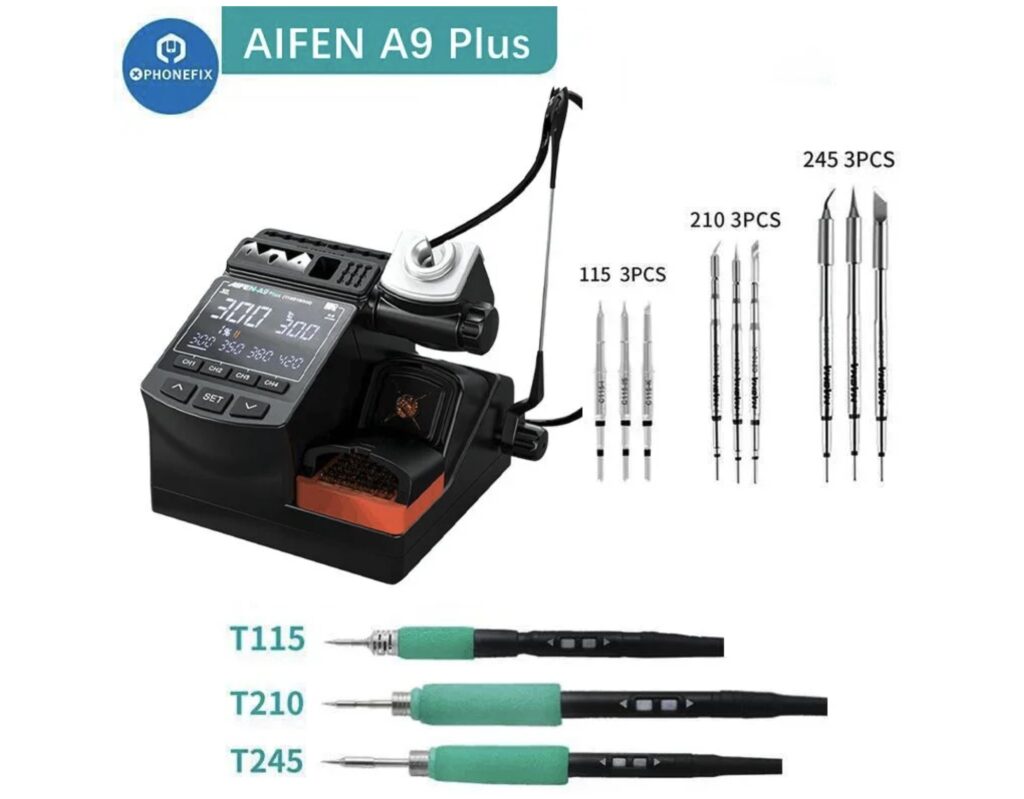
For users who want a practical digital option for hobby work, PCB repair, and general electronics maintenance, the AIFEN A9 Plus Digital Soldering Station fits naturally into this category because it supports accurate temperature control and convenient bench use.
Digital stations are especially helpful for beginners because they remove much of the guesswork from soldering. Instead of estimating heat by feel, users can select a temperature and adjust it based on solder flow and component response.
Intelligent Soldering Stations
An Intelligent Soldering Station includes advanced features such as automatic sleep mode, motion sensing, rapid thermal recovery, calibration, programmable presets, and smart power management. These features help improve tip life, reduce power waste, and protect components.
Intelligent models are useful for frequent users because they make soldering more efficient. For example, sleep mode can reduce tip temperature when the iron is idle, then return it to working temperature when the user picks it up again.
Lead-Free Soldering Stations
A Lead-free Soldering Station is designed to handle the higher temperature and thermal demand of lead-free solder. These stations usually provide higher wattage, stronger heating elements, and better temperature stability.
Lead-free soldering requires better heat control because the solder typically needs more energy to melt and flow. A suitable station helps prevent cold joints while reducing the need for excessive heat.
| Type | Best For | Advantages |
|---|---|---|
| Analog station | Beginners and simple projects | Affordable and easy to use |
| Digital station | Hobbyists, students, repair users | Clear display and better accuracy |
| Intelligent station | Professionals and frequent users | Sleep mode, fast recovery, presets |
| Lead-free station | Modern PCB repair and assembly | Handles lead-free solder better |
| Hot air rework station | SMD and IC removal | Provides non-contact heating |
| 2-in-1 station | Repair benches | Combines soldering iron and hot air |
For users who repair phones, laptops, controllers, drones, or compact boards, a station with both soldering iron and hot air rework capability can be very useful.
7. Choosing the Right Station Based on User Level
Not every user needs the same station. A hobbyist building kits once a month has different needs than a repair technician working all day on customer devices.
A beginner hobbyist should look for simple controls, stable heat, and basic tip compatibility. A student may need an affordable and durable digital station that is easy to maintain. A DIY repair user should consider a mid-range station with faster heating and better tip variety. An electronics technician should prioritize strong thermal recovery, ESD safety, sleep mode, and reliable construction.
A hobbyist may start with an affordable digital station and upgrade later. A professional should invest in a more durable station from the beginning because daily use quickly exposes weaknesses in cheaper tools. For users who plan to work with compact electronics, the ability to use fine tips and stable temperature settings becomes especially important.
The best approach is to choose for your present work while leaving room for future growth. If you only solder basic kits today but may repair SMD boards later, buying a station with replaceable tips and stable digital control can prevent an early upgrade.
8. Tip Selection: The Contact Point That Controls the Result
The soldering tip is the part that transfers heat to the joint. Even the most powerful soldering station will perform poorly if the wrong tip is used. Tip shape, size, plating quality, and thermal mass all affect soldering results.
A small needle tip may look precise, but it may not transfer enough heat for many joints. A small chisel tip is often better for electronics work because it provides both control and heat transfer.
Common soldering tip types include needle, conical, chisel, bevel, knife, hoof, and ultra-fine tips. Needle tips are useful for narrow access and very fine detail work. Conical tips are good for general precision soldering. Chisel tips work well for PCB pads, wires, and connectors. Bevel and hoof tips are useful for drag soldering. Knife tips can help with rework and solder bridge removal. Ultra-fine tips are useful for micro soldering and compact electronics repair.
For most users, a station should support at least conical and chisel tips. For SMD work, bevel, hoof, and knife tips are valuable. For micro soldering, ultra-fine tips and a lightweight handpiece are essential.
The right tip should match the size of the joint. If the tip is too small, heat transfer becomes slow and unstable. If the tip is too large, it may touch nearby components. Good tip selection improves solder flow, reduces dwell time, and protects the PCB.
9. Entry-Level vs. Professional Soldering Stations
A common question is whether to buy an entry-level station or a professional model. The answer depends on how often you solder, what components you work on, and how much consistency you need.
| Feature | Entry-Level Station | Professional Station |
|---|---|---|
| Best for | Beginners, hobbyists, occasional use | Repair shops, engineers, professional technicians |
| Temperature control | Basic analog or digital | Advanced digital or intelligent control |
| Heating speed | Moderate | Fast |
| Thermal recovery | Acceptable for light work | Strong and consistent |
| Tip selection | Limited | Wide range of specialized tips |
| Handpiece comfort | Basic | Lightweight and ergonomic |
| ESD protection | May be missing | Usually included |
| Sleep mode | Rare or basic | Common and adjustable |
| Lead-free performance | Limited on some models | Stronger and more reliable |
Choose an entry-level station if you are learning, building kits, or repairing simple boards. Choose a professional station if you work with multilayer boards, fine-pitch components, lead-free solder, or customer devices where reliability matters.
An entry-level station is not a bad choice if it matches the work. Many hobbyists can complete excellent projects with a simple digital station. However, when the work becomes more frequent, more delicate, or more demanding, professional features begin to matter.
10. Precision Soldering Station Buying Guide for Micro Work
Micro soldering requires a higher level of control than general electronics soldering. The components are smaller, the pads are more delicate, and mistakes are more difficult to repair. A precision soldering Station for micro work should have a lightweight handpiece, excellent thermal stability, and a wide range of fine tips.
For micro soldering, the station is only one part of the setup. You may also need magnification, ESD-safe tweezers, flux, wick, low-melt solder, fine solder wire, and proper lighting. Visibility and hand control are just as important as heat. A microscope or magnifier helps users inspect small pads, solder bridges, cracked joints, and tiny components.
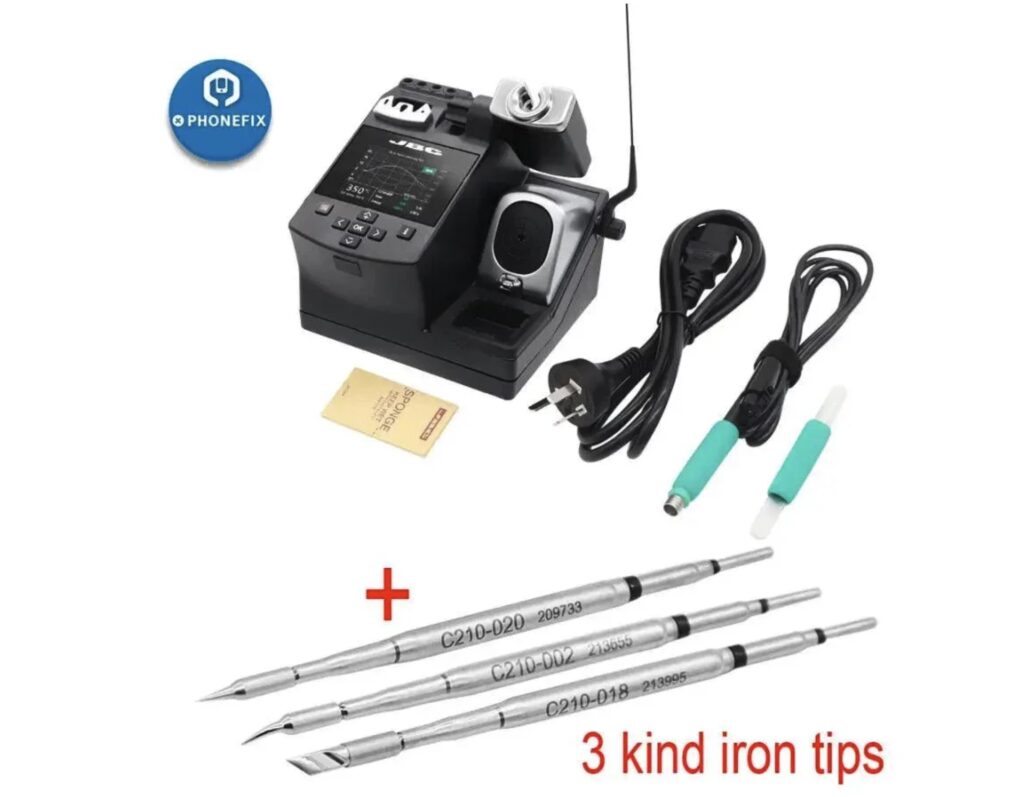
For users who handle fine-pitch components, micro connectors, and compact PCB repair, a JBC Precision Soldering Station can provide the fast heating, strong thermal recovery, and control needed for accurate professional repair work.
A precision workstation should be built around repeatability. That means stable heat, the correct tip, clean flux application, good lighting, and careful inspection. When all of these elements work together, the user can create reliable joints on very small components without overheating nearby areas.
Micro soldering users should also avoid using excessive heat as a shortcut. Small pads can lift quickly, and compact components can be damaged by prolonged contact. Good flux, the correct tip, and stable temperature control are usually more important than simply raising the temperature.
11. Intelligent Features That Improve Daily Soldering
Modern soldering stations are not just heating tools. Intelligent features can improve workflow, reduce wear, and increase safety. These features are especially useful for people who solder frequently.
An Intelligent Soldering Station may include sleep mode, auto shut-off, motion detection, temperature presets, calibration functions, password lock, error detection, and fast boost mode. Sleep mode lowers the temperature when the iron is idle. Auto shut-off improves safety. Motion detection wakes the iron when picked up. Temperature presets allow quick switching between common settings.
For users who want better control, efficient heating, and practical bench features, the Aixun T3B Intelligent Soldering Station fits naturally into the category of modern intelligent stations. For hobbyists moving into more serious repair work, intelligent functions can make soldering safer and more consistent.
These intelligent functions are not only for convenience. They can also extend tip life and reduce operating costs. A tip left at full temperature for long periods oxidizes faster. A station that automatically lowers idle temperature protects the tip and helps maintain better soldering performance.
Intelligent features are especially helpful in busy work environments. In a repair shop, the iron may be picked up and placed down many times throughout the day. Automatic power management keeps the station ready while reducing unnecessary thermal stress.
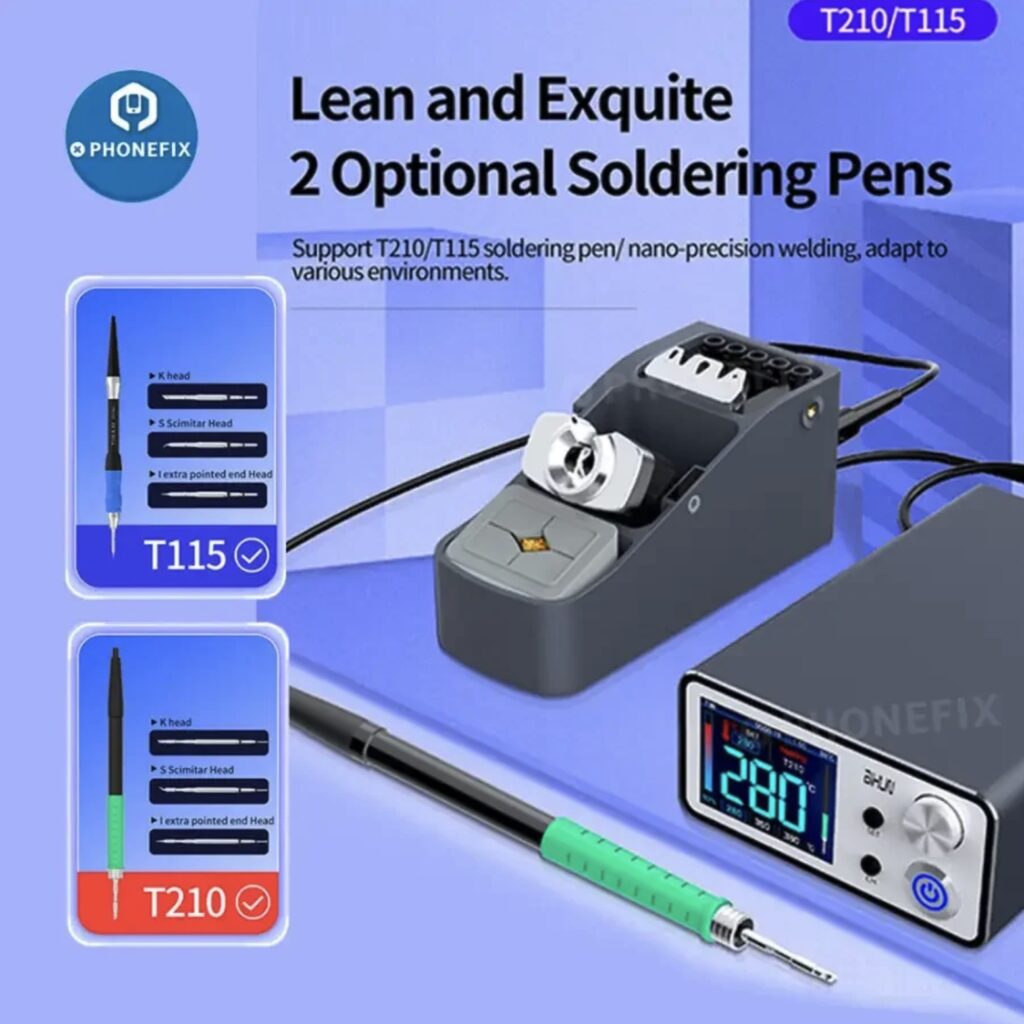
12. Hot Air Rework and 2-in-1 Stations
A standard soldering iron is ideal for through-hole parts, wires, and many surface-mount components. However, some repairs require hot air. Hot air rework stations use controlled airflow and temperature to heat components without direct contact.
Hot air is useful for removing SMD ICs, reflowing components, replacing USB ports, working with QFN or BGA packages, shrinking tubing, and supporting board preheating. It allows the user to heat multiple pins or pads at the same time, which is difficult with a single soldering tip.
A 2-in-1 station combines a soldering iron and hot air tool in one system. This can save bench space and cost. However, users should still check the quality of both tools. Some combined stations have a good iron but weak hot air performance, or vice versa.
For a beginner, hot air may not be necessary at first. For a repair technician, it quickly becomes essential. Users who plan to repair modern electronics should consider whether they will need hot air rework in the future.
Hot air also requires practice. Too much airflow can move small components, while too much heat can damage plastic connectors or nearby parts. Good rework depends on controlled temperature, correct nozzle size, proper airflow, and careful movement.
13. Choosing a Lead-Free Soldering Station
Lead-free solder is now widely used in modern electronics. It is more demanding than traditional tin-lead solder because it usually melts at a higher temperature and can be less forgiving during manual soldering.
A proper Lead-free Soldering Station should provide higher wattage, fast recovery, durable tips, accurate control, and compatibility with chisel or bevel tips. Lead-free solder can wear tips faster, so tip quality and maintenance become more important.
When working with lead-free solder, avoid simply increasing the temperature too much. It is usually better to use the correct tip size, good flux, and a station with strong recovery. Excessive heat may seem to solve solder flow problems, but it can damage boards and shorten tip life.
For lead-free work, a clean and well-tinned tip is essential. Flux should be used when needed to improve wetting. The joint should be heated quickly and evenly, and the iron should be removed once solder flows properly.
A station that struggles with lead-free solder may force users into bad habits, such as pressing harder, using excessive temperature, or heating the joint too long. A capable station reduces these risks by delivering stable heat more efficiently.
14. Safety and Ergonomics
Safety should be a priority when selecting a soldering station. Soldering involves high temperatures, fumes, electricity, and sometimes sensitive electronics. A good station helps reduce risks through better design and protective features.
Important safety features include a heat-resistant stand, grounded handpiece, ESD-safe design, auto sleep or shut-off, stable base unit, flexible heat-resistant cable, and compatibility with fume extraction. These features reduce the risk of burns, static damage, fire hazards, and poor working conditions.
Ergonomics also matter. A heavy or poorly balanced iron makes precision work harder. For long sessions, choose a station with a comfortable grip, flexible cable, and lightweight handpiece. This is especially important for micro soldering and repair work under magnification.
A good handpiece should feel balanced in the hand. The cable should not pull against the user’s wrist. The stand should allow easy placement and removal of the iron. These details may seem small, but they make a major difference during long repair sessions.
Users should also consider ventilation. Soldering flux fumes should not be inhaled directly. A fume extractor or well-ventilated workspace improves comfort and safety, especially during long work periods.
15. Maintenance Practices for Longer Station Life
Even a high-quality soldering station needs proper care. Maintenance improves performance, extends tip life, and reduces long-term costs.
Good maintenance starts with the tip. Keep the tip clean and tinned. Use brass wool or a damp sponge to remove residue. Avoid abrasive tools that can damage the plated surface. Use proper flux to improve solder flow. Avoid excessive temperature because it accelerates oxidation and tip wear.
A common mistake is leaving the iron at high temperature for long periods without solder on the tip. This accelerates oxidation and makes the tip difficult to use. Always apply a small amount of solder before returning the iron to the stand, especially during breaks.
Inspect cables, connectors, and the handpiece regularly. Damaged insulation, loose connectors, or unstable temperature readings may indicate that maintenance or replacement is needed. If the station supports calibration, check it periodically to maintain accuracy.
Tip replacement should be treated as normal maintenance, not as a failure of the station. Worn tips reduce heat transfer and make soldering harder. Keeping spare tips available helps maintain consistent performance.
16. Best Practices for Using a Soldering Station
A good station improves soldering, but technique still matters. The right habits help produce clean, shiny, reliable joints.
Select the correct tip size for the joint. Set the lowest effective temperature for the task. Use flux to improve wetting and reduce oxidation. Heat both the pad and component lead before applying solder. Avoid pressing hard with the tip; let heat transfer do the work. Clean and re-tin the tip regularly. Use lead-free settings only when needed. Allow the station to enter sleep mode during idle periods. Inspect joints with magnification when working on small components. Replace damaged or oxidized tips before they cause poor results.
If a solder joint looks dull or grainy, the cause may be low heat, poor wetting, or contamination. If solder will not stick to the tip, the tip may be oxidized. If a pad lifts from the PCB, too much heat or pressure may have been applied. If solder bridges appear, use flux, solder wick, or a suitable rework tip to remove excess solder.
Good soldering is a combination of correct equipment and careful technique. A reliable station gives you the right foundation, but clean work habits produce the final result.
Practice also matters. Beginners should start with scrap boards or simple kits before working on valuable electronics. This helps build confidence with heat control, solder flow, tip cleaning, and joint inspection.
17. Recommended Selection Checklist
Before buying, use a simple checklist to match the station to your needs. If you solder small electronics, look for digital control and fine tips. If you work with lead-free solder, choose higher wattage and strong recovery. If you repair SMD components, consider hot air capability and precision tips. If you solder daily, prioritize intelligent features and a durable handpiece.
Beginners should choose a station with a simple interface and stable temperature control. Repair shops should look for ESD protection, fast recovery, and broad tip availability. Micro soldering users should consider ultra-fine tips, microscope support, and a lightweight handpiece. Users who value safety should look for sleep mode, a grounded iron, and a stable stand.
For a hobbyist, a reliable Digital Soldering Station with 60W to 80W power may be the right starting point. For a repair shop, an Intelligent Soldering Station with excellent thermal recovery, ESD protection, and a wide tip ecosystem is a better long-term investment. For lead-free and professional PCB work, choose a Lead-free Soldering Station with enough power to maintain stable heat without excessive temperature settings.
The station should match both your current projects and your expected future work. Buying slightly above your present needs can be practical if you plan to grow into more advanced soldering tasks.
Conclusion
Choosing the right soldering station depends on your work, skill level, solder type, and future needs. A beginner may only require a simple digital station with adjustable temperature and a few basic tips. A serious hobbyist or repair technician should look for better thermal recovery, ESD safety, sleep mode, and broader tip compatibility. A professional working with lead-free solder, SMD components, or micro electronics should invest in a precision Soldering Station or Intelligent Soldering Station that provides stable heat, fast recovery, and excellent handpiece control.
The best soldering station is not always the most expensive one. It is the one that delivers the right amount of heat, control, comfort, and reliability for your specific tasks. Features such as digital temperature control, interchangeable tips, lead-free capability, hot air rework, and intelligent sleep functions can make soldering safer, cleaner, and more efficient.
The best choice is the station that matches your real soldering tasks, offers stable heat, and supports your long-term repair needs. A well-chosen soldering station becomes the foundation of better electronics repair, stronger solder joints, and more confident workmanship.