Key Takeaways
- oh-my-claudecode (OMC) upgrades Claude Code from a single-agent CLI into a full multi-agent system with teams, pipelines, and persistent workflows.
- It ships dozens of specialized AI agents (planner, architect, executor, debugger, tester, and more) plus skills like Deep Interview and Ralph for autonomous coding and long-running tasks.
- Installation is straightforward via the Claude Code plugin marketplace or the
oh-my-claude-sisyphusnpm CLI, followed by a single/oh-my-claudecode:omc-setuppass.- Team-first commands such as
/team 3:executor "fix all TypeScript errors"give you Kubernetes‑style orchestration for AI agents inside your editor.
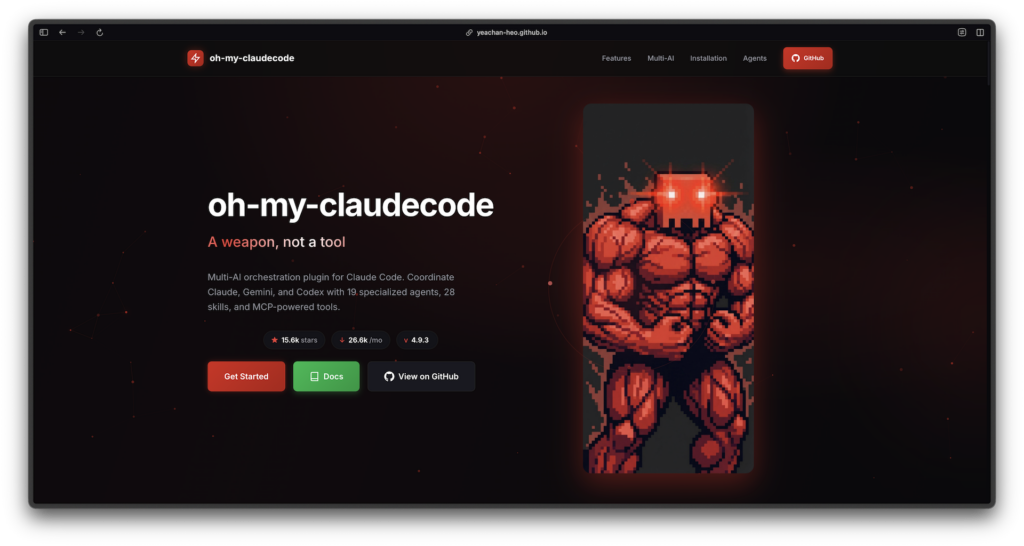
OMC is a community-driven orchestration layer that sits on top of Anthropic’s Claude Code, treating Claude not as a single assistant but as the control plane for a fleet of AI agents. Standard Claude Code sessions typically involve one primary agent and occasional subagents, which means most workflows are still fundamentally sequential and limited by a single context window. OMC replaces that mental model with teams, shared task lists, and autonomous loops that feel closer to a lightweight “Kubernetes for AI agents” than a chat bot.
Where vanilla Claude Code expects the human to orchestrate everything with manual prompting, OMC focuses on delegation-first workflows: you describe a feature, bug, or refactor once, and it coordinates multiple specialized agents—planner, architect, executor, reviewer, debugger, QA tester—until the work is done or a guardrail trips. This makes it particularly attractive for software engineers, AI researchers, and DevOps teams who want Claude Code orchestration that can exploit parallelism across tmux panes and native agent teams instead of bouncing between prompts one step at a time.
From Sequential Claude Code to Multi-Agent Teams
Out of the box, Claude Code gives you a powerful single agent, subagents for scoped work, and some team support, but most flows still look like: ask for a plan, ask for code, paste errors, ask for fixes. Context grows, answers slow down, and the human remains the bottleneck for decomposing tasks and routing work.
OMC tackles this by defining a catalog of specialized agents in markdown under ~/.claude/agents/, and then wiring them into orchestration patterns like Swarm, Pipeline, Teams, and persistent loops. A typical dev workflow might have a planner agent interview you for requirements, an architect design the system, executors implement changes, and debuggers plus verifiers close the loop with tests and safety checks. Instead of micromanaging prompts, you issue a single high-level command and let the multi-agent system coordinate who does what and when.
Teams are the primary surface for this orchestration in recent OMC versions. The /team command (and its CLI equivalent omc team) spins up a named team, creates a shared task list, and spawns teammates that claim work from that queue, all while the lead session monitors progress and synthesizes results. Under the hood, OMC can fan tasks out to separate tmux panes and manage lifecycle events such as startup, status polling, and shutdown, effectively turning your terminal into a multi-agent cluster.
Prerequisites and Environment
To use oh-my-claudecode effectively, you need a working Claude Code environment plus a few extras that unlock team mode and tmux-based orchestration.
- Claude Code installed: OMC is a plugin and CLI layer on top of Claude Code’s native agent and command system, not a standalone IDE.
- Anthropic access: Either Claude Pro in the Claude desktop/terminal experience or an Anthropic API key, depending on how you are invoking Claude Code.
- tmux (recommended): OMC’s team runtime can spawn workers into split tmux panes and includes hardening for split-pane worker cleanup, so having tmux installed is important if you want full visual parallelism.
- Node.js and npm (optional but useful): Required if you plan to use the
oh-my-claude-sisyphusnpm package or CLI tools in addition to the in-editor plugin.
With these in place, OMC can treat Claude as the orchestrator and run teammates as separate Claude sessions, each with its own full context and role-specific prompt.
Installing oh-my-claudecode
OMC deliberately supports both “zero-config” plugin installation inside Claude Code and a CLI-first path via npm to support diverse environments.
Install via Claude Code Plugin Marketplace
The fastest way to get started is through the Claude Code plugin marketplace.
- Open a Claude Code session.
- Run the marketplace add command pointing at the OMC repository:
/plugin marketplace add https://github.com/Yeachan-Heo/oh-my-claudecode- Install the plugin by name:
/plugin install oh-my-claudecodeThe official OMC website documents this as the primary path and highlights that once installed, most orchestration happens through simple slash commands—no MCP servers or extra daemons required.
Install via npm (CLI-first workflow)
If you prefer a CLI-centric setup or want to run orchestrations outside of the main plugin, you can install the Sisyphus CLI package:
npm install -g [email protected]The oh-my-claude-sisyphus package is the multi-agent orchestration system that backs modern OMC releases and exposes commands such as omc team along with hooks and skills used by the plugin. The migration guide notes that the npm package name was kept for backward compatibility even as the project standardized on the OMC branding and team-first APIs.
Run omc-setup to wire everything together
After installing via the marketplace or npm, you need a one-time setup step inside Claude Code:
/oh-my-claudecode:omc-setupThe OMC docs and community guides recommend re-running setup when you update the plugin or move to a new project directory, using variants such as /oh-my-claudecode:omc-setup --local to generate project-scoped configuration. This command writes or updates CLAUDE.md, seeds agent definitions, ensures team settings like native teams in ~/.claude/settings.json are enabled, and registers skills like Deep Interview and Ralph.
Core Multi-Agent Concepts
Specialized agents: architect, executor, debugger, and friends
The heart of OMC is its catalog of specialized agents, each encoded as a markdown prompt with explicit role, success criteria, constraints, and investigation protocol. Analyses of the project list agents such as planner, architect, executor, debugger, test-engineer, qa-tester, explore, and verifier, each mapped to an appropriate Claude model (Haiku, Sonnet, or Opus) for its workload.
For example, the executor agent is optimized for precise code changes and minimal diffs, while being required to escalate to the architect agent after several failed attempts, embedding escalation logic directly into the orchestration layer. Other roles like debugger and verifier focus on error fixing and final validation, allowing OMC to chain or parallelize them without the user needing to hand-wire every step.
Team command: /team 3:executor "task"
From version 4.1.x onward, Team became the canonical orchestration surface in OMC, with legacy entry points like Swarm and Ultrapilot routing through Team under the hood. The usage pattern is intentionally simple:
/team 3:executor "fix all TypeScript errors"This command spins up a team where three executor-style workers claim tasks from a shared queue, overseen by a lead orchestrator session. Internally, the work flows through a staged pipeline—team-plan → team-prd → team-exec → team-verify → team-fix (loop)—so that planning, PRD creation, implementation, verification, and iterative fixing are all handled by the appropriate agents.
If you are using the CLI, the same pattern appears as:
omc team 3:executor "fix all TypeScript errors"with additional commands such as omc team status <team-name> and omc team shutdown <team-name> for lifecycle control. Because each teammate can run in its own tmux pane and Claude Code session, this effectively gives you a small, self-organizing AI team coordinating via a task list and mailbox instead of a single sequential assistant.
Ralph: autonomous persistence loop
Ralph mode is OMC’s answer to “just keep going until this is really done”. Inspired by the Sisyphus motif, the Ralph loop persists across iterations, routing tasks through planners, executors, and verifiers until an architect-level agent is satisfied that the work truly meets its specification.
The Sisyphus and Ralph-related commands (such as /ralph-loop and ralph: refactor auth system) are designed for long-running refactors, migrations, and grindy tasks where naive sequential prompting would stall or get distracted. Recent release notes highlight improvements to Ralph hooks and stop/resume behavior so that interruptions and safety stops resume iterations correctly instead of halting the loop completely.
Deep Interview: requirements before code
Deep Interview is a newer skill introduced around OMC v4.6.0 as an Ouroboros-inspired Socratic questioning workflow for requirements elicitation and problem decomposition. Instead of jumping straight into code, the Deep Interview pipeline conducts a structured conversation that surfaces hidden assumptions, edge cases, and domain constraints before a PRD or implementation plan is written.
Later releases add convergence tracking to Deep Interview sessions, borrowing ideas from formal ontology work to detect when the questioning is circling around the same concepts and can safely transition from analysis to design. For teams adopting AI agents into serious production systems, this helps ensure that autonomous coding flows remain grounded in explicit, well-understood requirements rather than shallow prompt guesses.
Example End-to-End Flow
A typical OMC-powered autonomous coding flow in Claude Code might look like this:
- Kick off a Deep Interview for a new feature or refactor so that the system can interrogate your requirements and draft a PRD-quality description.
- Launch a team via
/team 3:executor "implement the PRD for X", letting the planner, architect, and executors coordinate planning and implementation across multiple workers. - Watch tmux panes and team status as teammates claim tasks, write code, run tests, and push results back to the lead session.
- Enable Ralph mode if the change is large or risky so that the system keeps iterating through fix and verify loops until the architect agent signs off.
- Review and merge the final patchset that OMC proposes, with the comfort that specialized agents have already planned, implemented, debugged, and validated the change.
For developers already comfortable with Claude Code, this turns the tool from a conversational assistant into a full Claude Code orchestration platform for AI agents, enabling truly autonomous coding and multi-agent systems without forcing you to stand up separate microservices or orchestration servers.
Conclusion
oh-my-claudecode brings a teams-first philosophy to Claude Code, reframing the IDE as a control plane for AI agents instead of a single monolithic assistant. With plugin marketplace installation, an npm-backed CLI, rich agent catalogs, tmux-integrated teams, persistent Ralph loops, and Deep Interview for requirements, it provides a practical path from manual prompt engineering to robust multi-agent Claude Code orchestration for real-world software engineering workloads.