Key Takeaways: Plausible Analytics is a lightweight, cookie-free, open-source web analytics platform that you can self-host with Docker in under 15 minutes to get GDPR-compliant, one-page traffic insights without ever handing your visitors’ data to a third party.
If you have ever opened Google Analytics, stared at a maze of reports, and wondered why answering “how many people visited my site today” requires a data-science degree, you are not alone. Plausible Analytics is built around that exact frustration. It is a minimal, privacy-respecting, open-source analytics tool that fits on a single dashboard page and weighs less than 1 KB on the wire.
In this guide, we will introduce Plausible, walk through self-hosting it with Docker, and show you how to start tracking pageviews and custom events on your website.
What Is Plausible Analytics
Plausible is an open-source web analytics platform built in Elixir and Phoenix, backed by PostgreSQL and ClickHouse. The source code lives on the official GitHub repository, and a managed cloud version is available on plausible.io for users who prefer not to host it themselves.
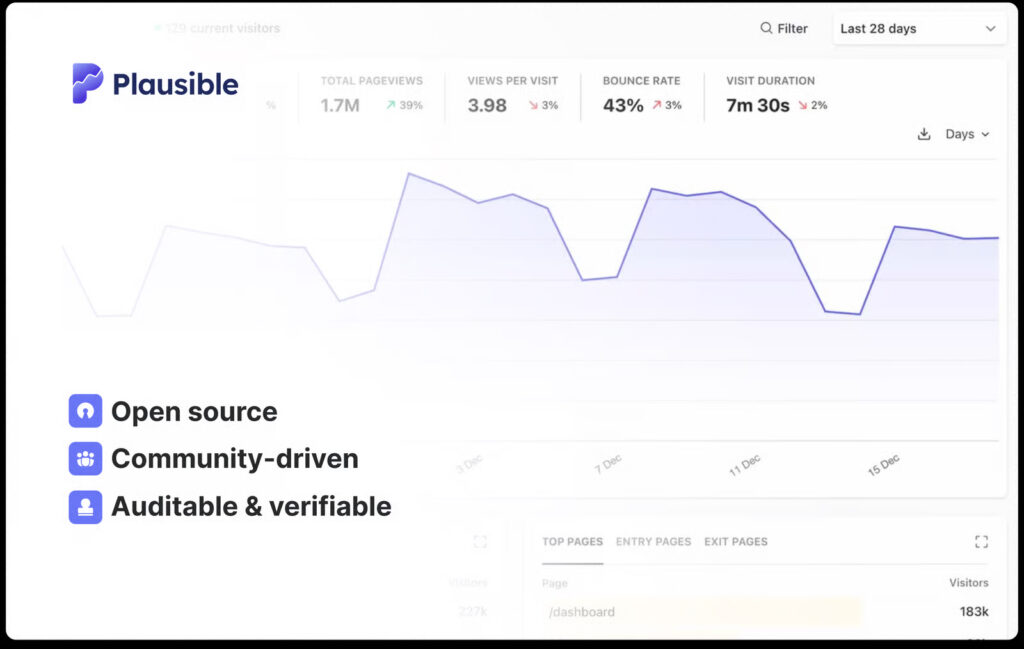
Its design philosophy can be summed up in three words: simple, lightweight, private.
Core Features
- No cookies, no personal data. Plausible does not use cookies, does not store IP addresses, and does not generate persistent visitor identifiers. The result: no cookie banner, no GDPR consent prompts, no CCPA headaches.
- Tiny script under 1 KB. The tracking snippet is roughly 45 times smaller than the Google Analytics tag, so it does not slow down your page or hurt Core Web Vitals.
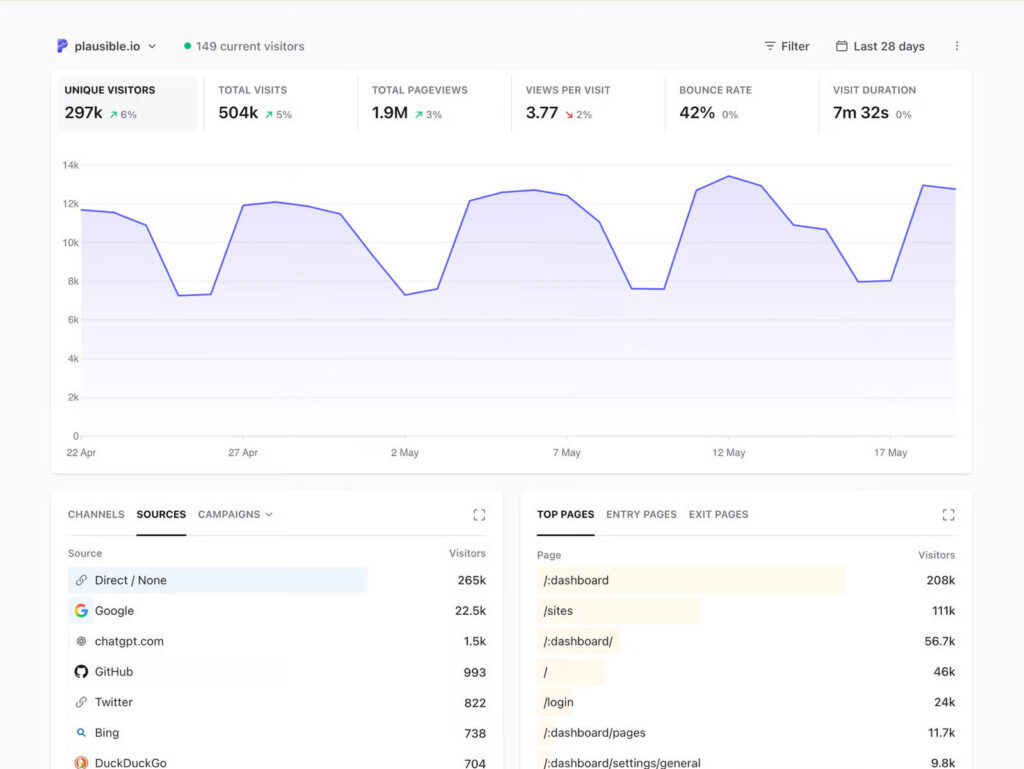
- One-page dashboard. Unique visitors, pageviews, bounce rate, visit duration, top sources, top pages, countries, and devices are all visible on a single screen.
- Goal and custom event tracking. Track signups, purchases, file downloads, outbound clicks, and arbitrary events through CSS classes or a simple JavaScript API.
- Search Console and Looker Studio integrations. Combine SEO impressions with on-site behaviour, or pipe data into your own BI tooling.
- Open source under AGPL-3.0. You can audit, modify, and self-host the code freely.
Why Choose Plausible Over Google Analytics
| Aspect | Plausible | Google Analytics 4 |
|---|---|---|
| Cookies | None | Yes |
| GDPR/CCPA consent banner | Not required | Required |
| Script size | ~1 KB | ~45 KB |
| Dashboard complexity | One page | Dozens of reports |
| Data ownership | Yours (self-hosted) | Google’s |
| Pricing model | Flat fee or free self-host | Free with data trade-off |
If you run a personal blog, SaaS landing page, documentation site, or any project where you value visitor privacy and simplicity over enterprise-grade segmentation, Plausible is a strong fit.
How to Install Plausible Analytics with Docker
The recommended way to self-host Plausible is the Community Edition, which ships as a ready-to-go Docker Compose stack maintained on the official plausible/community-edition repository.
Prerequisites
Before you start, make sure your server (a small VPS with 2 GB of RAM is enough for most sites) has:
- Docker Engine 20.10+ and Docker Compose v2
- A domain name pointing to the server, for example
analytics.yourdomain.com - A reverse proxy such as Nginx, Caddy, or Traefik for TLS termination
Step 1: Clone the Community Edition Repository
git clone https://github.com/plausible/community-edition.git plausible
cd plausible
Inside, you will find a compose.yml file that orchestrates four services: the Plausible web app, a PostgreSQL database (for users and site configuration), a ClickHouse database (for analytics events), and a one-shot migration runner.
Step 2: Generate Secret Keys and Configure Environment Variables
Plausible needs a base URL and two secret keys. Generate strong random strings with:
openssl rand -base64 48Create a .env file in the project root:
BASE_URL=https://analytics.yourdomain.com
SECRET_KEY_BASE=YOUR_FIRST_GENERATED_KEY
TOTP_VAULT_KEY=YOUR_SECOND_GENERATED_KEY
Never commit this file to version control. Treat both keys like database passwords.
Step 3: Launch the Stack
Start everything with:
docker compose up -dDocker pulls the official plausible/community image alongside PostgreSQL and ClickHouse, runs database migrations, and exposes Plausible on http://localhost:8000. Check that all containers are healthy:
docker compose ps
docker compose logs -f plausible
Step 4: Put It Behind a Reverse Proxy with HTTPS
A minimal Nginx server block looks like this:
server {
    listen 443 ssl http2;
    server_name analytics.yourdomain.com;

    ssl_certificate     /etc/letsencrypt/live/analytics.yourdomain.com/fullchain.pem;
    ssl_certificate_key /etc/letsencrypt/live/analytics.yourdomain.com/privkey.pem;

    location / {
        proxy_pass http://127.0.0.1:8000;
        proxy_set_header Host $host;
        proxy_set_header X-Forwarded-For $proxy_add_x_forwarded_for;
        proxy_set_header X-Forwarded-Proto $scheme;
    }
}
If you prefer zero-configuration TLS, Caddy or Traefik can obtain Let’s Encrypt certificates automatically.
Step 5: Create Your Admin Account
Open https://analytics.yourdomain.com in your browser. The first user who registers becomes the admin. Sign up, confirm your email (or use the CLI command shown in the container logs if SMTP is not configured), and you are in.
Using Plausible: Tracking Your First Site
Once you log in, the workflow is refreshingly short.
Step 1: Add a Website
Click Add a website, enter your domain (for example mysite.com), and choose a timezone. Plausible immediately generates a tracking snippet.
Step 2: Install the Tracking Script
Paste the snippet into the <head> of your site:
<script defer data-domain="mysite.com"
        src="https://analytics.yourdomain.com/js/script.js"></script>
That is it. Within seconds, the dashboard starts populating with real-time visitor data.
Step 3: Track Custom Events and Goals
To track a signup button click, swap the script for the events-enabled variant and add a CSS class:
<script defer data-domain="mysite.com"
        src="https://analytics.yourdomain.com/js/script.tagged-events.js"></script>

<button class="plausible-event-name=Signup">Create account</button>
For programmatic events such as a successful Stripe checkout, call the JavaScript API directly:
plausible('Purchase', { props: { plan: 'Pro', amount: 49 } });Then go to Site Settings → Goals and register Signup and Purchase as conversion goals. Plausible will track conversion rates and attribute them to traffic sources automatically.
Step 4: Share and Export
Plausible supports public shared dashboards (handy for client reporting), CSV exports, and a Stats API. The API is particularly useful for piping data into custom BI workflows or AI agents that need to reason about website performance without scraping a screen.
Maintenance Tips
- Backups. Snapshot the PostgreSQL and ClickHouse volumes regularly. ClickHouse holds all your historical event data; losing it means losing your stats.
- Updates. Pull new images with
docker compose pull && docker compose up -d. Always read the release notes on GitHub for breaking migrations. - Resource sizing. ClickHouse is memory-hungry. For sites under one million monthly pageviews, 2 GB of RAM is comfortable; above that, plan for 4 GB or more.
- Email. Configure SMTP environment variables if you want password resets, weekly reports, and invitation emails to work.
- Geo data. For country and city reports, mount a MaxMind GeoLite2 database into the Plausible container as documented in the Community Edition repo.
Final Thoughts
Plausible Analytics shows that web analytics does not have to be heavy, invasive, or complicated. With a single Docker Compose command, you get a privacy-respecting, GDPR-compliant, beautifully minimal dashboard that answers the questions most site owners actually ask, without the legal overhead of consent banners or the performance penalty of bloated tracking scripts.
Whether you run a personal blog, an open-source project landing page, or a SaaS product, Plausible is one of the easiest ways to reclaim ownership of your analytics stack while staying friendly to your visitors. Spin up a VPS, follow the steps above, and you can have a private, self-hosted analytics platform live before your next coffee gets cold.