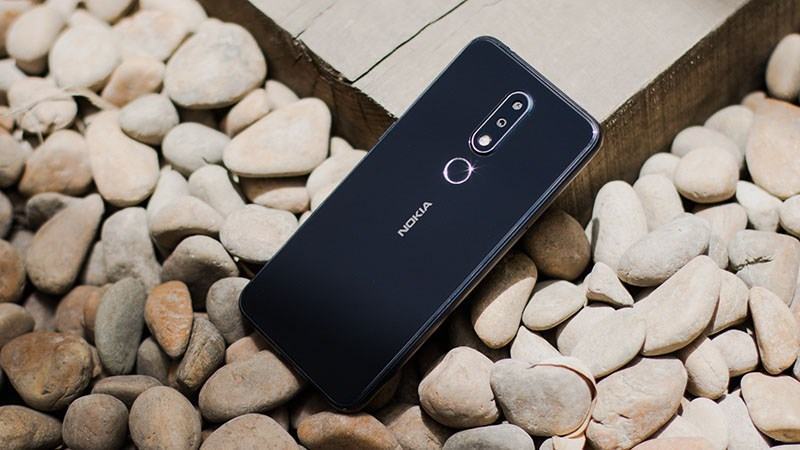
Here you can download the latest official Stock ROM (Firmware) files for the Nokia 6.1 [PL2] TA-1016-43-45-50-54-68-89. These files are essential for repairing software issues, fixing bootloops, upgrading/downgrading the OS, or restoring your device to its factory state.
Prerequisites & Preparation
- Backup Data: Flashing will completely wipe all data on your device. Back up important files and settings before proceeding.
- Battery Level: Ensure your device has at least 50% battery to prevent shutdown during the flashing process.
- USB Driver & Tools: Install the correct USB drivers for your brand and prepare the flashing tool (Odin for Samsung, SP Flash Tool/QPST for Qualcomm/MTK, etc.).
CAUTION: Flashing official firmware carries a risk of bricking your device. Proceed with caution and at your own risk. addROM is not responsible for any damage caused to your device.
Download Stock ROM & Firmware
Global / General
| File Type | Firmware / Build | Region / Model | OS Version | Download Link |
|---|---|---|---|---|
| Stock ROM | PL2-415C-0-00WW-B01.nb0.rar | Global / General | – | Google Drive | AFH | OneDrive | DropBox | Google Drive |
| Stock ROM | PL2-354J-0-00WW-B01.nb0.rar | Global / General | – | Google Drive | AFH | OneDrive | DropBox | Google Drive |
| Stock ROM | PL2-354E-0-00WW-B01.nb0.rar | Global / General | – | Google Drive | AFH | OneDrive | DropBox | Google Drive |
| Stock ROM | PL2-351F-0-00WW-B04.nb0.rar | Global / General | – | Google Drive | AFH | OneDrive | DropBox | Google Drive |
| Stock ROM | PL2-347C-0-00CN-B04.nb0.rar | Global / General | – | Google Drive | AFH | OneDrive | DropBox | Google Drive |
| Stock ROM | PL2-222E-0-00WW-B02.nb0.rar | Global / General | – | Google Drive | AFH | DropBox | Google Drive |
| Stock ROM | PL2-351F-0-00WW-B04_XML.rar | Global / General | – | Google Drive | AFH | OneDrive | DropBox | Google Drive |
| Stock ROM | PL2-347C-0-00CN-B04_XML.rar | Global / General | – | Google Drive | AFH | OneDrive | DropBox | Google Drive |
| Stock ROM | PL2-3390-0-00WW-B01 | Global / General | – | Google Drive | AFH | OneDrive | DropBox | Google Drive |
| Stock ROM | PL2-3390-0-00CN-B01 | Global / General | – | Google Drive | AFH | OneDrive | DropBox | Google Drive |
| Stock ROM | bbcebad621e9f785ec855828a465e2dc1e8bea79.zip | Global / General | – | Google Drive | AFH | OneDrive | DropBox | Google Drive |
Additional Files & Tools
- PL2-134E-0-00CN-B02.nb0.rar
- AFH
- DropBox
- GD2
- PL2-130B-0-00WW-B02.nb0.rar
- AFH
- DropBox
- GD2
- PL2-127E-0-00CN-B01.nb0.rar
- AFH
- DropBox
- GD2
- PL2-064D-0-00CN-B05.nb0.rar
- AFH
- DropBox
- GD2
- PL2-354H-0-00WW-B01_P2C_TA1054_NTOnly_XML.rar
- AFH
- OneDrive
- DropBox
- GD2
- PL2-351F-0-00WW-B01_Android_P.NBx.rar
- AFH
- OneDrive
- DropBox
- GD2
- PL2-3390-0-00CN-00WW_Android_P.NBx.rar
- AFH
- OneDrive
- DropBox
- GD2
- PL2-3270-0-00WW-B01_Android_P.NBx.rar
- AFH
- DropBox
- GD2
- PL2-3270-0-00CN-B01_Android_P.NBx.rar
- AFH
- DropBox
- GD2
- PL2-3270-0-00CN-00WW_Android_P.NBx.rar
- AFH
- DropBox
- GD2
- PL2-2450-0-00WW-B01.NBx.rar
- AFH
- DropBox
- GD2
- PL2-2450-0-00CN-B01.NBx.rar
- AFH
- DropBox
- GD2
- PL2-2450-0-00CN-00WW.NBx.rar
- AFH
- DropBox
- GD2
- bb7fea8687fc11e36c298f2b8e49c0116a174e11.zip
- AFH
- OneDrive
- DropBox
- GD2
- 22499466d88e76bb4f1d3412bcc6f5e96980e029.zip
- AFH
- OneDrive
- DropBox
- GD2
- c6260831df0acdfe9828f18bcea7ffb556f4b2e5.zip
- AFH
- DropBox
- GD2
- b658c406fa597c15835069289fdd18ade3fe2348.zip
- AFH
- DropBox
- GD2
- 92b490794d1acd0b24beabceda1d3a00f84116e2.zip
- AFH
- DropBox
- GD2
- 1735c392bfe8bc558f8ef574a5b55c4c9b316fe8.zip
- AFH
- DropBox
- GD2
How to Flash Firmware / Stock ROM
To flash the stock firmware on your Nokia device using Online Service Tool (OST LA), follow these steps:
- Download and install the Nokia USB Drivers on your computer.
- Download and install the Online Service Tool (OST LA) (preferably the patched version).
- Extract the downloaded stock ROM firmware (usually in
.nb0or.mlfformat). - Launch
OnlineUpdateTool.exefrom the installation directory (typicallyC:\Program Files (x86)\OST LA). - Power off your device completely. Hold the Volume Down button and connect the device to the computer via USB cable to enter Download Mode (Fastboot Mode).
- In OST LA, click the browse button (…) and select the extracted firmware file (
.nb0or.mlf). - Click the Next button.
- Wait for the flashing process to complete. The device will automatically reboot once finished.