 By
By How Technical Teams Are Putting Claude to Work in Day to Day Salesforce Operations
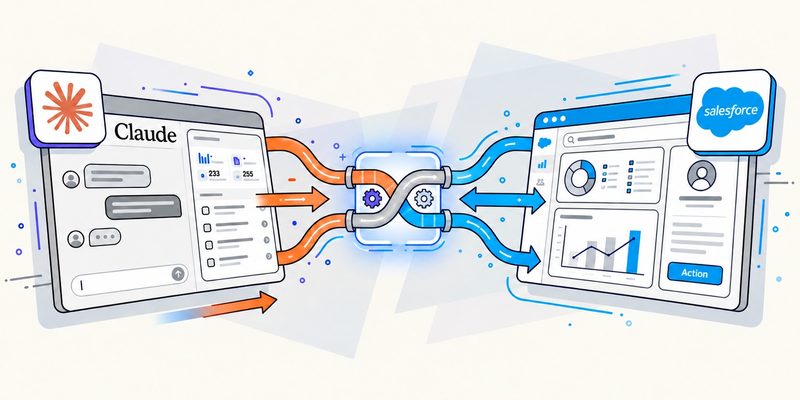
Salesforce delivery teams have never been short on tools. Between Sales Cloud, Service Cloud, Experience Cloud, Data Cloud 360 and the growing footprint of Agentforce a typical implementation touches dozens of moving parts. What has changed recently is not the platform itself but the way technical teams get their daily work done. More and more that work involves Claude, Anthropic’s AI assistant, sitting alongside developers, admins and architects as a genuine working partner rather than a novelty.
Where Claude Fits Into the Build
The most visible use case is code. Apex classes, triggers and Lightning Web Components all follow patterns that a well briefed AI assistant can read, explain and extend quickly. A developer who inherits a messy trigger framework on a Service Cloud org can ask Claude to walk through the logic, flag recursive calls and suggest a cleaner bulkified version before a single line changes in production. That kind of second opinion used to mean pulling a senior architect off another project for an hour. Now it happens in minutes and the architect only steps in for the decisions that genuinely need human judgment.
Documentation is the second big win and arguably the one team undervalues most. In every consulting project, configuration workbooks, data dictionaries, integration diagrams for MuleSoft flows, and release notes are produced, all of which require someone to keep updated. However, when Claude receives a first draft based on either a change log or a few relevant screenshots, it means that consultants no longer have to put off carrying out the task, and the documentation gets done as soon as the work is completed. This may sound trivial, but the importance of it stems from the fact that obsolete documentation is one of the most important reasons for Salesforce organizations becoming unsupported in the long run.
Data, Migration and the Unglamorous Middle
Data migrations and CPQ configurations are full of edge cases that only surface once you are elbow deep in the org. A field mapping that looks correct on paper can quietly break a pricing rule or a legacy Salesforce CPQ bundle can carry assumptions nobody documented five years ago. Teams are using Claude to review mapping spreadsheets, spot inconsistent picklist values and draft the validation rules needed to catch bad records before a load rather than after. It will not replace a careful data architect but it does the first pass of pattern spotting that used to eat hours of manual review.
Those draft rules still need proving, though. A validation rule or field mapping that reads correctly on paper can behave differently once it meets real records, a sandbox that was refreshed last month, or an integration that writes data in a format nobody expected. This is where the challenges of testing Salesforce deployments tend to show up: customizations interact with one another, sandbox data rarely matches production, and every release cycle changes what has to be rechecked. Teams that treat AI-drafted rules as a starting point and run them against representative data before the load usually catch the awkward cases while they are still cheap to fix. That is the technical side of getting a migration right.
Moreover, there is a calmer, more human aspect involved in this scenario. It is surprising to note that consultants are seen to devote a considerable time in the course of their week towards writing notes for others. Such notes can be a status report for a steering group, a simple, intelligible document explaining a technical trade-off for clients who do not use Salesforce regularly, or even on Slack outlining the changes brought about due to the latest sandbox refresh. The assistant that can transform incomplete notes into a proper report before handing it over to the clients can save a lot of time that was wasted on petty writing jobs throughout the day.
Getting the Setup Right
All of this will work effectively if there is some foresight. Teams that use AI to maximum benefit usually do so only after putting in place the necessary restrictions on the use of AI, which defines the information that can be given to an AI assistant, the areas of building process which will benefit from an AI assistant, and to which areas of the process human oversight is strictly required. This is exactly the kind of groundwork that Claude implementation consultants tend to help with, since setting up the right workflows, permissions and review checkpoints from day one saves a team from having to unwind bad habits six months into an engagement.
More than any change relating to technology, this is a cultural shift. Teams that consider AI assistants as junior affiliates who can draft, verify and summarize but not make final decisions get consistent results. Teams that anticipate the technology would function entirely without human judgment usually find themselves in trouble due to exceptions to the rules.
What This Means for Delivery Timelines
For clients evaluating a Salesforce partner the practical question is simpler than any of this technical detail: does using an AI assistant actually shorten a project or does it just move the work around? The honest answer, from teams already doing this day to day, is that it shortens the parts of a project that were never really about expertise in the first place, the documentation, the first draft code review and the repetitive data checks, and gives the human experts more time for the parts that were always the actual value of hiring a consultant. That is a modest claim but it is a true one and it is probably the most useful way to think about where Claude fits into a modern Salesforce practice.