Before you spin up toeverything/AFFiNE on your own server, keep three operational prerequisites in mind. Starting from version 0.20+, the database container must run pgvector/pgvector:pg16 rather than standard PostgreSQL. Persistent Bring Your Own Key (BYOK) AI integrations refuse to boot unless a pre-deploy job first generates an ECDSA P-256 key at /root/.affine/config/private.key. Finally, environment variables mapped into /root/.affine/config/config.json on first launch will never overwrite existing JSON keys on later container restarts.
Most engineering teams bounce between two disconnected tools: a structured block editor like Notion for technical specs and tables, and an infinite whiteboard like Miro for architecture diagrams. Every time you update a system diagram, someone has to re-export a screenshot and paste it back into the doc. AFFiNE (0.27.5) removes that split. It treats structured pages and infinite whiteboards as two camera views over the exact same local-first building blocks. Think of it like switching a CAD model between a bill-of-materials table and a 2D floorplan without exporting anything. Your rich text, sticky notes, embedded web pages, multi-view databases, linked pages, shapes, and slides all live on a single conflict-free document tree. Everything saves to your local disk first and syncs in real time through a self-hosted stack on port 3010.
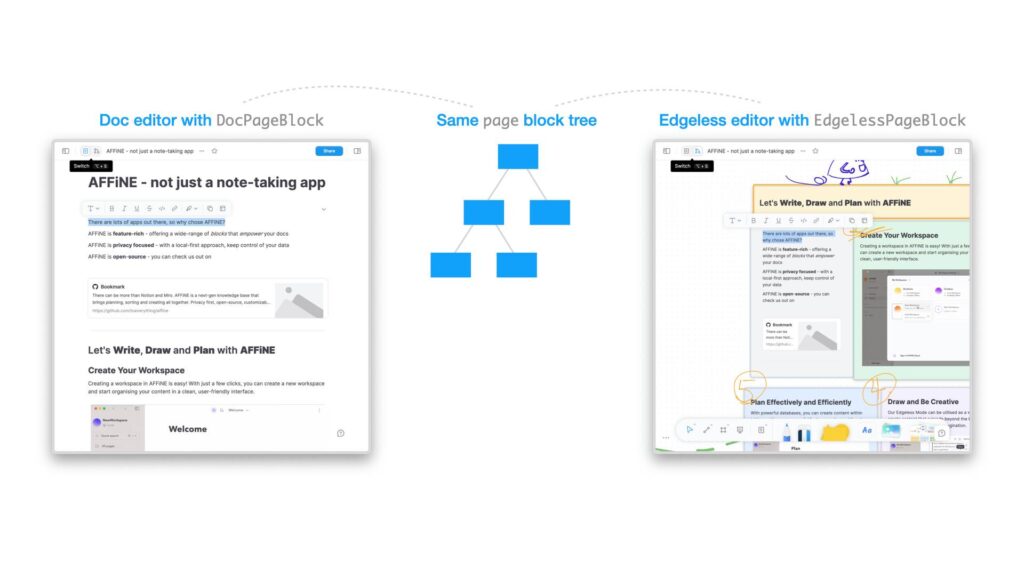
How the local-first engine and self-hosted server fit together
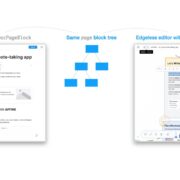
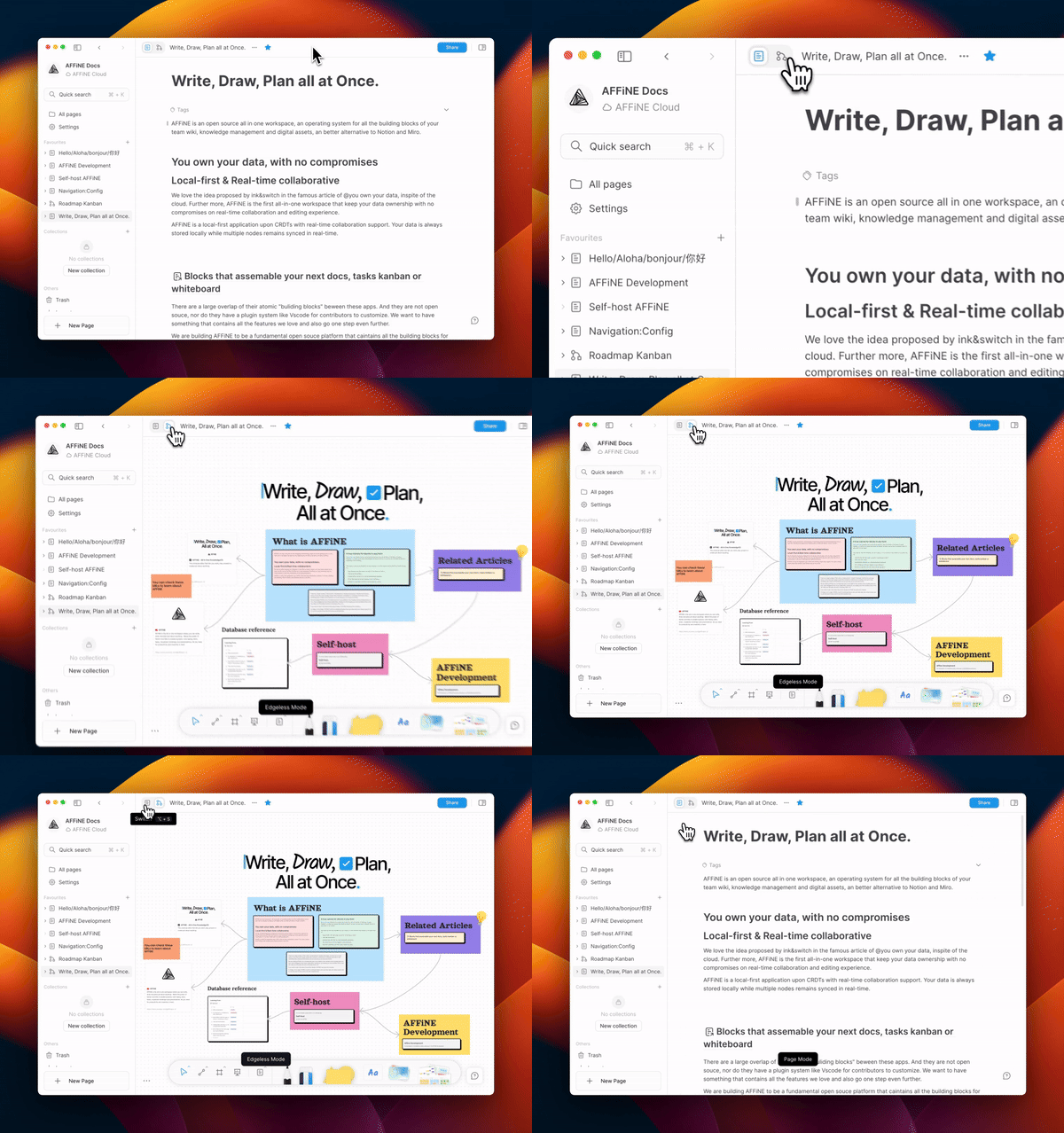
You never wait on a remote database round-trip just to type a paragraph or drag a connector on the whiteboard. AFFiNE manages every workspace document on top of Yjs conflict-free replicated data types (yjs ^13.6.27 and y-protocols ^1.0.6) paired with reactive signals and streams. You can view a document as a linear page or toggle into Edgeless canvas mode at any time. Both views read and mutate the same underlying block tree.
Local and remote persistence run through a multi-backend storage layer tailored to each platform:
- In web browsers, workspace state persists locally inside IndexedDB. Open browser tabs coordinate live edits over a broadcast channel before syncing upstream.
- On desktop and mobile apps, local storage runs inside a compiled Rust engine backed by native SQLite, the
y-octo(0.3.0) CRDT engine, an in-memory search indexer, andzstdcompression. This native layer bridges to desktop Electron processes via Node N-API and to iOS/Android via UniFFI. - When connected to a self-hosted server over WebSockets (Socket.IO) and GraphQL/HTTP, the backend runs a hybrid Node.js (NestJS, Express, Socket.IO, GraphQL, and Prisma) and Rust N-API runtime. You can run it as a single all-in-one service (
allinone) or split it into dedicated roles (graphql,sync,renderer,front,worker, andscript).
As edits stream to the server, the backend creates a new document history snapshot at most once every 10 minutes (600000 ms) by default. Redis handles ephemeral state like real-time sync coordination, session caches, and login rate counters. Meanwhile, all durable document metadata, vector embeddings, and uploaded blobs live in PostgreSQL and the /root/.affine/storage object storage directory.
Notes and prerequisites before deploying
Before launching the stack or compiling from source, verify these version, upload limit, security, and licensing boundaries from README.md, LICENSE, LICENSE-MIT, and SECURITY.md:
- Supported version and security policy: Only the
0.27.x (stable)release series receives security updates (< 0.27.xis unsupported). The maintainers also explicitly do not accept or review AI-generated security vulnerability reports. - HTTP and GraphQL upload caps: The server caps AI Copilot chat attachment uploads at 20 MiB per request and general raw HTTP bodies at 100 MiB. GraphQL multipart uploads allow up to 100 MiB per file and up to 32 files per request.
- Split licensing model: While the project overview highlights AFFiNE Community Edition (CE) as free to self-host, the root license files define a two-part boundary. Code outside the backend and common native directories uses the MIT license. Inside the backend and common native directories, components distributed as part of AFFiNE CE or compiled into client-side assets are licensed under MPL 2.0. Enterprise Edition (EE) code not distributed as part of AFFiNE CE requires a valid AFFiNE EE subscription for production deployment, though copying and modifying EE code for development and testing is exempt.
- Sample Compose database defaults: The upstream
.docker/selfhost/compose.ymlconfigures PostgreSQL withPOSTGRES_HOST_AUTH_METHOD: trust(passwordless database connections inside the Docker network) and runs Redis without a password. Do not use those defaults in production. On shared hosts or internet-facing servers, always add a database password and Redis authentication before exposing port3010. - High toolchain bar for source builds: If you only want to run AFFiNE, stick with the official
ghcr.io/toeverything/affine:stablecontainer image. It runs onnode:22-bookworm-slimwithlibjemalloc.so.2preloaded viaLD_PRELOADand includes bundled web, admin, and mobile static assets. Compiling0.27.5from source requires Node.js>=22.12.0 <23.0.0(pinned to22.23.4), Yarn4.18.0via Corepack (classic Yarn 1.x will not work), and the Rust compiler pinned to1.97.1(Cargo edition2024). On Windows machines, cloning the repository also requires Developer Mode and Administrator privileges because the monorepo relies on symbolic links.
Step-by-step self-hosting guide with Docker Compose
1/ Prepare the directory layout and .env file
Create a clean deployment folder with dedicated host subdirectories mapped to /root/.affine/config, /root/.affine/storage, and /var/lib/postgresql/data:
mkdir -p affine-selfhost/config affine-selfhost/data/storage affine-selfhost/data/postgres
cd affine-selfhost
Next, create a .env file alongside your compose.yml. This hardened setup replaces the sample passwordless database default with an explicit password and sets your public server URL:
# Core deployment and network binding
DEPLOYMENT_TYPE=selfhosted
AFFINE_SERVER_PORT=3010
AFFINE_SERVER_HOST=affine.example.com
AFFINE_SERVER_HTTPS=true
AFFINE_SERVER_EXTERNAL_URL=https://affine.example.com

# PostgreSQL (pgvector:pg16) credentials
POSTGRES_USER=affine
POSTGRES_DB=affine
POSTGRES_PASSWORD=change-this-strong-postgres-password
DATABASE_URL=postgresql://affine:change-this-strong-postgres-password@postgres:5432/affine

# Redis connection
REDIS_SERVER_HOST=redis
REDIS_SERVER_PORT=6379
2/ Configure the four-service compose.yml
Create compose.yml modeled on the upstream self-host Compose template. In this setup, affine_server waits for both the redis (redis-cli --raw incr ping) and postgres (pg_isready -U affine -d affine) health checks to pass, and also waits for affine_migration_job to exit with service_completed_successfully:
name: affine
services:
  affine:
    image: ghcr.io/toeverything/affine:stable
    container_name: affine_server
    ports:
      - "${AFFINE_SERVER_PORT:-3010}:3010"
    depends_on:
      redis:
        condition: service_healthy
      postgres:
        condition: service_healthy
      affine_migration:
        condition: service_completed_successfully
    volumes:
      - ./data/storage:/root/.affine/storage
      - ./config:/root/.affine/config
    env_file:
      - .env
    environment:
      - REDIS_SERVER_HOST=redis
      - DATABASE_URL=${DATABASE_URL}
      - DEPLOYMENT_TYPE=selfhosted
    restart: unless-stopped

  affine_migration:
    image: ghcr.io/toeverything/affine:stable
    container_name: affine_migration_job
    volumes:
      - ./data/storage:/root/.affine/storage
      - ./config:/root/.affine/config
    command: ["sh", "-c", "node ./scripts/self-host-predeploy.js"]
    env_file:
      - .env
    environment:
      - REDIS_SERVER_HOST=redis
      - DATABASE_URL=${DATABASE_URL}
      - DEPLOYMENT_TYPE=selfhosted
    depends_on:
      postgres:
        condition: service_healthy
      redis:
        condition: service_healthy

  redis:
    image: redis
    container_name: affine_redis
    healthcheck:
      test: ["CMD", "redis-cli", "--raw", "incr", "ping"]
      interval: 10s
      timeout: 5s
      retries: 5
    restart: unless-stopped

  postgres:
    image: pgvector/pgvector:pg16
    container_name: affine_postgres
    volumes:
      - ./data/postgres:/var/lib/postgresql/data
    environment:
      POSTGRES_USER: ${POSTGRES_USER:-affine}
      POSTGRES_PASSWORD: ${POSTGRES_PASSWORD}
      POSTGRES_DB: ${POSTGRES_DB:-affine}
      POSTGRES_INITDB_ARGS: "--data-checksums"
    healthcheck:
      test: ["CMD", "pg_isready", "-U", "${POSTGRES_USER:-affine}", "-d", "${POSTGRES_DB:-affine}"]
      interval: 10s
      timeout: 5s
      retries: 5
    restart: unless-stopped
Here is the Before -> After diff showing why you should replace POSTGRES_HOST_AUTH_METHOD: trust from the sample Compose file before going live:
Before (sample Compose defaults):
DATABASE_URL=postgresql://affine@postgres:5432/affine
POSTGRES_HOST_AUTH_METHOD: trust
After (hardened password authentication):
DATABASE_URL=postgresql://affine:${POSTGRES_PASSWORD}@postgres:5432/affine
POSTGRES_PASSWORD: ${POSTGRES_PASSWORD}
3/ Start the stack and verify the pre-deploy migration job
Bring up the containers in detached mode and inspect the migration logs:
docker compose up -d
docker compose logs -f affine_migration
When affine_migration_job runs node ./scripts/self-host-predeploy.js, it executes four setup steps in order:
- Prepares
/root/.affine/config(~/.affine/config) by runningnode ./scripts/upgrade-config.js, which reads.envand~/.affine/config/.envand persists aliased settings intoconfig.jsonwith0600file permissions (preferringconfig.jsonin the working directory if present, or/root/.affine/config/config.jsonotherwise). - Checks for
/root/.affine/config/private.key(~/.affine/config/private.key) and generates a fresh ECDSAprime256v1(P-256) SEC1 PEM private key if none exists. - Checks for and rolls back a known historical stuck migration (
20250521083048_fix_workspace_embedding_chunk_primary_key) before runningyarn prisma migrate deployto apply Prisma database schema migrations. - Runs pending application data migrations via
yarn cli run, then exits with code0. Once it finishes,affine_serverboots vianode ./scripts/upgrade-config.js && exec node ./dist/main.jsand listens on0.0.0.0:3010(http://localhost:3010by default).
4/ Tune config.json for auth, storage, and search indexing
Once affine_server is running, open config.json inside your mounted /root/.affine/config directory (you can also reference .docker/selfhost/config.example.json in the repository). By default, the server binds to 0.0.0.0:3010 (LISTEN_ADDR=0.0.0.0, AFFINE_SERVER_PORT=3010, AFFINE_SERVER_HOST=localhost, AFFINE_SERVER_HTTPS=false, AFFINE_SERVER_SUB_PATH="") and leaves guest demo workspaces enabled (flags.allowGuestDemoWorkspace: true).
Out of the box, Redis rate-limits sign-in attempts to 20 attempts per IP and 5 attempts per email address every 60 seconds (60000 ms). User passwords must be 8 to 32 characters long, and open registration is enabled (allowSignup: true). Newly registered accounts must wait 24 hours (newAccountActionDelay: 86400 seconds) before sending workspace invites or publishing documents to the web. Default authentication token lifetimes are 15 days (1296000 s) for user sessions with a 7-day refresh window (604800 s), 15 minutes (900 s) for short-lived access JWTs, 30 days idle TTL for refresh tokens, and 180 days absolute refresh lifetime.
On a private team server, you probably want new members to collaborate right away without a 24-hour hold or public guest workspaces. Edit /root/.affine/config/config.json as follows:
Before (default startup values):
{
  "server": {
    "flags": {
      "allowGuestDemoWorkspace": true
    }
  },
  "auth": {
    "allowSignup": true,
    "newAccountActionDelay": 86400
  }
}
After (private team server with instant invite permissions):
{
  "server": {
    "flags": {
      "allowGuestDemoWorkspace": false
    }
  },
  "auth": {
    "allowSignup": false,
    "newAccountActionDelay": 0
  }
}
Object storage covers storages (blob.storage for the blobs bucket and avatar.storage for the avatars bucket, with public avatars served under /api/avatars/) plus copilot.storage for the copilot bucket. All three default to the local "fs" provider at ~/.affine/storage (/root/.affine/storage). The local filesystem provider normalizes object keys in process by converting backslashes to forward slashes, rejecting leading slashes or . / .. traversal segments, and requiring canonical SHA-256 base64url blob IDs. Keep in mind that this is in-process path validation rather than an OS-level sandbox. If you prefer cloud object storage, switch provider in config.json from "fs" to "assetpack", "aws-s3", or "cloudflare-r2" by providing provider, bucket, and config blocks.
Full-text search indexing (indexer in config.json) is disabled by default unless enabled in config.json (the upstream example config enables the "embedded" provider). It supports three provider types: "embedded", "elasticsearch", and "manticoresearch". Whenever you select "elasticsearch" or "manticoresearch", you must provide a valid http:// or https:// URL in indexer.provider.endpoint. Otherwise, native startup validation will reject the configuration.
5/ Enable AI Copilot BYOK and local LLM endpoints
Self-hosted AFFiNE includes a Bring Your Own Key (copilot.byok) system. Once copilot.enabled and copilot.byok.enabled are true, workspace owners can configure API keys for "openai", "anthropic", "gemini", and "fal" directly in the UI under Workspace Settings -> Integrations -> AI BYOK. Every saved credential is encrypted at rest using AES-256-GCM (with a 12-byte random nonce, 16-byte authentication tag, and byok:v1: envelope prefix) using a 32-byte key derived via HKDF-SHA256 from /root/.affine/config/private.key. Sensitive memory buffers are zeroized immediately after encryption or decryption.
You might also want to connect an OpenAI-compatible custom endpoint or a local LLM server like Ollama, vLLM, or LiteLLM running on localhost or your private LAN. To do that, you must unlock two policy flags in /root/.affine/config/config.json:
- Custom endpoints are completely disabled in cloud mode, require
DEPLOYMENT_TYPE=selfhosted("deployment": { "type": "selfhosted" }), apply only to the"openai"provider, and require"allowCustomEndpoint": true. - All outbound server requests pass through a native Rust SSRF guard that blocks invalid URLs, invalid protocols, embedded URL credentials, excessive redirects, blocked or unresolvable hostnames,
localhost, and private/LAN/loopback/CGNAT IP addresses. Pointing BYOK at a local or LAN LLM will be blocked by SSRF validation unless you also set"allowPrivateEndpoint": true.
Update the copilot section in /root/.affine/config/config.json:
Before (default BYOK policy blocking custom and LAN endpoints):
{
  "deployment": {
    "type": "selfhosted"
  },
  "copilot": {
    "enabled": true,
    "byok": {
      "enabled": true,
      "allowedProviders": ["openai", "anthropic", "gemini", "fal"],
      "allowCustomEndpoint": false,
      "allowPrivateEndpoint": false
    }
  }
}
After (allowing OpenAI-compatible custom and private LAN LLM endpoints):
{
  "deployment": {
    "type": "selfhosted"
  },
  "copilot": {
    "enabled": true,
    "byok": {
      "enabled": true,
      "allowedProviders": ["openai", "anthropic", "gemini", "fal"],
      "allowCustomEndpoint": true,
      "allowPrivateEndpoint": true
    }
  }
}
Restart the server container with docker compose restart affine. Then open Workspace Settings -> Integrations -> AI BYOK and select the openai provider to enter your custom base URL and API key.
Common errors and how to fix them
Edited environment variables in compose.yml or .env are ignored after the first boot
When node ./scripts/upgrade-config.js runs on container startup, it loads .env and ~/.affine/config/.env and maps supported environment variable aliases into config.json. Those aliases cover three blocks: server (AFFINE_SERVER_EXTERNAL_URL, AFFINE_SERVER_HOST, AFFINE_SERVER_HTTPS, LISTEN_ADDR, AFFINE_SERVER_SUB_PATH, AFFINE_SERVER_PORT), redis (REDIS_SERVER_DATABASE, REDIS_SERVER_HOST, REDIS_SERVER_PASSWORD, REDIS_SERVER_PORT, REDIS_SERVER_USERNAME), and mailer (MAILER_HOST, MAILER_IGNORE_TLS, MAILER_SERVERNAME, MAILER_PASSWORD, MAILER_PORT, MAILER_SENDER, MAILER_USER). However, the script checks whether each target key already exists in config.json and skips any key that is already present. It never overwrites existing keys. If you change AFFINE_SERVER_EXTERNAL_URL or MAILER_HOST in .env after initial setup, edit /root/.affine/config/config.json directly (or remove the stale key from config.json) before restarting affine_server.
Server fails to start or loses saved AI BYOK keys after a container rebuild
If copilot.enabled and copilot.byok.enabled are both true, native startup validation refuses to boot with the error "stable crypto.privateKey is required when persistent BYOK is enabled" unless a non-empty crypto.privateKey (or AFFINE_PRIVATE_KEY / /root/.affine/config/private.key) is available. Even more importantly, workspace BYOK credentials are encrypted with an HKDF-SHA256 key derived from private.key. Deleting /root/.affine/config/private.key or failing to bind-mount /root/.affine/config makes previously stored AI keys undecryptable. Always back up private.key alongside your PostgreSQL database dump.
Database migration fails on vector embedding columns
If affine_migration_job fails with an unknown vector type error in PostgreSQL, check your database image in compose.yml. Standard postgres:16 images lack the pgvector extension required by AFFiNE 0.20 and newer. Switch the database image to pgvector/pgvector:pg16 and re-run docker compose up -d.
Useful commands, directories, and configuration reference
| Path / Variable / Command | Default / Purpose | Practical Note |
|---|---|---|
/root/.affine/config (host ./config bind mount) | Holds config.json, private.key, and .env | Back up private.key and config.json (0600 permissions); losing private.key breaks encrypted BYOK keys |
/root/.affine/storage (host ./data/storage bind mount) | Local "fs" object storage root | Stores blobs, avatars (served at /api/avatars/), and copilot buckets unless switched to "aws-s3" or "cloudflare-r2" |
/var/lib/postgresql/data (host ./data/postgres bind mount) | PostgreSQL pgvector database volume | Initialized with --data-checksums; holds relational metadata and vector embeddings |
node ./scripts/self-host-predeploy.js | Pre-deploy entrypoint in affine_migration | Runs upgrade-config.js, generates private.key, fixes stuck migrations, and runs yarn prisma migrate deploy + yarn cli run |
AFFINE_SERVER_EXTERNAL_URL | Unset (server defaults to http://localhost:3010) | Mapped into config.json on first boot; edit /root/.affine/config/config.json directly if changing your domain later |
MAILER_HOST, MAILER_PORT, MAILER_SENDER, MAILER_USER, MAILER_PASSWORD | SMTP delivery settings (MAILER_IGNORE_TLS, MAILER_SERVERNAME) | Aliased into the mailer block of config.json on first boot by upgrade-config.js |
REDIS_SERVER_HOST, REDIS_SERVER_PORT, REDIS_SERVER_PASSWORD | Redis connection settings (REDIS_SERVER_USERNAME, REDIS_SERVER_DATABASE, REDIS_SERVER_URL) | Backs login rate limiting (20 per IP and 5 per email per 60s), sessions, and real-time sync state |
corepack enable && yarn install | Source build setup ([email protected], Node 22.23.4, Rust 1.97.1) | Followed by yarn affine server init and yarn affine server dev (or yarn dev / yarn build) for local source development |
Once your containers report healthy in docker compose ps, open http://localhost:3010 (or your configured AFFINE_SERVER_EXTERNAL_URL) and create your administrator workspace. Finally, check /root/.affine/config on the host to confirm private.key and config.json are saved on disk.