Pointing a general-purpose AI coding assistant at a bug-bounty target usually fails in one of two ways. Either it hands back generic checklist advice instead of testable HTTP requests, or it wanders onto an out-of-scope subdomain and floods your triage queue with unverified false positives.
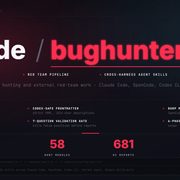
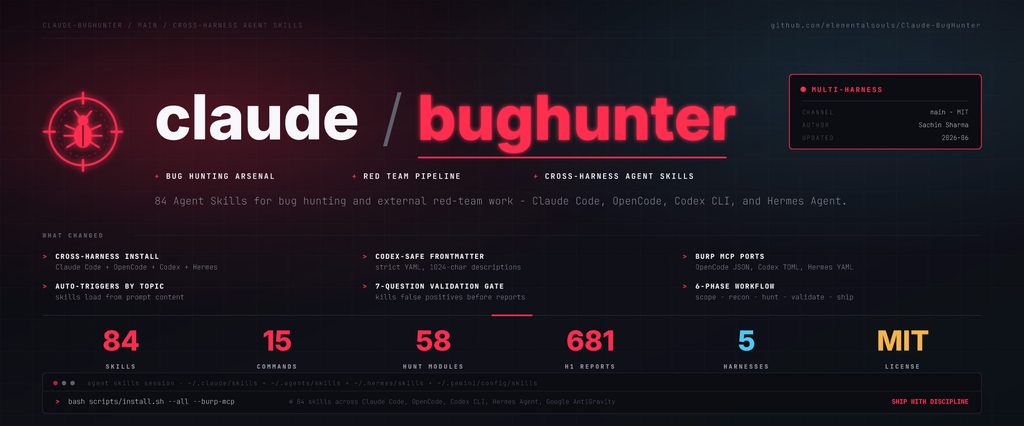
Claude-BugHunter (v2.1.0) tackles both problems by pairing structured hunting workflows with upfront scope filtering. It ships 83 security skills, 15 Claude Code slash commands, a zero-dependency Python terminal CLI (cbh), and an autonomous engagement runner. Software code is licensed under MIT, while skill methodology, wordlists, and documentation carry CC BY 4.0 without redistributing upstream community skills directly.
Before you point an AI agent at an authorized target, though, you need to know where the guardrails are real locks in Python and where they are only polite prompt instructions.
Three entry points and what each one touches
You can use Claude-BugHunter at three different levels, and each interface asks for a very different amount of access on your machine and network.
The lightest option is the interactive skill library. The v2.1.0 release bundles 83 security playbooks (two older overview diagrams in the repo still say 82, though the bundle and docs count 83) alongside 15 Claude Code slash commands: /hunt, /recon, /surface, /scope, /triage, /validate, /chain, /report, /autopilot, /pickup, /remember, /memory-gc, /intel, /token-scan, and /web3-audit.
If you run Codex CLI, OpenCode, Hermes Agent, or Google AntiGravity instead of Claude Code, the multi-harness installer copies only the 83 skill files into ~/.agents/skills/, ~/.hermes/skills/, or ~/.gemini/config/skills/. The 15 slash commands and autonomous engine stay Claude-Code-only.
For external integrations, the optional Burp MCP and the included HackerOne MCP server both speak standard stdio JSON-RPC. The HackerOne MCP server provides four keyless public tools for searching disclosed reports, checking program metadata, reading program scope, and fetching a single disclosed report. Setting HACKERONE_API_USERNAME and HACKERONE_API_TOKEN unlocks three more authenticated tools to list and read your own programs and reports. Every tool in that MCP server is strictly read-only, with no report-submission or write actions.
The second entry point is cbh, a terminal CLI for Python 3.9 or newer with zero mandatory third-party dependencies (requests is optional). Its five subcommands (recon, surface, classify, triage, and report) never send active exploit payloads.
Running cbh recon <target> queries crt.sh and prints a warning to stderr if crt.sh returns a non-200 or malformed response, so outages do not look like empty results. It also calls subfinder if installed, resolves DNS A records through standard lookups, and probes https:// then http:// on / with a four-second timeout without following redirects. If you install cbh standalone via pipx, it reads a frozen packaged skill snapshot and prints GitHub URLs. Running python3 scripts/cbh.py from a cloned repo reads live skill playbooks and docs/disclosed-reports/ directly.
The third entry point is the autonomous engagement runner (python3 engine/engine.py --scope <engagement.json>). It splits deterministic prep work from LLM execution. By default, it runs only recon, rank, and map (optionally shelling out to gau, katana, and httpx-toolkit if present on PATH), writing an arsenal.md file inside ~/.bughunter-engagements/<name>/ that pairs discovered URLs and parameters with hunting playbooks and starter curl commands.
Only when you pass --hunt does the runner launch AI workers for hunt, validate, and report. Those workers run with skill markdown disabled by default, based on the project’s own ablation check: across three Juice Shop challenges on Claude Opus 4.8, running with skills off and skills on both solved 3/3, while loading skills pushed median turns from 2 to 3 and cost from $0.178 to $0.254. The author notes a three-challenge ceiling effect on that benchmark and that the PortSwigger lab evaluation remains incomplete without manual credentials.
What Python code enforces vs. what stays prompt-only
Before trusting this toolkit on a live program, draw a hard line between deterministic Python checks and prompt-level guidance.
Before the autonomous engine queues any target for a hunt or validate worker, Python code checks the hostname against your engagement.json rules. Explicitly excluded entries in out_of_scope are evaluated before in_scope (deny-wins), and anything unlisted is rejected by default (default-deny). Rules support apex domains, wildcard subdomains (*.sub), exact hostnames, IPv4 CIDRs, and re: regular expressions. On the CLI side, cbh recon ensures the target folder stays inside your chosen --out directory and filters passive crt.sh and subfinder hostnames back to the target domain, while cbh report --out enforces that the written report stays inside your current working directory.
TLS behavior and report hygiene are handled in Python code as well. Ambient HTTPS_PROXY and HTTP_PROXY variables keep TLS certificate verification enabled. cbh turns verification off (with a console warning) only when you explicitly opt into lab interception via --burp, --proxy, or CBH_BURP_PROXY.
For write-ups, cbh report supports h1 (hackerone), bugcrowd, intigriti, and immunefi templates. It normalizes UTF-8 BOM and CRLF frontmatter and refuses to leak your OS username, falling back to --reporter, then CBH_REPORTER, then literal "(your handle)". During autonomous runs, blocked or untested endpoints stay marked as coverage gaps, and report.md appends explicit caveat notes rather than reporting an all-clear.
Everything beyond that pre-dispatch and file-output boundary shifts into advisory territory:
| What You Configure | What It Actually Guards | Remaining Risk |
|---|---|---|
in_scope / out_of_scope in engagement.json | Queues only matching hosts before worker dispatch; flags off-scope URLs found later in worker JSON outputs | Does not network-sandbox child curl or python3 processes; live packets or unlogged hosts are not blocked |
--hunt autonomous worker mode | Restricts allowed shell prefixes to curl, python3, jq, openssl, and base64 | Runs with tool permission prompts bypassed; read-only and host restraint depend on prompt compliance |
/autopilot slash-command rules | Guides interactive Claude Code sessions on --paranoid/--normal/--yolo, 1 req/sec, and 5-error stops | None of those modes, rate limiters, or circuit breakers exist as enforced flags in the autonomous engine |
cbh triage <finding.md> | Checks the 7-Question Gate with keyword and regex matching | Prose like "an attacker can get /admin" satisfies the HTTP pattern check; not semantic exploit proof |
Explicit --burp / --proxy vs. HTTPS_PROXY | Keeps TLS verification on for ambient proxies; disables it only when you explicitly opt in | Running --burp or --proxy disables TLS checks for that run; keep it strictly to local lab proxies |
| Repo skill linting | Validates skill metadata structure and checks for leaked internal identifiers | Not a malware or prompt-injection detector; read plain-text skills and pin a commit/tag |
Two external boundaries also shape real-world runs. First, Anthropic’s default runtime cyber safeguards may refuse authorized offensive prompts unless your account is enrolled in Anthropic’s Cyber Verification Program (CVP). The docs note model-fallback behavior (Opus 5 to Opus 4.8), while /hunt frames authorized scope on turn one. Second, internal Active Directory or Kerberos lateral movement (handing off external footholds to tools like Impacket or BloodHound), binary or kernel exploitation, and hardware, RF, or ICS testing are explicitly out of scope by design.
Safe setup and configuration before your first target
Pick the install path that matches how much of the toolkit you actually want on disk.
If you only need the 83 skills, 15 slash commands, and optional HackerOne MCP inside Claude Code, install the plugin directly:
/plugin marketplace add elementalsouls/Claude-BugHunter
/plugin install claude-bughunter@elementalsouls
That plugin path skips the cbh CLI and the hunt workspace helper. To get the full toolkit, or to install the 83 skills into Codex, OpenCode, Hermes Agent, or AntiGravity, clone the repo and run your OS installer:
git clone https://github.com/elementalsouls/Claude-BugHunter.git
cd Claude-BugHunter
bash scripts/install.sh --all --normalize-frontmatter
On Windows, run pwsh ./scripts/install.ps1 with -All, -Agents, -Hermes, -AntiGravity, -BurpMcp, -HackerOneMcp, or -NoProfile as needed (install.sh accepts --agents, --hermes, --antigravity, --burp-mcp, --hackerone-mcp, --no-shell, and -h|--help). Whenever the copy installer updates existing skills, it saves backups outside the active loading path and tracks ownership via manifests. Unless you pass --no-shell (or -NoProfile), it also registers the hunt <target-name> helper, which safely scaffolds ~/Targets/<target-name>/ (or $HUNT_BASE/<target-name>/) with CLAUDE.md, scope.md, findings/, evidence/, submissions.txt, and notes.md.
If you prefer adding cbh standalone or wiring up the Burp and HackerOne MCP servers manually, run:
pipx install git+https://github.com/elementalsouls/Claude-BugHunter
claude mcp add burp -s user -- java -jar ~/.BurpSuite/mcp-proxy/mcp-proxy-all.jar
claude mcp add --scope user hackerone -- python3 /path/to/Claude-BugHunter/mcp/hackerone/server.py
Before starting the autonomous engine on an authorized program, tighten engagement.json instead of relying on loose defaults.
Before (risky default mindset):
{
  "name": "acme-program",
  "in_scope": ["*.acme.example"],
  "out_of_scope": [],
  "seeds": ["https://app.acme.example"]
}
Running python3 engine/engine.py --scope engagement.json --hunt right away dispatches workers with bypassed permissions across every wildcard subdomain.
After (tight scope + deterministic dry run first):
{
  "name": "acme-program",
  "in_scope": ["app.acme.example, api.acme.example"],
  "out_of_scope": ["billing.acme.example, auth.acme.example"],
  "seeds": ["https://app.acme.example"]
}
Start in mapping-only mode (python3 engine/engine.py --scope engagement.json, optionally adding --mock to test the pipeline without live calls) and inspect ~/.bughunter-engagements/acme-program/arsenal.md first. Only add --hunt once you are ready for active AI phases. Keep guard flags visible such as --model claude-sonnet-4-6 (the default), --max-hunts 10, --max-turns 40, --timeout 600, and --parallel 3, and pass --base, --phases, --allow-intrusive, --expand, or --use-memory only when intentionally needed.
For passive day-to-day triage without autonomous workers, stick to cbh:
export CBH_REPORTER="your-handle"
cbh recon app.acme.example --out ./recon-out
cbh surface app.acme.example --manifest ./recon-out/app.acme.example/manifest.json
cbh classify "https://app.acme.example/api/v1/users?id=42"
cbh triage ~/Targets/acme-program/findings/idor.md
cbh report ~/Targets/acme-program/findings/idor.md --platform h1 --out h1-draft.md
Checking run logs, coverage caveats, and uninstalling cleanly
Every autonomous run writes its state and artifacts under ~/.bughunter-engagements/<name>/. Before trusting a clean summary, open state.json, engine.log, arsenal.md, and report.md. Verify which targets completed, which endpoints stayed blocked, and whether the post-hoc audit flagged any out-of-scope hostnames in worker outputs.
Removing copied skills or rotating credentials takes one command:
bash scripts/install.sh --uninstallOn Windows, run pwsh ./scripts/install.ps1 -Uninstall. If you customized any local skills before installing, check ~/.claude/install-backups/ before deleting backup folders. Remember to revoke or unset HACKERONE_API_TOKEN and HACKERONE_API_USERNAME, and remove the burp or hackerone MCP registrations if you no longer use them.
Used within its real boundaries, Claude-BugHunter fits authorized web, API, cloud, and Web3 bug-bounty work where structured recon, 7-Question triage discipline, and deterministic pre-dispatch scope checks save real time. Just pair --hunt with your own OS or network egress controls on sensitive targets, do not ask it to replace internal red-team or binary exploitation toolchains, and pin a reviewed tag or commit instead of tracking main blindly.