
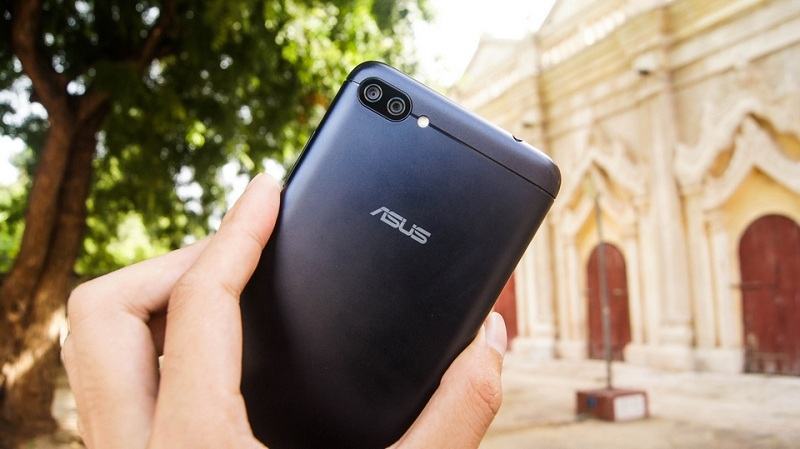
Here you can download the latest official Stock ROM (Firmware) files for the STOCK ROM UNBRICK FOR ASUS ZENFONE 4 MAX PRO X00ID ZC554KL. These files are essential for repairing software issues, fixing bootloops, upgrading/downgrading the OS, or restoring your device to its factory state.
Prerequisites & Preparation
- Backup Data: Flashing will completely wipe all data on your device. Back up important files and settings before proceeding.
- Battery Level: Ensure your device has at least 50% battery to prevent shutdown during the flashing process.
- USB Driver & Tools: Install the correct USB drivers for your brand and prepare the flashing tool (Odin for Samsung, SP Flash Tool/QPST for Qualcomm/MTK, etc.).
CAUTION: Flashing official firmware carries a risk of bricking your device. Proceed with caution and at your own risk. addROM is not responsible for any damage caused to your device.
Download Stock ROM & Firmware
Global / General
| File Type | Firmware / Build | Region / Model | OS Version | Download Link |
|---|---|---|---|---|
| Stock ROM | UL-ASUS_X00ID-WW-15.2016.1907.519-user.zip | Global / General | – | Google Drive | AFH | OneDrive | DropBox |
| Stock ROM | factory | Global / General | – | Google Drive | Mshare |
Additional Files & Tools
- UL-ASUS_X00ID-WW-15.2016.1905.514-user.zip
- AFH
- OneDrive
- DropBox
- UL-ASUS_X00ID-WW-15.2016.1903.512-user.zip
- AFH
- OneDrive
- DropBox
- UL-ASUS_X00ID-WW-15.2016.1902.507-user.zip
- AFH
- OneDrive
- DropBox
- _UL-ASUS_X00ID-WW-15.2016.1812.505-user.zip
- AFH
- OneDrive
- DropBox
- UL-ASUS_X00ID-WW-15.2016.1809.412-user.zip
- AFH
- OneDrive
- DropBox
- UL-ASUS_X00ID-VF_TR-14.2016.1805.235-user.zip
- AFH
- OneDrive
- DropBox
- UL-ASUS_X00ID-VF_TR-14.2016.1803.233-user.zip
- AFH
- OneDrive
- DropBox
- UL-ASUS_X00ID-TIM-15.2016.1809.412-user.zip
- AFH
- OneDrive
- DropBox
- UL-ASUS_X00ID-TIM-14.2016.1805.235-user.zip
- AFH
- OneDrive
- DropBox
- UL-ASUS_X00ID-TIM-14.2016.1711.212-user.zip
- AFH
- OneDrive
- DropBox
- UL-ASUS_X00ID-BICCMA-14.2016.1802.230-user.zip
- AFH
- OneDrive
- DropBox
- UL-ASUS_X00ID-BICCAM-15.2016.1907.519-user.zip
- AFH
- OneDrive
- DropBox
- UL-ASUS_X00ID-BICCAM-14.2016.1807.237-user.zip
- AFH
- OneDrive
- DropBox
- UL-ASUS_X00ID-BICCAM-14.2016.1805.235-user.zip
- AFH
- OneDrive
- DropBox
- UL-ASUS_X00ID-BICCAM-14.2016.1803.233-user.zip
- AFH
- OneDrive
- DropBox
- WW_ZC554KL-14.2016.1711.215-20171115.zip
- QFIL tool
- DownloadTool
How to Flash Asus Raw ROM via Fastboot Mode
To flash the stock raw ROM on your Asus Zenfone or ROG Phone device, follow the fastboot flashing steps below:
- Download and install the Asus USB Drivers on your computer.
- Download and extract the Asus Stock Raw ROM package on your PC.
- Power off your Asus device completely.
- Press and hold the Volume Up and Power buttons simultaneously until the device enters Fastboot Mode / Bootloader Mode.
- Connect your device to the computer using a high-quality USB cable.
- Navigate to the extracted firmware folder on your PC:
- On Windows: Double-click the
flash_all.batfile (orflash_all_wipe.batif you want to perform a clean flash and wipe all user data). - On Linux/macOS: Open terminal in that directory and run
sh flash_all.sh. - The command prompt/terminal window will open and begin flashing the raw firmware files automatically. Keep the USB connection stable.
- Once the flashing process completes, the device will reboot automatically into the system.









which stock room is it?
Because there are so many versions.
Do all have to be installed?
Now the condition of my cellphone is stuck in fastboot mode..
please reply sir..
stock room nya yang mana ?
Soalnya versinya sangat banyak.
Apakah harus di instal semua 🙁
Sekarang kondisi hp yang saya alami stuck di mode fastboot..
Mohon di balas master..
Hi. first of all, I wanna thank you for sharing this. I messed up my X00ID phone and it’s totally hard bricked. I followed your Option 2 but I keep getting an Sahara Fail error on QFIL. I’m also not familiar with using DownloadTool. I usually don’t do this but I’m really desperate for help. If possible, could you perhaps upload a step-by-step tutorial for Option 2? It would really mean a lot and I’ll look for ways to give back to you or donate. Thank you so much.
hi
my zenfone 4 max phone camera is not working anyone have idea what i can do for it?
i flash my phone 10 time no matter i install old version or new update it’s just not working
after i just install android 9 and i don’t like it so i decide flash it to android 8
so after flashing it was work correctly but after a day it’s not work any more
I can’t get OTA updates after flashing 14.2016.1711.215-20171115.
Admin pls I need zc554kl Oreo version. Thank u
ASUS ZC554KL Firmware Unbrick Version WW.15.2016.1809.412 Please.
Apa Di jamin work bro?
Hi, I have been trying to do option 1 and 2. My phone is totally bricked. Option gave me a factory debug rom. Then I can’t unlock the bootloader, I decided to live with it but the apps keep on quitting. Tried to flash the .zip from stock recovery but still no avail. So far my phone only accepts QFIL flash. Is there any QFIL firmware that has ZENUI? or is there any other option for me to flash a zenui ROM? Thanks
Raikusu, I´ve the same problem. Can you fix it?? Can you help me?
I have some problem with flashall_AFT.bat
Can not open \\platform.txt
Can not open \\build-type.txt
Can not open \\secret-key-opt.txt
Help me, pls 🙁
I faced same problem here, but solved moving entire folder a few levels above, so that the total lenght of each folder name becomes shorter. Works for me, when running BAT file again, the problem is gone.
you can help me?? my home button and fingerprint doesnt work,
i just flash it a few minutes, thanks for your answer
any issue after installing the rom?
bro can i use this for downgrade??? oreo update is so annoying i want to go back on nougat..thanks for the answer man.
bro home button and fingerprint doesnt work after flash
You need to update to Android Oreo 🙁
it cant been upgrade because the systems says that my device is X00I..
Can you get fingerprint and home button work now
Hi sir,
it is will work for zenfone 4 max zc554kl ? without pro:))?
i want flash my phone for get fresh updates from fotaservice
and i almost fail
because when i buy my phone i just try root my device and now i can’t use new updates
can any one help me for get fresh update from FOTAservice?
Yes, it works for all ZC554KL. You can flash for your phone
After i installed this rom, my home button and finger print doesn’t work anymore, how can i resolve this problem?
same problem dude=(
Can this work on wrong flashed emmc too?
For X00i Unlocked BootLoader how to Proceed? ; bootloader unlocked with Asus Tool
You can unlock, relock, bypass in Fastboot Mode by my tool: https://addrom.com/bypass-google-account-asus-zenfone-4-max-zenfone-4-max-pro-zc554kl/
I Get to Relock BootLoader Then Updated to Oreo, Thaks so Much!!!
flashall_AFT.bat wont open or push thru just blink?any other fix pls
in my zenfone 4 max zc554kl could not gave access danied
PLease for ZB500TL (X00KD) bricked phone,
Wait me, i’m uploading
Update:
It’s here >>> Stock rom (unbrick) for Asus Zenfone 4 Max (ZB500TL)
error cant load system image
вот сделал все как автор и получил керпич белый экран давай помогай
QFIL Not working man, give me specific instructions to flash it
You can use firmware flash via Fastboot mode (like my video)
Hai bro, help me unbrick my devices zenfone 4 max, zc520kl x00hd?
It’s here: Raw rom for Asus Zenfone 4 Max (ZC520KL)
hai bro,
can u help me how unbrick zenfone 4 zc520kl X00HD?
thanks
Hello bro, thanks for you’re video but i have some problem…
The RAW file that you leave us, it’s the WW version but i search for the ww vf-tr version available on asus website, so can you help to install “Software image version: VF_TR-14.2016.1805.235 for VF_TR SKU only*” ??
Thanks you a lot men.
Sorry man, i don’t have that version 🙁
Stock ROM for x00hd/ zc520kl ada x?
Awesome, man. Thanks! This is the only resource I found on internet.
MIN KOK GAK BISA UPDATE KE UL-ASUS_X00ID-WW-14.2016.1712.224
access denied. Helpp
great men you save my phone thank you !!!!
kenapa file file flashall_AFT.bat baru dibuka langsung keluar sendiri, mohon solusinya