
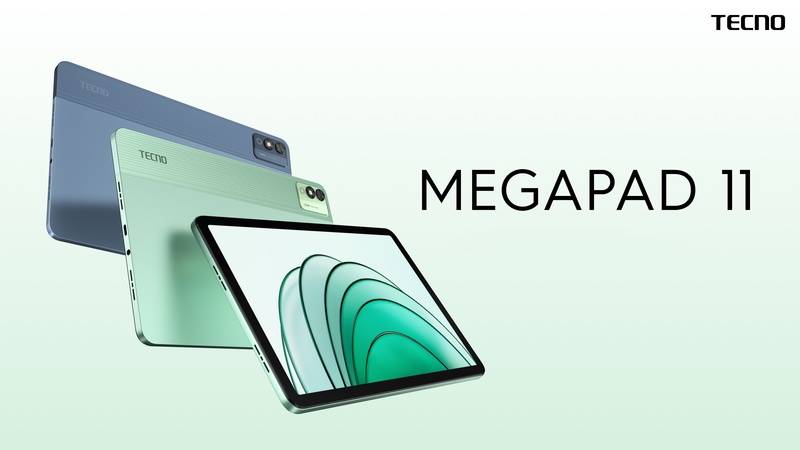
The Tecno Megapad 11 has an 11-inch display, supporting a resolution of 1,920 x 1,200 pixels, a refresh rate of 90Hz, a maximum brightness of 440 nits, and an 83% screen-to-body ratio. The display comes with Blue Light Filter and Dark Mode support, which is said to help reduce eye strain.
Inside, Tecno equips the Mediapad 11 tablet with a 6nm octa-core MediaTek Helio G99 processor paired with 8GB of RAM, which can be virtually expanded up to 16GB. The tablet has 128GB and 256GB storage options, which can be expanded up to 512GB via a microSD card. In terms of software, the device runs on Android 14 operating system out of the box.
The Mediapad 11 also comes with some interesting AI features like AI Translation, AI Noise Call Cancellation, SmartScan, Intelligent Screen Recognition, and AI Text Concierge. The tablet also supports the AI-powered smart virtual assistant Ella. In terms of photography, it has a 13-megapixel rear camera sensor with LED flash and an 8-megapixel selfie camera.
Other features of the Tecno Megapad 11 include a quad-speaker system with Dolby Atmos support, an 8000 mAh battery with 18W fast wired charging support, 4G support, dual-band Wi-Fi, Bluetooth 5.2, and a USB Type-C port. The tablet measures 257.1 x 168.67 x 7.58mm and weighs 510g.
Prerequisites & Preparation
- Backup Data: Flashing will completely wipe all data on your device. Back up important files and settings before proceeding.
- Battery Level: Ensure your device has at least 50% battery to prevent shutdown during the flashing process.
- USB Driver & Tools: Install the correct USB drivers for your brand and prepare the flashing tool (Odin for Samsung, SP Flash Tool/QPST for Qualcomm/MTK, etc.).
CAUTION: Flashing official firmware carries a risk of bricking your device. Proceed with caution and at your own risk. addROM is not responsible for any damage caused to your device.
Download Stock ROM & Firmware
Global / General
| File Type | Firmware / Build | Region / Model | OS Version | Download Link |
|---|---|---|---|---|
| Stock ROM | Stock ROM | Global / General | – | Google Drive |
| Stock ROM | Stock ROM | Global / General | – | Google Drive |
| Stock ROM | Stock ROM | Global / General | – | Google Drive |
| Stock ROM | Stock ROM | Global / General | – | Google Drive |
How to Flash Firmware / Stock ROM
To flash the stock firmware on your Tecno device using SP Flash Tool, follow these steps:
- Download and install the MTK USB Drivers on your computer.
- Download and extract the SP Flash Tool.
- Launch
Flash_tool.exeas administrator. - Click on the Scatter-loading button and select the Android scatter file (
.txt) from the extracted firmware folder. - Click the Download button.
- Power off your device completely, hold the Volume Down or Volume Up button, and connect it to the computer via USB cable.
- The flashing process will start automatically. Wait for the green “Download OK” checkmark to appear.








