
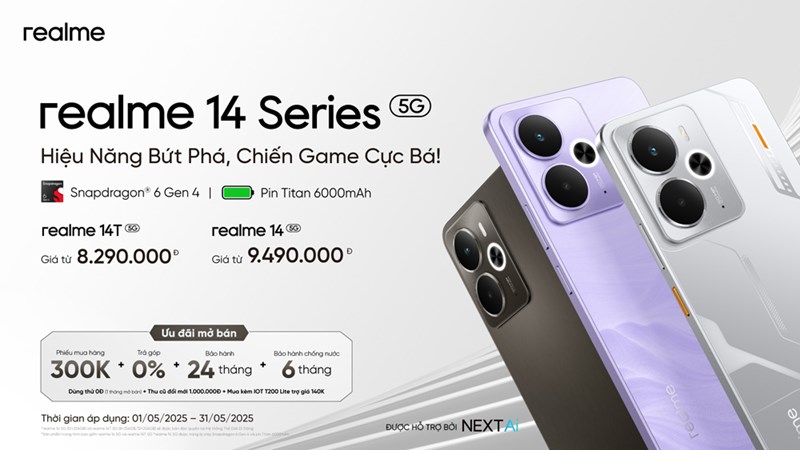
The Realme smartphone features a 6.67-inch AMOLED display with a 120Hz refresh rate and 1080 x 2400 pixel resolution (395 ppi density). It supports HDR imaging and is protected by AGC DT-Star 2 glass. The device has an IP68/IP69 rating, making it dust-tight and water-resistant (up to 2.5m for 30 minutes).
Powered by the MediaTek Dimensity 6300 chipset (6nm), it features an octa-core CPU (2×2.4 GHz Cortex-A76 & 6×2.0 GHz Cortex-A55) and Mali-G57 MC2 GPU. Running Android 15 with Realme UI 6.0, the phone comes with 8GB RAM and 128GB or 256GB UFS 2.2 storage, expandable via a microSDXC (shared SIM slot).
The dual rear camera setup includes a 50 MP f/1.8 primary sensor with PDAF and a 2 MP f/2.4 secondary sensor, supporting HDR, panorama, LED flash, and 1080p video at 30/60fps with gyro-EIS. The 16 MP f/2.5 front camera captures sharp selfies and records 1080p@30fps videos.
The device features stereo speakers but lacks a 3.5mm headphone jack. Connectivity options include Wi-Fi 5, Bluetooth 5.1, NFC, and USB Type-C. A 6000 mAh battery supports 45W wired fast charging (50% in 30 minutes). Realme 14T has an under-display fingerprint sensor and comes in gray and other colors.
Prerequisites & Preparation
- Backup Data: Flashing will completely wipe all data on your device. Back up important files and settings before proceeding.
- Battery Level: Ensure your device has at least 50% battery to prevent shutdown during the flashing process.
- USB Driver & Tools: Install the correct USB drivers for your brand and prepare the flashing tool (Odin for Samsung, SP Flash Tool/QPST for Qualcomm/MTK, etc.).
CAUTION: Flashing official firmware carries a risk of bricking your device. Proceed with caution and at your own risk. addROM is not responsible for any damage caused to your device.
Download Stock ROM & Firmware
Global / General
| File Type | Firmware / Build | Region / Model | OS Version | Download Link |
|---|---|---|---|---|
| Stock ROM | MT6835 | Global / General | Android 11 | Google Drive |
How to Flash Firmware / Stock ROM
To flash the stock firmware on your Realme device using SP Flash Tool, follow these steps:
- Download and install the MTK USB Drivers on your computer.
- Download and extract the SP Flash Tool.
- Launch
Flash_tool.exeas administrator. - Click on the Scatter-loading button and select the Android scatter file (
.txt) from the extracted firmware folder. - Click the Download button.
- Power off your device completely, hold the Volume Down or Volume Up button, and connect it to the computer via USB cable.
- The flashing process will start automatically. Wait for the green “Download OK” checkmark to appear.








