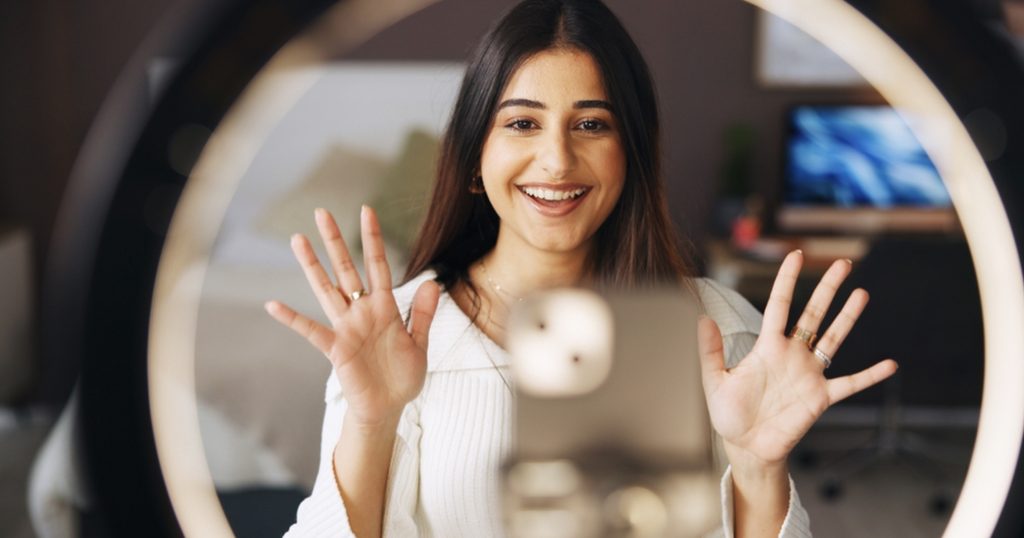
Putting together professional quality content with a smartphone has never been simpler than it is today. Whether you’re filming, editing Instagram Reels between meetings, or putting together YouTube Shorts from your couch, the days of needing expensive cameras and gear are in the distant past. These days, your smartphone is more than capable of producing content that rivals even some of the best cameras on the market.
The tricky part is deciding which apps are actually worth downloading. While there are thousands of editing tools available, the reality is that only a handful genuinely make the creative process quicker, easier, and more enjoyable.
Here are 10 of the best smartphone apps that deserve a spot on every content creator’s home screen.
1. Adobe Firefly
If you’re on the hunt for a more efficient way to produce content, then Adobe Firefly is definitely worth taking a close look at. Alongside being a high-quality generative AI tool for images and videos, one of its major advantages is that it can create avatars from photos. If you’re a creator who’s after some custom avatars for profile pics and channel icons, then Firefly’s avatar generator can definitely be a major gamechanger for your personal branding.
But even that is just a small part of what Firefly can do. Firefly AI is also integrated into the wider Adobe Creative Cloud suite, meaning you can now use Firefly AI to not only generate images and videos, but also to generatively expand images, automatically remove backgrounds and distractions from your photos, and even add fun effects with just a few taps.
Firefly integration across the Creative Cloud suite is also making cross-platform editing so much easier. So, if you already use Lightroom or Express or Photoshop, moving projects between apps is only getting more straightforward by the day.
Best for:
- Text to image
- Text to video
- Image to video
- Sketch to image
- AI-powered editing
- Generative fill
- Background removal
2. Adobe Express
Adobe Express has quickly become a very useful tool for people who create different types of content. Think of it as a portable design studio. You don’t need any special training or previous design background to create posts for Instagram, stories, flyers, YouTube thumbnails, and marketing graphics. And with a variety of social media templates with preset aspect ratios, Adobe Express is a powerhouse for cross-platform creators.
Most of the template-based designs look polished without looking overly generic, while the drag-and-drop editor is simple enough for beginners but flexible enough for experienced creators. You don’t have to stick with templates all the way either – you can customise as you see fit, allowing creators to tailor content to their brand and audience.
If you regularly produce content across several social platforms, Adobe Express makes it easier than ever to keep things consistent, which is one of the reasons so many creators flock to it on a daily basis.
Best for:
- Quick drag-and-drop editing
- Creating with templates
- Adapting designs for multiple platforms
3. Adobe Lightroom
Lighting can completely change how a photo looks, but you don’t need an expensive DSLR camera to get impressive results. Adobe Lightroom for mobile remains one of the best photo editing apps available because it gives you an incredible amount of control while still being surprisingly easy to learn.
You can adjust colours, recover highlights, brighten shadows, remove distractions, and create your own presets that instantly give every photo the same signature style. Many creators edit their entire Instagram feed using Lightroom because it produces natural-looking results instead of heavily filtered images.
So, if you want something that’s quick, portable, and most importantly, reliable, Lightroom’s mobile app is something you don’t want to sleep on.
Best for:
- Professional-grade photo editing
- Batch editing using presets
- Gallery cataloguing
- AI image search (find people, objects, etc.)
4. Adobe Premiere
Adobe Premiere is a great option when you need to edit a video but don’t have time to work with more in-depth video editing software. That’s because the app combines straightforward editing tools with enough creative features to produce polished videos for TikTok, Instagram Reels, Facebook, and YouTube Shorts.
You can use Premiere Rush to cut your clips, add transitions, adjust audio, include captions that provide more context, and export in formats that suit different social platforms. Premiere’s seamless integration with Adobe After Effects also makes it a must-have tool for longform YouTube video editing, and precisely why Premiere Pro made our list on the top tools for YouTubers. Even for video creators working across other platforms like Instagram and TikTok, the After Effects integration is particularly handy for creators who regularly film and edit content while they’re out and about.
Best for:
- Assembling and editing raw video footage
- Mixing audio and processing voiceovers
- Adding seamless scene transitions and special effects
- Exporting finished projects to social media platforms
5. CapCut
CapCut has become one of the most popular video editing apps for good reason. It’s packed with templates, transitions, animations, and effects that make short-form videos feel more engaging without requiring advanced editing skills.
Automatic captions are a massive time-saver, while features like background removal, speed adjustments, and keyframe animations all work together to make short videos more interesting without needing a high level of video editing expertise.
For social-first content, it’s difficult to ignore. It’s also a fantastic option for those who are new to editing, because its beginner-friendly interface takes some of the intimidation factor out of creating content. It might not be the app to rely on if you’re planning on editing a feature-length film, but for TikToks, Reels and everyday social content, it does the job incredibly well.
Best for:
- Video trimming and layering
- Editing with filters and special effects
- Text to speech voiceovers
- Stock music library
6. Canva
Canva continues to be one of the easiest ways to create attractive graphics from your smartphone. Need an Instagram carousel? Facebook banner? Pinterest pin? Event invitation? Canva handles all of them with very little effort.
Similarly to Adobe Express, Canva’s huge template library also means you’re rarely starting from scratch, while the platform’s brand kit helps keep fonts, colours, and logos consistent across every design. This also makes Canva a fantastic option for small business owners who create their own marketing materials.
It might not be as advanced as Firefly or a few of the other tools on this list, but it’s handy when you need to put something together quickly without spending half the day figuring out how everything works.
Best for:
- Social media post design
- Vertical video edits for Instagram Stories, YouTube Shorts, etc.
- On-the-go mobile editing
- Creative project management
7. InShot
You’d be hard pressed to find an app that’s more straightforward than InShot. One of the app’s selling points is that it doesn’t try to overwhelm users with dozens of advanced editing tools. Instead, it focuses on making everyday video editing fast and painless, which makes it a great tool for anyone who isn’t looking to get lost in complex editing processes.
Whether it’s creating photo collages, cropping videos for different platforms, adding music, inserting text, adjusting playback speed, or exporting high-quality footage, each task takes as little as a few minutes. Basically, it’s one of those apps you can open for the first time and just get on with it.
If you’re new to content creation, InShot is a very approachable place to start.
Best for:
- Video speed control
- Audio extractions
- Photo collage video-making
- Manual contrast and brightness tweaks
8. Snapseed
Despite being around for years, Snapseed still holds its own against much newer editing apps. Owned by Google and fully free to use, Snapseed offers powerful editing features that go well beyond basic brightness and contrast adjustments.
For example, advanced tools like selective editing allow you to brighten one area without affecting the rest of the image, while healing tools can remove unwanted distractions in seconds.
Snapseed is especially useful for travel, food and lifestyle creators who want polished images without spending hours on edits. And if you’ve been creating since the dawn of Instagram, you’ll know that Snapseed is the absolute king of vintage filters. Definitely give it a try if you haven’t already. There’s a reason Snapseed has stuck around for so long.
Best for:
- Portrait retouching
- Exposure corrections
- Perspective line corrections
- Vintage film filter application
9. VN Video Editor
VN has developed a loyal following among creators who want more control than basic editing apps provide but don’t want software that’s overly complicated. It supports multi-layer timelines, custom animations, advanced text editing and precise audio adjustments while still remaining easy enough to learn.
Many creators appreciate that it delivers professional-looking results without constantly getting in the way with unnecessary complexity. That balance is really where VN earns its place on this list. It gives you room to do more with your edits without making you feel like you need a crash course just to use it.
Best for:
- Vlog editing
- Video resizing and cropping
- Custom keyframe animations
- Cinematic filtering and grading
10. ChatGPT
Everyone’s heard of ChatGPT by now, but did you know that aside from answering questions and helping settle the occasional random debate, it can be pretty handy for content creation too?
We’ve all had those days where you sit down to create something and absolutely nothing comes to mind. ChatGPT can help get things moving by throwing around content ideas, coming up with different angles, helping with captions, or even putting together a rough script.
Of course, you don’t want it doing all the thinking for you. Think of it more as someone to bounce ideas off when your brain has clocked off for the day.
And if you’re a content creator who dabbles in video essaying, you may even find ChatGPT useful for streamlining your research process. As ChatGPT can be trained to provide specific sources and citations, this AI tool can be particularly beneficial for making informative video content.
Best for:
- Scriptwriting and storyboarding
- Content ideation
- Content research
- Metadata and caption generation
Wrapping Things Up
At the end of the day, you probably don’t need all 10 of these apps sitting on your phone. Try a few, keep the ones that actually make creating content easier, and delete the ones you never open.
After all, the whole point of these tools is to save you time and make creating content a little less painful. If an app does that and helps you put out better work along the way, it’s earned its spot on your home screen.