

Meetily: Privacy‑first, self‑hosted AI meeting assistant for real‑time transcription

Key Takeaways: Meetily is a privacy‑first, open‑source AI meeting assistant that runs entirely on your local machine, giving you real‑time transcription and AI summaries without sending sensitive audio to the cloud.
What is Meetily?
Meetily is a privacy‑first AI meeting assistant that captures, transcribes, and summarizes meetings entirely on your own infrastructure instead of a vendor cloud. It is MIT‑licensed, open source, and designed to run as a desktop application on Windows, macOS, and Linux, with all transcription happening locally on your device. Under the hood, Meetily combines a Rust backend and a Next.js frontend via Tauri, giving you a single cross‑platform app optimized for performance and low overhead.
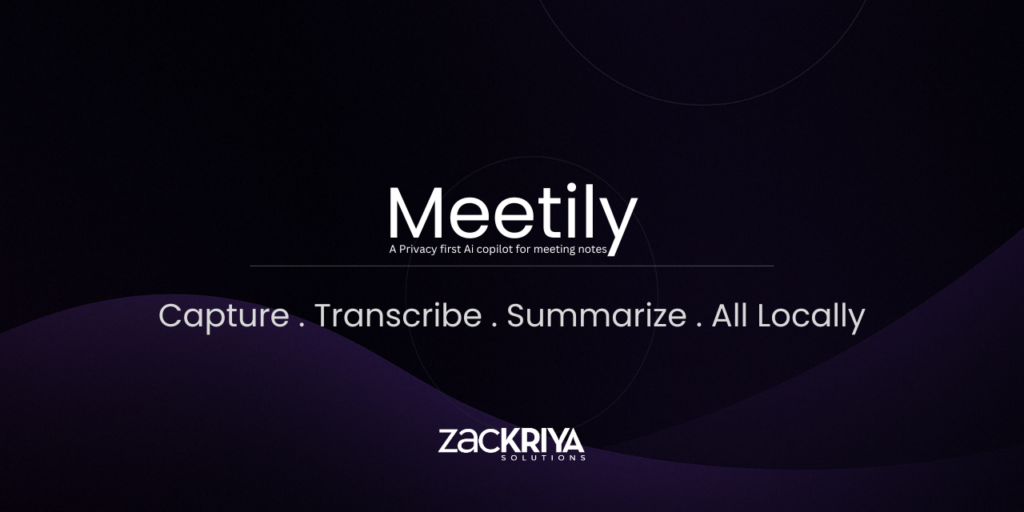
For developers, teams, and privacy‑sensitive organizations, Meetily positions itself as an alternative to cloud tools like Otter.ai and Fireflies, while retaining full control over data and deployments.
- Meetily on GitHub: https://github.com/Zackriya-Solutions/meetily
- Meetily homepage: https://meetily.ai
Why Meetily belongs in your local AI stack
Most AI meeting tools stream audio to remote servers where transcription and summarization happen, creating compliance and data‑sovereignty concerns for regulated industries and high‑stakes projects. Meetily instead processes audio locally with models such as Whisper and Parakeet, ensuring recordings and transcripts never leave your machine unless you explicitly export them.
This local‑first design is ideal for engineers, product teams, legal and healthcare organizations, and anyone handling confidential roadmap, customer, or research discussions. From an infrastructure perspective, Meetily lets you treat AI meeting notes like any other local artifact: version, encrypt, and archive them in your own storage, rather than a SaaS workspace.
Core features of Meetily
Meetily’s feature set goes beyond simple speech‑to‑text and leans into “meeting intelligence” for teams and organizations.
- 100% local transcription. Real‑time transcription powered by Whisper or Parakeet, running entirely on your device with GPU acceleration where available.
- AI‑powered summaries. Configurable summaries using local Ollama models or BYOK (bring‑your‑own‑key) providers like Claude, Groq, OpenRouter, or OpenAI‑compatible endpoints.
- Multi‑platform support. Official binaries for Windows and macOS, plus Linux builds from source for teams standardizing on desktop Linux.
- Professional audio capture. Capture microphone and system audio together, with intelligent ducking and clipping prevention to keep transcripts readable.
- Hardware acceleration. Built‑in support for Apple Silicon (Metal/CoreML), NVIDIA CUDA, and Vulkan for AMD/Intel, enabling fast real‑time transcription.
- Open source and customizable. MIT license, Rust/TypeScript codebase, and docs for building from source or integrating Meetily into self‑hosted workflows.
Installation guide (Windows, macOS, Linux)
Meetily ships prebuilt installers for Windows and macOS, plus documented build scripts for Linux, making it approachable even for non‑developers while still remaining fully open source.
Windows setup
- Download the latest installer.
Go to the GitHub Releases page and download the latestx64-setup.exefor Meetily. - Run the installer.
Execute the.exeand follow the standard Windows installation prompts; Meetily will be installed like a normal desktop app. - Launch Meetily.
After installation, open Meetily from the Start menu or desktop shortcut; on first run it will initialize its local models and database.
For best performance, use a machine with a modern CPU and an NVIDIA GPU if you plan to transcribe long meetings in real time.
macOS setup
- Download the dmg.
From the Releases page, downloadmeetily_0.x.x_aarch64.dmg(or the current macOS build) for Apple Silicon. - Install the app.
Open the.dmgfile and drag the Meetily icon into your/Applicationsfolder. - Open Meetily.
Launch Meetily from Applications; macOS may prompt you with a security dialog the first time, which you can allow via System Settings → Privacy & Security.
On macOS, Meetily uses Metal/CoreML for acceleration on Apple Silicon, giving smooth real‑time transcription even on long calls.
Linux installation from source
Linux support is built around source compilation and GPU‑aware build scripts.
- Clone the repository.
git clone https://github.com/Zackriya-Solutions/meeting-minutes
cd meeting-minutes/frontend
This follows the current build guides in the README.
- Install dependencies.
Ensure you have Node.js, pnpm, Rust, and your GPU toolchain (CUDA or Vulkan) installed according to the docs.
- Build with GPU support.
pnpm install
./build-gpu.sh
The script configures GPU acceleration automatically where supported.
Depending on your Linux distribution, you may also need to configure PipeWire or PulseAudio for reliable system audio capture.
First run: capturing and transcribing meetings
Once installed, the typical Meetily flow looks like this.
- Select your audio source.
Configure Meetily to listen to microphone and system audio, using tools like BlackHole (macOS), WASAPI loopback (Windows), or PipeWire routing (Linux) for meeting platforms like Zoom, Teams, or Google Meet. - Start a meeting.
Join your call as usual; Meetily runs alongside and captures the audio stream locally without introducing a bot user into the meeting. - Watch real‑time transcription.
As participants speak, Meetily transcribes the conversation live into a local workspace, storing text and audio on your device. - Save and revisit.
After the meeting, the transcript remains in your local database, ready to be searched, exported, or re‑summarized with different models later.
This “record → transcribe → summarize” loop is optimized to keep data on your machine, so even internal roadmap discussions or security reviews never touch a third‑party cloud.
AI summaries: choosing and configuring models
Transcription is always local; for summaries, you choose your AI path.
- Local only (offline). Use Ollama to run models like Llama or Mistral locally, keeping summaries fully on‑device for maximum privacy.
- BYOK providers. Configure API keys for external providers (Claude, Groq, OpenRouter, OpenAI‑compatible endpoints) in Meetily’s settings when you want more powerful models but still control which vendors see your data.
- Custom OpenAI endpoints. Point Meetily at your own OpenAI‑compatible gateway (e.g., a self‑hosted inference stack) if you already maintain internal LLM infrastructure.
Summaries can be tuned using custom templates—for example, standup‑style bullet lists, design review ADRs, or sprint‑planning action items—especially in Meetily Pro.
Meetily for developers and self‑hosted workflows
If you’re a developer or DevOps engineer building a local AI stack, Meetily fits neatly into your ecosystem.
- Open codebase. Rust, TypeScript, C++, and Python components are available in the GitHub repository, with clear folder structure for backend, frontend, and helper scripts.
- API‑friendly architecture. Meetily exposes APIs for transcription and metadata, so you can integrate meeting data into Jira, internal dashboards, or knowledge bases.
- Self‑hosting and enterprise. For organizations needing team‑wide deployments, Meetily Pro and Enterprise add self‑hosted deployment options, SSO/SAML, admin dashboards, and compliance tooling.
Sample visuals for these workflows are available on the technology use‑cases page, which includes diagrams of Jira automation and AI workflows:
- Developer use cases and diagrams: https://meetily.ai/use-cases/technology
Meetily is one of the strongest options today if you want AI‑powered meeting notes without sacrificing privacy, compliance, or control over your audio and transcripts. With a modern Rust/Tauri stack, GPU‑accelerated local transcription, flexible AI provider support, and open‑source licensing, it gives individual developers and enterprises a practical way to bring AI into meetings while keeping data firmly on their own infrastructure.
If you’re building a local‑first AI toolkit or documenting self‑hosted meeting workflows on your blog, Meetily is a high‑leverage tool to add to your stack—and a great project to explore, benchmark, and contribute to over time.








