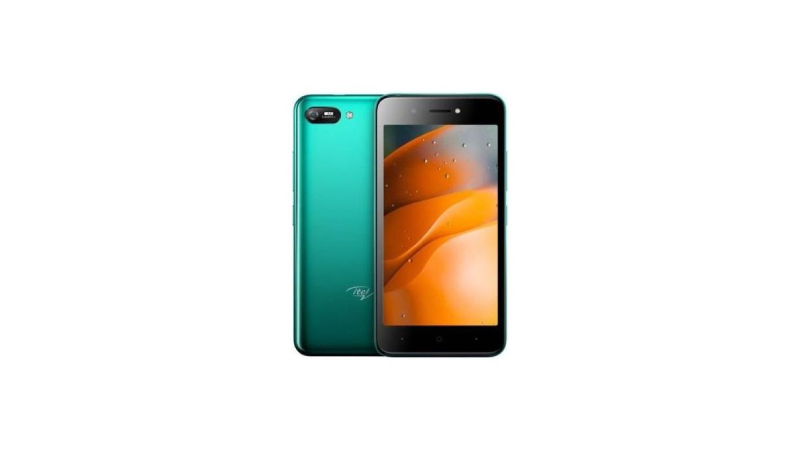
This mobile phone features an IPS display that ensures immersive entertainment. It is clear even when you view it at an angle. This way, you and your loved ones can watch movies on your mobile phone without any difficulty.
This mobile phone has an internal memory capacity of up to 32 GB and also features a dedicated expandable memory of up to 32 GB. With 2 GB of RAM, you can smoothly run various apps and complete tasks at the same time. Thanks to Android Go, the apps are lighter which makes the mobile’s performance a lot smoother and faster.
You can easily unlock your mobile phone by glancing at it. It will unlock with speed and you can also conveniently unlock it in low-light conditions, thanks to its screen light filling ability. This saves you the trouble of memorising PINs or lock patterns to unlock the mobile phone.
This mobile phone is equipped with a powerful battery that ensures that you get to use it for long hours all through the day without any interruptions. You can use it to play music, stream content, game, and a lot more.
Prerequisites & Preparation
- Backup Data: Flashing will completely wipe all data on your device. Back up important files and settings before proceeding.
- Battery Level: Ensure your device has at least 50% battery to prevent shutdown during the flashing process.
- USB Driver & Tools: Install the correct USB drivers for your brand and prepare the flashing tool (Odin for Samsung, SP Flash Tool/QPST for Qualcomm/MTK, etc.).
CAUTION: Flashing official firmware carries a risk of bricking your device. Proceed with caution and at your own risk. addROM is not responsible for any damage caused to your device.
Download Stock ROM & Firmware
Global / General
| File Type | Firmware / Build | Region / Model | OS Version | Download Link |
|---|---|---|---|---|
| Stock ROM | Stock ROM | Global / General | – | Google Drive |
| Stock ROM | Stock ROM | Global / General | – | Google Drive |
| Stock ROM | Stock ROM | Global / General | – | Google Drive |
| Stock ROM | Stock ROM | Global / General | – | Google Drive |
| Stock ROM | Stock ROM | Global / General | – | Google Drive |
| Stock ROM | Stock ROM | Global / General | – | Google Drive |
| Stock ROM | Stock ROM | Global / General | – | Google Drive |
| Stock ROM | Stock ROM | Global / General | – | Google Drive |
| Stock ROM | Stock ROM | Global / General | – | Google Drive |
| Stock ROM | Stock ROM | Global / General | – | Google Drive |
| Stock ROM | Stock ROM | Global / General | – | Google Drive |
| Stock ROM | Stock ROM | Global / General | – | Google Drive |
| Stock ROM | Stock ROM | Global / General | – | Google Drive |
| Stock ROM | Stock ROM | Global / General | – | Google Drive |
| Stock ROM | Stock ROM | Global / General | – | Google Drive |
| Stock ROM | Stock ROM | Global / General | – | Google Drive |
| Stock ROM | Stock ROM | Global / General | – | Google Drive |
| Stock ROM | Stock ROM | Global / General | – | Google Drive |
| Stock ROM | Stock ROM | Global / General | – | Google Drive |
How to Flash Firmware / Stock ROM
To flash the stock firmware on your itel device using SPD Upgrade Tool, follow these steps:
- Download and install the SPD USB Drivers on your computer.
- Download and extract the SPD Upgrade Tool (ResearchDownload).
- Open the tool and click on the Gear (Load Packet) icon to load the
.pacfirmware file. - Click the Play (Start Downloading) button.
- Power off your device completely, hold the Volume Down (or Volume Up) button, and connect it to the computer via USB cable.
- Wait for the flashing process to complete and show the “Passed” status.