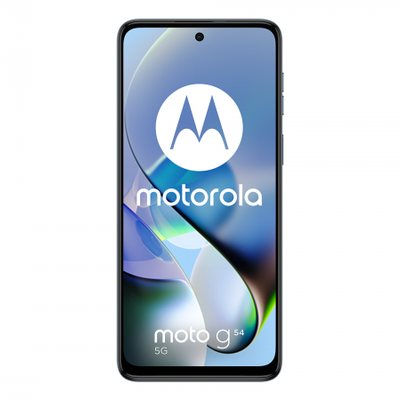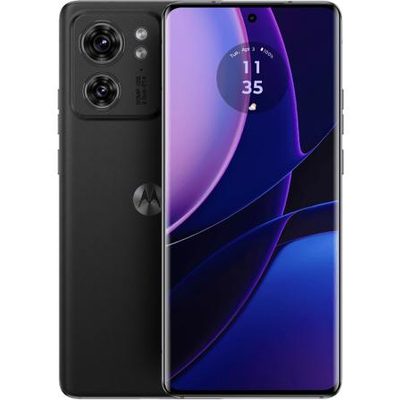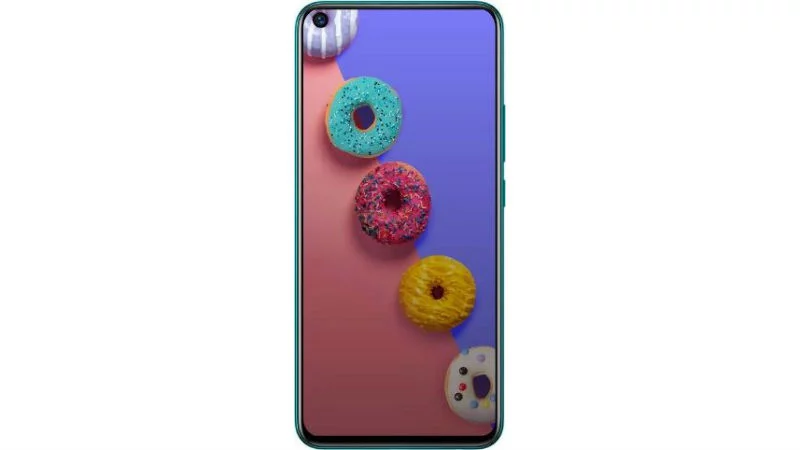
Featuring an immersive HD+ Punch-hole display, the S5 Lite brings everything on its screen to life. The narrow bezels, 90.5% screen-to-body ratio and 20:9 aspect ratio will keep your viewing experience boundless. With a brightness of 480 nits and rich colour reproduction, this phone will keep everything on its edge-to-edge display vibrant.
Powered by a 12 nm Helio P22 2.0 GHz Octa-core Processor and 4 GB of RAM, the S5 Lite can seamlessly handle your tasks. With 64 GB of internal memory (expandable up to 256 GB), you can store your photos, videos, music and apps on this phone. With Dual 4G SIM support, you can use up to two SIM cards, and keep your personal and professional life separate. Furthermore, with the Face Unlock feature and Fingerprint Sensor, you can open the secure contents of the phone in no time.
The AI Triple Rear Camera System features a 16 MP Primary Lens (aperture of f/1.8), a 2 MP Depth Sensor, a dedicated Low-light Sensor and a Quad-LED Flash to let you take stunning pictures. In addition to this, the Auto-scene Detection feature recognises eight outdoor scenes to optimise your picture further. This camera comes with the 4-in-1 Pixels technology and an aperture of f/2.0 to ensure that you get gorgeous selfies. In addition to this, the Portrait and Wide-selfie Modes will refine your selfies further. The 3D Face Beauty Mode will ensure that your pictures are perfect with smooth skin, slim face and enlarged eyes. You can up the fun quotient of the selfie game with the AR Animoji feature that works on the AR Face Motion Detection technology.
Housing a 4000 mAh battery, the S5 Lite will stay powered up for your tasks. The AI Smart Power Management System learns more about your app usage so that the power consumption is optimal. In addition to this, the restriction on the backstage-running mechanism of apps can extend your usage by up to 3 hours.
Prerequisites & Preparation
- Backup Data: Flashing will completely wipe all data on your device. Back up important files and settings before proceeding.
- Battery Level: Ensure your device has at least 50% battery to prevent shutdown during the flashing process.
- USB Driver & Tools: Install the correct USB drivers for your brand and prepare the flashing tool (Odin for Samsung, SP Flash Tool/QPST for Qualcomm/MTK, etc.).
CAUTION: Flashing official firmware carries a risk of bricking your device. Proceed with caution and at your own risk. addROM is not responsible for any damage caused to your device.
Download Stock ROM & Firmware
Global / General
| File Type | Firmware / Build | Region / Model | OS Version | Download Link |
|---|---|---|---|---|
| Stock ROM | Stock ROM | Global / General | – | Google Drive |
| Stock ROM | Stock ROM | Global / General | – | Google Drive |
| Stock ROM | Stock ROM | Global / General | – | Google Drive |
| Stock ROM | Stock ROM | Global / General | – | Google Drive |
| Stock ROM | Stock ROM | Global / General | – | Google Drive |
| Stock ROM | Stock ROM | Global / General | – | Google Drive |
| Stock ROM | Stock ROM | Global / General | – | Google Drive |
| Stock ROM | Stock ROM | Global / General | – | Google Drive | Google Drive | Google Drive |
| Stock ROM | Stock ROM | Global / General | – | Google Drive | Google Drive | Google Drive |
| Stock ROM | Stock ROM | Global / General | – | Google Drive | Google Drive | Google Drive |
| Stock ROM | Stock ROM | Global / General | – | Google Drive | Google Drive | Google Drive |
| Stock ROM | Stock ROM | Global / General | – | Google Drive | Google Drive | Google Drive |
| Stock ROM | Stock ROM | Global / General | – | Google Drive | Google Drive | Google Drive |
| Stock ROM | Stock ROM | Global / General | – | Google Drive | Google Drive | Google Drive |
| Stock ROM | Stock ROM | Global / General | – | Google Drive | Google Drive | Google Drive |
| Stock ROM | Stock ROM | Global / General | – | Google Drive | Google Drive | Google Drive |
| Stock ROM | Stock ROM | Global / General | – | Google Drive | Google Drive | Google Drive |
| Stock ROM | Stock ROM | Global / General | – | Google Drive | Google Drive | Google Drive |
| Stock ROM | Stock ROM | Global / General | – | Google Drive | Google Drive | Google Drive |
| Stock ROM | Stock ROM | Global / General | – | Google Drive | Google Drive | Google Drive |
| Stock ROM | Stock ROM | Global / General | – | Google Drive | Google Drive | Google Drive |
How to Flash Firmware / Stock ROM
To flash the stock firmware on your Infinix device using SP Flash Tool, follow these steps:
- Download and install the MTK USB Drivers on your computer.
- Download and extract the SP Flash Tool.
- Launch
Flash_tool.exeas administrator. - Click on the Scatter-loading button and select the Android scatter file (
.txt) from the extracted firmware folder. - Click the Download button.
- Power off your device completely, hold the Volume Down or Volume Up button, and connect it to the computer via USB cable.
- The flashing process will start automatically. Wait for the green “Download OK” checkmark to appear.