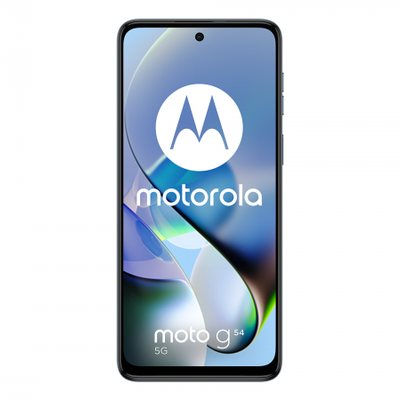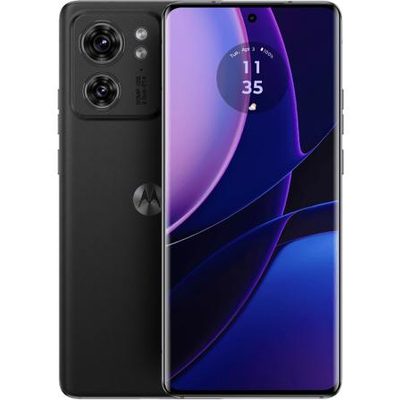
This smartphone’s punch-hole display creates a more immersive viewing experience, thanks to its 16.76 cm (6.6) HD+ screen, narrow bezels, and 20:9 aspect ratio. It has a screen-to-body ratio of 90.5% which makes watching videos or movies a visual treat. Also, you can see every detail more clearly, thanks to the screen brightness of 480 nits.
The Infinix S5 comes with a 16 MP AI quad rear camera setup so you can capture every moment more beautifully. The rear camera features a 16 MP primary lens with a large aperture of f/1.8, a wide-angle lens, a super macro lens, and a depth sensor. The quad-LED flash makes it a breeze to capture stunning photos even in low-light conditions. This smartphone from Infinix comes with a 32 MP AI in-display selfie camera which makes it easy to capture enthralling selfies at all times. This front camera features a large aperture of f/2.0 and also comes with a portrait as well as wide selfie modes, so you can always capture the best selfies.
As this phone is equipped with a 4000 mAh battery, so you can confidently go on a day’s road trip without worrying about the device running out of juice. The AI smart power management system smartly tracks the apps battery usage and restricts power consumption, thereby helping save more battery life. This smart power management can also limit the backstage-running mechanism of apps, helping extend the battery time by up to 3 hours.
Powered by a 12 nm Helio P22 octa-core processor, with a clock speed of 2.0 GHz, this smartphone from Infinix lets you enjoy a seamless performance, every single time. This phone features 4 GB of RAM, which makes multitasking between apps a breeze. With 64 GB of internal memory, you can store a large number of files and photos on this Infinix S5. It also offers dual 4G SIM slots and a dedicated SD card slot (supports up to 256 GB).
Prerequisites & Preparation
- Backup Data: Flashing will completely wipe all data on your device. Back up important files and settings before proceeding.
- Battery Level: Ensure your device has at least 50% battery to prevent shutdown during the flashing process.
- USB Driver & Tools: Install the correct USB drivers for your brand and prepare the flashing tool (Odin for Samsung, SP Flash Tool/QPST for Qualcomm/MTK, etc.).
CAUTION: Flashing official firmware carries a risk of bricking your device. Proceed with caution and at your own risk. addROM is not responsible for any damage caused to your device.
Download Stock ROM & Firmware
Global / General
| File Type | Firmware / Build | Region / Model | OS Version | Download Link |
|---|---|---|---|---|
| Stock ROM | Stock ROM | Global / General | – | Google Drive |
| Stock ROM | Stock ROM | Global / General | – | Google Drive |
| Stock ROM | Stock ROM | Global / General | – | Google Drive |
| Stock ROM | Stock ROM | Global / General | – | Google Drive |
| Stock ROM | Stock ROM | Global / General | – | Google Drive |
| Stock ROM | Stock ROM | Global / General | – | Google Drive |
| Stock ROM | Stock ROM | Global / General | – | Google Drive |
How to Flash Firmware / Stock ROM
To flash the stock firmware on your Infinix device using SP Flash Tool, follow these steps:
- Download and install the MTK USB Drivers on your computer.
- Download and extract the SP Flash Tool.
- Launch
Flash_tool.exeas administrator. - Click on the Scatter-loading button and select the Android scatter file (
.txt) from the extracted firmware folder. - Click the Download button.
- Power off your device completely, hold the Volume Down or Volume Up button, and connect it to the computer via USB cable.
- The flashing process will start automatically. Wait for the green “Download OK” checkmark to appear.