
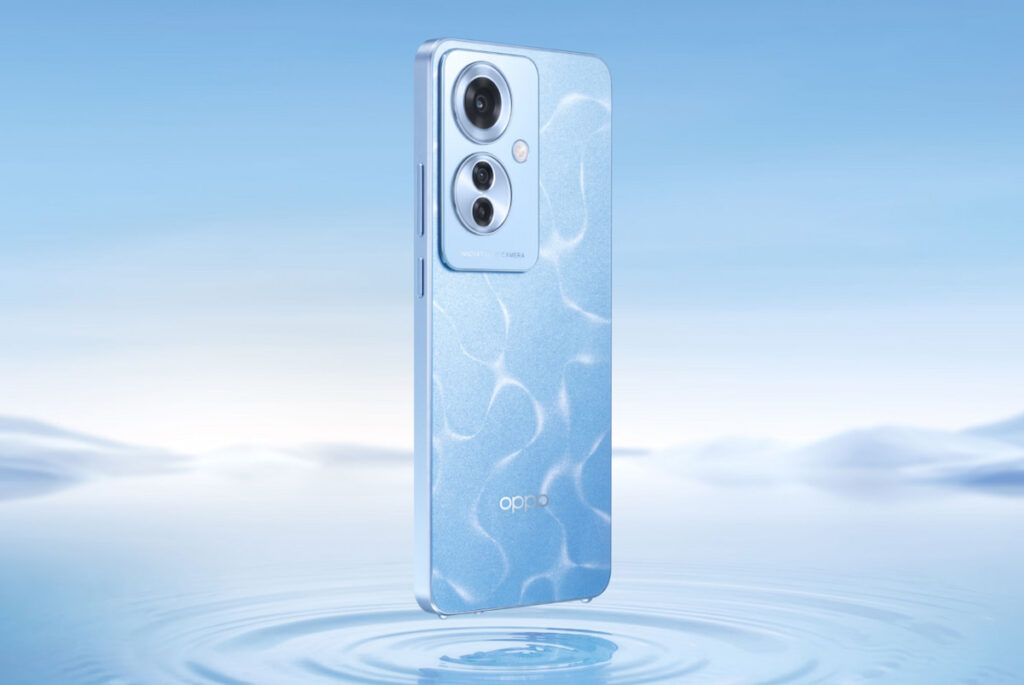
Equipped with an AMOLED panel, the Reno11 F 5G delivers more vibrant colors than ever before, along with deep blacks and superior contrast. Combined with DCI-P3 and HDR10+ technology, the colors on the Reno11 F 5G are reproduced realistically, providing an accurate visual experience. The sharp display of the Reno11 F 5G is a notable feature. With a Full HD+ resolution (1080 x 2412 pixels), images on the screen are clear and sharp, whether watching videos, playing games, or browsing the web; pixelation or jagged edges are rarely seen on this screen.
With a 120Hz refresh rate, the OPPO Reno11 F 5G’s screen provides a smooth and responsive experience compared to screens with lower refresh rates. This means that activities such as scrolling, in-game movements, or simple on-screen gestures all run smoothly and naturally.
The Reno11 F 5G’s 64MP main camera is a highlight, reproducing details and colors realistically and sharply. Furthermore, the 8MP ultra-wide-angle camera allows users to capture a wide field of view, ideal for landscape or group shots. The 2MP macro camera provides close-up photography, helping users explore the smallest details of the world around them.
One of the standout features of the Reno11 F 5G is its use of the MediaTek Dimensity 7050 5G chip, a powerful and modern processor. This processor ensures the phone can handle multitasking well, from gaming to working across multiple applications, while maintaining stable performance. To enhance multitasking performance, the Reno11 F 5G is equipped with 8GB of RAM, allowing users to run multiple applications simultaneously without hindrance and ensuring a smooth experience.
The Reno11 F 5G features a large 5000mAh battery. This ensures users can comfortably use the phone all day long. Therefore, the Reno11 F 5G becomes an ideal choice for users who enjoy mobile entertainment and use many demanding applications.
In addition, this OPPO phone also supports 67W fast charging technology, a notable feature that saves users time during charging. With this technology, users can quickly restore the device’s power in a short time without having to wait long.
Prerequisites & Preparation
- Backup Data: Flashing will completely wipe all data on your device. Back up important files and settings before proceeding.
- Battery Level: Ensure your device has at least 50% battery to prevent shutdown during the flashing process.
- USB Driver & Tools: Install the correct USB drivers for your brand and prepare the flashing tool (Odin for Samsung, SP Flash Tool/QPST for Qualcomm/MTK, etc.).
CAUTION: Flashing official firmware carries a risk of bricking your device. Proceed with caution and at your own risk. addROM is not responsible for any damage caused to your device.
Download Stock ROM & Firmware
CPH2603
| File Type | Firmware / Build | Region / Model | OS Version | Download Link |
|---|---|---|---|---|
| Stock ROM | CPH2603 | CPH2603 | Android 11 | Google Drive |
A401OP
| File Type | Firmware / Build | Region / Model | OS Version | Download Link |
|---|---|---|---|---|
| Stock ROM | A401OP | A401OP | Android 11 | Google Drive |
How to Flash Firmware / Stock ROM
To flash the stock firmware on your OPPO device using SP Flash Tool, follow these steps:
- Download and install the MTK USB Drivers on your computer.
- Download and extract the SP Flash Tool.
- Launch
Flash_tool.exeas administrator. - Click on the Scatter-loading button and select the Android scatter file (
.txt) from the extracted firmware folder. - Click the Download button.
- Power off your device completely, hold the Volume Down or Volume Up button, and connect it to the computer via USB cable.
- The flashing process will start automatically. Wait for the green “Download OK” checkmark to appear.








