Quick takeaways:
- Appwrite is an end-to-end backend platform for web, mobile, native, and backend apps. The official README describes it as a set of Docker microservices.
- Its core building blocks include authentication, databases, storage, image manipulation, Cloud Functions, messaging, and hosting.
- Appwrite is useful when you want backend primitives without writing auth, file upload, database APIs, function runtime, and an admin console from scratch.
- The official self-hosted install uses Docker, mounts the Docker socket, and opens the console at
http://localhostafter setup.- Self-hosting Appwrite still requires real operations work: backups, upgrades, HTTPS, SMTP, storage, permissions, resource limits, and security review.
Many web and mobile projects slow down on the same backend basics: authentication, permissions, database APIs, file uploads, email flows, password resets, background functions, logs, and an admin interface. None of these pieces sound exciting, but together they can consume weeks before the product itself is useful.
Appwrite targets that layer. Instead of assembling every backend primitive by hand, you run a backend platform, connect your web or mobile app through SDKs/APIs, and focus more of your effort on product logic.
What is Appwrite?
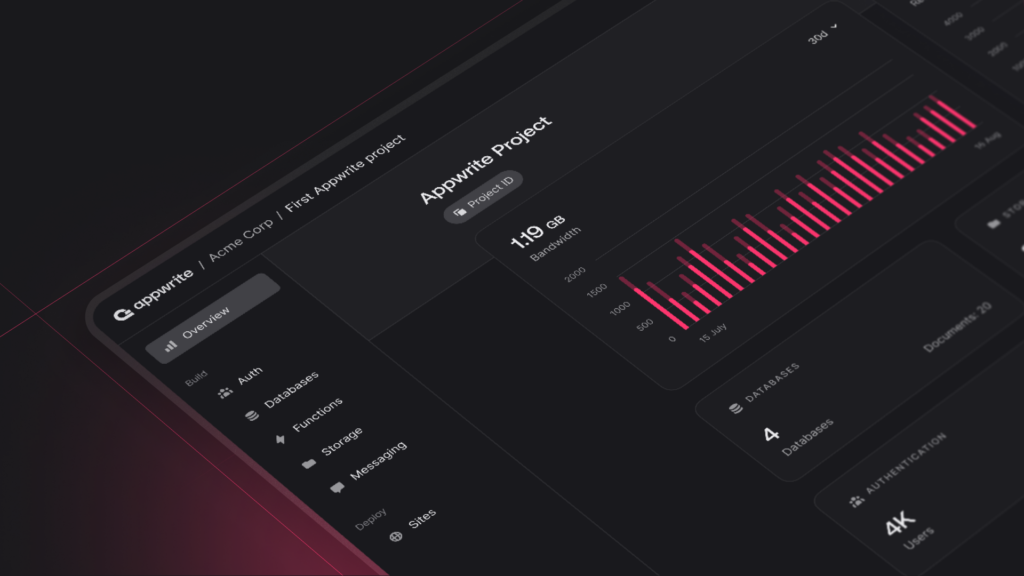
Appwrite is an end-to-end backend platform for web, mobile, native, and backend applications. The official README describes it as Docker microservices and lists features such as authentication, databases, storage, image manipulation, Cloud Functions, messaging, and hosting.
Think of it as an open-source/self-hostable Backend-as-a-Service option. Instead of relying entirely on a hosted backend provider, you can run Appwrite on infrastructure you control while still getting a packaged set of backend primitives.
When Appwrite makes sense
Appwrite is a good candidate for a mobile app that needs login, profiles, database records, and file uploads; a web MVP where the team is mostly frontend-focused; an internal tool that needs auth and structured data; or a prototype that needs backend functions without a full custom service.
It is not automatically the right choice just because it is self-hostable. If you have heavy compliance requirements, very custom data access patterns, complex transactions, or an existing backend platform that already works, test Appwrite with a small prototype before committing.
What Appwrite replaces
A traditional backend often includes an auth service, API server, database schema, storage service, background jobs, email provider, admin dashboard, and deployment pipeline. Appwrite does not replace all business logic, but it can replace a lot of repetitive foundation work.
For example, you can use Appwrite authentication instead of building sign-up, login, sessions, and reset-password flows from zero. You can use storage and image manipulation instead of writing file-upload and thumbnail services. You can use Cloud Functions for small backend tasks without deploying a separate service.
The correct mental model is backend primitives, not “no backend thinking required.” You still need data modeling, permissions, validation, product rules, and security review.
Prerequisites
You need Docker and access to the Docker socket because the official install command mounts /var/run/docker.sock. You also need a working directory where Appwrite can create its files.
For anything beyond a local test, prepare a domain and HTTPS, SMTP or an email provider, a backup strategy for database and storage, project/collection/permission conventions, an update plan, and resource monitoring for disk, RAM, and CPU.
Install Appwrite with Docker
The official self-hosted installation command is:
docker run -it --rm --volume /var/run/docker.sock:/var/run/docker.sock --volume "$(pwd)"/appwrite:/usr/src/code/appwrite:rw --entrypoint="install" appwrite/appwrite:1.8.0This runs the Appwrite installer and creates the required environment under an appwrite directory in the current path. Because the command mounts the Docker socket, run it only on a machine you control.
After setup, the console is documented at:
http://localhostFor a server deployment, configure domain, reverse proxy, HTTPS, and access controls according to the current official docs. Do not leave an admin console exposed over plain HTTP.
Verify the installation
A useful first verification flow is: open the Appwrite Console, create a test project, add a web or mobile platform, create a small database collection, create a test user or auth flow, upload a small file to Storage, inspect container logs, and restart the stack to confirm data persists.
That last step matters. A backend platform is not “working” just because the console loads; data must persist, backups must be possible, and restore procedures should be tested before real users depend on it.
Practical use cases
The first use case is an MVP that should not spend weeks rebuilding auth. Authentication is easy to underestimate. Sessions, password resets, OAuth, permissions, and user profiles have many sharp edges.
The second use case is file upload and image handling. The README lists storage and image manipulation, which can save time for apps with avatars, product images, documents, or basic media workflows. Watch disk usage, file limits, retention, and backups from the beginning.
The third use case is Cloud Functions for small backend tasks: webhook handling, notifications, data transforms, or event-driven logic. Once functions grow, you still need testing, versioning, deployment, and rollback practices.
Common mistakes
The first mistake is treating the local console as production. http://localhost is a starting point, not a production deployment model.
The second mistake is designing permissions too late. Permissions are central to a backend platform. Decide who can read and write each collection before real data arrives.
The third mistake is failing to test persistence. If volumes or data directories are wrong, a restart or upgrade can become a data-loss event.
The fourth mistake is assuming Appwrite removes backend responsibility. It accelerates repeated backend work, but schema design, validation, rate limits, abuse prevention, and business rules are still yours.
Appwrite is worth testing when you want to build a web or mobile app quickly while keeping a self-hosting path. It packages many repeated backend needs into one platform: auth, databases, storage, functions, messaging, and hosting.
Adopt it with a small project first. Build auth, one collection, one upload flow, or one function. If development becomes faster while permissions, backups, and deployment remain understandable, Appwrite may be a good fit for the real product.