Key Takeaways
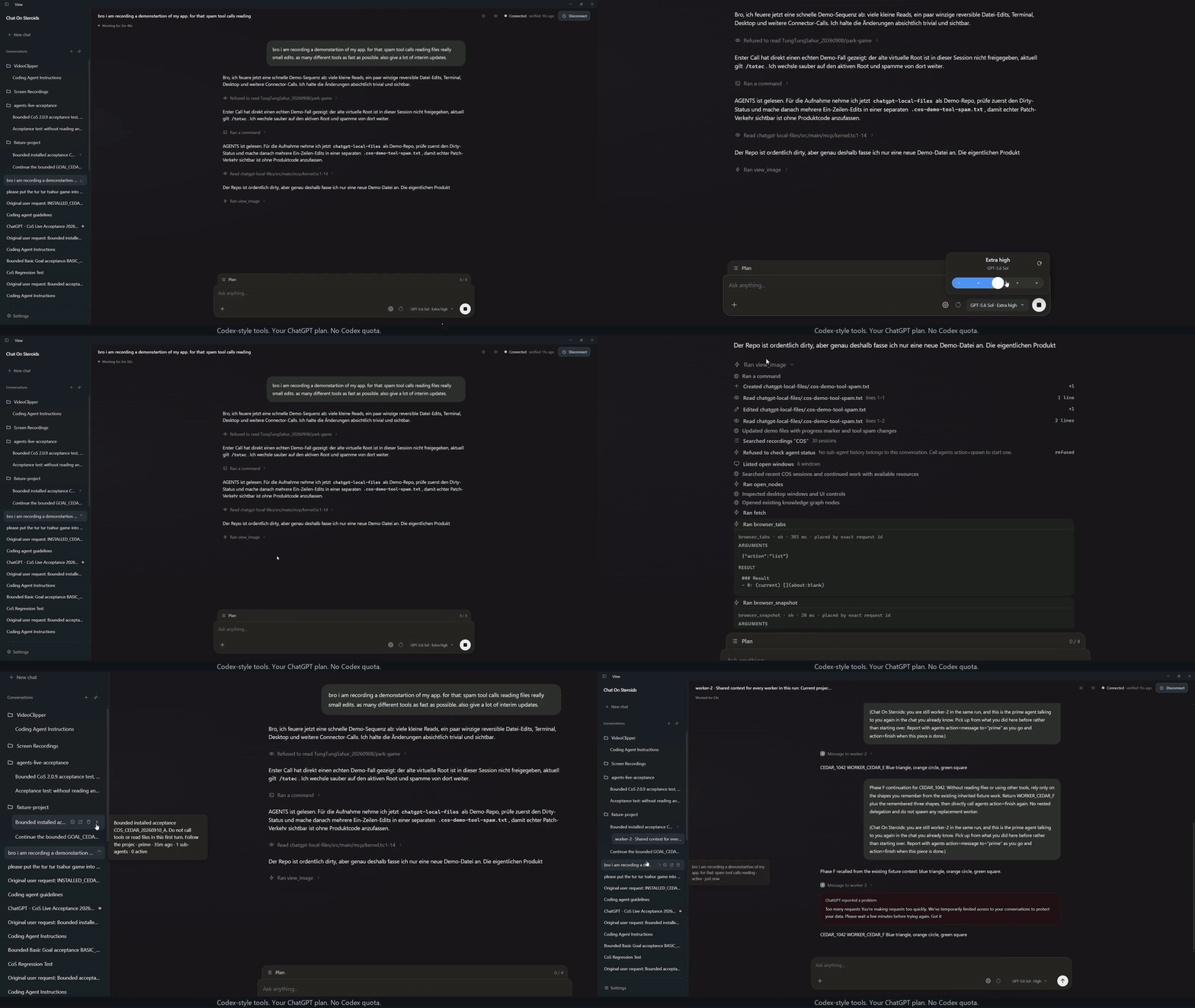
Chat On Steroids is an open-source MIT-licensed Electron application connecting cloud-hosted ChatGPT to local repositories via the Model Context Protocol (MCP). While filesystem tools enforce strict workspace allowlists, terminal commands execute with full host user privileges without OS containerization, making virtual machine or container isolation strongly recommended for untrusted repositories.
Many software engineers want to leverage conversational language models directly across local codebases without uploading sensitive source code to proprietary cloud extensions. The open-source project Chat On Steroids provides an Electron-based desktop application written in TypeScript that connects the ChatGPT web interface to the developer workstation using the Model Context Protocol (MCP).
Understanding how the application routes requests across network boundaries, confines file operations, and executes terminal commands is vital for any engineering team evaluating its adoption.
Dual-transport networking and reverse tunnel routing
Under setup.md L9-L56, Chat On Steroids connects cloud models to workstation resources by splitting network communication into two distinct channels: an ephemeral Core MCP server routed through a configured reverse tunnel, and a local WebSocket bridge dedicated to the companion browser extension.
+-----------------------------------------------------------------+
|                         Host Workstation                        |
|                                                                 |
|   +-----------------------+           +---------------------+   |
|   |  Chrome Extension     |           |  Chat On Steroids   |   |
|   |  (ChatGPT Web UI)     |           |  Electron Desktop   |   |
|   +-----------+-----------+           +----------+----------+   |
|               |                                  |              |
|       WebSocket (8765-8769)                      |              |
|               +----------------------------------+              |
|                                                  |              |
|                                      HTTP (127.0.0.1:0)         |
|                                                  |              |
+--------------------------------------------------|--------------+
                                                   |
                                        Encrypted Reverse Tunnel
                         (Cloudflare Quick Tunnel / OpenAI Secure Tunnel)
                                                   |
                                       +-----------+-----------+
                                       |  OpenAI Model Servers |
                                       |  (ChatGPT Engine)     |
                                       +-----------------------+
Dynamic Core MCP server loop
The primary channel processes tool calls dispatched by the model runtime. As implemented in server.ts L470-L493, the Core MCP server binds to the local loopback interface on an operating-system-assigned dynamic port (server.listen(0, '127.0.0.1')). Dynamic port binding prevents port conflicts when running multiple concurrent client instances. Under server.ts L469-L473, the internal HTTP listener sets a 30-second headers timeout and a 300-second request timeout to bound slow request intake. Separately, body-size checks enforce an 8 MB limit (MAX_BODY_BYTES) per server.ts L31. When a payload exceeds this limit, server.ts L417-L451 rejects the request with HTTP status 413.
Upon launch, as implemented in server.ts L263-L277, the application generates a cryptographically random 32-byte secret path token per surface via randomBytes(32). Because cloud model servers cannot reach private loopback sockets directly, developers configure an encrypted reverse tunnel—such as the OpenAI Secure MCP tunnel (using a tunnel ID and restricted key), Cloudflare quick tunnel (using a public URL with a secret tokenized path), or a custom HTTPS tunnel—as documented in setup.md L9-L55. The configured tunnel forwards incoming JSON-RPC calls from the public internet directly to the internal loopback port. As an optional operational observation, developers troubleshooting egress restrictions may consider alternative local reverse proxies, though the repository exclusively documents and tests the built-in tunnel paths.
Companion browser bridge on ports 8765–8769
Separated from the MCP tool execution pipeline, the desktop client runs a local WebSocket server on dedicated ports 8765–8769. According to setup.md L41-L56, the bridge binds the first unoccupied port in this range or honors the CLF_BRIDGE_PORTS environment override.
This bridge coordinates exclusively with the paired Chrome companion extension. Its responsibilities are strictly limited to synchronizing conversation metadata, managing session tokens, and displaying execution indicators in the browser tab. It exposes no filesystem manipulation or shell command endpoints. If a saved port is occupied when the application starts, the desktop client stays open with the bridge stopped and displays an error in Setup rather than silently falling back to another port.
Hands-on setup and local development workflow
Setting up Chat On Steroids locally requires Node.js 22 or newer as specified in CONTRIBUTING.md L17. Core and extension components rely on standard npm dependencies, while native desktop helpers require platform-specific toolchains such as Xcode on macOS.
Building and running from source
Developers can clone the repository, install pinned dependencies, and start the development server using the standard npm lifecycle:
# Clone repository and enter workspace
git clone https://github.com/totec448-spec/chat-on-steroids.git
cd chat-on-steroids

# Clean install with pinned package versions
npm ci

# Launch desktop app in development mode with hot reload
npm run dev

# Run comprehensive test suite and type verification
npm run verify
As defined in package.json L9-L40, the npm run dev script starts Vite for the renderer UI and boots the main Electron process in development mode. The verification script executes static type checks (tsc --noEmit), privacy checks, and Vitest test suites.
Workspace configuration and tunnel connection
Once the desktop window launches, initialize the environment through three verified steps from setup.md L9-L16:
- Approve Project Folder: Open Settings → Workspace, approve a target project folder, and review the tool permissions. File tools (
read,write,list_directory) reject any access outside these directories. - Configure Reverse Tunnel: Under setup.md L9-L16, open Settings → Setup, select your tunnel provider, and press Connect. In ChatGPT, add the Core app under Plugins → Add → Create MCP App with the displayed endpoint URL.
- Pair the Companion Extension: Press Open extension folder in the desktop app. In Chrome, navigate to
chrome://extensions, enable Developer mode, choose Load unpacked, and select that folder. Per setup.md L41-L56, pairing establishes automatically over the configured browser bridge port, using the first available port in the 8765–8769 range by default.
To package standalone binaries for distribution on your native architecture, invoke:
npm run dist:mac:arm64    # macOS Apple silicon
npm run dist:linux:x64    # Linux x64
npm run dist:x64          # Windows x64
Security model: Filesystem allowlists vs. shell privileges
A critical design consideration is understanding the disparity between file manipulation security and terminal execution privileges.
| Subsystem | Scope of Authority | Enforcement Mechanism | Security Profile |
|---|---|---|---|
Filesystem (read, write, list_directory) | Configured approved workspace paths | Application path canonicalization | Scoped; rejects path traversal |
Shell commands (exec_command) | Entire host user account permissions | Direct unconfined child process | High; inherits all user rights |
Desktop surface (Desktop tools) | Entire screen, mouse, and clipboard | OS accessibility and screen APIs | Sensitive; operates directly on UI |
Browser bridge (Companion WebSocket) | Tab metadata and activity state | Loopback port 8765–8769 | Minimal; no filesystem or shell APIs |
Directory canonicalization vs child process execution
According to sandbox.ts L7-L24 and SECURITY.md L18-L43, filesystem tools validate paths against approved project roots, using canonical realpath checks to defeat symlink escapes.
Conversely, the exec_command tool sets the initial working directory to the project root, but spawns a child process that runs with the full permissions of the host operating system user account. As defined in command-allowlist.ts L105-L115, the command allowlist matches basic binary names and arguments, failing closed whenever compound shell operators such as pipes (|), redirects (>), command chaining (&&, ;), or command substitution ($()) appear.
However, child processes lack kernel-level namespace or sandbox isolation. A running build command can read configuration files in the user home directory, inspect environment variables, or establish external outbound network connections. Teams working on untrusted external repositories should execute Chat On Steroids inside dedicated virtual machines or container environments.
Tree-sitter bash parser role in patch handling
A common assumption is that Tree-sitter performs security audits on arbitrary shell commands. In the codebase at tools-core.ts L794-L826, the application incorporates tree-sitter-bash grammar specifically to parse incoming shell command strings and identify patch operations (apply_patch or applypatch).
When a valid patch syntax is matched (such as heredoc blocks or sequences like cd <path> && apply_patch), the client intercepts the call, decodes the diff payload, and applies modifications directly using internal file methods. This bypasses subprocess spawning and speeds up code modifications without providing general semantic security scanning.
Autonomous sessions and operational troubleshooting
For long coding tasks, Chat On Steroids orchestrates state across multi-turn workflows using autonomous modes and local context compaction.
- Compact and Resume: According to setup.md L75, when context limits approach exhaustion, the client compresses conversation history into a structured Markdown brief of 2,000 to 6,000 tokens, rebinding the active session to a clean context. Automatic compaction uses configured local estimates; Pro reasoning models are excluded from automatic compaction.
- Worker Pool Concurrency: Under setup.md L77, the client defaults to two concurrent workers per family, configurable up to eight simultaneous workers.
- Read-Only Mode: Under config.ts L661-L677, enabling Read-only mode overrides all writing capabilities upstream, returning
TOOL_DISABLEDfor file writes, shell execution, or desktop control.
Troubleshooting common failure modes
When operating Chat On Steroids in daily development, teams encounter common operational scenarios documented across setup.md L41-L97:
TOOL_DISABLEDError Responses: If the model reports that an operation failed withTOOL_DISABLED, check whether Read-only mode is active in the status bar or whether that specific named local capability is toggled off in settings.- Bridge Port Conflicts: If the desktop application starts with the bridge stopped and an error in the Setup tab, a saved bridge port is occupied. You can select another port or Auto under Settings → Browser & history. To identify the process holding the port, you can inspect active TCP listeners across the bridge range with
lsof -iTCP:8765-8769 -sTCP:LISTEN(or targeting your configured port) on macOS/Linux. - Linux Credential Storage Errors: On Linux distributions, API keys and tunnel tokens rely on Secret Service via GNOME Keyring or KWallet per setup.md L86-L97. If key storage fails, ensure your keyring daemon is unlocked before launching the application.
Chat On Steroids provides a flexible local MCP bridge for developers wanting direct ChatGPT code interaction. Safe adoption requires establishing strict workspace boundaries, recognizing that shell commands run un-sandboxed, and isolating execution environments when evaluating untrusted code.