

OmX for Codex CLI: A Practical Guide to Multi-Agent Orchestration, Hooks, and HUDs

Key Takeaways:
OmX turns Codex CLI into an OS-like multi-agent workspace with reusable roles, coordinated agent teams, event-driven hooks, and a terminal HUD that makes complex AI coding sessions easier to manage.
Why OmX Exists
AI coding assistants have evolved fast. What started as single-turn autocomplete has grown into full coding agents that can inspect a repo, plan work, edit files, run commands, and verify results. But even with that progress, most terminal AI workflows still feel linear. You start one session, push one agent in one direction, and then try to keep the whole mental model in your own head.
That model breaks down when work gets larger. Real software projects need multiple viewpoints, persistent state, reusable workflows, and a way to know what is happening without constantly re-reading the entire conversation. A single isolated session is powerful, but it is not always enough.
That is where OmX, short for Oh My codeX, becomes interesting. OmX does not replace Codex CLI. It acts more like an operating system layer around it. Codex remains the execution engine, while OmX adds orchestration, reusable roles, workflow skills, persistent project memory, team coordination, and live status surfaces. If Codex is the worker, OmX is the control plane.
For professional engineers and terminal-first power users, that distinction matters. OmX is not just another prompt collection. It is a structured runtime for open-source AI coding agents.

What OmX Actually Adds to Codex CLI
At a high level, OmX adds four practical layers to a normal Codex workflow.
First, it gives you reusable role and task entry points such as $architect and $executor, so you do not have to rebuild the same prompting patterns over and over. Second, it adds workflow skills such as $plan, $ralph, $team, and $deep-interview, which let you invoke higher-level orchestration patterns rather than manually coordinating each step. Third, it stores durable state under .omx/, including plans, logs, memory, and mode tracking. Fourth, it adds operator-facing tools such as omx setup, omx doctor, and omx hud --watch.
That combination is what makes OmX feel bigger than a shell alias pack. It gives Codex continuity across sessions and structure across tasks.
Agent Teams: Multi-Agent Orchestration That Scales Beyond One Session
The headline feature in OmX is Agent Teams. This is the part that addresses the biggest limitation of linear AI coding: one agent can only do one thing at a time, in one context, with one local point of view.
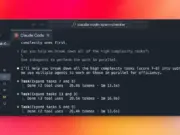
OmX introduces team-based orchestration in two forms. Inside a coding session, you can invoke $team when a task has grown large enough to justify coordinated parallel work. Outside the session, you can use the team runtime with commands like:
omx team 3:executor "fix the failing tests with verification"
omx team status <team-name>
omx team resume <team-name>
omx team shutdown <team-name>
The mental model is straightforward. You choose the number of workers and a role, then assign a bounded mission. OmX uses a tmux-compatible backend on macOS and Linux, or psmux on native Windows, to keep these team runs durable. That means your multi-agent work is not just conceptual. It is backed by an actual runtime designed for coordination and recovery.
This is where the phrase “multi-agent orchestration” becomes more than marketing. OmX is designed for tasks that need parallel execution, persistent execution, or specialist separation. A security reviewer should not always be the same thing as an executor. A planner should not always be the same thing as an implementer. OmX lets you encode that separation directly into the workflow.
When to use Agent Teams
Use Agent Teams when the task is big enough that one stream of reasoning becomes inefficient. Good examples include fixing many TypeScript errors across a codebase, reviewing multiple modules in parallel, or breaking a migration into inspection, planning, implementation, and verification tracks.
Inside a session, a practical starting pattern is:
$architect "analyze the authentication module"
$plan "map the safest implementation path"
$team 3:executor "fix all TypeScript errors"
That progression mirrors how experienced engineers work: understand, plan, then distribute.
Hooks: Event-Driven Automation for Runtime State and Recovery
The second major OmX idea is hooks. OmX uses runtime hooks to append overlays, manage state transitions, and keep its orchestration layer updated without destructively rewriting your project guidance.
This is most visible in its runtime and team overlays. The project guidance model relies on marker-bounded sections such as:
<!-- OMX:RUNTIME:START -->
<!-- OMX:RUNTIME:END -->
and
<!-- OMX:TEAM:WORKER:START -->
<!-- OMX:TEAM:WORKER:END -->
The practical value of this is stability. OmX can inject or update runtime information in a predictable, non-destructive way. Instead of treating session metadata as an afterthought, it treats it as part of the operating contract of the repo.
Hooks also matter for observability. The HUD layer reads activity state from .omx/state/ files, including last activity information generated through the notify hook. In other words, hooks are part of how OmX turns invisible background changes into visible operational state.
For teams evaluating “AI agent hooks” in terminal workflows, OmX’s approach is useful because it keeps automation tied to bounded files and explicit runtime markers instead of turning the whole environment into an opaque magic layer.
HUD: A Terminal Heads-Up Display for AI Agent State
The HUD is one of the most distinctive parts of OmX because it addresses a real usability problem. In long-running AI coding sessions, situational awareness disappears fast. You know something is running, but you may not know which mode is active, how many workers are live, how many turns have accumulated, or whether the session is idle or still moving.
OmX solves that with a two-layer HUD.
Layer 1: Codex built-in status line
The first layer uses Codex’s built-in TUI status line. OmX setup can configure ~/.codex/config.toml so Codex displays items such as the model, git branch, and remaining context. This gives you a persistent footer without extra code.
Layer 2: OmX orchestration HUD
The second layer is OmX-specific and comes from the omx hud command family. Useful commands include:
omx hud
omx hud --watch
omx hud --json
omx hud --preset=minimal
omx hud --preset=focused
omx hud --preset=full
The default focused preset looks like this:
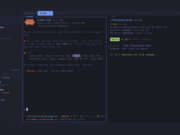
[OMX] ralph:3/10 | ultrawork | team:3 workers | turns:42 | last:5s agoThat single line is more useful than it first appears. It tells you whether persistent execution is active, whether higher-intensity work modes are engaged, whether a team is live, how much conversational depth has accumulated, and how recently anything happened.
For anyone searching for a “terminal HUD for AI,” this is one of OmX’s sharpest differentiators. It gives you feedback at the runtime layer, not just output at the conversation layer.
[Image of OmX HUD showing team workers, turns, and recent activity in the terminal footer]
Installation and Setup
OmX is documented around a Node-based setup path, and the current recommended route is very simple.
Prerequisites
Before you install OmX, make sure you have:
- Git for cloning and project workflows
- Node.js 20 or later
- npm
- OpenAI Codex CLI installed and authenticated
tmuxon macOS or Linux if you plan to use durable team runtimepsmuxon native Windows if you want Windows team mode
If you only want the standard single-session OmX experience, Node.js and Codex CLI are the main requirements. Team mode adds the terminal multiplexer dependency.
Recommended install path
If you want the fastest documented path, run:
npm install -g @openai/codex oh-my-codex
omx setup
omx doctor
That gives you the Codex execution engine, installs OmX globally, applies OmX setup, and then verifies the environment.
If you prefer building from source for inspection or contribution, a practical flow is:
git clone https://github.com/Yeachan-Heo/oh-my-codex.git
cd oh-my-codex
npm install
npm run build
npm link
omx setup
omx doctor
What omx setup configures
omx setup is not just a convenience command. It installs prompts, skills, configuration, and AGENTS scaffolding. It also configures the Codex status line and writes .omx/hud-config.json with a default preset. If HUD changes do not appear immediately, restarting Codex CLI once is the expected fix.
Configuration Surfaces You Should Know
OmX does not revolve around a heavy .env file in the default path. Instead, its main control surfaces are operational files and a few environment overrides.
The most important ones are:
~/.codex/config.tomlfor Codex TUI configuration such as the status lineAGENTS.mdfor project-level instructions.omx/for plans, logs, memory, mode tracking, and runtime state.omx/hud-config.jsonfor HUD preset selection
There are also useful environment overrides for instruction handling:
OMX_BYPASS_DEFAULT_SYSTEM_PROMPT=0 omx
OMX_MODEL_INSTRUCTIONS_FILE=/path/to/instructions.md omx
That makes OmX flexible without making it config-heavy.
A Practical First Workflow
Once setup is done, the most useful beginner sequence is:
omx --madmax --highThen inside the session:
$architect "analyze the authentication flow"
$plan "ship this feature cleanly"
If the task grows, escalate:
$team 3:executor "fix all TypeScript errors"If you want to monitor orchestration state from another pane or window, run:
omx hud --watchThis gives you a practical split-screen operating model: Codex session on one side, OmX HUD on the other.
Final Verdict
OmX is best understood as an orchestration layer, not a replacement tool. It keeps Codex CLI at the center, then adds the missing pieces that advanced users eventually want anyway: durable state, reusable roles, team workflows, hooks, and a real-time HUD.
If you want a plain single-agent terminal assistant, OmX may feel like more than you need. But if you want an OS-like layer for open-source AI coding agents, with multi-agent orchestration and operator-grade visibility, OmX is one of the more compelling projects in this space today.








