

Open Claude: A Model-Agnostic Terminal AI Coding Agent

Key Takeaways:
Open Claude is an open-source, terminal-first coding assistant that unlocks autonomous coding workflows across OpenAI, Gemini, DeepSeek, Ollama, and 200+ compatible models without vendor lock-in.
Why a model-agnostic coding agent matters
Most mainstream AI coding assistants today are tightly coupled to a single provider: you get great integration but you are locked into one model family, one pricing structure, and one data policy. This becomes a strategic limitation when you want to route different workloads to different models, experiment with new providers, or run local models for sensitive codebases.gitlawb+1
Open Claude positions itself as a universal bridge for terminal-based AI development by taking the Claude Code agent architecture and opening it up to any model speaking an OpenAI-compatible API. Instead of being bound to a single vendor, you configure the CLI to talk to OpenAI GPT-4o, Gemini, DeepSeek, GitHub Models, or a local Ollama instance—all behind one consistent interface.
Core capabilities of Open Claude
Extensive multi-model support
At its core, Open Claude is “Claude Code opened to any LLM,” wired through an OpenAI-compatible provider shim. This means:
- Cloud models like GPT-4o, DeepSeek chat/reasoning models, and Gemini variants can all be used via the same chat completions protocol.
- Aggregators and routers (for example OpenRouter-style services) can expose additional families, including GitHub Models, through the same API shape.
- Local engines like Ollama can be treated as an OpenAI endpoint, giving you a seamless way to run the agent over fully local models.
The result is an “open-source coding agent” that can talk to well over 200 models, depending on which providers and gateways you point it at.
CLI-first architecture for speed
Open Claude keeps the CLI as the primary UX surface: there is no heavy IDE dependency or proprietary desktop app. You launch it from the root of your project, and it:
- Reads and edits files directly in your working directory.
- Runs shell commands (tests, builds, linters) in your existing environment.
- Streams logs and tool output inline in the terminal for maximal transparency.
This design keeps overhead low and performance high, especially for developers already living in tmux, Neovim, or remote SSH sessions.
Local LLMs with Ollama for privacy
For privacy-sensitive code or air-gapped environments, Open Claude can act as an “Ollama CLI agent.” In this setup:
- Ollama (or a similar host) runs locally and exposes an OpenAI-compatible HTTP endpoint.
- Open Claude is configured to point its OpenAI shim at that local base URL.
- All source code and prompts stay on your machine, while you still get autonomous coding, file editing, and terminal execution.
This is ideal for companies that cannot send source externally but still want an AI coding agent with rich tool use.
Installation prerequisites
Required tools
Before installing Open Claude, ensure the following are set up:
- Node.js (version 18+ recommended) and npm, required for running the global CLI package.
- pnpm (optional), if you prefer it over npm for global installations.
- Git, for cloning the repository or working with mirrors.
Once these are available, installation is a single global command.
Installing Open Claude globally
Install via npm (recommended)
For most users, npm is the fastest way to get started:
# Global install
npm install -g @gitlawb/openclaude

# Confirm it’s on PATH
openclaude --help
This publishes the openclaude CLI to your PATH so you can run it from any project directory.
Install via pnpm
If pnpm is your package manager of choice:
# Global install with pnpm
pnpm add -g @gitlawb/openclaude

# Verify installation
openclaude --version
The behavior is the same; only the package manager differs.
Installing from the repository (optional)
If you want to track the repo directly or hack on Open Claude itself, clone the mirror and work from source:
git clone https://github.com/Gitlawb/openclaude.git
cd openclaude

# Optional: link globally
npm install -g .
# or
pnpm add -g .
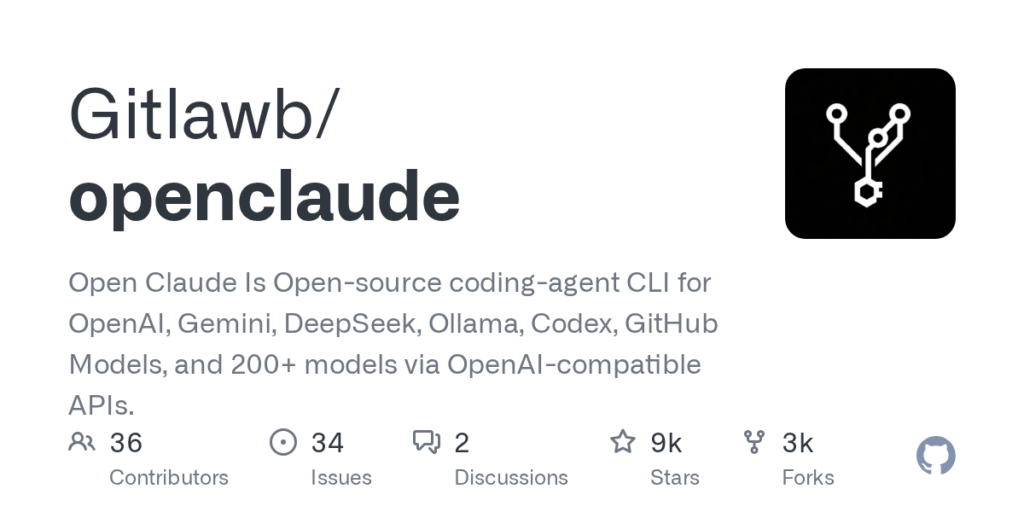
You can find the official code and issues on the Open Claude repository at Gitlawb/openclaude.
Provider configuration and API keys
Open Claude’s model-agnostic nature comes from its environment-driven provider configuration. You use environment variables to tell it which endpoint and model to talk to.
Example: OpenAI GPT-4o
For an “Open Claude tutorial” baseline, start with OpenAI:
export CLAUDE_CODE_USE_OPENAI=1
export OPENAI_API_KEY="sk-your-openai-key"
export OPENAI_MODEL="gpt-4o"

# Start the agent in your project
cd /path/to/project
openclaude
On Windows PowerShell:
$env:CLAUDE_CODE_USE_OPENAI = "1"
$env:OPENAI_API_KEY = "sk-your-openai-key"
$env:OPENAI_MODEL = "gpt-4o"

openclaude
This config turns Open Claude into a GPT-4o-powered terminal agent with full Claude Code–style tools.
Example: DeepSeek coding assistant
To use DeepSeek via an OpenAI-compatible gateway:
export CLAUDE_CODE_USE_OPENAI=1
export OPENAI_BASE_URL="https://api.deepseek.example/v1"
export OPENAI_API_KEY="sk-your-deepseek-key"
export OPENAI_MODEL="deepseek-chat"
openclaude
This switches Open Claude into a “DeepSeek coding assistant,” ideal for budget-conscious autonomous coding and batch tasks.
Example: AI agent for GitHub Models
If you have access to GitHub Models with an OpenAI-compatible chat endpoint:
export CLAUDE_CODE_USE_OPENAI=1
export OPENAI_BASE_URL="https://models.github.ai/v1"
export OPENAI_API_KEY="ghp-your-github-models-key"
export OPENAI_MODEL="github/gpt-4.1-mini"
openclaude
Now Open Claude acts as an AI agent for GitHub Models, using your existing GitHub ecosystem.
Using local models via Ollama
To run fully local with Ollama:
# Assuming Ollama exposes an OpenAI-style endpoint
export CLAUDE_CODE_USE_OPENAI=1
export OPENAI_BASE_URL="http://localhost:11434/v1"
export OPENAI_API_KEY="ollama"       # often ignored
export OPENAI_MODEL="llama3.1:70b"   # or any Ollama model name

cd /path/to/project
openclaude
In this “Ollama CLI agent” configuration, all prompts and code stay on your machine while Open Claude still handles file edits, terminal commands, and multi-step reasoning.
Starting a session and selecting a model
Launching from a project directory
Once installed and configured, launch Open Claude in the root of any repo:
cd ~/projects/my-app
openclaude
The agent inspects your working directory, maps the project structure, and then waits for natural-language instructions.
You can create simple shell wrappers for different providers—for example:
# openclaude-deepseek.sh
export CLAUDE_CODE_USE_OPENAI=1
export OPENAI_BASE_URL="https://api.deepseek.example/v1"
export OPENAI_API_KEY="sk-deepseek"
export OPENAI_MODEL="deepseek-chat"
openclaude
Running ./openclaude-deepseek.sh drops you straight into a DeepSeek-backed session.
Interactive model switching (version-dependent)
Depending on the version and scripts shipped, Open Claude can also expose flags or interactive prompts to switch models at startup (for example, --model or --provider arguments). For reproducible setups, it is still best to encapsulate provider selections in .env files or shell aliases.
Initiating autonomous coding tasks
Typical coding workflow
Open Claude behaves like a terminal-native autonomous coding agent:
- You describe a task in natural language.
- It proposes a plan (steps, files to touch, commands to run).
- With your approval, it edits files, runs commands, and iterates until tests pass.
Example request:
Implement JWT-based auth for our /api/users endpoints.

- Add login and refresh endpoints
- Store tokens in HTTP-only cookies
- Protect existing /api/users routes
- Add integration tests for login, refresh, and protected access
Behind the scenes, Open Claude will:
- Read relevant controllers/handlers and auth utilities.
- Modify or create files as needed.
- Run your test suite (for example
npm testorpytest) and surface failures directly in the terminal.
Bug-fix and refactor scenarios
For bug fixes:
The checkout flow is occasionally throwing `OrderTotalMismatchError`.

- Find where this is raised
- Reproduce it using our existing tests
- Identify and fix the root cause
- Add a regression test
The agent searches the codebase, runs targeted commands, and proposes patches, using your configured model (DeepSeek, GPT-4o, Gemini, or a local Llama via Ollama) to reason through the changes.
Patterns for multi-model workflows
A powerful way to use Open Claude is to treat different models as different “gears” in your workflow:
- Premium gear (OpenAI / Claude-class via GitHub Models): Use for large refactors, new feature scaffolding, and complex tool-calling tasks.
- Value gear (DeepSeek coding assistant): Use for smaller edits, documentation, or repetitive chores where cost matters more than peak quality.
- Private gear (Ollama CLI agent): Use for work on highly sensitive repositories that must remain offline or on-prem.
By wrapping each configuration in its own launcher script, you can pick the gear you want for each session without changing your core tooling. The CLI UX remains constant; only the model behind it changes.
Where Open Claude fits in your toolchain
Open Claude is ideal if you:
- Prefer a terminal-centric workflow over heavy IDE plugins.
- Want an “open-source coding agent” you can inspect, fork, or extend.
- Need freedom to use OpenAI, Gemini, DeepSeek, GitHub Models, or Ollama without rewriting your agent tooling.
- Care deeply about privacy and would like the option to keep everything local.
The project is actively evolving as a model-agnostic, open-source alternative to proprietary AI coding agents, and its GitHub mirror at Gitlawb/openclaude is the best starting point to explore the code, issues, and roadmap.








