
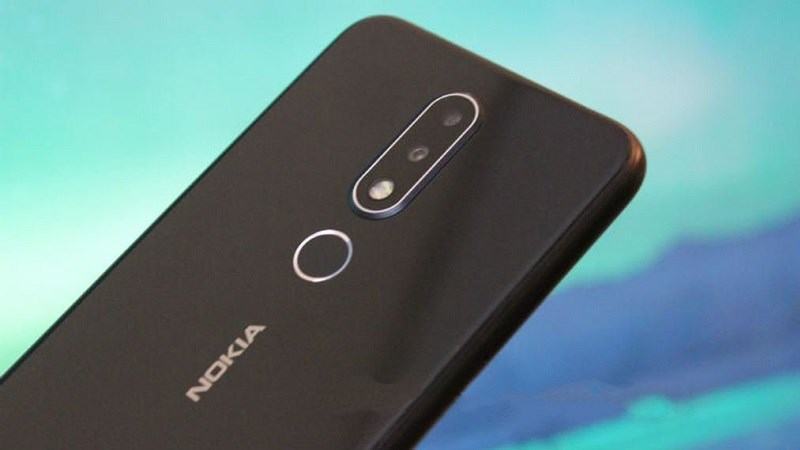
The Nokia 7. 1 with a bright, high contrast 2. 5D 5. 84” full HD+ screen that create brilliant saturated colors making your photos, videos, and apps look better than ever. The 2220×1080 resolution and HDR support saturates your screen and makes everything from text to icons sharper and cleaner.
The Nokia 7. 1 is made even more powerful by taking advantage of the efficiencies of Android One. The 4GB of RAM and 64GB storage of internal storage ensures that everything works just the way you want and if you find yourself needing more space, the Nokia 7. 1 storage is up expandable up to 400GB with a micro SD card.
All that storage is put to use with the dual 12+5MP rear camera that creates vibrant and stunning images utilizing HDR+ technology for photos and an 8MP selfie camera with an 84 degree FOV so everyone fits in the picture every time.
The Nokia 7. 1 is made complete with all the latest connection options including NFC, Bluetooth 5. 0, OTG, a fingerprint sensor, USB Type-C fast charging that takes your phone to 50% charge in less than 30 minutes so you never have to stop for long.
Prerequisites & Preparation
- Backup Data: Flashing will completely wipe all data on your device. Back up important files and settings before proceeding.
- Battery Level: Ensure your device has at least 50% battery to prevent shutdown during the flashing process.
- USB Driver & Tools: Install the correct USB drivers for your brand and prepare the flashing tool (Odin for Samsung, SP Flash Tool/QPST for Qualcomm/MTK, etc.).
CAUTION: Flashing official firmware carries a risk of bricking your device. Proceed with caution and at your own risk. addROM is not responsible for any damage caused to your device.
Download Stock ROM & Firmware
Global / General
| File Type | Firmware / Build | Region / Model | OS Version | Download Link |
|---|---|---|---|---|
| Stock ROM | QPST | Global / General | – | Google Drive |
| Stock ROM | CTL-259B-0-00WW-B03_QPST.rar | Global / General | – | Google Drive |
| Stock ROM | CTL-249C-0-00WW-B05_QPST.rar | Global / General | – | Google Drive |
| Stock ROM | CTL-351F-0-00WW-B04_QPST.rar | Global / General | – | Google Drive |
| Stock ROM | CTL-257D-0-00WW-B05.NBx.rar | Global / General | – | Google Drive |
| Stock ROM | CTL-351j-0-00WW-B01 | Global / General | – | Google Drive |
| Stock ROM | CTL-416B-0-00WW-B01.zip | Global / General | – | Google Drive |
| Stock ROM | CTL-415C-0-00WW-B01.zip | Global / General | – | Google Drive |
| Stock ROM | CTL-408B-0-00WW-B03.zip | Global / General | – | Google Drive |
| Stock ROM | CTL-354H-0-00WW-B03.zip | Global / General | – | Google Drive |
Additional Files & Tools
- CTL-354h-0-00WW-B01.nb0.rar
- CTL-408B-0-00WW-B03.nb0.rar
- CTL-351F-0-00WW-B04.nb0.rar
- CTL-345A-0-00WW-B01.nb0.rar
- CTL-256A-0-00WW-B07.nb0.rar
- QPST_2.7.496.1.zip
- OneDrive
- MediaFire
- Backup
How to Flash Firmware / Stock ROM
To flash the stock firmware on your Nokia device using Online Service Tool (OST LA), follow these steps:
- Download and install the Nokia USB Drivers on your computer.
- Download and install the Online Service Tool (OST LA) (preferably the patched version).
- Extract the downloaded stock ROM firmware (usually in
.nb0or.mlfformat). - Launch
OnlineUpdateTool.exefrom the installation directory (typicallyC:\Program Files (x86)\OST LA). - Power off your device completely. Hold the Volume Down button and connect the device to the computer via USB cable to enter Download Mode (Fastboot Mode).
- In OST LA, click the browse button (…) and select the extracted firmware file (
.nb0or.mlf). - Click the Next button.
- Wait for the flashing process to complete. The device will automatically reboot once finished.








