
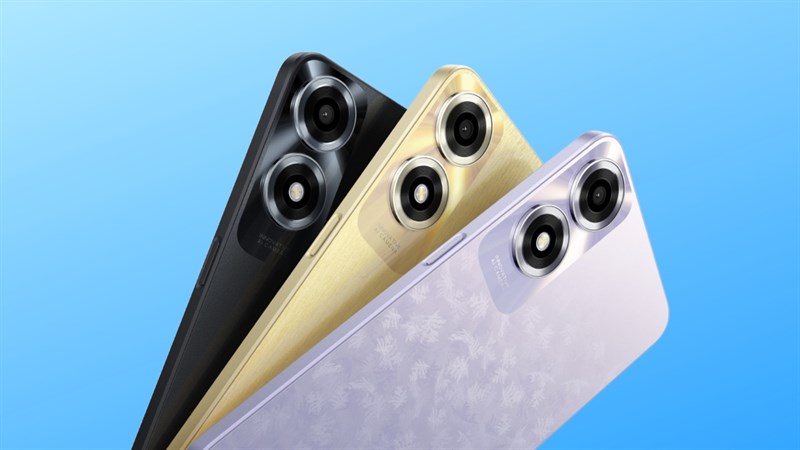
Experience the clarity and responsiveness of our 120Hz Ultra Bright Display, perfect for reading and capturing stunning photos—even under the sun’s brightest glare.
The powerful 45W SUPERVOOCTM Flash Charge gets you back on track in minutes. Our unique SUPERVOOCTM technology automatically detects the compatibility of wires and adapters, so you can rest assured of charging safety.
This advanced 6nm process MediaTek 6300 Mobile Platform delivers both low power consumption and high performance to support your exciting 5G experience.
Take better, clearer pictures with this 50MP Ultra-Clear Camera, delivering natural-looking, scroll-stopping shots that preserve every meaningful moment or memory. This phone’s smart AI Portrait Retouching enhances your 5MP front camera portraits, using an adjustable scale so you can control how much change happens and can adjust your natural look as much as you like.
Prerequisites & Preparation
- Backup Data: Flashing will completely wipe all data on your device. Back up important files and settings before proceeding.
- Battery Level: Ensure your device has at least 50% battery to prevent shutdown during the flashing process.
- USB Driver & Tools: Install the correct USB drivers for your brand and prepare the flashing tool (Odin for Samsung, SP Flash Tool/QPST for Qualcomm/MTK, etc.).
CAUTION: Flashing official firmware carries a risk of bricking your device. Proceed with caution and at your own risk. addROM is not responsible for any damage caused to your device.
Download Stock ROM & Firmware
Global / General
| File Type | Firmware / Build | Region / Model | OS Version | Download Link |
|---|---|---|---|---|
| Stock ROM | 240907 | Global / General | Android 11 | Google Drive |
How to Flash Firmware / Stock ROM
To flash the stock firmware on your OPPO device using SP Flash Tool, follow these steps:
- Download and install the MTK USB Drivers on your computer.
- Download and extract the SP Flash Tool.
- Launch
Flash_tool.exeas administrator. - Click on the Scatter-loading button and select the Android scatter file (
.txt) from the extracted firmware folder. - Click the Download button.
- Power off your device completely, hold the Volume Down or Volume Up button, and connect it to the computer via USB cable.
- The flashing process will start automatically. Wait for the green “Download OK” checkmark to appear.









The OPPO A3X seems to pack a punch for its price range, especially with the combination of a 120Hz display and 45W SUPERVOOCTM fast charging—features that are typically reserved for higher-end devices. However, I’m curious about real-world performance of the MediaTek 6300 platform in heavy 5G use. Also, while the 50MP camera sounds impressive on paper, does it hold up against competitors in terms of detail and dynamic range? Has anyone tested it yet?