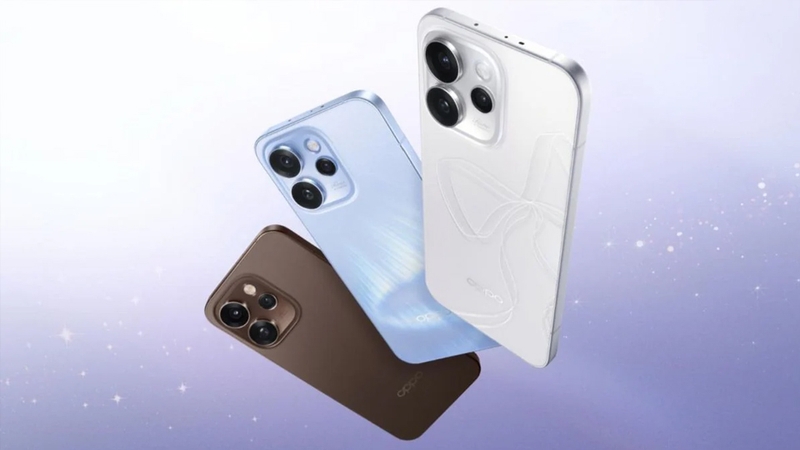
Featuring a 6.32-inch display, the OPPO Reno 15 Pro offers a spacious viewing area with a premium AMOLED panel. The intelligent 120Hz adaptive refresh rate ensures smooth and instantaneous swiping and transitions. The 1.5K resolution (1216 x 2640 pixels), combined with 1.07 billion colors and HDR10+ certification, guarantees sharp, vibrant, and realistic images in all lighting conditions.
The OPPO Reno 15 Pro’s photography system is equipped with a 200MP Ultra-Clear main sensor. This extremely high resolution allows the device to capture images with incredible detail, enabling users to crop images freely without worrying about loss of detail. Combined with optical image stabilization (OIS), the main camera ensures consistently clear and stable image quality.
The OPPO Reno 15 Pro’s power comes from the MediaTek Dimensity 8450 processor, manufactured using an advanced 4nm process. This chipset boasts a large core architecture, resulting in a 41% increase in CPU performance and a 24% increase in GPU performance compared to its predecessor. With 12GB of RAM and 256GB of UFS 3.1 internal storage, the device smoothly handles demanding multitasking and provides ample storage space for users.
Powering the OPPO Reno 15 Pro is a massive 6200mAh battery. Despite its slim and lightweight design, this battery ensures up to 2.36 days of usage for typical tasks. Users can comfortably watch online videos for over 4 hours with just 10 minutes of charging, or play MOBA games for over 11 hours without worrying about running out of power.
The OPPO Reno 15 Pro runs on ColorOS 16 with the brand-new Trinity Engine technology. This system uses AI to schedule and allocate resources based on usage habits, ensuring smooth performance for up to 6 years. The user interface is optimized for quick response to all operations, bringing…
Prerequisites & Preparation
- Backup Data: Flashing will completely wipe all data on your device. Back up important files and settings before proceeding.
- Battery Level: Ensure your device has at least 50% battery to prevent shutdown during the flashing process.
- USB Driver & Tools: Install the correct USB drivers for your brand and prepare the flashing tool (Odin for Samsung, SP Flash Tool/QPST for Qualcomm/MTK, etc.).
CAUTION: Flashing official firmware carries a risk of bricking your device. Proceed with caution and at your own risk. addROM is not responsible for any damage caused to your device.
Download Stock ROM & Firmware
PLV110
| File Type | Firmware / Build | Region / Model | OS Version | Download Link |
|---|---|---|---|---|
| Stock ROM | PLV110 | PLV110 | Android 15 | Google Drive |
CPH2813
| File Type | Firmware / Build | Region / Model | OS Version | Download Link |
|---|---|---|---|---|
| Stock ROM | Oppo_Reno_15_Pro_5G_CPH2813_MT6899_GDPR_11_16.0.1.310EX01_251127_MXML.zip | CPH2813 | Android 15 | Google Drive |
CPH2811
| File Type | Firmware / Build | Region / Model | OS Version | Download Link |
|---|---|---|---|---|
| Stock ROM | Oppo_Reno_15_Pro_5G_CPH2811_MT6899_EX_11_16.0.1.302EX01_251121_MXML.zip | CPH2811 | Android 15 | Google Drive |
How to Flash Firmware / Stock ROM
To flash the stock firmware on your OPPO device using SP Flash Tool, follow these steps:
- Download and install the MTK USB Drivers on your computer.
- Download and extract the SP Flash Tool.
- Launch
Flash_tool.exeas administrator. - Click on the Scatter-loading button and select the Android scatter file (
.txt) from the extracted firmware folder. - Click the Download button.
- Power off your device completely, hold the Volume Down or Volume Up button, and connect it to the computer via USB cable.
- The flashing process will start automatically. Wait for the green “Download OK” checkmark to appear.