

 By
By Adobe Photoshop 2024 – Free download for macOS
Download
Compatible: macOS Big Sur 11 or later (however Ventura 13.4 or later is preferable)
- Adobe Photoshop 2024 latest version on page 1
- Adobe Photoshop 2024.dmg
Adobe Photoshop 2024 v25.3.1 (Old).dmg (5,4G)Adobe Photoshop 2024 v25.2.dmg (6,0G)Adobe Photoshop 2024 v25.1.dmg (6,7G)- Adobe Photoshop 2024 v25.0 on page 4
How to install & activate
Step 1: you still have to Disable Gatekeeper first
Step 2: Installs AntiCC v5.9
Step 3: Run the Install file by right-clicking and selecting Open
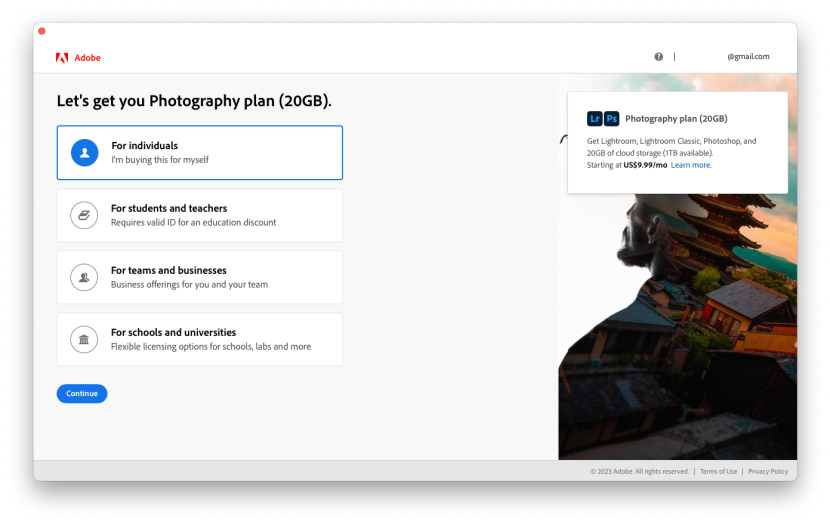
Step 4: (Important) After installation, do not run P4tch but open Photoshop. A Login screen will appear like this:

Select Login with Google (or Apple, Facebook whatever). It’s okay to use an expired account. After logging in, it will display the “Let’s get you…” screen, then close the application.
NOTE:
The Acc must have a Location of United State. To make sure, you go to the adobe.com and register a new account, while registering pay attention to the following notes: Location and Date of birthday










Does Adobe Photoshop 2024 v25.9.1 work with macOS 26 Tahoe?
Why is my generative AI still grayed out? It says I get 25 tokens a month and I can’t even use it….
i have a problem, on my adobe photoshop pop up like this “sorry this adobe app is not available” what should i do?
Generative Fill is not working. it is not clickable
did you get it fixed?
When i try to use fill generator it reports “Something went wrong, please try again” anyone knows how to fix that?
did you solve it?
I followed all steps and was success with AI. Then I downloaded your Photoshop package and followed all steps again, it’s no problem but when I opened the windows “Adobe License Password” appeared, then I pressed “Deny”. It’s still work but it did not connect to the Creative Cloud, and it seems do not have enough tools on the beginning windows(not work space). It’s same issue with InDesign which I installed after AI. I don’t know if I have any problem.
If you want to install Adobe suite with many products such as Ai, Ps, … then install all the same version, it will have less errors.
Thank you, followed the steps on page 1 only and no issues. Ventura 13.4.1
did any one got the generative fill to work ?
Photoshop 2024 v25.3.1 (New) doesn’t work under macOS 14.2.1. “Failed with error code 146” and yes I’ve installed AntiCC 5.9
password zip ??/
We can’t verify your subscription status.
i getting licence key quit photoshop
is there a solution for this ?
you should intall the new adobe firefly than ai generate works!
I got stuck at “Failed with error code 107”
25.2 ver. ‘Install’ file right-clicking and selecting Open –> ‘this file damaged’. Even right clicking and selecting open package –> ‘applet’ file dosn’t working.
same here. Not working.
The fixing isn’t working. Photoshop won’t even open without internet
this message pumps.
¨ESTA APLICACION DE ADOBE SIN LICENCIA SE DESACTIVARA PRONTO¨
How to fix: “This unlicensed Adobe app will be disable soon”
“YOU NO LONGER HAVE ACCESS DUE TO A VIOLATION OF ….”
the installer come with Alpacaml (alternative of Generative Fill), with 10,000 credit. Just go to > Plugin > Alpaca (.stable diffusion tool is included too)> same way of how you to use G.F . Specially thanks addroom 🙂
Where I can find it?
hi watt, mine was updated and it reduced my credit to 72…welp
I fixed it. it was ‘hosts’ file issue
Funciona!! No la AI. ¿Se pueden descargar los Neural Filters?
Buen dia me sale “Esta aplicacion de adobe sin licencia se ha desactivado” que debo hacer?
Here is the guide for you: How to fix: “This unlicensed Adobe app will be disable soon”
Unfortunately, the AI doesn’t work… I hope that with the next update, a solution will have been found so that we can use it
the generative AI is not working
i got error when use AI Generative fill, You no longer of access due to violation of or terms of use
crusutil disable. command not found. ? how to fix pls
Please is the generative fill working in this final version
Everything is okay, but same AI is not working.
‘Generative Fill’ option not working in this version. My Mac configuration is macOS Monterey Ver 12.6.8, Intel processor. I have installed all the packages as per the instruction mentioned in the post. Is there any other way to make ‘Generative Fill’ option work?